
The order screen at an exchange lists Market, Limit and Trigger, and it is hard to tell which one to pick.
The choice comes down to how you want the price handled. Use Market to fill now, Limit to name a price and wait, and Trigger (a stop order) to act once a price is reached.
This guide checks the help pages of BingX, Bitunix and MEXC on 17 November 2026. By the end you will know which order to choose on screen and why fees can differ.
Summary: crypto orders come in three kinds - market, limit and trigger
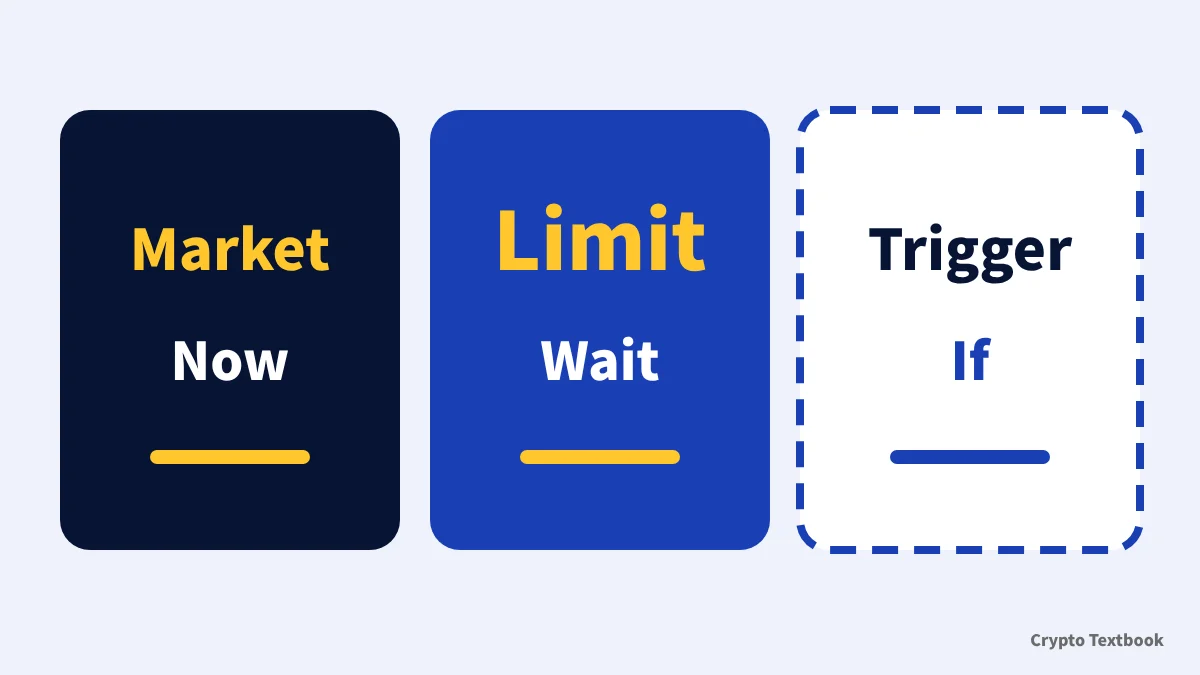
- Market order: buys or sells at the current market price right away; the fill price can drift
- Limit order: you set a price and quantity and wait; it may never fill
- Trigger order (stop order): when your price is reached, a market or limit order is placed for you
- Take profit / stop loss (TP/SL): settings that fix the exit of an open position
- Names differ by exchange: MEXC says stop-limit, BingX and Bitunix say trigger order
This guide covers orders on crypto exchanges only. Forex orders placed on MT4 or MT5 are explained in a separate guide.
Forex order types: market, limit, stop and SL/TP on MT4 and MT5
It is the list of buy and sell orders lined up by price. A limit order rests on the book, and a market order trades against the orders already there.
What is a market order? It fills at once, but the price can slip
BingX's help page says a market order lets you buy or sell immediately at the best available price in the market. You set the quantity, not the price.
In its example, the current price is 2600, but the fill is not always 2600. A buy can fill slightly higher and a sell slightly lower.
| Item | Market order |
|---|---|
| How it fills | Right away at the best price on the book |
| Setting a price | Not possible; you enter the quantity only |
| Certainty of fill | High (Bitunix help page) |
| Watch out for | In fast markets the fill can differ from the price you saw |
It is the gap between the price you saw when ordering and the price you actually got. Bitunix's help page says it can occur in volatile markets.
What is a limit order? For a buy, place it below the current price
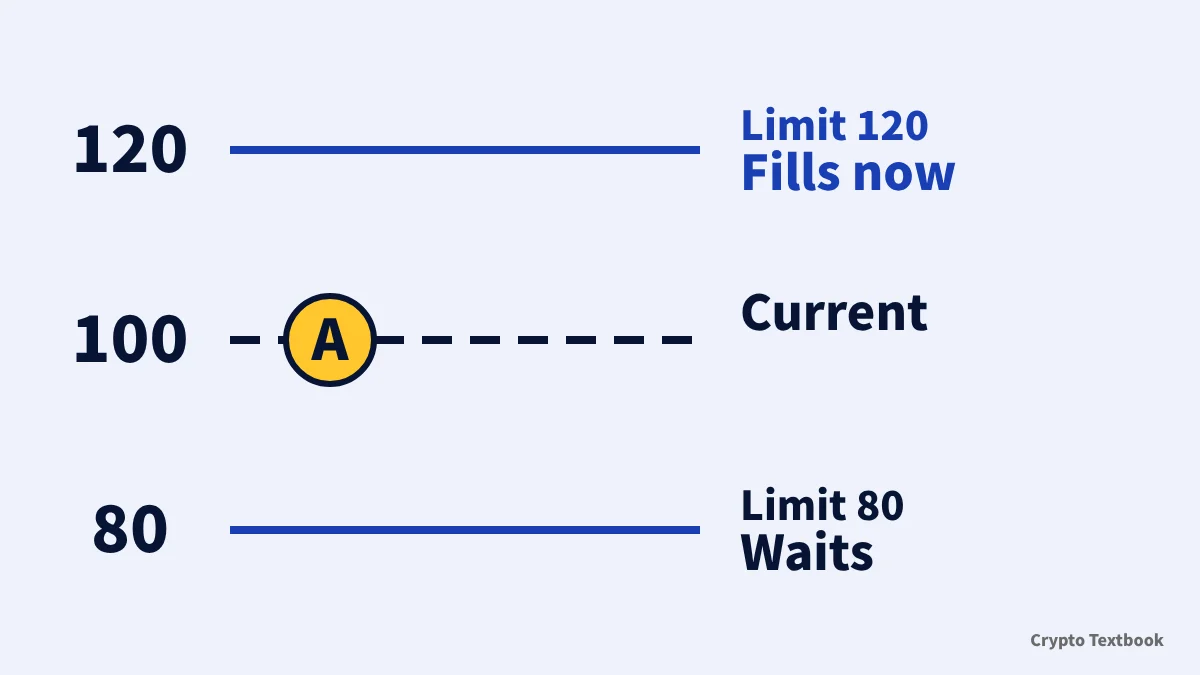
A limit order sets a price and a quantity. MEXC's help page says it fills at once if it matches an order on the book, and otherwise stays on the book and waits.
In BingX's example the current price is 100. A buy limit at 80 does not fill until the price falls to 80 or below. At 120 it fills immediately.
| Buying at a current price of 100 | What happens |
|---|---|
| Limit at 80 | Waits until the price is 80 or lower; may never fill |
| Limit at 120 | Fills at once, near 100 rather than at 120 |
※ For a sell limit the directions reverse: placed above the current price, it waits.
Bitunix's help page says a limit order may not be filled immediately or at all. You keep control of the price, but a fill is not guaranteed.
What is a trigger (stop) order? The name differs by exchange
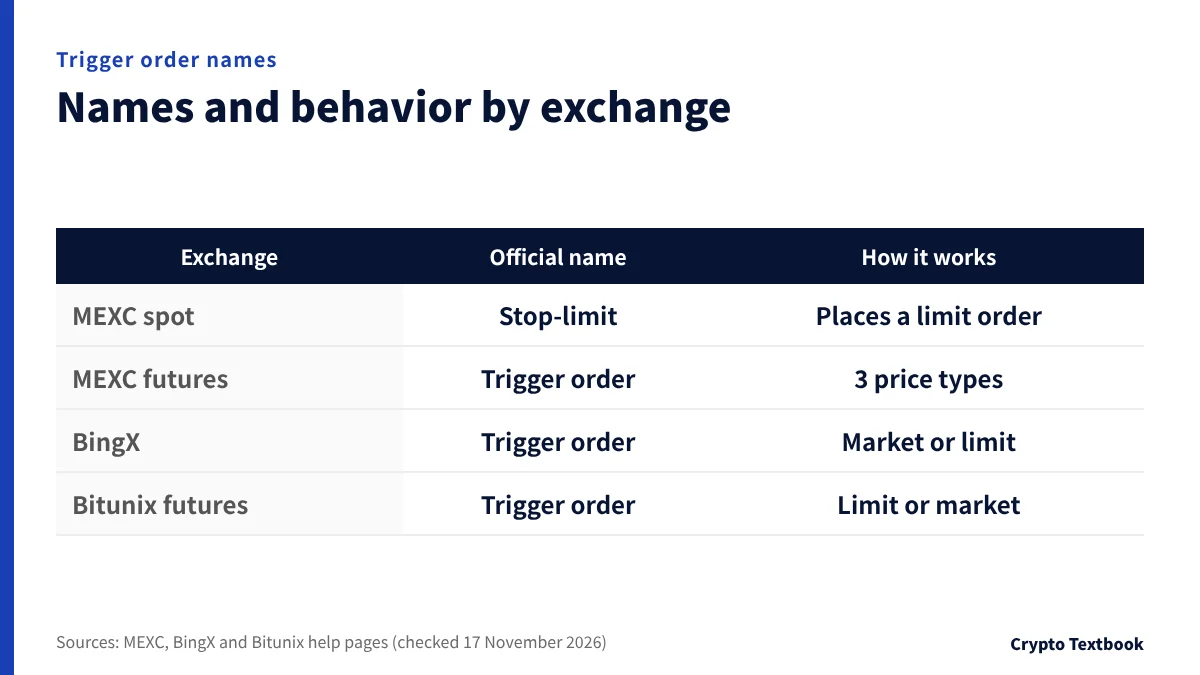
A trigger order stays inactive until the market price reaches a preset trigger price. When it does, a market or limit order is placed automatically.
| Exchange | Name in the help pages | How it works |
|---|---|---|
| MEXC (spot) | Stop-limit order (trigger order) | Places a limit order once the trigger price is reached |
| MEXC (futures) | Trigger order | Trigger price can be last, fair or index price |
| BingX | Trigger order | Places a market or limit order; no margin is held until it fires |
| Bitunix (futures) | Trigger order | Places a limit or market order automatically |
In BingX's example the current price is 1000 and the trigger price is 1100, so the order is placed once the price rises to 1100. MEXC's example sets a take-profit stop-limit with a 65,000 USDT trigger and a 66,000 USDT price.
If the follow-up is a market order, the fill price can drift. If it is a limit order, it may not fill when the price does not reach your level.
Take profit, stop loss, OCO and trailing orders compared
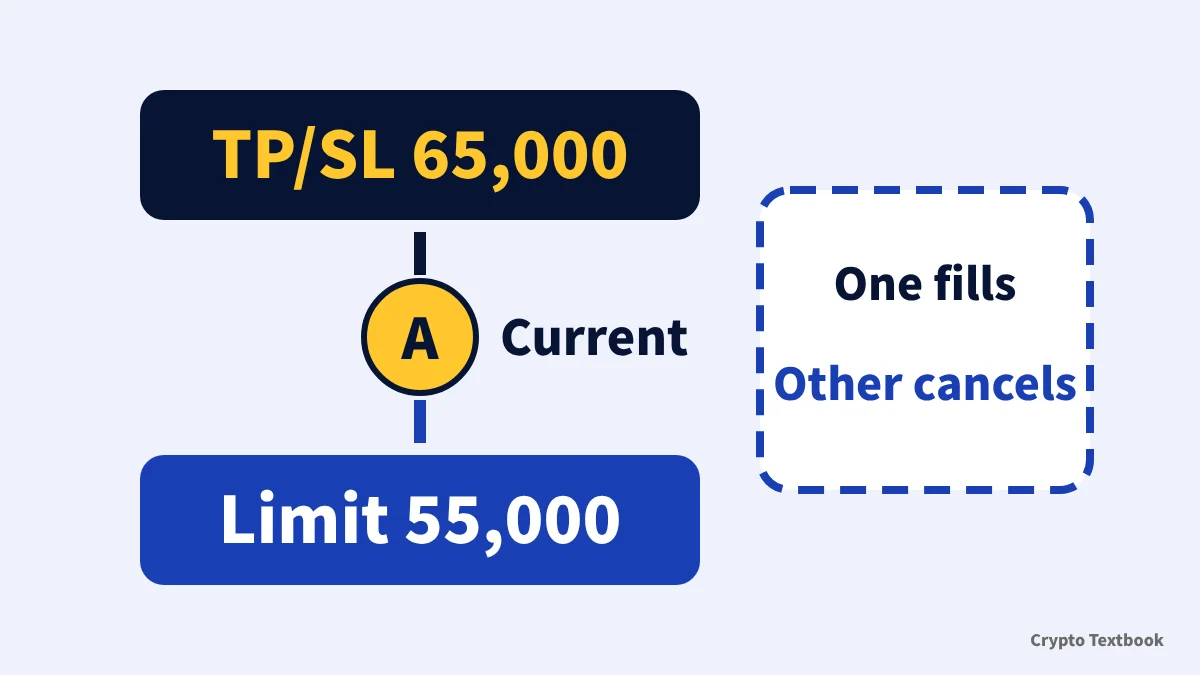
Three order types set the exit price of an open position in advance. The table below compares them using the help pages of BingX and Bitunix.
| Order | How it works | Source |
|---|---|---|
| Take profit / stop loss (TP/SL) | At the trigger price, an order with the type, price and quantity you set is placed | BingX |
| OCO | A TP/SL and a normal limit order are placed together; when one fills, the other is cancelled | BingX |
| Trailing | Tracking starts at the activation price; the order fires when price retraces by the set percentage from its best level | Bitunix |
BingX's TP/SL example uses a current price of 900. One order has trigger 1000 and order price 950, and another has trigger 800 and order price 750.
In its OCO example for a buy, the TP/SL fires if the price reaches 65,000, and the limit order fills if it falls to 55,000 or lower. The other side is cancelled automatically.
Its help steps ask for an activation price and a retracement percentage (the example uses 1%). Futures losses can grow with leverage.
Order type changes the fee: limit is maker, market is taker
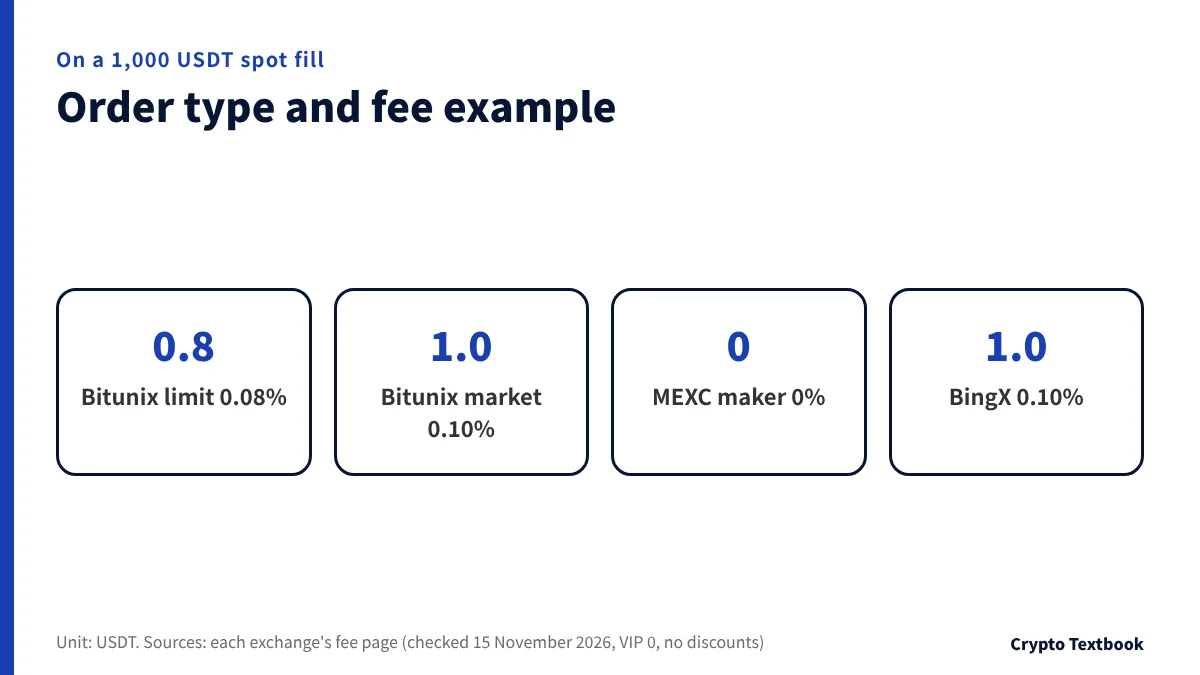
A limit order that rests on the book is a maker, and a market order that takes orders from the book is a taker. Where the two rates differ, the order type affects the fee.
| Exchange (spot) | Maker | Taker | On a 1,000 USDT fill |
|---|---|---|---|
| MEXC | 0% | 0-0.05% | Maker 0, taker up to 0.5 USDT |
| Bitunix (VIP 0) | 0.08% | 0.10% | 0.8 USDT / 1.0 USDT |
| BingX (VIP 0) | 0.10% | 0.10% | 1.0 USDT either way |
※ BingX spot VIP 0 charges the same rate to makers and takers, so a limit order does not change the fee.
Where to look on the order screen: Bitunix futures as an example
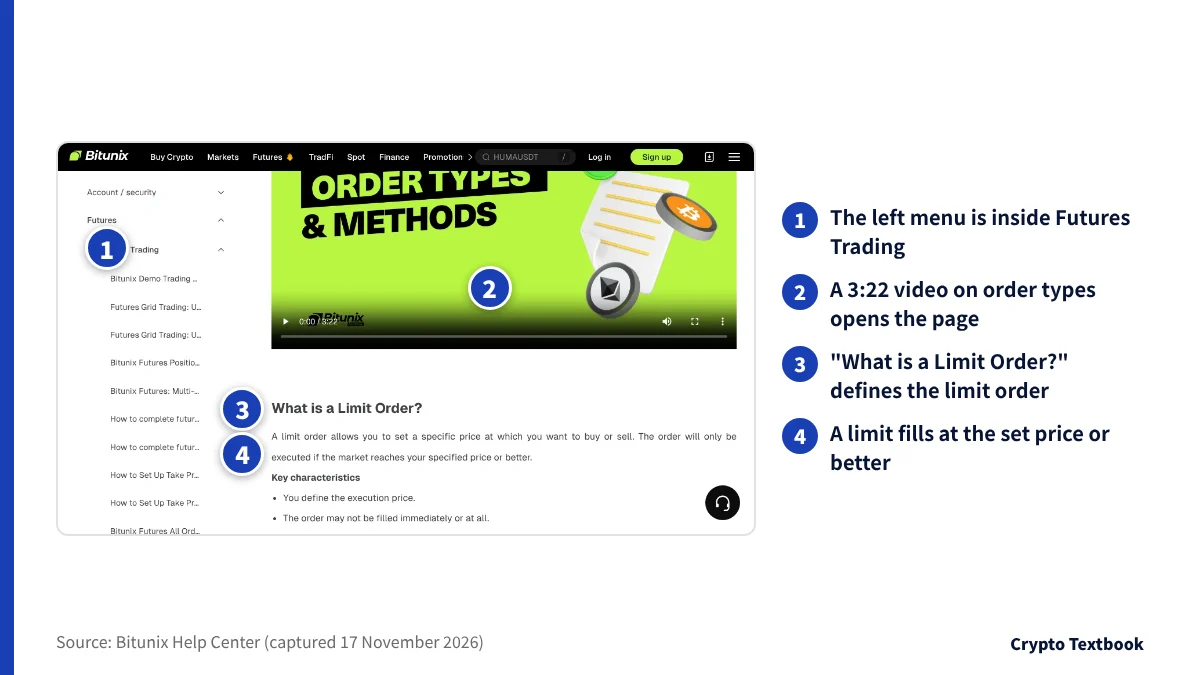
The order type selector sits in a different place at each exchange. Below are the futures steps from Bitunix's help page (in English, updated 28 October 2026).
- 01Move funds to the futures account
Open Assets, then Transfer, and move USDT from spot to futures.
- 02Pick a trading pair
Open Futures and choose a pair such as BTCUSDT.
- 03Set leverage and the order type
In the order panel, choose Limit, Market, Trigger order or Trailing Stop.
- 04Enter the size
Enter the quantity in contracts or as a USDT amount.
- 05Set TP/SL and place the order
Before the fill, set take profit and stop loss in TP/SL, then press Open long or Open short.
Leveraged futures trading can lead to losses beyond your margin and to forced liquidation. Check how it works first.
How to choose an order type (our view)
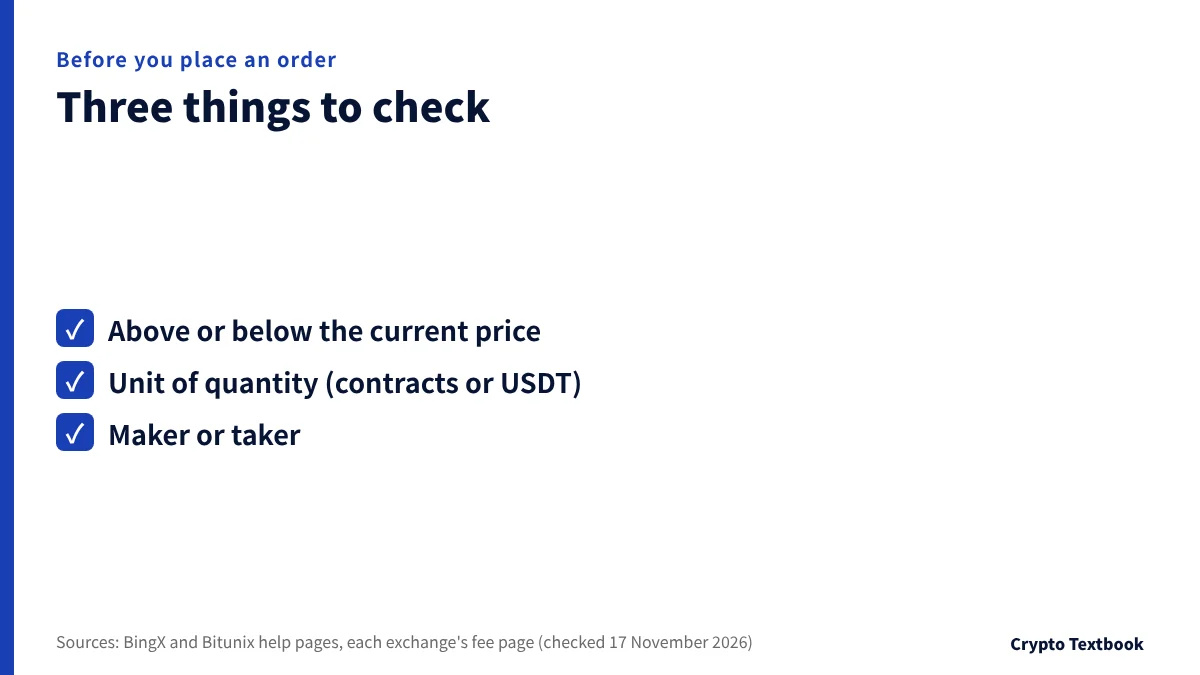
A limit order suits a price you want to name, a market order suits speed, and a trigger order acts on a condition while you are away. Each has its own check: slippage for market, non-fills for limit, and the follow-up order type for trigger.
- Above or below the current price: limit and trigger orders behave differently by position
- Quantity and unit: check whether the box takes contracts or a USDT amount
- Fee class: check maker or taker on the fee page
The difference between spot and perpetual futures is compared in a separate guide.
Frequently asked questions
Q. What is the difference between a limit order and a market order?
A. A limit order sets a price and waits; a market order fills right away. A limit order protects your price but may not fill. A market order fills quickly but the price can drift.
Q. What is a stop order in crypto?
A. It places a market or limit order automatically once your price is reached. Exchanges name it differently: MEXC says stop-limit, and BingX and Bitunix say trigger order.
Q. Why does my limit order not fill?
A. The market price has not reached your limit. A buy limit below the current price, or a sell limit above it, waits until the price arrives. Bitunix's help page also says a limit order may not fill.
Q. Is a limit order cheaper than a market order?
A. It can be where the maker and taker rates differ. Bitunix spot VIP 0 is 0.08% maker and 0.10% taker. BingX spot VIP 0 is 0.10% for both, so nothing changes.
Q. Why does a market buy fill above the price on screen?
A. It trades from the best price on the book outward. BingX's help page says a buy can average slightly above the current price. The gap tends to grow in fast markets.
Q. What is an OCO order?
A. On BingX it places a TP/SL and a normal limit order together. When one of the two conditions is met, the other is cancelled automatically.
Q. Does a trigger order hold margin?
A. BingX's help page says a trigger order holds no margin until it fires as a market or limit order. MEXC's help page says the same for its futures trigger orders, but if margin is short at the moment of triggering, the order is not placed.
Sources and conditions
- BingX | Complete guide to order types (published 16 December 2025, checked 17 November 2026) →
- Bitunix | Futures All Order Types Trading Guide (updated 28 October 2026, checked 17 November 2026) →
- MEXC | Limit, market and stop-limit orders (published 30 June 2022, checked 17 November 2026) →
- MEXC | Futures trigger order FAQ (published 7 September 2026, checked 17 November 2026) →
- MEXC | Fee overview (checked 15 November 2026) →
- BingX | Fee schedule (checked 15 November 2026) →
- Bitunix | Fees (checked 15 November 2026) →
FX Textbook is an independent information site, not an exchange or a provider of personal investment advice. Crypto-asset trading involves risk: price moves, liquidation of leveraged positions, transfer errors and exchange operating risk can result in the loss of some or all invested capital.
NEXT STEP
Now that you know the order types, compare exchange terms.
Spot and futures fees, maximum leverage and deposits, organised by exchange.
Listed exchanges