













You are looking at the Sell and Buy buttons and wondering how you can sell a currency you do not own.
Buying (long) profits when the price rises; selling (short) profits when it falls. Forex settles only the price difference, so you can start with a sell.
We checked bid, ask and the closing direction against the MetaQuotes MT5 help (17 November 2026). By the end you will know which button and which price to look at before you order.
Short answer: long and short are two entries in opposite directions
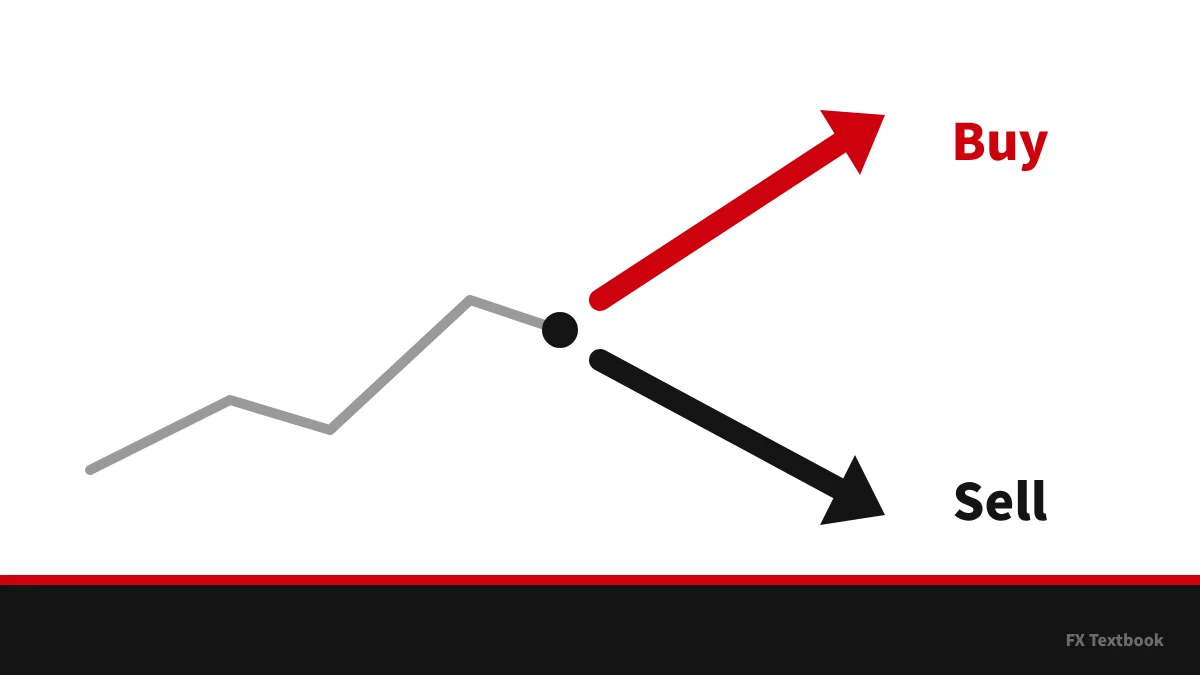
- A buy (long) gains when the price rises and loses when it falls
- A sell (short) gains when the price falls and loses when it rises
- New buys fill at Ask; new sells fill at Bid
- You close with the opposite trade: sell to close a buy, buy to close a sell
- The gap between Ask and Bid is the spread, so a new trade starts slightly negative
The steps are the same on both sides. Only the button and the fill price swap places.
This guide covers the meaning of long and short and the closing direction. The wider basics and the order types have their own guides.
What long and short mean in forex
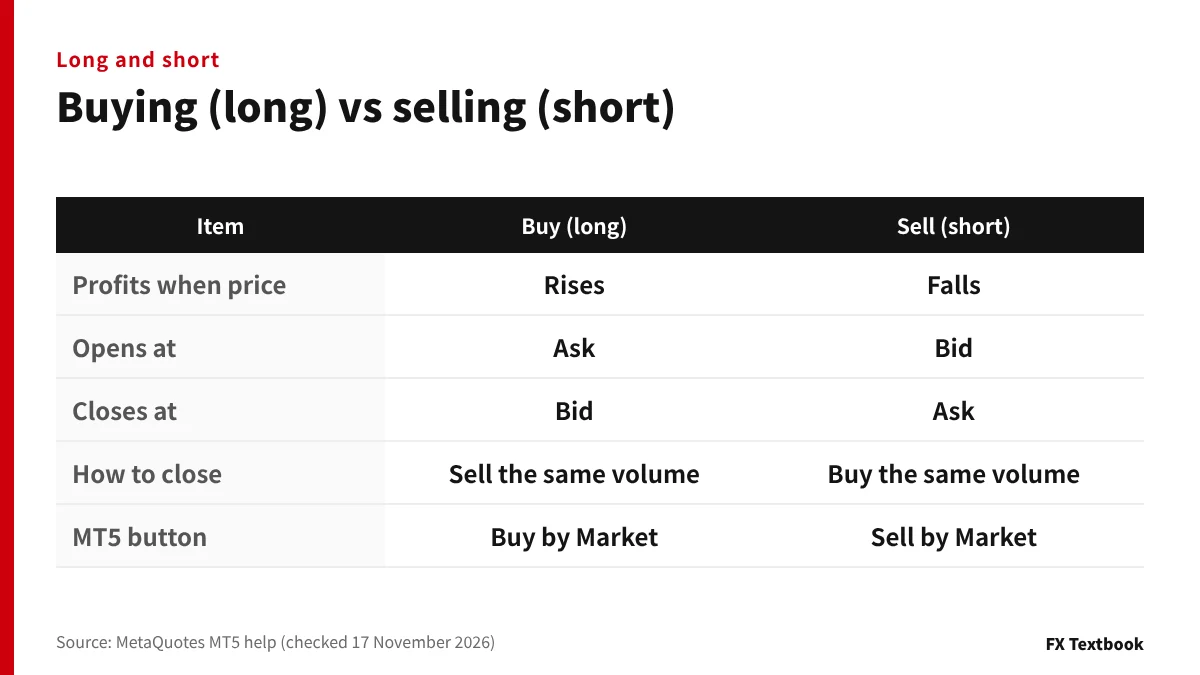
A buy is called a long position and a sell a short position. The MT5 help uses the same terms for open trades.
A position is a trade from the moment you open it until you close it. While it is open, its floating profit or loss changes with every price tick.
| Item | Buy (long) | Sell (short) |
|---|---|---|
| Profits when price | Rises | Falls |
| Opens at | Ask | Bid |
| Closes at | Bid | Ask |
| How to close | Sell the same volume | Buy the same volume |
| MT5 button | Buy by Market | Sell by Market |
Long and short describe the direction of the trade, not how long you hold it. A buy closed after a few minutes is still a long.
How you can sell first in forex
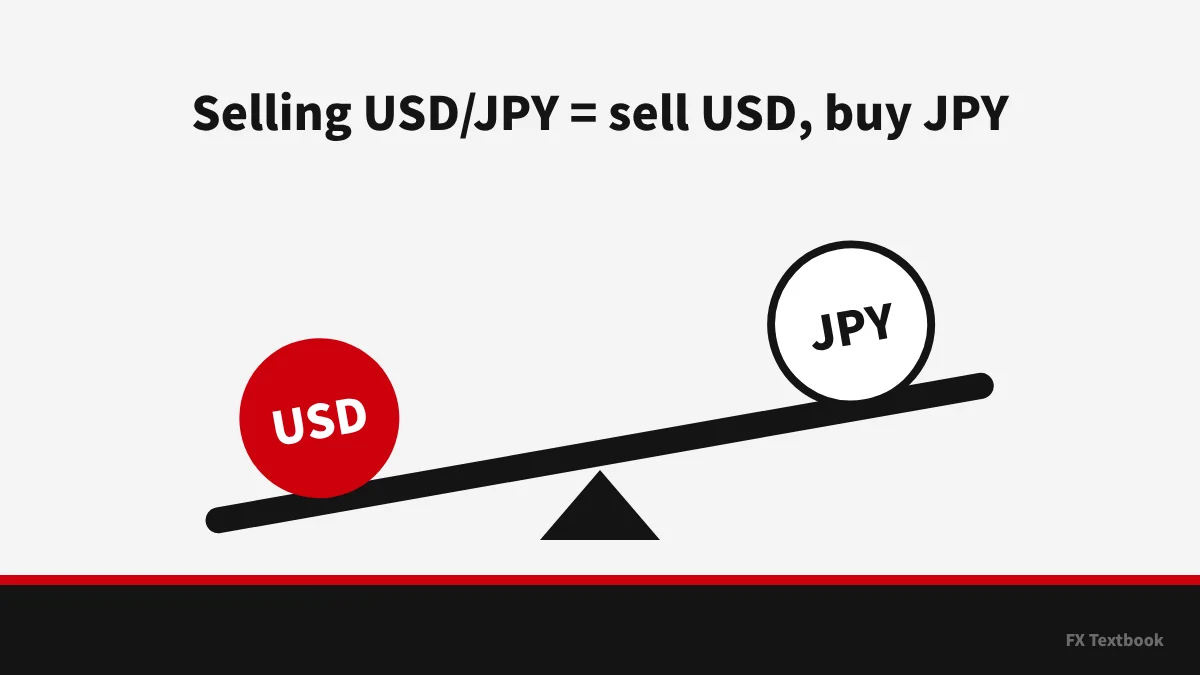
Forex trades currency pairs such as USD/JPY. Selling USD/JPY means selling dollars and buying yen, so you do not need to hold dollars first.
The second reason is cash settlement. No currency changes hands; only the difference between the opening and closing prices goes to your balance. A sell therefore ends with a buy-back.
- Buying USD/JPY = buy USD, sell JPY
- Selling USD/JPY = sell USD, buy JPY
- Selling EUR/USD = sell EUR, buy USD
- The direction always refers to the first (base) currency
Bid and ask: sells fill at bid, buys fill at ask
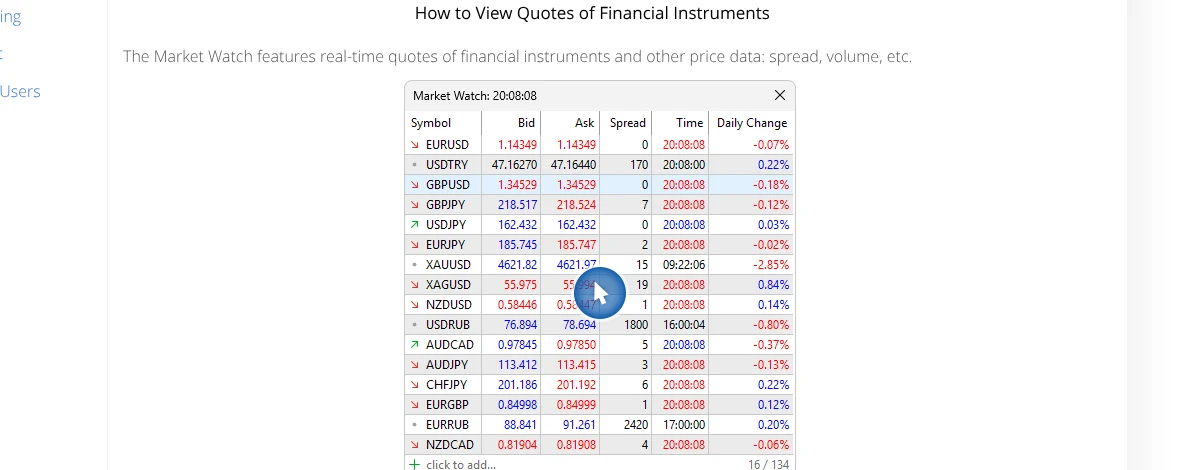
The MT5 Market Watch shows two prices for each symbol, Bid and Ask. The help defines Spread as the difference between the Bid and Ask prices.
| Action | Price used |
|---|---|
| Open a buy | Ask (the higher one) |
| Open a sell | Bid (the lower one) |
| Close a buy (sell) | Bid |
| Close a sell (buy) | Ask |
The Executing Trades page says a Buy position is closed at the Bid price and a Sell position at the Ask price. You sell at the lower price and buy at the higher one.
Sell at Bid, buy at Ask. The Market Watch example in the MT5 help labels the columns Bid and Ask.
Profit and loss by direction: worked examples
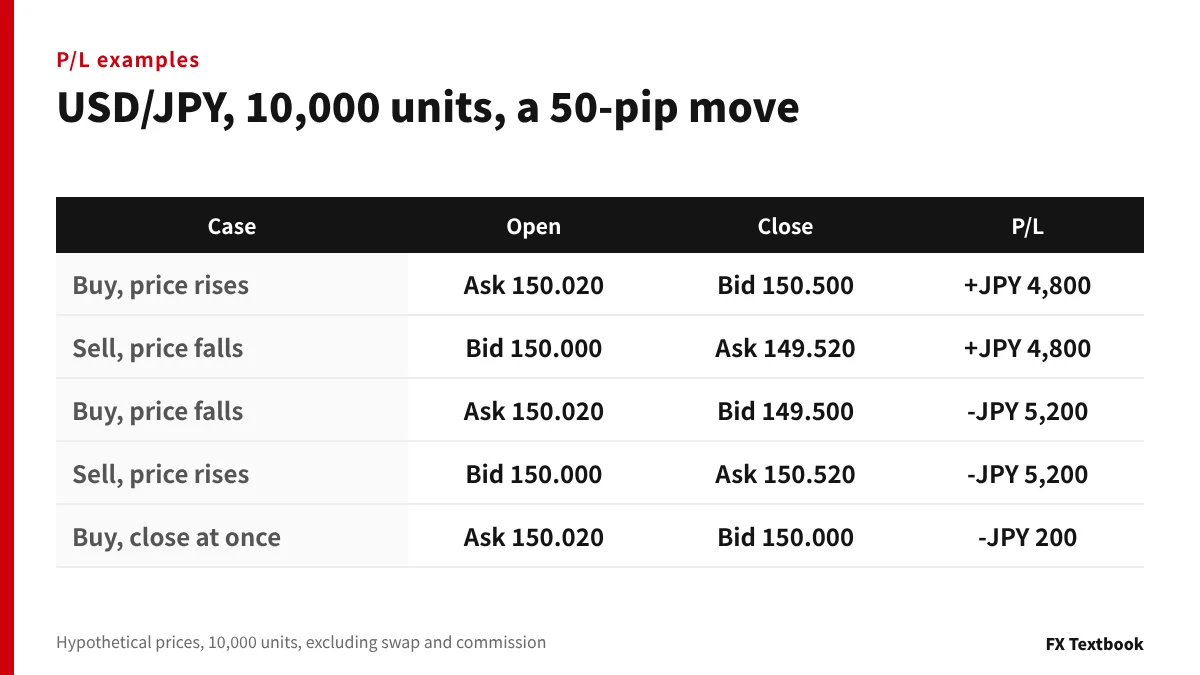
P/L equals the price difference times the volume. The examples use hypothetical prices with a 2.0-pip spread between Bid and Ask.
| Case | Calculation | P/L |
|---|---|---|
| Buy, price rises | (150.500-150.020) x 10,000 | +JPY 4,800 |
| Sell, price falls | (150.000-149.520) x 10,000 | +JPY 4,800 |
| Buy, price falls | (149.500-150.020) x 10,000 | -JPY 5,200 |
| Sell, price rises | (150.000-150.520) x 10,000 | -JPY 5,200 |
| Buy, close at once | (150.000-150.020) x 10,000 | -JPY 200 |
When Bid moves 50 pips, the profit is JPY 4,800, not JPY 5,000. The 2.0-pip spread, JPY 200 here, was paid when the trade opened.
If the price keeps rising after you sell, the loss keeps growing. Forex is leveraged, so losses can exceed the money you deposited.
Closing is an opposite trade
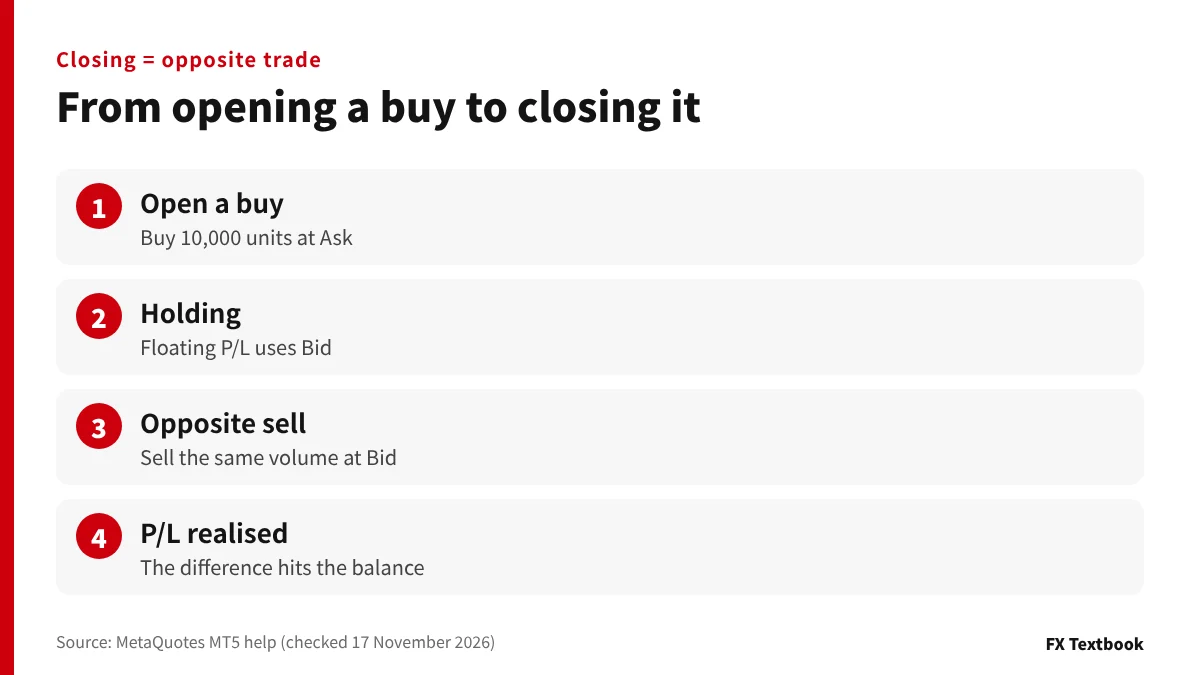
The MT5 help says a position is closed by a trade opposite to the first one. To close a 1-lot buy, you sell 1 lot of the same symbol.
- 01Find the open position
Select the row in the Trade tab of the Toolbox.
- 02Open the close dialog
Double-click the row or choose Close from the right-click menu.
- 03Check the volume and close
A smaller volume closes part of it. Selling 0.5 lot against a 1-lot buy leaves 0.5 lot open.
MT5 accounts are either hedging or netting. On a hedging account you can hold buy and sell positions in the same symbol at once.
Placing a new sell order may open a separate sell position. Close from the open position row instead.
Prohibited trading rules at offshore brokers, including hedging
Finding bid, ask and the buttons on the MT5 order window
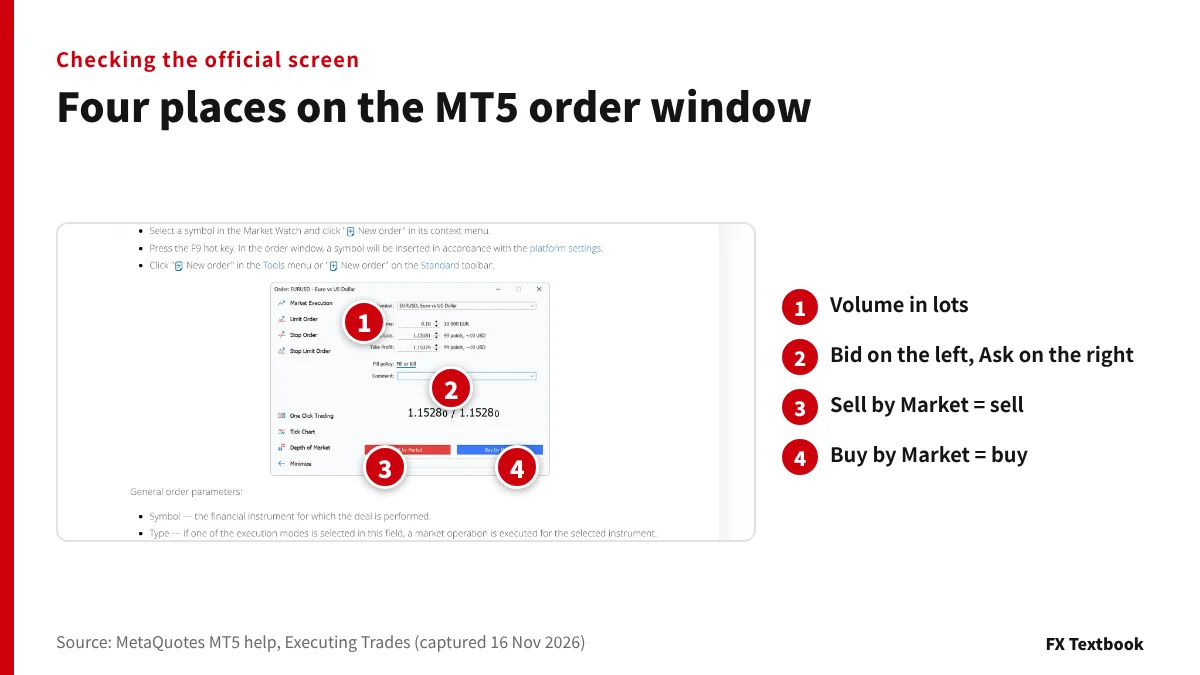
Open the order window from Market Watch with New Order, or press F9. The help says the window shows the current best Bid and Ask.
| Place | Meaning |
|---|---|
| Volume | Trade size; the help example is 0.10 lot = 10,000 EUR |
| Two central prices | Bid on the left, Ask on the right |
| Red button | Sell by Market |
| Blue button | Buy by Market |
In the help example, 0.10 lot is 10,000 EUR. Check the contract size in your account's symbol specification before entering a volume.
Five checks before you sell first
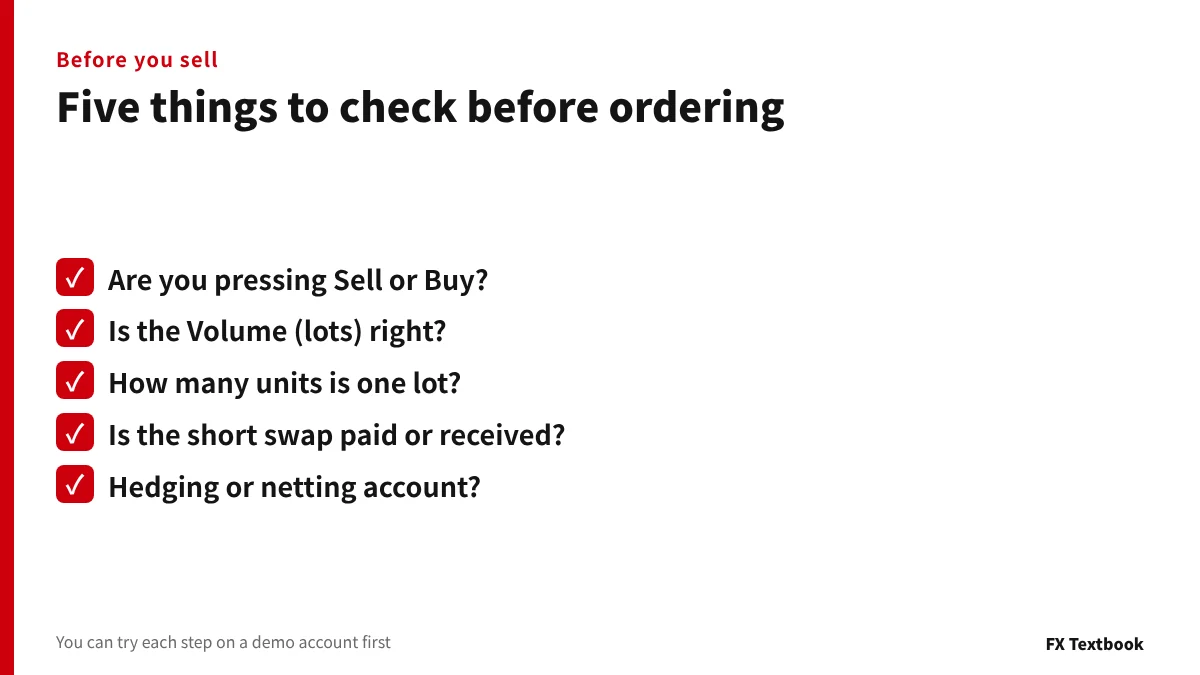
- Are you pressing Sell by Market (red) or Buy by Market (blue)?
- Is the Volume in lots right?
- How many units is one lot on this account?
- Is the swap on a short paid or received?
- Is the account hedging or netting?
Swap applies when you hold a position overnight. Values differ for buys and sells, and some pairs charge swap on shorts.
If the controls are new to you, open and close one buy and one sell on a demo account. Once the mechanics are clear, compare spreads and swaps by account.
Frequently asked questions
Q. What do long and short mean in forex?
A. Long is a buy position that profits when the price rises. Short is a sell position that profits when the price falls. Either one loses money if the price moves the other way.
Q. How can you sell a currency you do not own?
A. Selling a pair means selling one currency and buying the other. Forex settles only the price difference, so you can open with a sell.
Q. What are bid and ask?
A. Bid is the price you sell at; Ask is the price you buy at. New buys and closing sells fill at Ask. New sells and closing buys fill at Bid. The gap is the spread.
Q. How do I close a forex trade?
A. With the opposite trade: sell the same volume to close a buy, buy it back to close a sell. On an MT5 hedging account, close from the open position row.
Q. How far can losses go on a short?
A. As long as the price keeps rising, the loss keeps growing. Check the stop-out level and the stop loss field on the order window before ordering.
Q. Why is a trade negative right after I open it?
A. Because a buy fills at Ask and the closing sell fills at Bid. With a 2.0-pip spread, buying 10,000 units of USD/JPY and closing at once costs JPY 200.
Sources and conditions
FX Textbook is edited from official platform documentation, broker-published information and applicable terms where available. Account conditions, services and rules can change. Confirm the current terms in the broker's registration flow before you act.
FX Textbook is an independent information site, not a broker or provider of personal investment advice. Forex and CFDs involve risk. You may lose some or all of your invested capital. No trading result is guaranteed.
NEXT STEP
Next: learn the order types
Market, limit and stop orders, and where to set a stop loss on MT5.