
You sent XRP or another coin to an overseas exchange and it has not shown up. The deposit screen had a memo or tag field, and you may have left it out.
A memo or tag identifies which account inside a shared deposit address should receive the funds. If you forgot it, first check whether the transfer can still be cancelled and whether the blockchain has confirmed it.
We checked the official help pages of MEXC, BingX, Bitunix and BYDFi on 17 November 2026. By the end you will know where to enter it, where to apply if you forgot it, and what to check before sending.
Conclusion: a memo or tag names the account inside a shared address
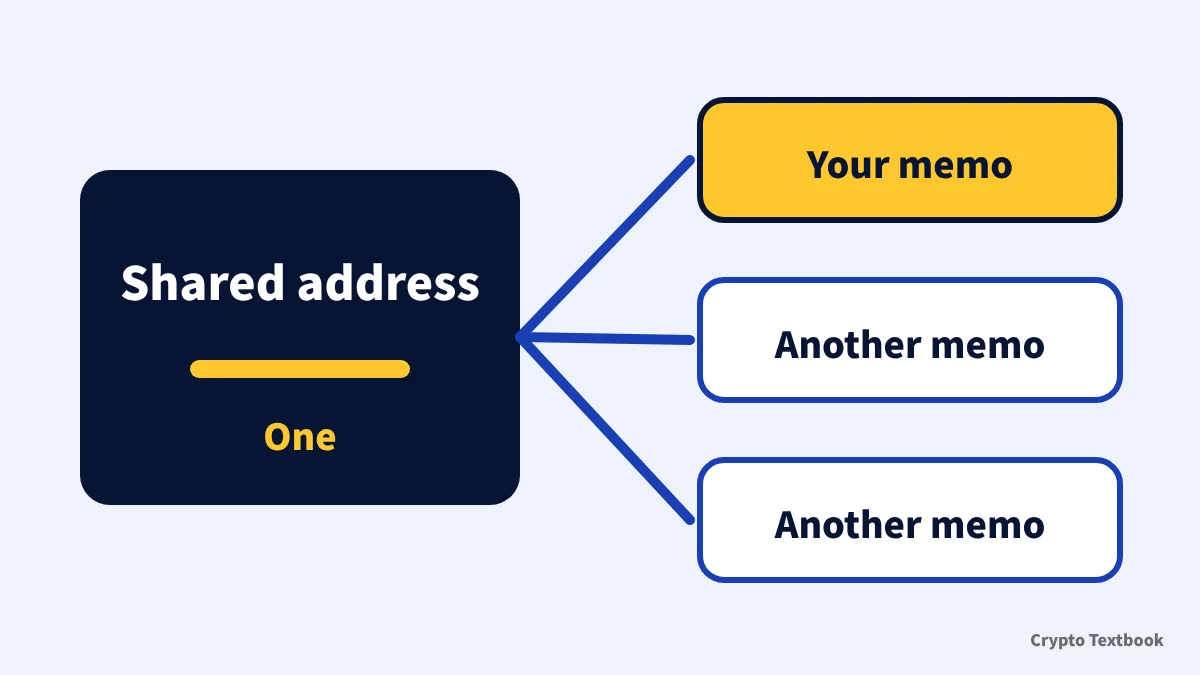
- Role: an identifier for the destination account inside a shared address
- Names: memo, tag, destination tag, label, message or payment ID
- Coins: XRP, XLM, ATOM and others, only where the screen has a field
- If forgotten: the deposit is not credited; cancel before confirmation, apply after
- Recovery: up to the exchange review, with no guarantee
The basics of transfers and choosing a network are covered in the deposit guide. This guide focuses on memos and tags only.
Deposits, transfers and choosing the right network
This guide explains how it works. Whether funds are recovered is the exchange's decision and they may not come back. Crypto prices also move.
What is a crypto memo or tag, and why an address is not enough
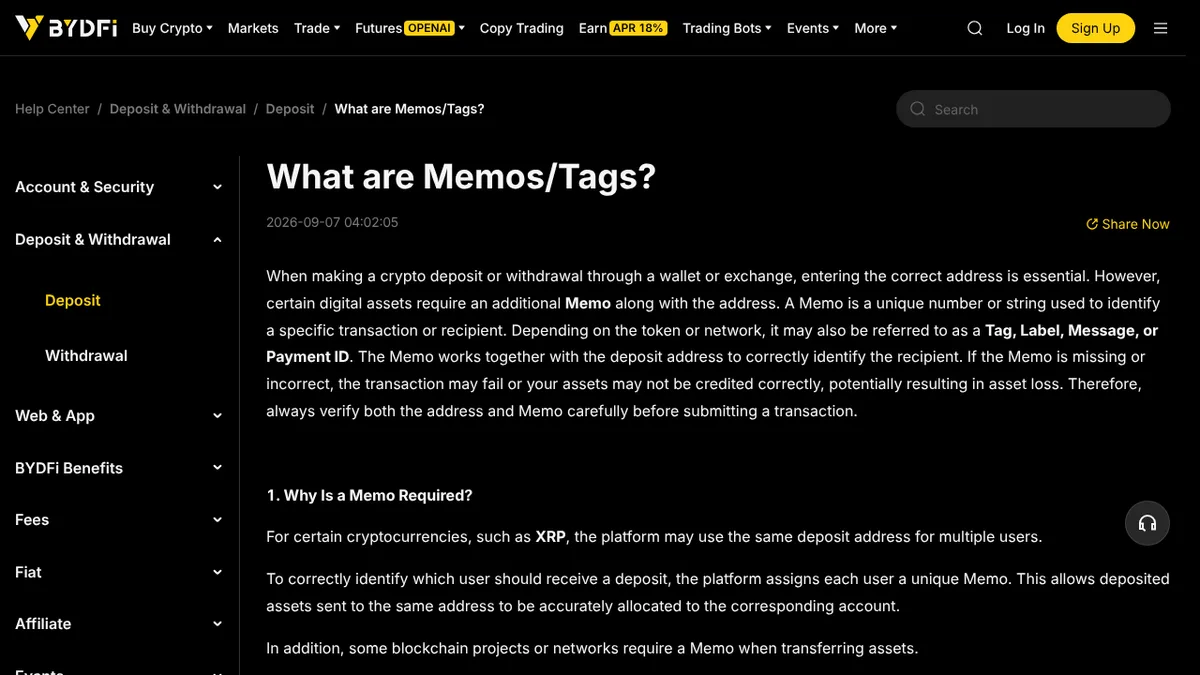
A memo is an extra identifier entered together with the address. BYDFi's help page says it can also be called a tag, label, message or payment ID depending on the token and network (published 7 September 2026).
The reason is the shared address. For XRP and similar coins, an exchange uses one address for many users. Each user's memo tells the exchange which account to credit (BYDFi and Bitunix help pages).
| Name | Where it is used | Source |
|---|---|---|
| Destination Tag | Name in the XRP Ledger specification. A 32-bit unsigned integer (0 to 4,294,967,295) | XRP Ledger docs |
| Memo | Name in the Stellar (XLM) specification. Four types: MEMO_TEXT, MEMO_ID, MEMO_HASH, MEMO_RETURN | Stellar docs |
| Tag, label, message, payment ID | Names shown on exchange screens, depending on the coin and network | BYDFi help page |
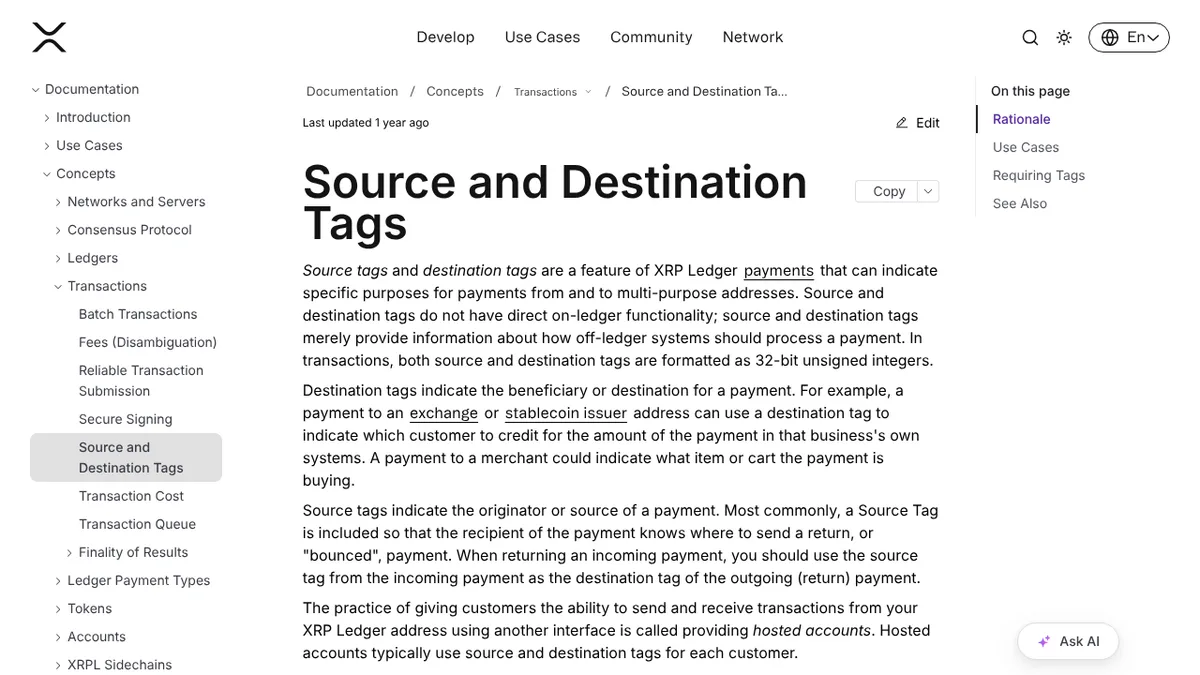
According to the XRP Ledger documentation, a destination tag has no function on the ledger itself. It tells off-ledger systems how to process a payment, and an exchange uses it to decide which customer to credit.
If the receiving address requires destination tags, the ledger rejects a payment without one. A Stellar memo is an optional field. It was once used to tell users of a pooled account apart, and muxed accounts now do that job.
Coins that need a memo or tag: XRP, XLM, ATOM and more
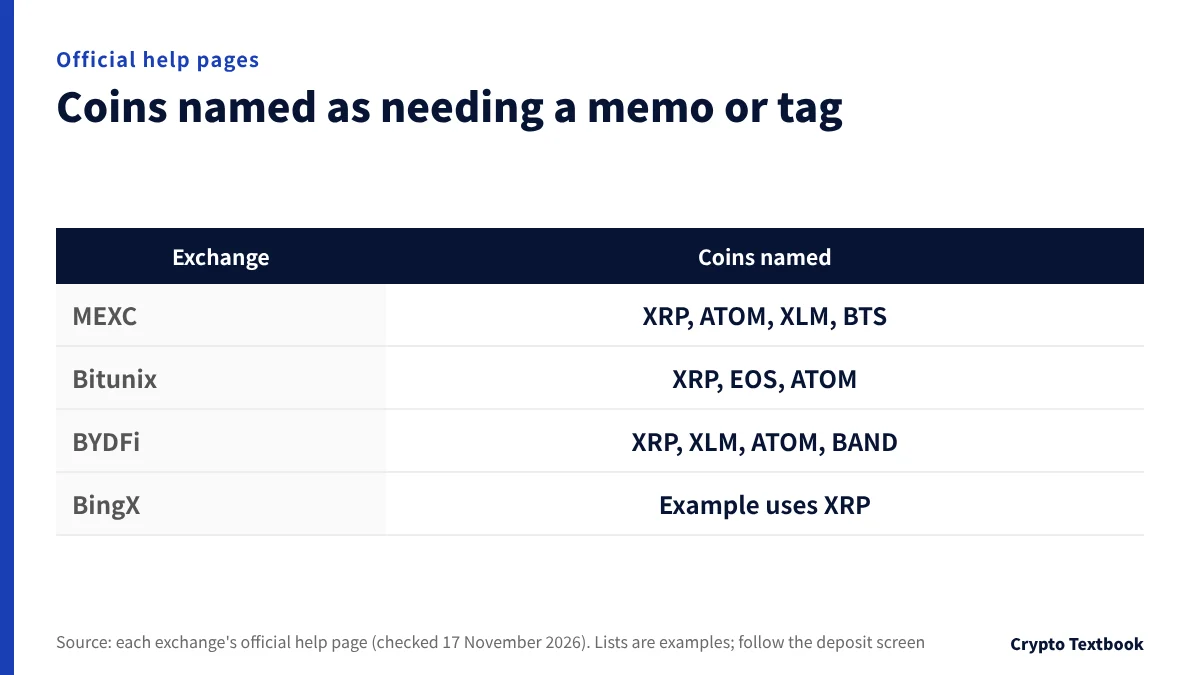
The coins named in each exchange's help page differ slightly. The table lists what each page says, as written.
| Exchange | Coins named | Help page date |
|---|---|---|
| MEXC | XRP, ATOM, XLM, BTS and others | 16 September 2026 |
| Bitunix | XRP, EOS, ATOM | Updated 13 August 2026 |
| BYDFi | XRP, XLM, ATOM, BAND and others | 7 September 2026 |
| BingX | The example uses XRP | 19 May 2023 |
The lists are examples. BYDFi says the requirement depends on each coin and network, and asks users to follow what the deposit and withdrawal screens show.
- Does the deposit screen show a memo or tag field?
- Is the receiving side's memo field required on the withdrawal screen?
- If it is not needed, choose No Memo (BYDFi withdrawal screen)
How to enter the memo or tag when you deposit
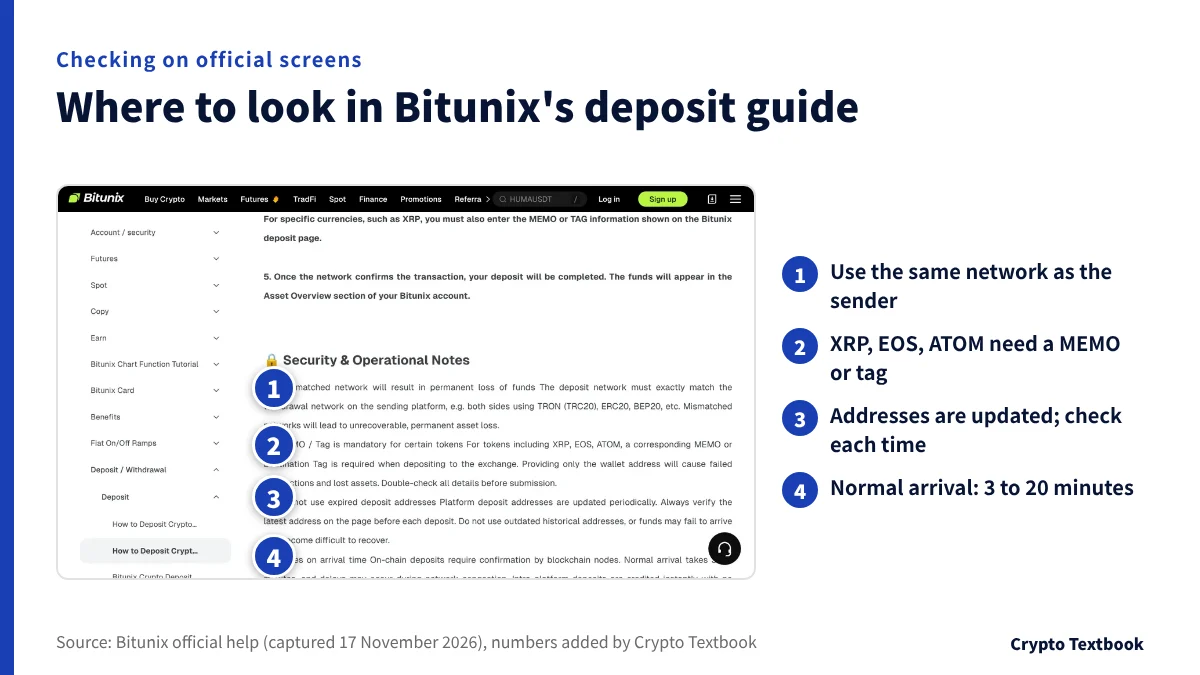
Bitunix's deposit guide warns that for XRP, EOS and ATOM, sending only the address causes failed transactions and lost assets. Treat the memo with the same care as the address.
- 01Choose the coin and network on the deposit screen
On MEXC, open Deposit, then On-Chain Deposit, and select the token (for example XRP). On BYDFi, choose it from Deposit in Wallets.
- 02Copy both the address and the memo or tag
On BYDFi, tap Display Address & Memo to show the XRP address and memo.
- 03Paste the memo into the sending platform's field
The field may be called destination tag, memo or tag. Do not mix it up with the address field.
- 04Re-check the network and memo before sending
A different network can mean lost assets (BYDFi, Bitunix). Try a small amount first with a new destination.
- 05Confirm arrival and keep the TxID
Bitunix says normal arrival takes 3 to 20 minutes. Congestion can delay it.
When you send from a domestic exchange, you may be asked for destination details. A separate column explains the steps.
What to do first if you forgot or mistyped the memo or tag
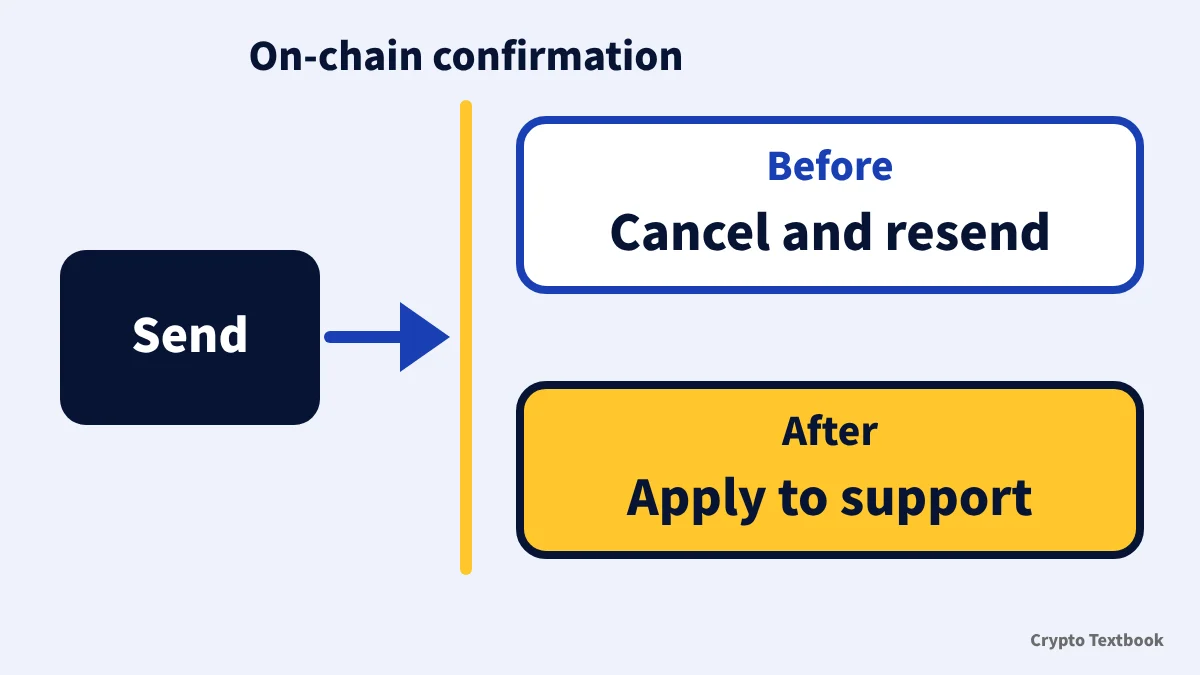
When you notice the omission, first look at the status of the transfer. The dividing line is whether the blockchain has confirmed it.
Bitunix's help page says to cancel and resend at once if it is not confirmed. After confirmation, send the transaction details to support. It notes that recovery takes a relatively long time.
- 01Note the TxID in the sending history
The TxID is the transaction ID that identifies the transfer. Every application asks for it.
- 02Check the status in a block explorer
Use the blockchain explorer to see whether it is confirmed.
- 03If unconfirmed, see whether the sender can cancel
Whether cancelling is possible depends on the sending service.
- 04If confirmed, apply to the receiving exchange
The entry point and typical time are in the table in the next section.
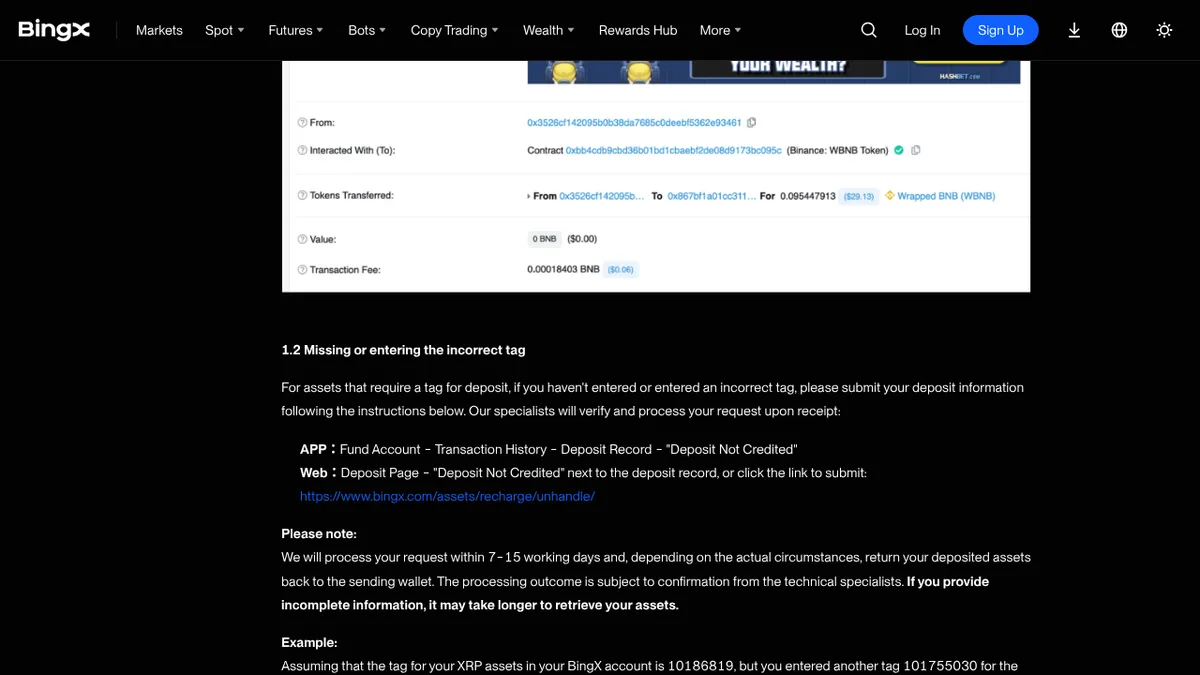
In BingX's official example, the correct tag was 10186819 and the user entered 101755030 instead, so the deposit was not credited.
By exchange: where to apply for a deposit with the wrong memo
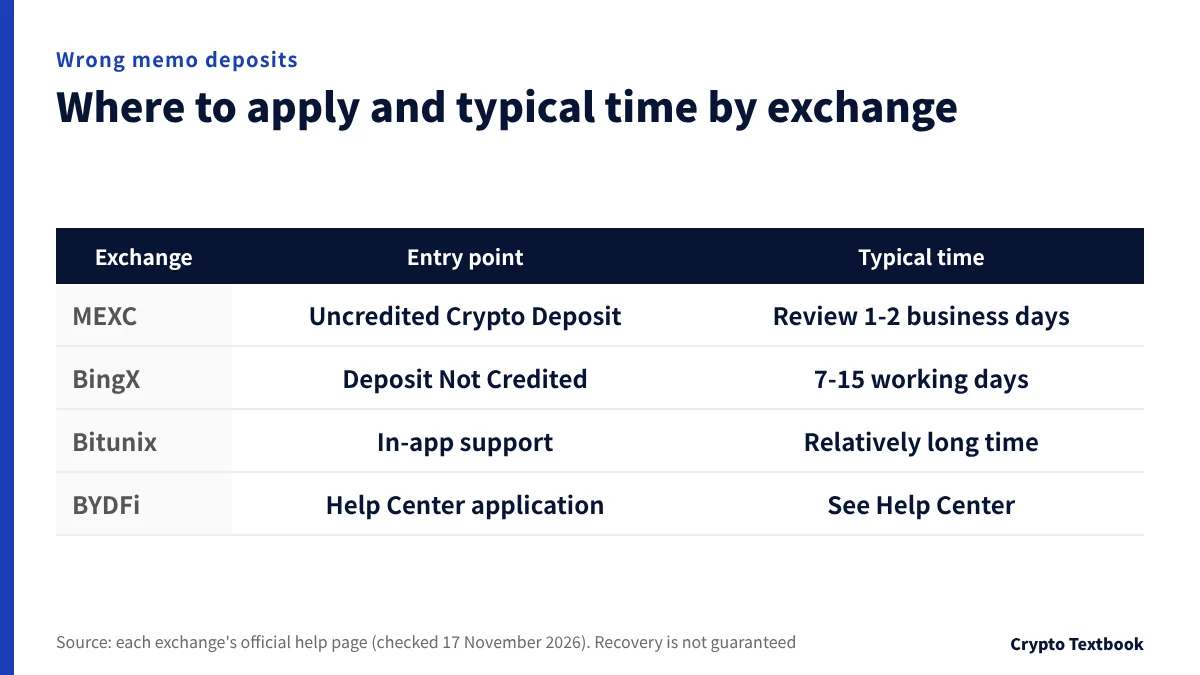
| Exchange | Entry point | Typical time | Official note |
|---|---|---|---|
| MEXC | Uncredited Crypto Deposit application | Review stated as 1 to 2 business days (8 hours is also mentioned); complex cases can exceed 21 days | Recovery is not guaranteed; the fee is frozen when you apply |
| BingX | Deposit Not Credited in deposit history | 7 to 15 working days | May be returned to the sending wallet |
| Bitunix | Customer Support in the app | Described as a relatively long time | Cancel and resend if unconfirmed |
| BYDFi | Uncredited Crypto Deposit in the Help Center | See the Help Center | Check fields and fees on the official page |
MEXC's fee is not fixed and is frozen in your spot account when you apply. It is deducted if recovery succeeds and released if it fails. The minimum returnable amount equals the minimum withdrawal amount.
BingX warns that incomplete information makes processing longer. Before applying, gather the TxID, the network and the receiving wallet address.
What to do if you mistype the memo or tag on a withdrawal
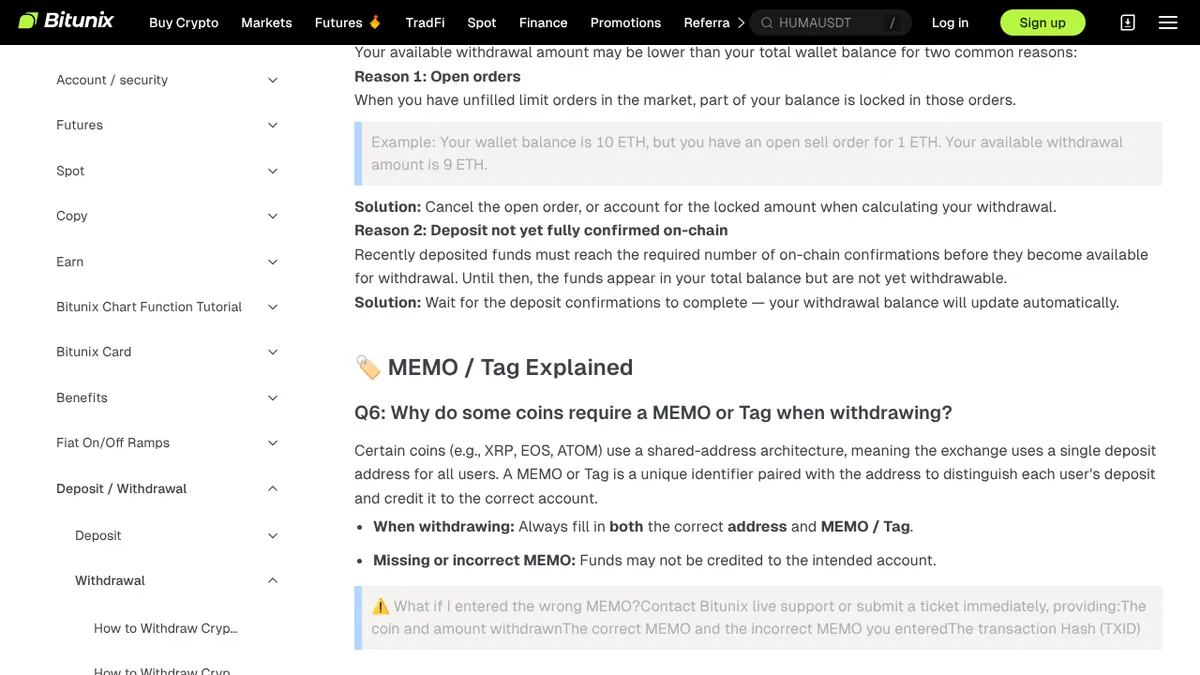
On a withdrawal you enter the receiving side's memo yourself. MEXC's help page says that before you confirm by SMS or email, you can cancel from the history and submit again.
After confirmation it cannot be cancelled. Note the TxID and contact the receiving platform's support.
- Bitunix: tell live support or a ticket the coin, amount, correct memo, wrong memo and TxID
- BingX: for a withdrawal returned by the receiving side, send the Refund TxID and a refund screenshot (7 to 15 working days)
- Reasons BingX lists for a return: KYC not completed, wrong memo, chain mismatch, below the minimum deposit
- BYDFi: if the receiving side needs no memo, choose No Memo/Tag Identifier
Pre-transfer checklist and our conclusion
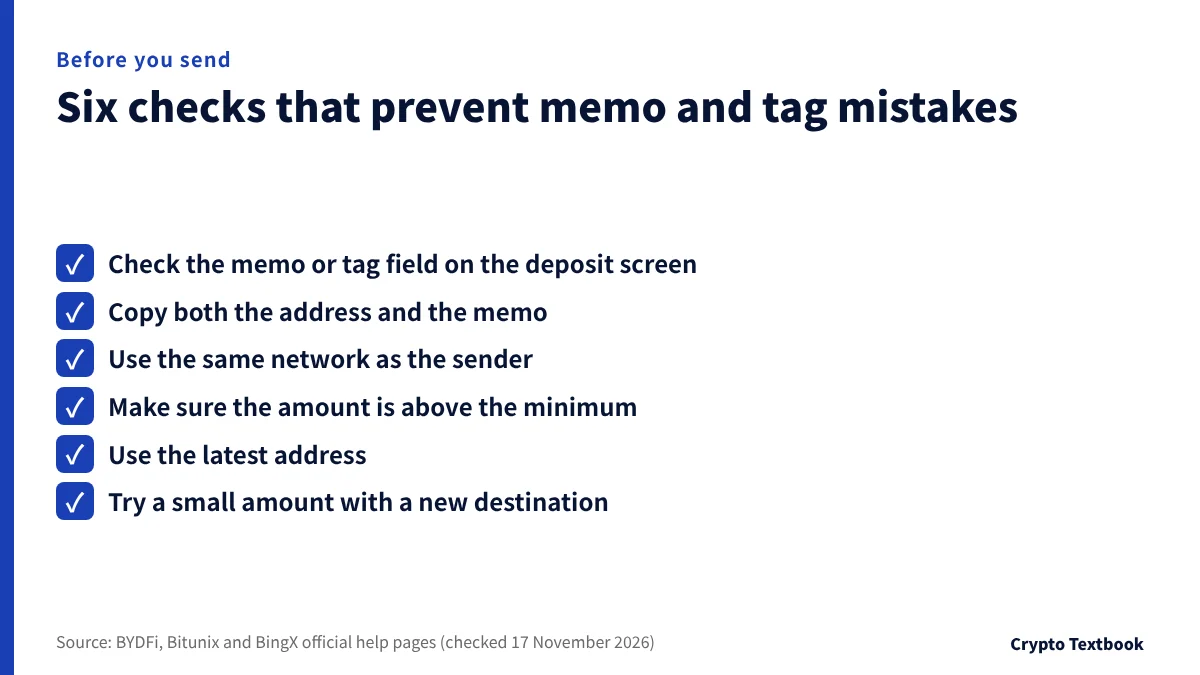
- I checked the memo or tag field on the deposit screen
- I copied both the address and the memo
- The network is the same on the sending and receiving sides
- The amount is above the minimum deposit
- I am using the latest address
- I tried a small amount with a new destination
A deposit below the minimum is not credited. BingX says that if you deposit again within 3 months in the same coin on the same chain, the two amounts are credited together.
A memo or tag and the address together form one deposit destination. Enter it whenever the field exists, and if you forget it, check the transfer status and apply to the exchange. Recovery is the exchange's decision and is not guaranteed.
Frequently asked questions
Q. Are a memo and a tag the same thing?
A. They do the same job. Entered with the address, they identify the destination account. The name differs by specification and exchange: XRP uses a destination tag and Stellar (XLM) a memo. BYDFi also calls it a label, message or payment ID.
Q. Can I get the funds back if I forgot the memo or tag?
A. There is no guarantee. MEXC says it tries to recover but does not guarantee it, and BingX says funds may be returned to the sending wallet depending on the case. Apply at the exchange's window with the TxID and other details.
Q. Which coins need a memo or tag?
A. Official help pages give examples such as XRP, XLM, ATOM, EOS, BTS and BAND. Whether one is needed depends on the coin and network. Always check whether the deposit screen has a memo field.
Q. Can I cancel right away if I enter the wrong memo?
A. Before the blockchain confirms it, you may be able to cancel. Bitunix describes cancelling and resending before confirmation. After confirmation it cannot be cancelled and you apply to the exchange.
Q. What should I prepare for an application?
A. The TxID, coin and amount, and the receiving wallet address are the basics. Bitunix also asks for the correct and entered memo. BingX asks for the Refund TxID and a refund screenshot for returned withdrawals.
Q. Is the memo the only reason a deposit is not credited?
A. Not always. BingX's help page also lists unsupported tokens, deposits below the minimum and deposits to an old address. A network mismatch can also cost you the assets.
Q. When is it fine to send without a memo?
A. Only when the receiving side does not need one. BYDFi says to choose No Memo/Tag Identifier for such withdrawals. Check the screen to see whether one is needed.
Sources and conditions
- XRP Ledger | Source and Destination Tags (checked 17 November 2026) →
- Stellar documentation | Transactions, Memo section (checked 17 November 2026) →
- BYDFi Help | What are Memos/Tags? (published 7 September 2026) →
- BYDFi Help Center | Uncredited Crypto Deposit self-service (checked 17 November 2026) →
- BingX Help | How to Retrieve Failed Deposits/Withdrawals/Transfers (published 19 May 2023, checked 17 November 2026) →
- Bitunix Help | Bitunix Crypto Withdrawal FAQ (updated 13 August 2026) →
- Bitunix Help | How to Deposit Crypto on Bitunix (Web Guide) →
- MEXC | How to Check Address and Memo (published 16 September 2026) →
- MEXC Help | What Is an Uncredited Crypto Deposit? (published 5 August 2026) →
FX Textbook is an independent information site, not an exchange or a provider of personal investment advice. Crypto-asset trading involves risk: price moves, liquidation of leveraged positions, transfer errors and exchange operating risk can result in the loss of some or all invested capital.
NEXT STEP
Once the memo is sorted, compare the exchanges' deposit conditions.
Deposit methods, minimum deposits and withdrawal fees and limits, organised exchange by exchange.
Listed exchanges