
You want to try an overseas crypto exchange but are not sure what to do first after signing up. This guide is the starting point.
The process has six steps: sign-up, two-factor authentication, identity verification (KYC), deposit, a first spot trade and a test withdrawal. We checked each step in the official help pages of MEXC, BingX, Bitunix and BYDFi on 16 November 2026.
By the end you will know where people get stuck at each step and which exchange-specific guide covers the details.
Conclusion: six steps to start on an overseas exchange
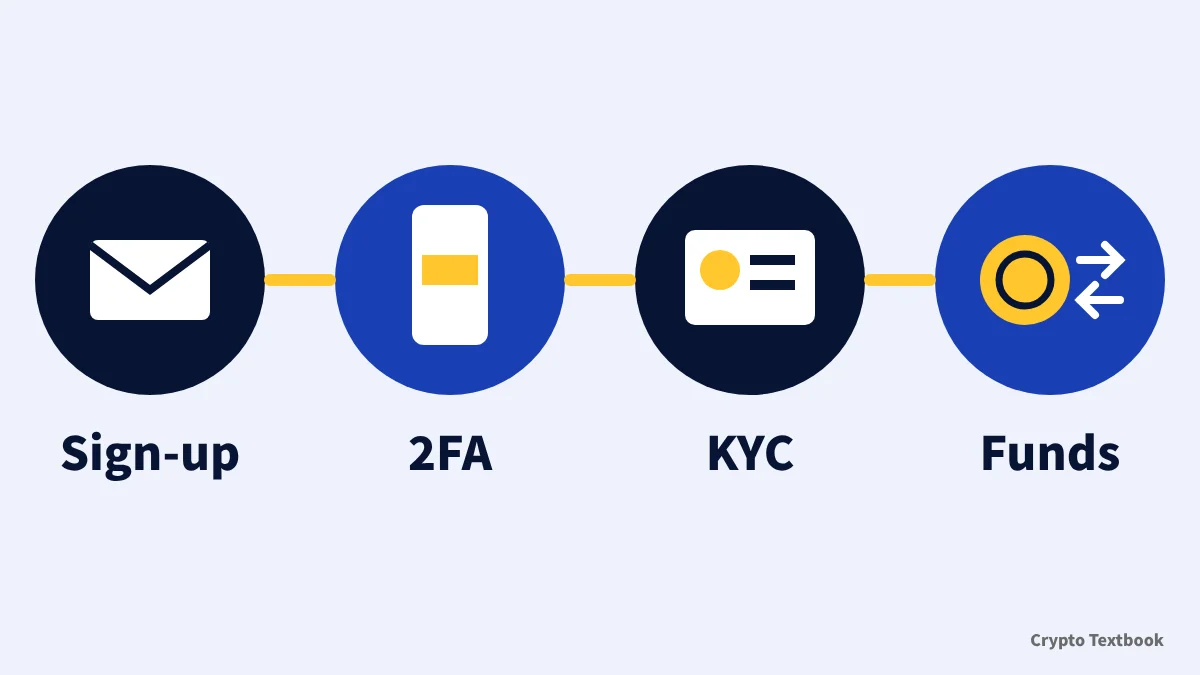
- Step 1 Sign-up: enter an email address or phone number and confirm with the code you receive
- Step 2 Two-factor authentication: set up Google Authenticator or similar before depositing
- Step 3 KYC: level names and withdrawal limits differ by exchange
- Step 4 Deposit: send crypto bought at a domestic registered exchange on a matching network
- Step 5 First spot trade: start with spot and compare limit and market order fees
- Step 6 Test withdrawal: withdraw a small amount once to see the whole flow
This guide covers the flow shared by the four exchanges. Screen-by-screen details are in the exchange-specific articles linked below.
Spot holdings lose value when prices drop. Futures and leveraged trading can wipe out the whole margin you deposit. This guide explains procedures and does not recommend trading.
What to prepare before opening an account
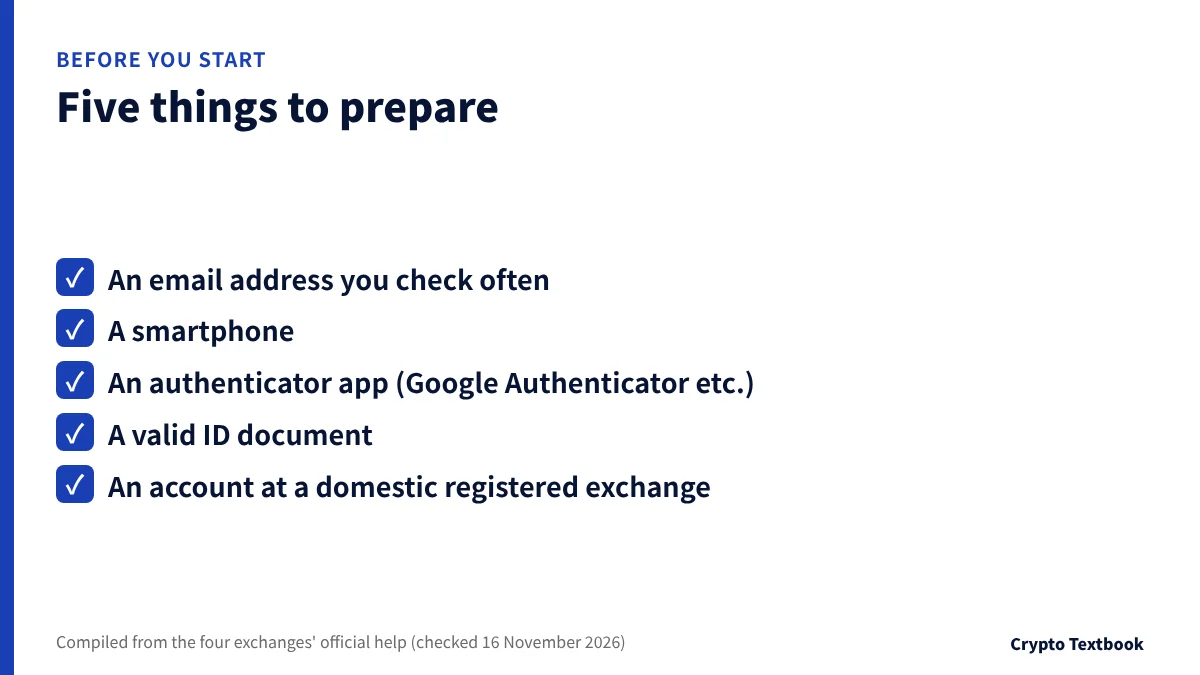
Overseas exchanges are not mainly used by sending Japanese yen by bank transfer. The usual route is to convert yen into crypto at a domestic registered exchange and send it.
| What to prepare | Used in |
|---|---|
| An email address you check often | Step 1 sign-up and notifications |
| A smartphone | Step 2 authenticator app and step 3 face capture |
| An authenticator app such as Google Authenticator | Step 2 two-factor authentication |
| A valid ID document | Step 3 identity verification |
| An account at a domestic registered exchange | Step 4 buying and sending crypto |
Passports, driving licences and national ID cards are commonly accepted. Accepted types depend on the exchange and the issuing country, so check the step 3 guides.
Step 1 Sign-up: create the account with email or phone
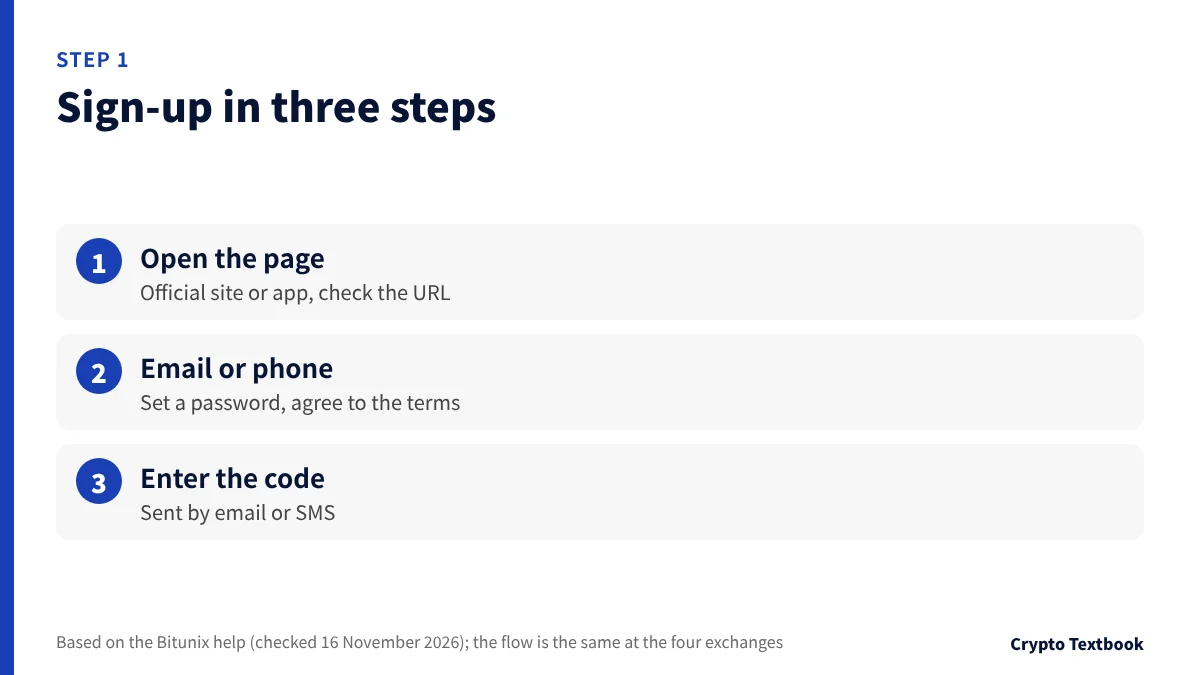
In the MEXC and Bitunix official help, sign-up starts with an email address or phone number. You set a password and enter the code you receive to create the account.
- 01Open the sign-up page
Press Sign Up on the official website or app. Compare the URL with the official spelling to avoid fake sites.
- 02Enter email or phone and a password
Choose the country code first if you use a phone number. Agree to the user agreement and privacy policy.
- 03Enter the verification code
Enter the digits sent by email or SMS to finish. If nothing arrives, check your spam folder.
The MEXC and Bitunix forms have an optional invitation code field. You can leave it empty. If you want to use a code, enter it at sign-up, because adding one later depends on each exchange.
MEXC invitation code and sign-up steps
Step 2 Two-factor authentication: set up an app first
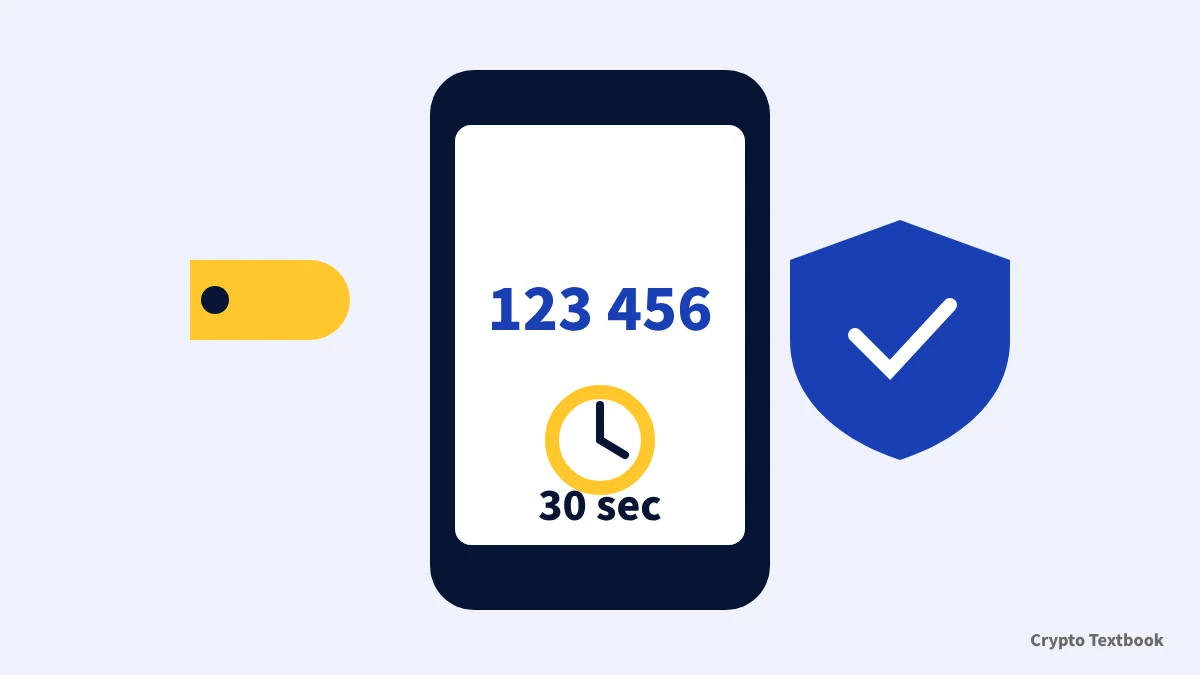
Two-factor authentication asks for a second check on top of your password. Even if the password leaks, logins and withdrawals cannot go ahead without the app on your phone.
| Exchange | What the official help says |
|---|---|
| MEXC | Google Authenticator is one of the 2FA methods; codes change every 30 seconds |
| BingX | Set up at least two of email, Google Authenticator and phone number |
| Bitunix | Link Google Authenticator with its six-digit code; each code expires after 30 seconds |
| BYDFi | Offers 2FA with Google Authenticator |
- Write down the recovery key shown during setup and keep it offline
- Check how to move the authenticator before you change phones
- At MEXC, changing your phone number or email pauses withdrawals for 24 hours
Step 3 KYC: level names and withdrawal limits
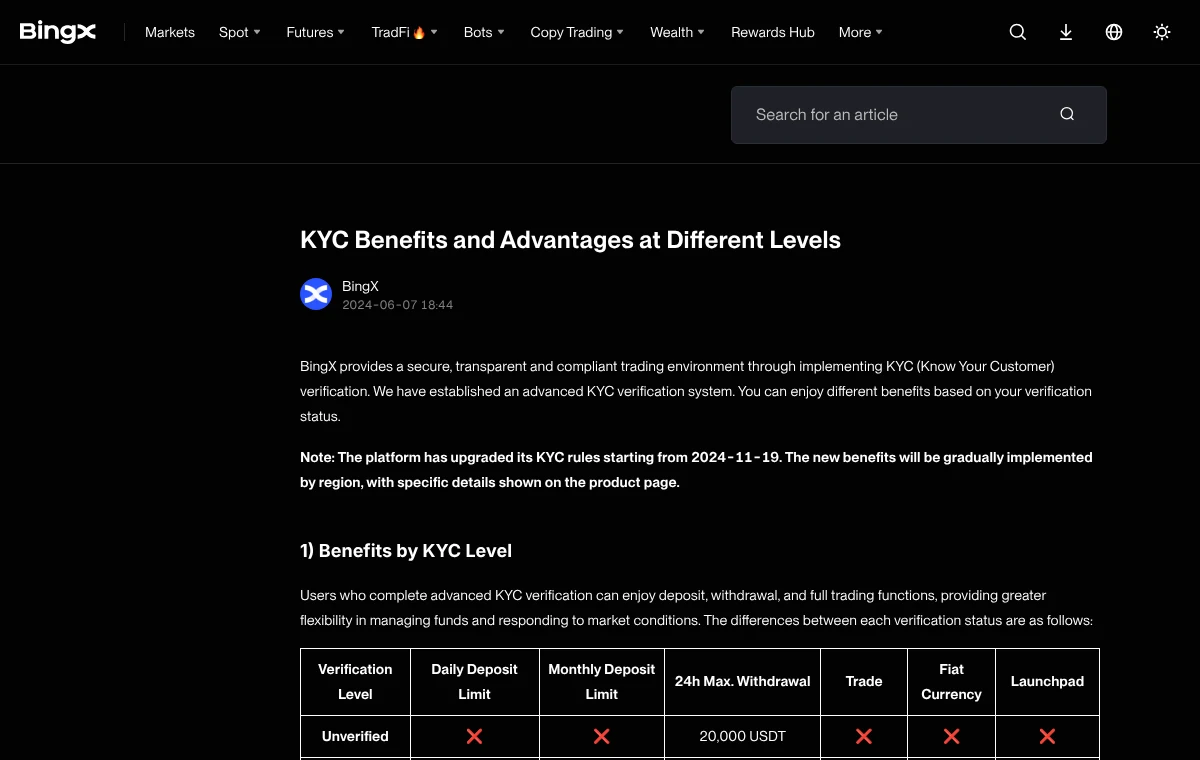
Identity verification (KYC) checks who you are with a photo of your ID and a face scan. The level names and the daily withdrawal limit differ by exchange.
| Exchange | Level names | 24-hour withdrawal limit |
|---|---|---|
| MEXC | Primary KYC / Advanced KYC | Primary 80 BTC / Advanced 200 BTC |
| BingX | Advanced KYC (one level) | Unverified 20,000 USDT / verified 5,000,000 USDT |
| Bitunix | KYC1 / KYC2 | KYC1 500,000 USDT / KYC2 5,000,000 USDT |
| BYDFi | Primary / Advanced | At VIP0: unverified 50,000 / Primary 200,000 / Advanced 500,000 USDT |
In BingX's official help table (checked 16 November 2026), the deposit and trade columns for unverified accounts are marked as unavailable, and BingX notes the rules apply gradually by region. At the other three, some features may also be unavailable before verification depending on region and procedure.
If you deposit first and then get stuck at KYC, your funds may sit idle. Finishing KYC before the deposit keeps the steps in order.
MEXC KYC: how to verify and review times
Step 4 Deposit: from Japanese yen to crypto
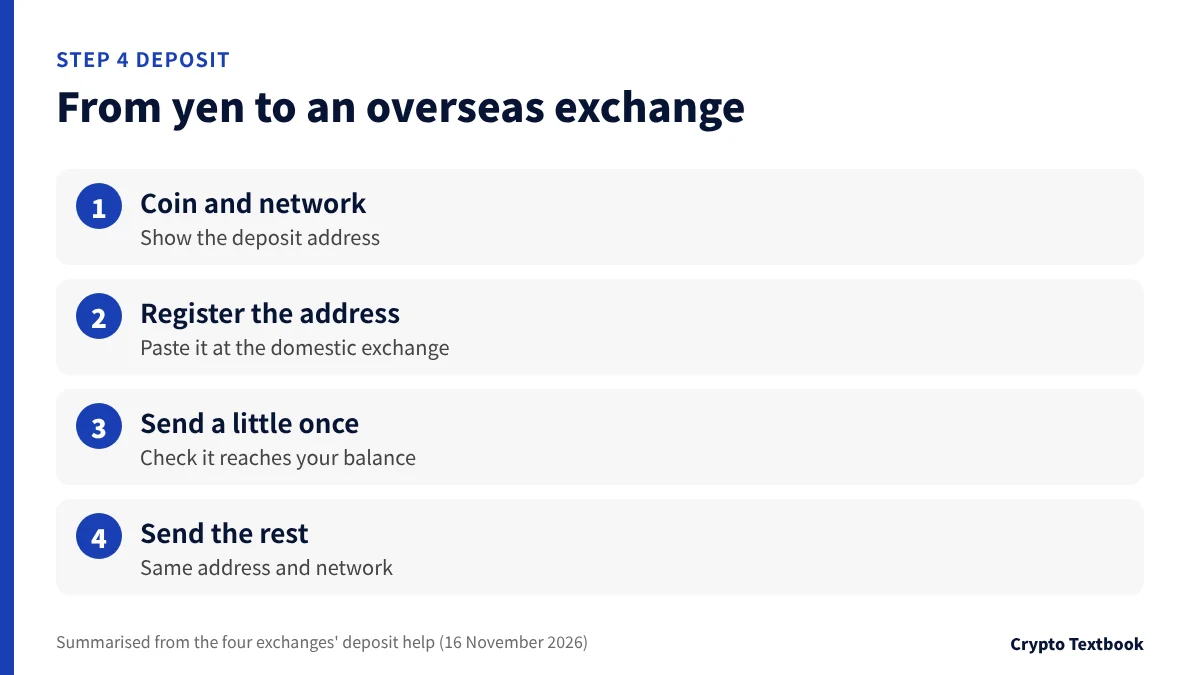
There are two routes from yen. You can buy crypto at a domestic registered exchange and send it, or buy through a partner on the overseas exchange's buy page.
| Route | Flow | What to check |
|---|---|---|
| Send from a domestic registered exchange | Buy crypto with yen and send it to the overseas address | Whether the destination exchange can be registered |
| Buy through a partner on the buy page | Pay by card or similar and receive it in the account | The quoted rate and fees |
- 01Choose the coin and network on the deposit page
On the overseas exchange's Deposit page, choose the coin and network. An address is shown.
- 02Register the address at the domestic exchange
Paste the address into the domestic exchange's send screen. You may be asked to choose the receiving exchange.
- 03Send a small amount once
Send a small amount first and confirm it reaches your overseas balance.
- 04Send the rest
Once the first transfer arrives, send the rest to the same address on the same network.
If the sending and receiving networks differ, the funds may not arrive. Coins such as XRP also need a memo or tag in addition to the address.
Transfers from domestic exchanges to overseas exchanges are limited by the travel rule. Check on the domestic exchange's screen whether the destination can be selected.
The travel rule and transfers to overseas exchanges
Buying crypto with Japanese yen: four exchanges compared
Deposit basics and choosing a transfer network (beginner guide)
Step 5 First spot trade: fees and order types
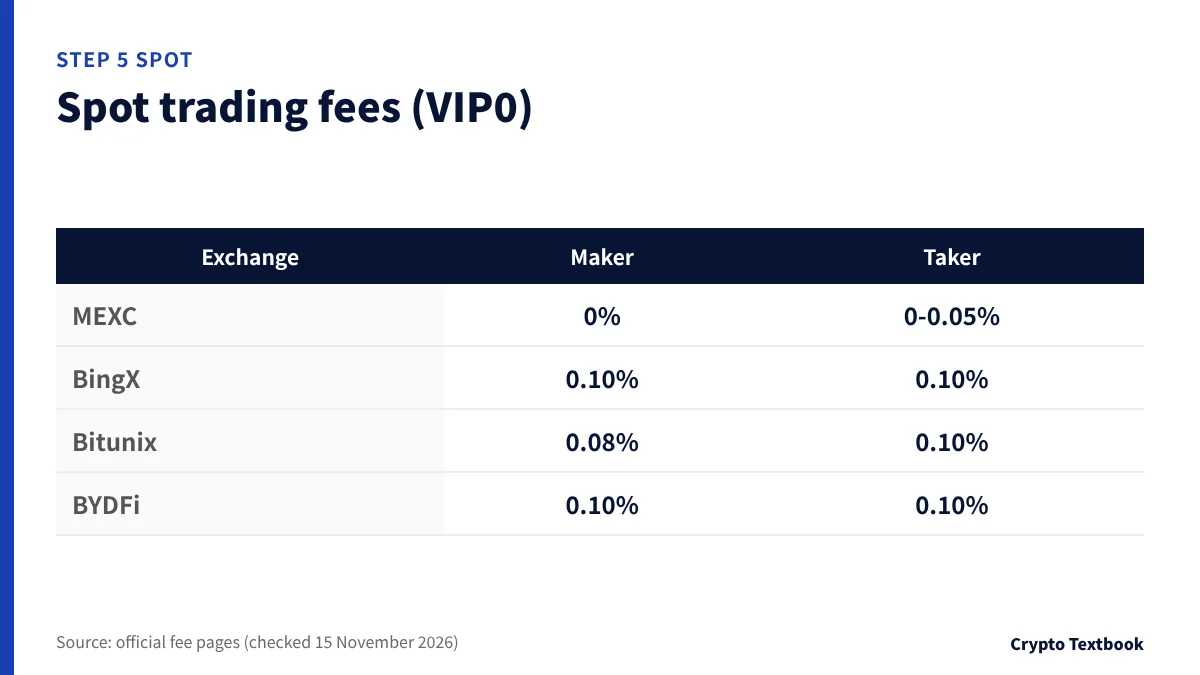
Spot trading means buying and holding the crypto itself. Unlike futures there is no liquidation, so it suits a first trade.
| Exchange | Maker | Taker |
|---|---|---|
| MEXC | 0% | 0-0.05% |
| BingX | 0.10% | 0.10% |
| Bitunix | 0.08% | 0.10% |
| BYDFi | 0.10% | 0.10% |
- Maker: places a limit order on the order book and waits; usually the lower fee
- Taker: takes an existing order at once, for example with a market order
- On a 10,000 USDT trade, a 0.10% fee is 10 USDT
Check the quantity, price and fee fields on the order screen before placing an order. Futures have a separate entry, so confirm the Spot tab is selected.
Fees at four overseas exchanges compared
Step 6 Test withdrawal: try a small amount once
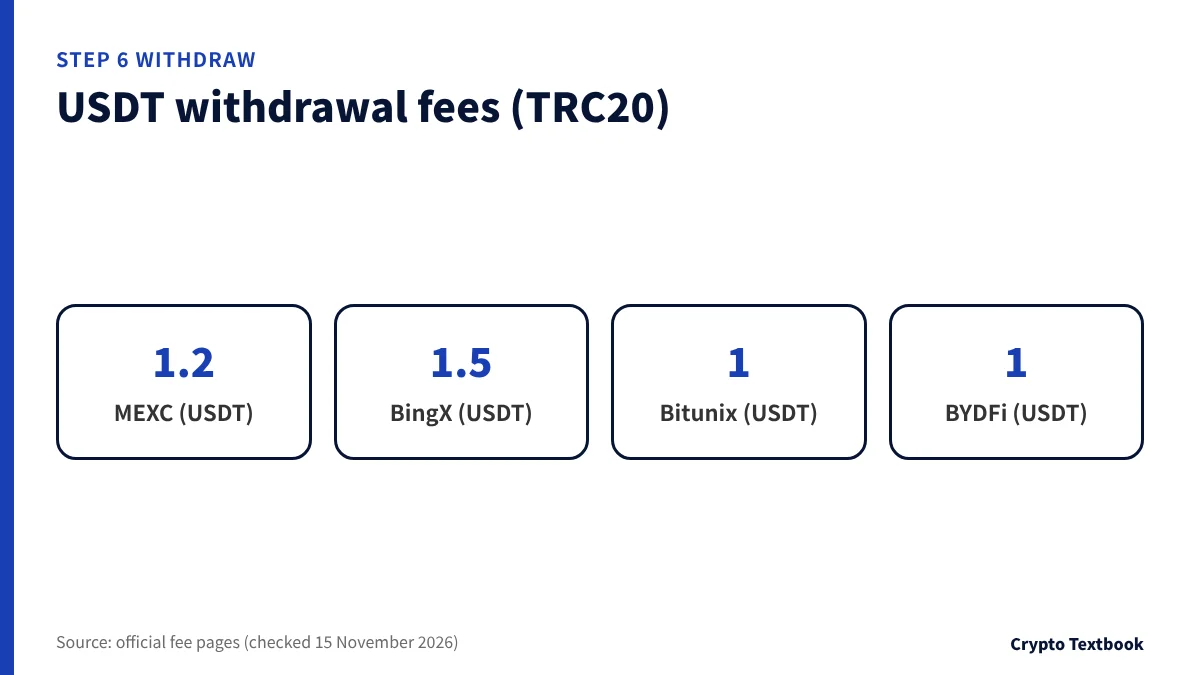
Testing one withdrawal before you deposit a large amount shows the fee, the time it takes and the 2FA screens in one go.
| Exchange | TRC20 | BEP20 | ERC20 |
|---|---|---|---|
| MEXC | 1.2 | 0.01 | 0.3 |
| BingX | 1.5 | 0.15 | 1 |
| Bitunix | 1 | 0.65 | 1.2 |
| BYDFi | 1 | 0.01 | 0.5 |
※ All four list crypto deposits as free (checked the same day).
- Make sure the withdrawal network matches what the receiving side supports
- BYDFi's withdrawal address whitelist limits withdrawals to saved addresses
- Withdrawal fees are fixed amounts, so they weigh more on small withdrawals
BingX deposits, withdrawals and limits
Our view: three things to decide before choosing
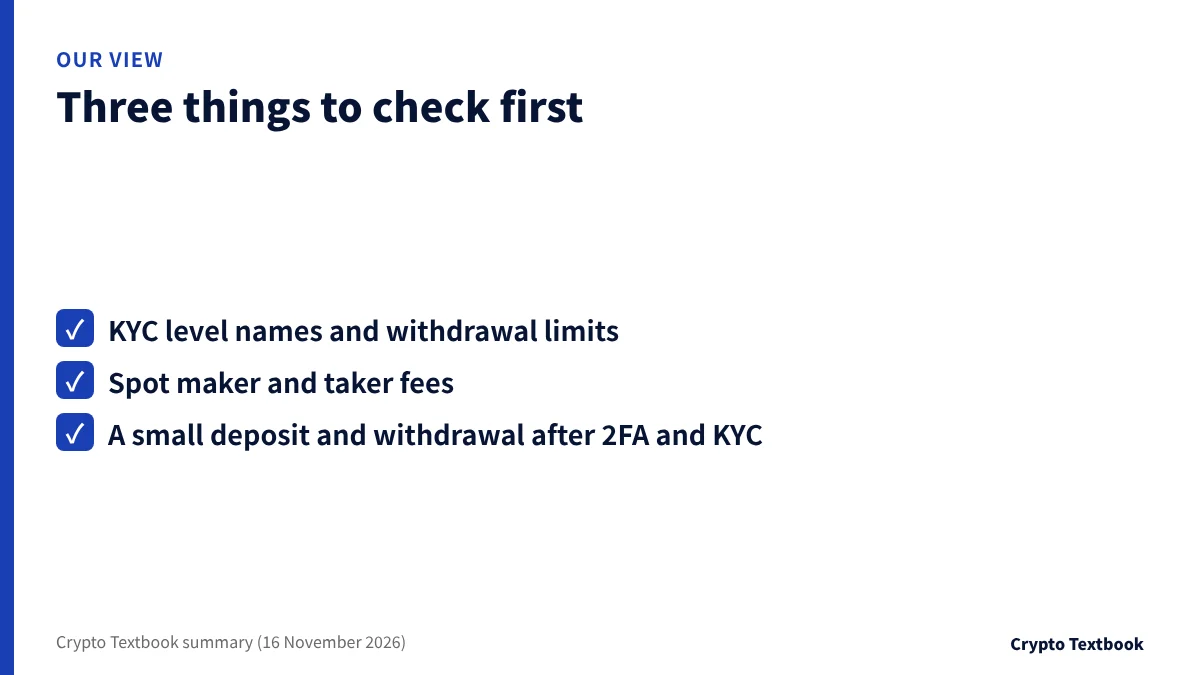
If you plan large daily withdrawals, start with the withdrawal limit at each KYC level. If you want lower spot fees, compare the maker and taker rates on the fee page. At every exchange the order is the same: finish 2FA and KYC, then test a small deposit and withdrawal.
- Before sign-up: check the official URL and the eligible regions in the terms
- Before depositing: finish 2FA and KYC
- Before trading: confirm the Spot tab and the fee display
Fees, leverage and offers for each exchange are listed on the exchange directory.
MEXC sign-up page (our referral link)
BingX sign-up page (our referral link)
Frequently asked questions
Q. What is the first thing to do on an overseas exchange?
A. Sign up with an email address or phone number and set up 2FA straight away. Then complete KYC before depositing, so your funds do not wait on paperwork.
Q. Do I need an invitation code to register?
A. At MEXC, BingX and Bitunix the code field is optional and you can register without it. Whether a code can be added later differs by exchange, so enter it at sign-up if you want one.
Q. Is KYC required to open an account?
A. Sign-up itself only needs an email or phone number. In BingX's official help table (checked 16 November 2026), however, deposit and trade are marked as unavailable for unverified accounts, and limits change by level, so complete KYC before you start.
Q. Can I deposit Japanese yen directly?
A. On the official pages we checked for the four exchanges, direct yen bank transfers are not the main route. Buy crypto at a domestic registered exchange and send it, or buy through a partner on the buy page.
Q. How do I avoid mistakes when sending crypto?
A. Match the network on both sides and include the memo or tag for coins that need one. Send a small amount first and send the rest after it reaches your balance.
Q. Should my first trade be spot or futures?
A. Spot means holding the coin and has no liquidation. Futures let you move large amounts with little margin but can liquidate that margin. The beginner guide explains the difference.
Sources and conditions
- MEXC: KYC verification FAQ (checked 16 November 2026) →
- MEXC: account security settings (checked 14 November 2026) →
- MEXC: fees (checked 15 November 2026) →
- BingX: KYC Benefits and Advantages at Different Levels (checked 16 November 2026) →
- BingX: Double Password and Triple MFA Protection (checked 16 November 2026) →
- BingX: fees (checked 15 November 2026) →
- Bitunix: How to Register an Account on Bitunix (Web) (checked 16 November 2026) →
- Bitunix: Operation Guide for Binding Google Authenticator (Web) (checked 16 November 2026) →
- Bitunix: KYC Tiers and Benefits (checked 13 November 2026) →
- Bitunix: fees (checked 15 November 2026) →
- BYDFi: security of BYDFi (checked 16 November 2026) →
- BYDFi: VIP benefits tab (checked 16 November 2026) →
- BYDFi: fees (checked 15 November 2026) →
- BYDFi: withdrawal settings (address whitelist) →
FX Textbook is an independent information site, not an exchange or a provider of personal investment advice. Crypto-asset trading involves risk: price moves, liquidation of leveraged positions, transfer errors and exchange operating risk can result in the loss of some or all invested capital.
NEXT STEP
Know the steps? Compare the exchanges next.
Spot and futures fees, maximum leverage, KYC and offers, organised exchange by exchange.
Listed exchanges