
Bitunix KYC has two levels: KYC 1 (Basic Verification) and KYC 2 (Advanced Verification). The sign-up steps do not include it; withdrawals and card purchases ask for it.
KYC 1 takes a government ID and a selfie; the official estimate runs from a few minutes to 24 hours. KYC 2 takes proof of address, with a manual review of usually 1 to 3 hours (official help centre, checked 8 November 2026).
Below: required documents, the screens, why a submission fails, and how to read the withdrawal limit. Everything comes from the official help centre.
KYC levels and withdrawal limits: ID plus selfie for KYC 1, proof of address for KYC 2
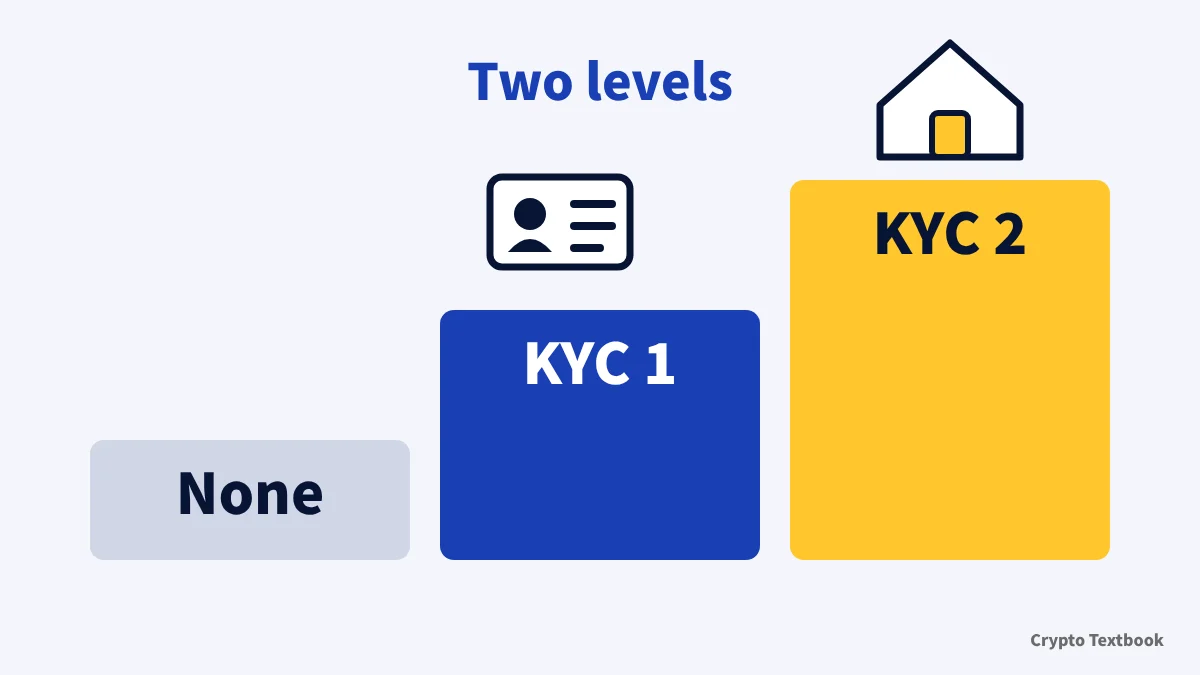
- The levels are Unverified, KYC 1 (Basic Verification) and KYC 2 (Advanced Verification)
- KYC 1 needs a valid government-issued ID and a biometric selfie check. The withdrawal limit is 500,000 USDT per 24 hours
- KYC 2 needs proof of address such as a utility bill or bank statement. The limit is 5,000,000 USDT
- Review estimates: KYC 1 a few minutes to 24 hours, KYC 2 a manual review of 1 to 3 hours
- Limits vary by jurisdiction and account risk assessment. Check your own account page
| Level | What you submit and the review estimate | Withdrawal limit per 24 hours |
|---|---|---|
| Unverified | Verification not completed. Basic account functions only; some trading, withdrawal and fiat services may be restricted | Not stated in the official table |
| KYC 1 (Basic) | Valid government-issued ID plus a biometric selfie check. Usually a few minutes | 500,000 USDT |
| KYC 2 (Advanced) | Proof of address (utility bill, bank statement and similar). Manual review usually 1 to 3 hours | 5,000,000 USDT |
The table sits in the help centre under [Account / security], [Verification (KYC)], then [Bitunix KYC Level Benefits]. A different official page, the withdrawal FAQ, splits limits by the number of security methods and puts a basic level at about 10,000 USD a day. The chapter on withdrawal limits sets the two side by side.
When KYC is asked for: not at sign-up, but for withdrawals, cards and P2P
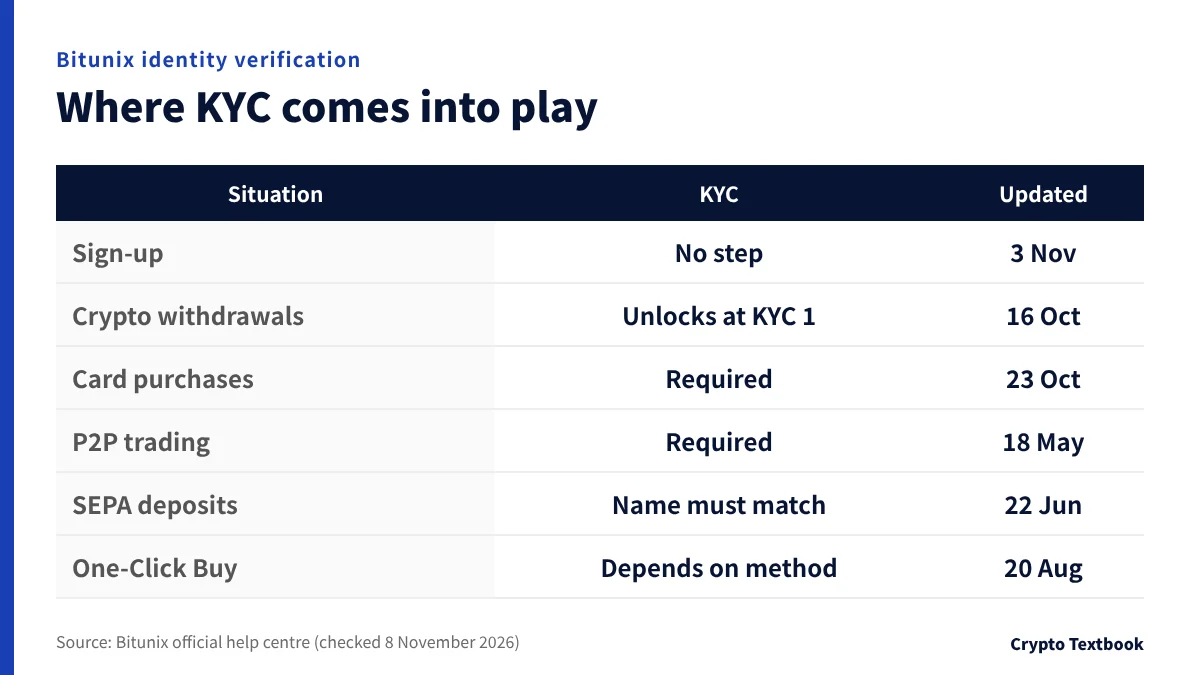
Sign-up finishes with an email address or phone number, a password and the verification code you receive. The official sign-up help has no identity verification step.
Bitunix referral code (fUys): where to enter it and what happens if you forget →
| Situation | What the official help says | Updated |
|---|---|---|
| Sign-up | Done with email or phone, password and a verification code. No identity verification step | 2026-11-03 |
| Crypto withdrawals | Withdrawals unlock at KYC 1 (the withdrawal FAQ's 10,000 USD a day is covered in a later chapter) | 2026-10-16 / 2026-08-13 |
| Card purchases | KYC is required. The first purchase uses Sumsub identity verification. The cardholder name must match your KYC | 2026-10-23 |
| P2P trading | KYC and a linked payment method are required | 2026-05-18 |
| SEPA deposits | The sending bank account holder must match the name verified through KYC | 2026-06-22 |
| One-Click Buy | Some payment methods need KYC first | 2026-08-20 |
※ For card purchases the official help says you may be asked for an extra check even after KYC.
The new-user rewards also include a verification item. The rewards page sets out the amounts and how to claim them.
Bitunix new-user rewards (up to 10,000 USDT) and their conditions →
Card, P2P and SEPA limits and steps: the deposits and withdrawals column →
Applying for KYC 1 and KYC 2, and how long review takes
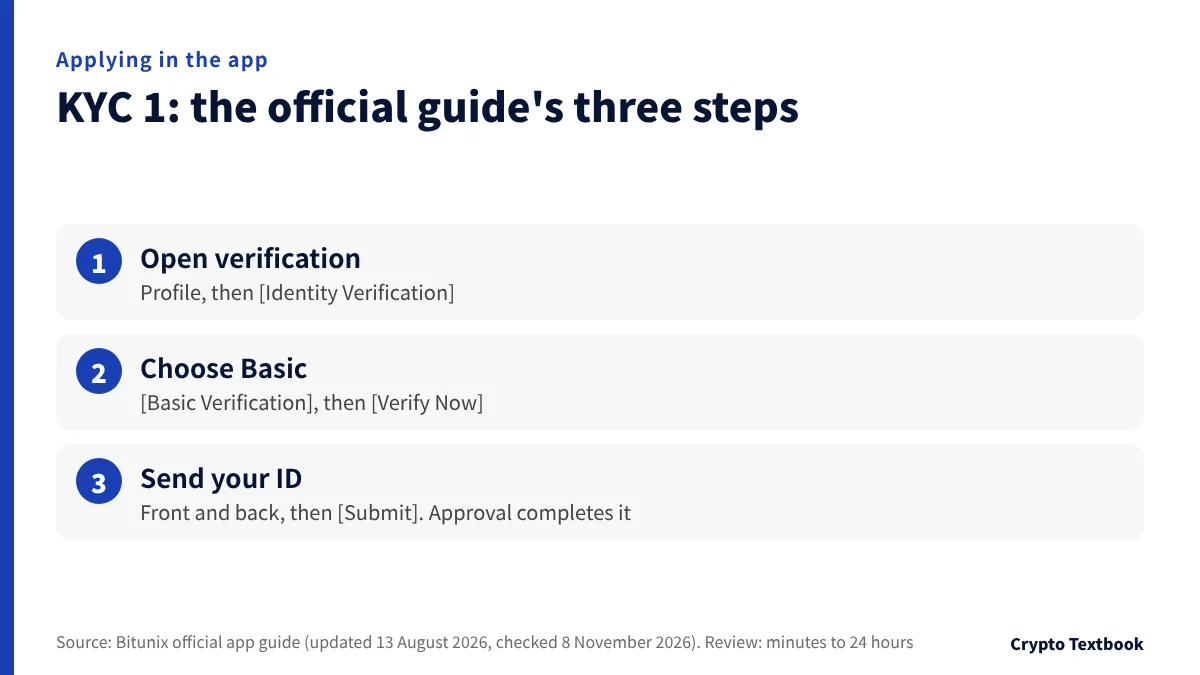
The official app guide (updated 13 August 2026) explains Basic Verification in three steps. The menu names appear in English, so look for the nearest label if your app runs in another language.
- 01Open identity verification from your profile
Log in, tap the profile icon at the top left, then the username area at the top. In account settings choose [Identity Verification].
- 02Choose Basic Verification
Select [Basic Verification] and tap [Verify Now]. Enter your personal details, then go from [Next] to [Start Verification].
- 03Send the front and back of your ID
Follow the on-screen prompts to upload both sides. Check that the text is legible, then tap [Submit]. Once approved, Basic Verification is complete.
The three steps do not mention the selfie. The guide's overview lists a selfie holding your ID as a required document, a warning covers the date on the handwritten note, and the FAQ states the shooting rules. If the screen asks for a selfie, follow it.
The web guide (same update date) keeps the app guide's text and its Scope line, and has no web screens. The only web entry point written down is in the KYB help: profile icon at the top right, then User Center, then Verification in the left menu.
Review time estimates
- KYC 1: the level table says usually a few minutes, and the application guide says minutes to 24 hours
- KYC 2: the step where you submit proof of address, with a manual review of usually 1 to 3 hours
- The official help says review times are estimates
The help centre has no screen-by-screen guide for KYC 2, no list of input fields, and no list of accepted document types or countries. Follow the options your screen offers (checked 8 November 2026).
Approved KYC can be reviewed again
- When the ID you submitted has expired
- When the account shows unusual transactions or a security risk
- When regulatory policy changes significantly
The official page says it will notify you in advance by in-app notice or email if your status changes. Approved KYC is not normally revoked.
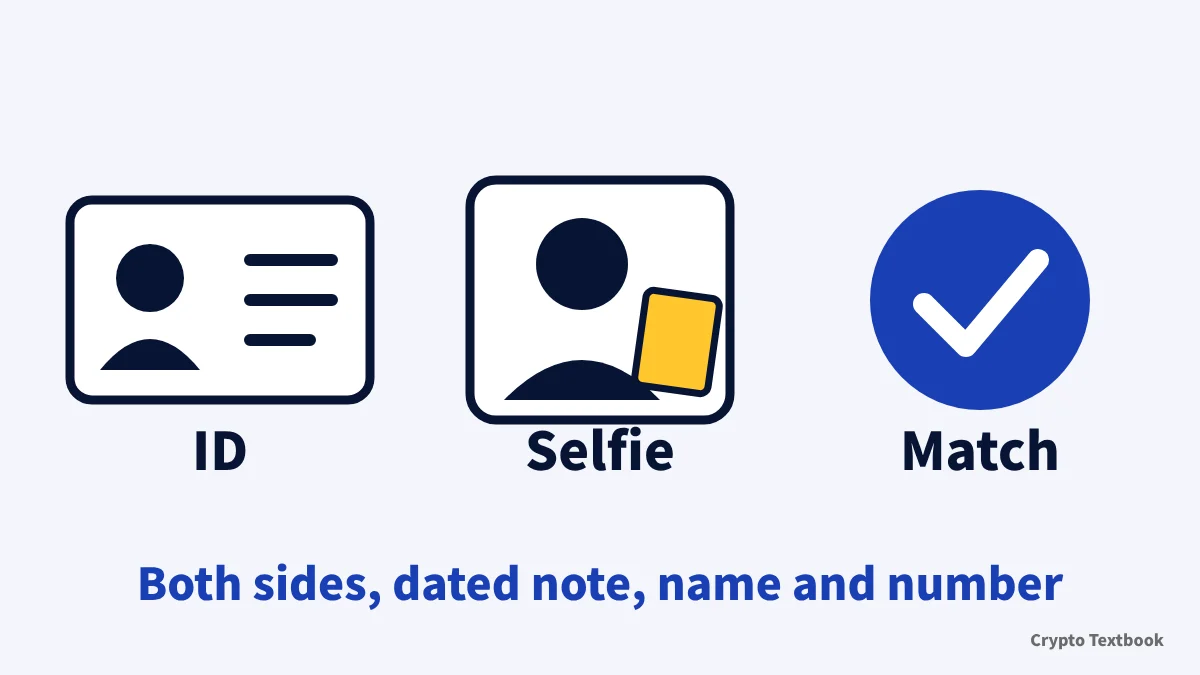
Required documents and photo rules: eight checks before you submit
| Item | Official condition |
|---|---|
| ID | A valid government-issued ID. Send both the front and the back |
| Selfie | A selfie holding your ID, with your face clear and both arms visible |
| Handwritten note | The note in the selfie shows today's or yesterday's date. An old date may cause rejection |
| Details you enter | Name and ID number must match the document exactly. Any mismatch is rejected |
| File format | JPG, JPEG or PNG, each file 5 MB or less |
| Editing | Documents edited in Photoshop or similar software are permanently rejected |
| KYC 2 document | Proof of address such as a utility bill or bank statement |
| Where to send | Never send ID photos outside Bitunix's official channels |
The application guide's overview asks for a selfie holding your ID and a handwritten note. The level table says a biometric selfie check. Follow what the screen tells you. The help centre states no issue-date limit for the KYC 2 address document.
Why verification fails and how to fix it
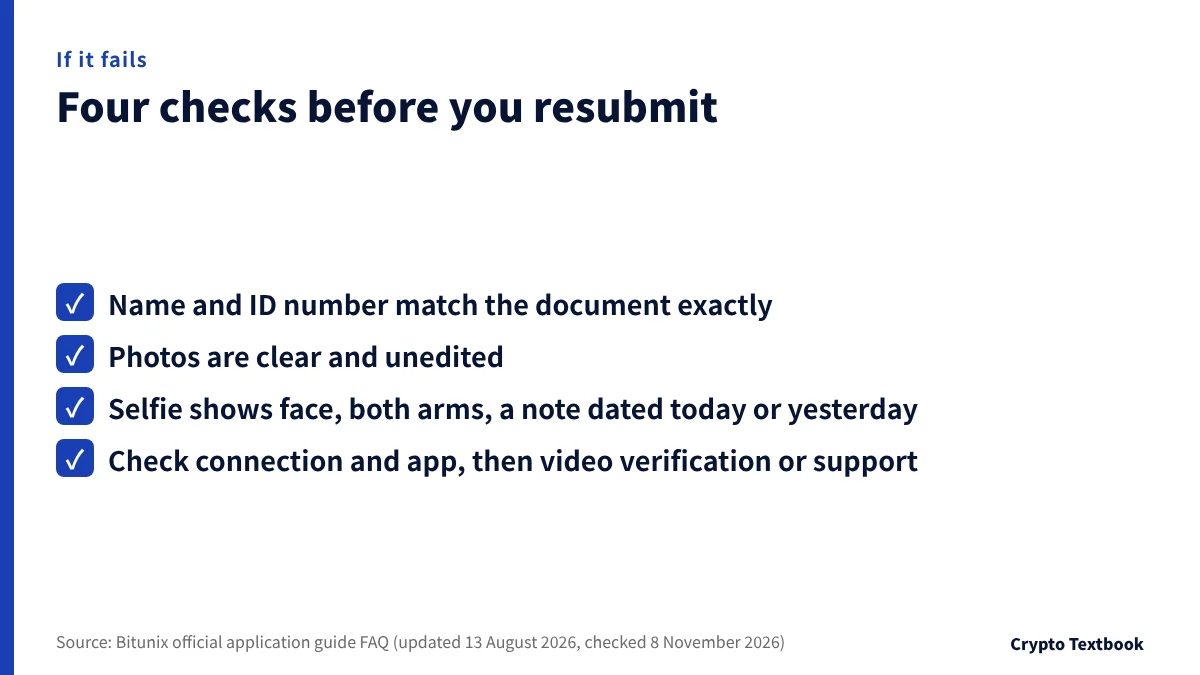
| Symptom | What to check | Next step |
|---|---|---|
| Rejected | Is the photo clear and unedited? Do name and number match the document? Does the selfie meet the rules? | Retake the photos or try video verification, then resubmit |
| Page will not open or upload fails | Is the connection stable? Is the app current? Does the device camera work? | Switch to Wi-Fi, update the app, try another device |
| Error spotted during review | You typically cannot edit while the review runs | Wait for the result. If it is rejected, fix it when you resubmit |
| Error spotted after approval | You cannot fix it yourself | Contact support at once |
| Still failing after several tries | Have you covered the four checks above? | Open a support ticket with a screenshot of the error |
The help centre publishes no rejection codes or reason list. The table covers only the checks the official FAQ names.
If the withdrawal limit stays low after KYC
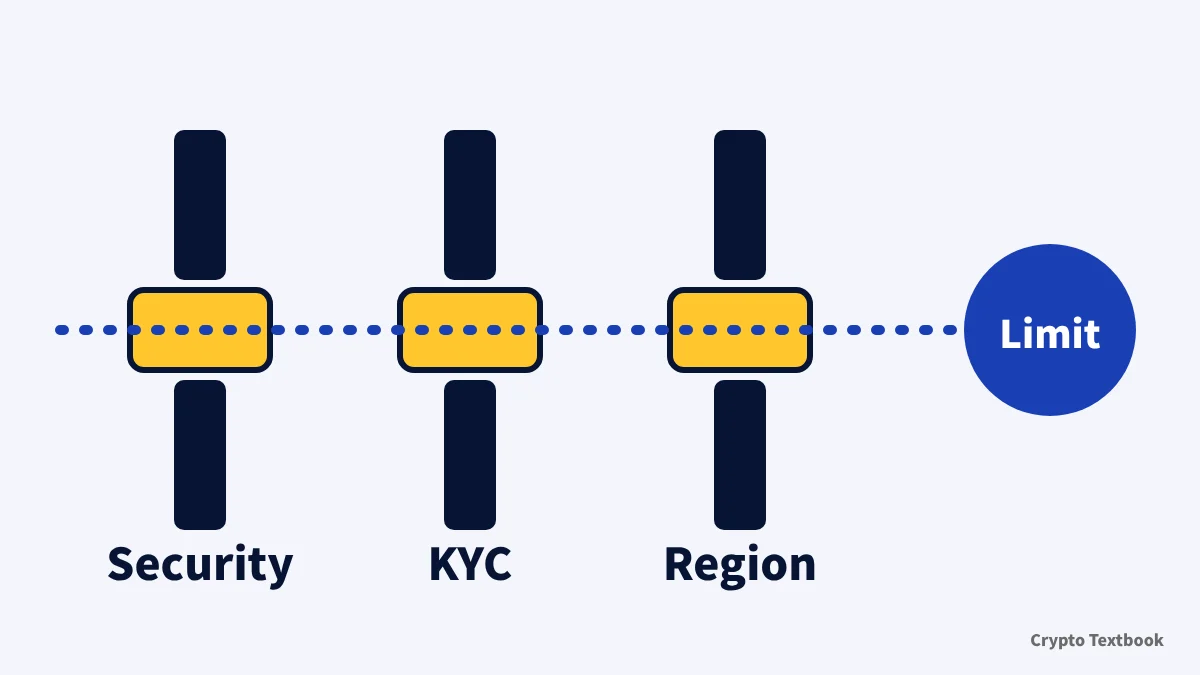
Two official help pages draw the limit on different bases.
| Source | Basis of the split | Limit stated |
|---|---|---|
| KYC level table (updated 16 October 2026) | KYC level | KYC 1 = 500,000 USDT per 24 hours; KYC 2 = 5,000,000 USDT |
| Withdrawal FAQ (updated 13 August 2026) | Number of security methods enabled | Basic (any one of email, phone or Google Authenticator) = about 10,000 USD a day; Advanced (several methods plus KYC done) = raised. The amount is on your account page |
The FAQ's basic level is defined by security methods, and the page does not say it equals KYC 1. Bitunix does not reconcile the two pages, so this article cannot say how they fit. The KYC help says your account page shows the latest details. Check the limit on the withdrawal screen before you withdraw.
The KYC help gives three reasons a limit can stay low after KYC.
- Security methods enabled: the more of email, phone and Google Authenticator you have on, the higher the limit
- Account risk assessment: the system looks at your trading history and login patterns
- Regional rules: some jurisdictions set a legal daily withdrawal cap
Linking Google Authenticator (web)
- 01Open Security
Choose [Security] from the profile icon at the top right.
- 02Press [Link] next to Google Authenticator
Scan the QR code or type the 16-character key by hand.
- 03Enter the 6-digit code and press [Submit]
A code expires after 30 seconds. Complete any email or SMS check it asks for.
Keep the backup key safe. You need it to recover access if you lose the app. A phone number can be added under [Security] and [Mobile Verification], using a number never registered with Bitunix.
The official reset guide says withdrawals are not allowed for 24 hours after you change a security item. Do it well before a large withdrawal.
Other verification procedures: business (KYB), palm print, appeals and resets
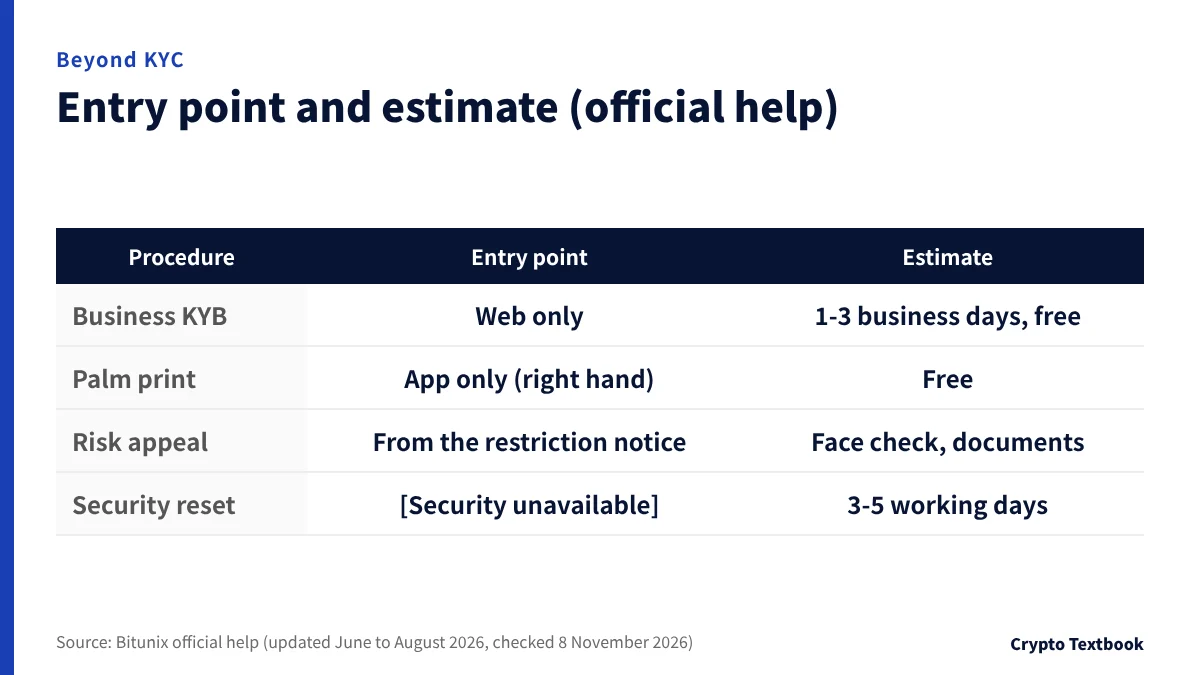
Business account verification (KYB)
- KYB is available on the web only, not in the app. Review usually takes 1 to 3 business days, and it is free
- You submit a Certificate of Incorporation, articles of association or an equivalent, and proof of registered address from the last three months
- Anyone holding 25% or more of the shares, and the directors and key managers, must complete KYC 2
- You also submit a bank statement from the last three months with the bank's official stamp. Screenshots are not accepted
Palm-print verification
- Set up in the app only. It uses the right palm only and needs Android 10 or iOS 13 or later
- Path: avatar, then security, then Palmprint Verification, then Set up
- If the palm print does not match the one on file, withdrawals and large transfers can be restricted
Risk-control appeals
When your account is restricted, the web home page shows a notice that some features are restricted. You can also open the notice under Messages and System Announcement.
Select the items, press [Appeal], complete face verification, then send documents and your reason. After submission you see the appeal time and an Appeal ID.
When a security method stops working
On the login verification screen choose [Security unavailable]. Send at least one of a KYC document or proof of the source of funds. The review takes 3 to 5 working days.
How your data is handled, and the region and conduct rules
The privacy policy (updated 21 October 2026) lists Sumsub as an outside service for the app, handling your name, ID photos, selfie, audio for liveness detection and location data for identity verification and fraud prevention. Data is kept for as long as needed to provide the service or meet legal obligations.
- Account credentials cannot be transferred and are for the person they were issued to (KYC disclaimer, updated 13 August 2026)
- Proxy trading, where a third party operates your account, is prohibited (official statement, 18 May 2026)
- Never send ID photos outside Bitunix's official channels (application guide)
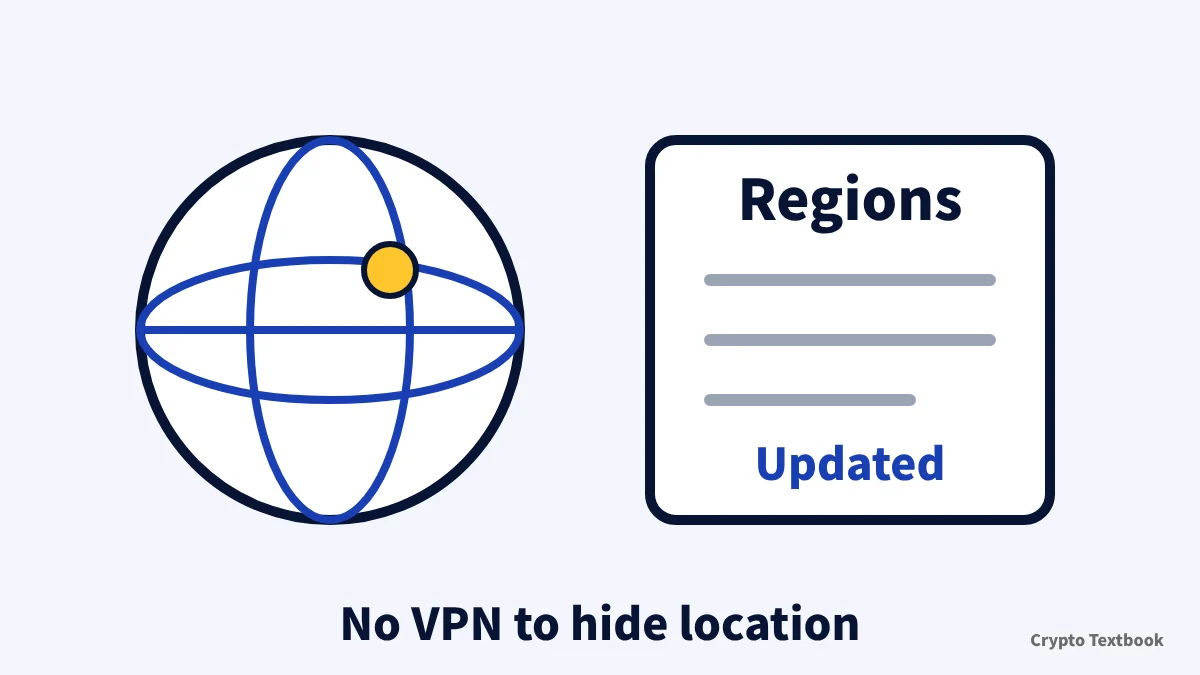
Bitunix says KYC requirements, withdrawal limits and available features change with the rules where you live. Japan does not appear in the list of unsupported regions (updated 5 August 2026, checked 8 November 2026). The list says it is not limited to the names shown and is updated from time to time, so Japan's absence does not mean Bitunix publishes Japan-specific limits or steps. The terms of use also require you to be at least 18 (updated 23 July 2026).
Terms, proof-of-reserves and restricted regions, checked: the safety column →
The official notice prohibits using a VPN or similar tool to hide your location, and says the account can be suspended and open positions closed.
Editorial verdict: which route to take, by situation
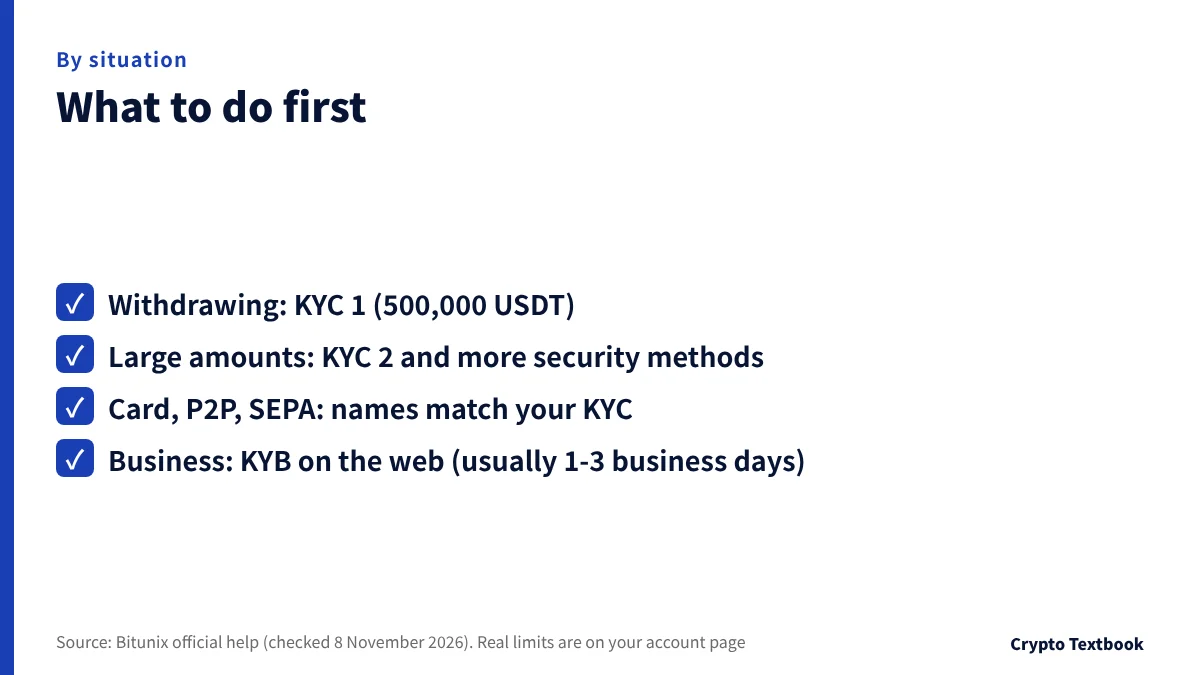
If you plan to withdraw, or to use cards or P2P, KYC 1 comes first. Only people who move large amounts each day need to go on to KYC 2 and extra security methods.
- You plan to withdraw: KYC 1 (500,000 USDT per 24 hours). Confirm your real limit on the account page
- You move large amounts daily: KYC 2 (5,000,000 USDT), plus Google Authenticator and a phone number
- You use cards, P2P or SEPA: KYC, and the card or bank account name must match your KYC
- You operate as a business: apply for KYB on the web (usually 1 to 3 business days)
- Your submission keeps failing: recheck the match with your documents and the photo rules, then video verification, then support
Completing KYC does not remove price risk. Futures and leveraged trading can cost you all of your margin.
Bitunix copy trading: what you can copy, fees and the 10x cap after KYC →
Bitunix futures leverage and liquidation: how margin modes and forced closes work →
Frequently asked questions
Q. Is KYC required on Bitunix?
A. The sign-up steps include no identity verification. The official table does say that an unverified account has basic functions only, and some trading, withdrawal and fiat services may be restricted. Withdrawals unlock at KYC 1.
Q. Can I withdraw from Bitunix without KYC?
A. The two official pages read differently. The KYC help puts withdrawals at KYC 1, while the withdrawal FAQ gives a basic level with one security method about 10,000 USD a day. Check your account screen for whether you can withdraw and your limit.
Q. How long does Bitunix KYC take?
A. For KYC 1 the level table says usually a few minutes and the application guide says minutes to 24 hours. KYC 2 is a manual review of usually 1 to 3 hours. The official help calls these estimates.
Q. What documents does Bitunix KYC need?
A. KYC 1 needs a valid government-issued ID, front and back, and a selfie holding it. KYC 2 needs proof of address such as a utility bill or bank statement. Images must be JPG, JPEG or PNG, 5 MB or less each.
Q. What should I do if Bitunix KYC is rejected?
A. Check that your name and ID number match the document, that photos are clear and unedited, and that the selfie shows your face and both arms with a note dated today or yesterday. Retake the photos or try video verification, and contact support if it keeps failing.
Q. Can I correct my details after submitting?
A. Typically not while the review is running. If it is rejected you can fix the details when you resubmit. If you notice an error after approval, contact support right away.
Q. Why is my withdrawal limit still low after KYC 1?
A. The limit depends on more than the KYC level. The number of security methods enabled, your account risk assessment and regional rules also count. Check that KYC 2 is done and that email, phone and Google Authenticator are set up.
Q. Can I complete Bitunix KYC from Japan?
A. Japan does not appear in the list of unsupported regions (updated 5 August 2026). The list is only illustrative and is updated from time to time. The help centre has no Japan-specific list of accepted documents, so follow your screen and the terms of use.
Sources
- Bitunix | Bitunix KYC Level Benefits (official help centre, updated 16 October 2026, checked 8 November 2026) →
- Bitunix | How to Complete KYC Verification on Bitunix (App Guide) (official help centre, updated 13 August 2026, checked 8 November 2026) →
- Bitunix | How to Complete KYC Verification on Bitunix (Web Guide) (official help centre, updated 13 August 2026, checked 8 November 2026) →
- Bitunix | Bitunix KYC Verification Disclaimer (official help centre, updated 13 August 2026, checked 8 November 2026) →
- Bitunix | Bitunix Crypto Withdrawal FAQ (official help centre, updated 13 August 2026, checked 8 November 2026) →
- Bitunix | How to Complete KYB Institutional Verification on Bitunix (official help centre, updated 5 August 2026, checked 8 November 2026) →
- Bitunix | How to Complete Palm-Print Verification on Bitunix (App Guide) (official help centre, updated 5 August 2026, checked 8 November 2026) →
- Bitunix | How to Submit a Risk Control Appeal (Web) (official help centre, updated 17 August 2026, checked 8 November 2026) →
- Bitunix | Account Security Authentication Failure Reset Guide (Web) (official help centre, updated 5 June 2026, checked 8 November 2026) →
- Bitunix | Operation Guide for Binding Google Authenticator (GA) - Web (official help centre, updated 13 May 2026, checked 8 November 2026) →
- Bitunix | How to Register an Account on Bitunix (App) (official help centre, updated 3 November 2026, checked 8 November 2026) →
- Bitunix | How to Buy Cryptocurrency with a Credit or Debit Card (official help centre, updated 23 October 2026, checked 8 November 2026) →
- Bitunix | Privacy Policy (official help centre, updated 21 October 2026, checked 8 November 2026) →
- Bitunix | Restricted Regions and User Eligibility Notice (official help centre, updated 5 August 2026, checked 8 November 2026) →
- Bitunix | FAQ for P2P Products (official help centre, updated 18 May 2026, checked 8 November 2026) →
- Bitunix | How to Use SEPA Deposit (Web)? (official help centre, updated 22 June 2026, checked 8 November 2026) →
- Bitunix | How to Buy Cryptocurrency With One-Click Buy on Bitunix (Web)? (official help centre, updated 20 August 2026, checked 8 November 2026) →
- Bitunix | FAQ for Purchase Cryptos with Debit or Credit Cards (official help centre, updated 23 October 2026, checked 8 November 2026) →
- Bitunix | Bitunix's Statement Against and Prohibiting Proxy Trading (official help centre, updated 18 May 2026, checked 8 November 2026) →
- Bitunix | Bitunix User Agreement (official help centre, updated 23 July 2026, checked 8 November 2026) →
FX Textbook is an independent information site, not an exchange or a provider of personal investment advice. Crypto-asset trading involves risk: price volatility, liquidation of leveraged positions, transfer mistakes and the operational risk of exchanges and service providers can cause you to lose some or all of your invested capital. No result is guaranteed.
NEXT STEP
Bitunix fees, leverage and rewards are on the exchange page.
Base fee rates, maximum leverage and the new-user rewards are collected there with official check dates.
Exchanges related to this column
Fees, leverage, funding options and current offers are on each exchange page.