
You want to use an overseas exchange but are not sure how to get yen in. The official pages of MEXC, BingX, Bitunix and BYDFi do not say that yen bank transfers are accepted.
There are three routes: Quick Buy, P2P, or buying at a registered exchange in Japan and sending. We set out fees, identity checks and arrival times as written on official pages checked between 3 and 15 November 2026, plus the screens to open before buying and the 24-hour T+1 withdrawal lock on BingX and Bitunix.
Summary: three ways to go from yen to an overseas exchange
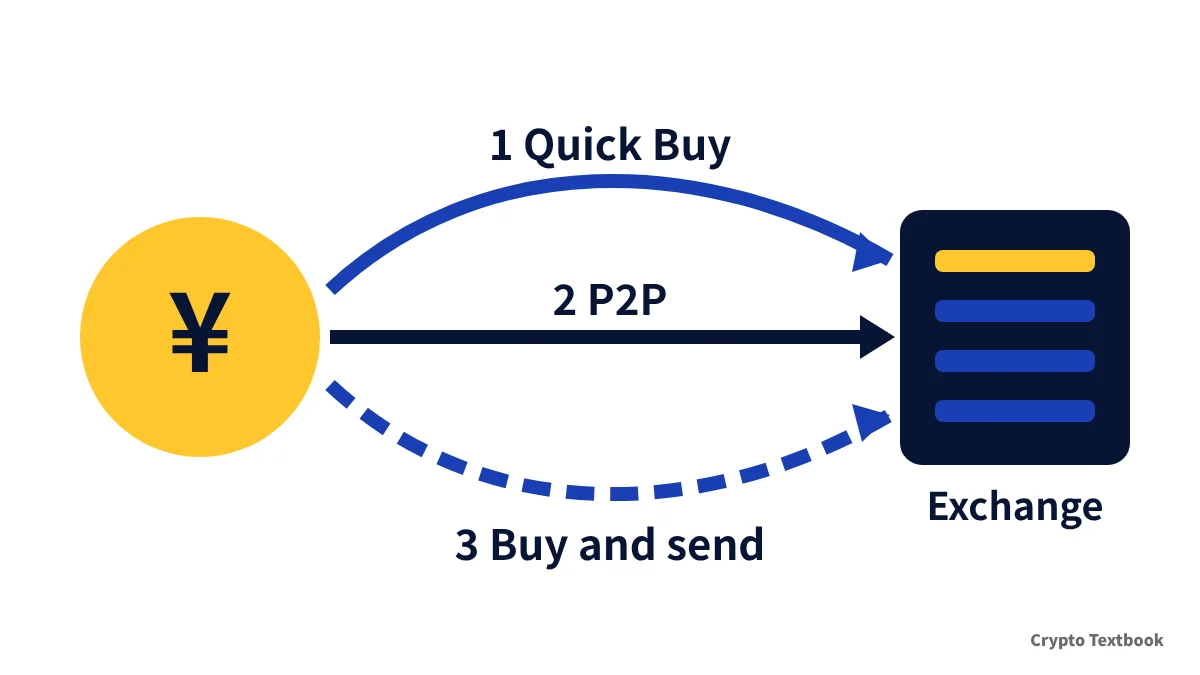
- 1) Quick Buy or a third-party payment provider: pay by card; you pay the provider fee and a rate spread
- 2) P2P: buy from other users; MEXC, BingX and Bitunix charge no trading fee, but yen offers may not be listed
- 3) Buy at a registered exchange in Japan and send: match the recipient list, the network and the memo
- BingX, Bitunix and BYDFi require identity verification (KYC) before buying; BYDFi also requires KYC with the provider
- BingX locks card purchases and Bitunix locks P2P purchases for 24 hours (T+1) before withdrawal
| Method | How costs appear | Typical arrival |
|---|---|---|
| 1) Quick Buy / third party | Provider fee plus rate | Instant to 2-3 hours (varies) |
| 2) P2P | No trading fee; bank fees extra | After payment is confirmed; Bitunix within 15 minutes |
| 3) Buy in Japan and send | Domestic trading cost plus network fee | After blockchain confirmation |
This comparison uses only the official pages of MEXC, BingX, Bitunix and BYDFi, the four exchanges listed on this site. There is no ranking; each exchange is quoted as written.
Method 1: Quick Buy and third-party providers compared
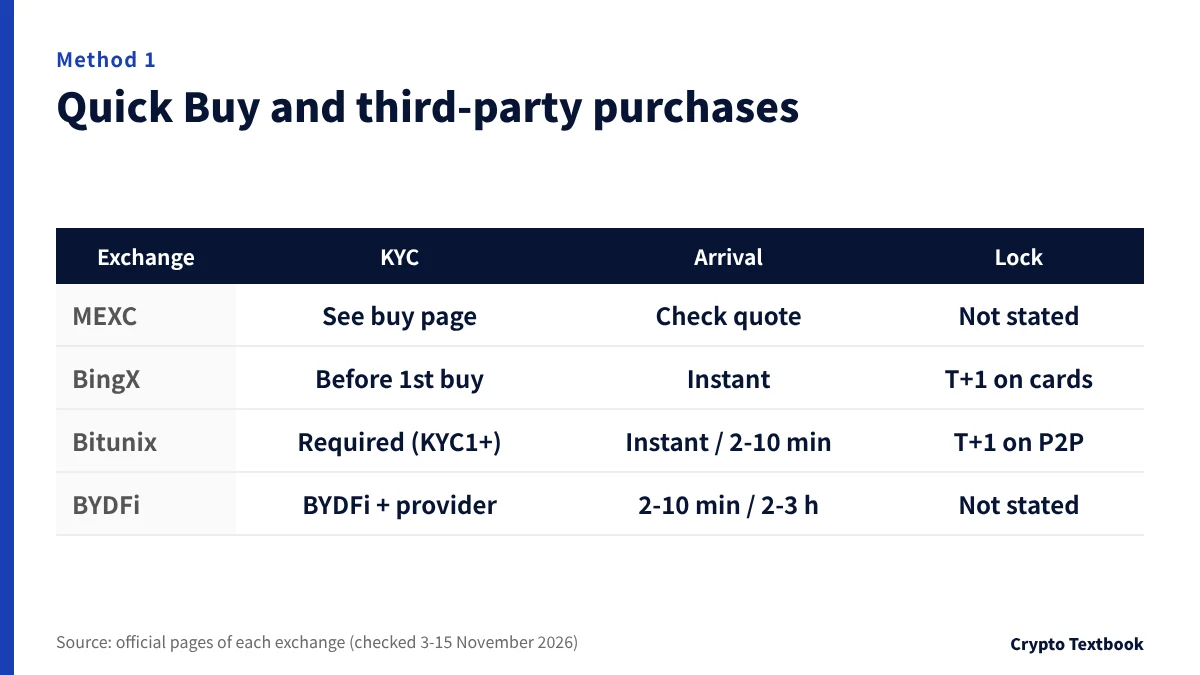
MEXC's Buy Crypto page has four tabs: Quick Buy, P2P, Fiat Deposit and Third Party (checked 15 November 2026). BingX and Bitunix also separate card purchases from external payment providers.
BYDFi works differently. Its official FAQ says that all fiat transactions are processed entirely by third-party service providers.
| Exchange | Payment methods / providers | KYC and limits | Arrival and restrictions |
|---|---|---|---|
| MEXC | Visa, Mastercard, Apple Pay, Google Pay; third parties such as MoonPay, Banxa and Mercuryo | No single limit shown on the buy page | Check the on-screen quote |
| BingX | Visa, Mastercard, Apple Pay, Google Pay | KYC before the first purchase | Instant; card purchases cannot be sold or withdrawn for 24 hours (T+1) |
| Bitunix | Visa and Mastercard; third parties such as TransFi and Banxa | Cards need KYC, USD 15-3,000 per order and USD 3,000 per day; third parties need KYC1 | Cards instant; third parties about 2-10 minutes |
| BYDFi | Banxa, Transak, Mercuryo, Coinify, Pix, Paybis, Legend Trading | KYC with both BYDFi and the provider; Transak USD 1,500 per order and USD 5,000 per day | The FAQ gives both 2-10 minutes and within 2-3 hours |
※ Checked: MEXC 15 November 2026, BingX 3 November, Bitunix 4 and 8 November, BYDFi 8 November (FAQ updated 5 November).
Whether yen is accepted depends on the screen
Accepted currencies and payment methods change with your country, currency and KYC status. Bitunix's help page says availability depends on the region and the currencies you pick.
- BingX does not state yen support on its official pages (checked 3 November 2026)
- BYDFi's FAQ lists "more than 50 fiat currencies such as USD, EUR, AUD, CAD and CHF" without naming yen
- MEXC's buy page mentions buying from a bank account but does not say which currencies work (checked 15 November)
- Card issuers may treat crypto purchases as cash advances and charge extra (Bitunix help)
Method 2: P2P compared, fee-free but check for yen offers
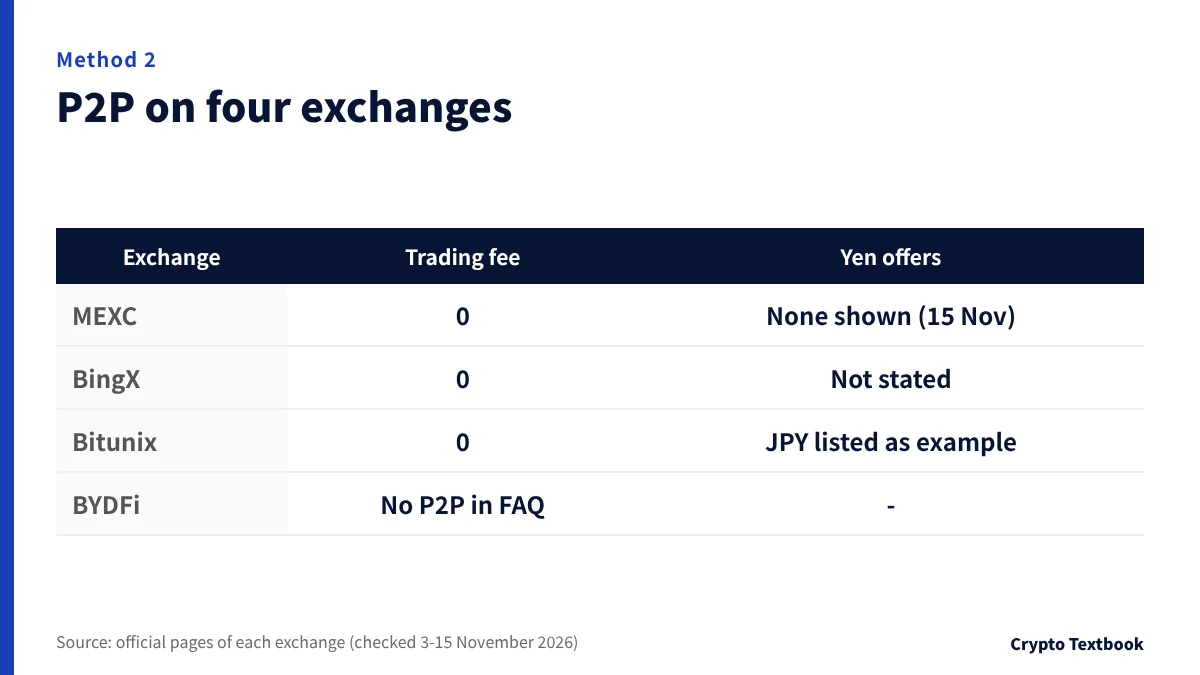
P2P means buying from another user's offer. You pay the seller directly, outside the exchange.
MEXC's USDT/JPY P2P page showed no offers ("No data") when viewed logged out on 15 November 2026. Offers may look different after you log in.
| Exchange | Fees | Yen | Notes |
|---|---|---|---|
| MEXC | No trading fee | JPY selectable, but no offers shown (15 November) | Fiat trading up to USD 20,000 a day with advanced KYC |
| BingX | No trading fee; 300+ payment methods | Not stated officially | About 2-15 minutes; payment is made outside the exchange |
| Bitunix | No fee for buyers or sellers; bank fees extra | JPY appears as a currency example (updated 22 July) | KYC required; purchases frozen for 24 hours (T+1) |
| BYDFi | The Buy Crypto FAQ does not mention P2P | - | Fiat purchases go through third-party providers |
※ Checked: MEXC 15 November 2026, BingX 3 November, Bitunix 4 and 8 November, BYDFi 8 November.
Three points where P2P trades stall
- Pressing "paid" before paying can lead to a temporary freeze as malicious behaviour (Bitunix)
- Cancelling three or more orders in a day suspends P2P for 24 hours (Bitunix)
- If you paid but nothing arrives, keep proof of payment and file an appeal from the order page (Bitunix)
Bitunix says it holds the seller's assets until payment is confirmed. The trade itself is still between two users.
Method 3: buying at a registered exchange in Japan and sending
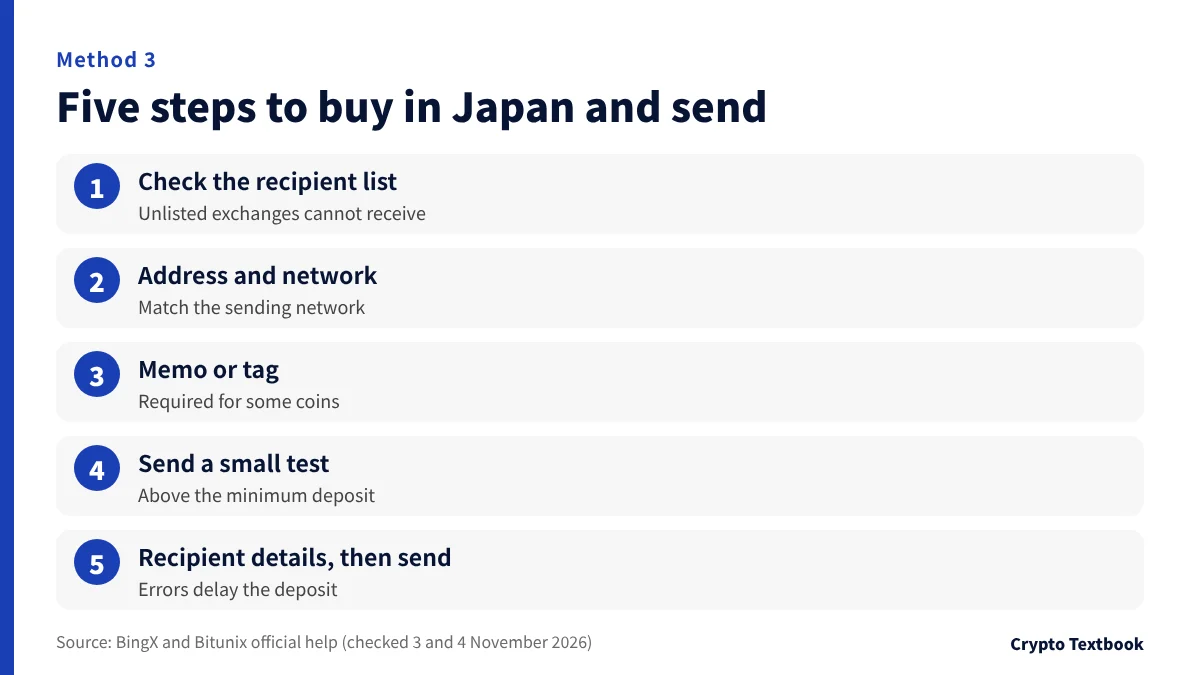
Deposit yen at a registered exchange in Japan, buy crypto, then send it to the overseas exchange's deposit address. None of the four exchanges charges its own fee for crypto deposits.
- 01Check the recipient list
Some registered exchanges in Japan only let you pick pre-approved destinations from a list. You cannot send directly to an exchange that is not on it.
- 02Get a deposit address on the overseas exchange
Pick the coin and network, then copy the address. Use the same network as the sending side.
- 03Check whether a memo or tag is needed
Some coins require a memo or tag (Bitunix official). A wrong entry means the deposit is not credited.
- 04Send a small test above the minimum
Amounts below the minimum deposit are not credited (BingX official). Send the main amount after the test arrives.
- 05Enter the recipient details correctly
Some senders ask for the recipient's name and the receiving exchange. Mistakes can delay the deposit.
| Exchange | Deposit fee | Arrival and notes |
|---|---|---|
| MEXC | Free (deposit/withdrawal tab) | Pick the coin and network on the deposit screen |
| BingX | Free on every network | Using the wrong network loses the funds for good |
| Bitunix | No extra fee | Usually 3-30 minutes after confirmation |
| BYDFi | Free | ETH deposits only on the ETH, ARB, BSC and BASE networks |
※ Checked: MEXC and BYDFi 15 November 2026, BingX 3 November, Bitunix 4 November. The sending side's network fee is charged separately.
Since 1 June 2023, Japan has required senders' and recipients' details to be passed on when crypto is transferred. This is why the list of destinations is limited.
Why transfers from Japanese exchanges can fail (travel rule) →
Checking on the official screens: where each entry point is
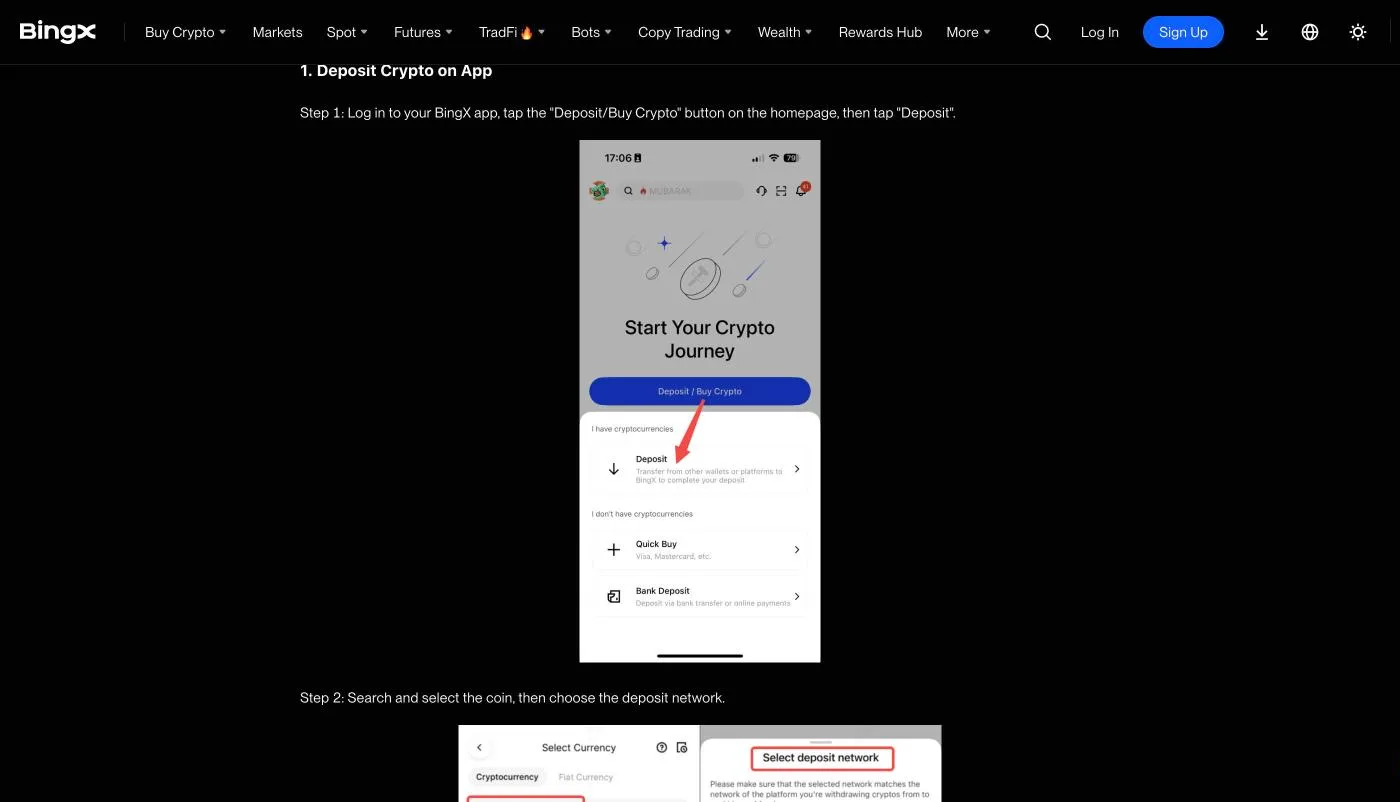
Each exchange names its entry points differently. In the BingX app, Deposit / Buy Crypto splits into Deposit, Quick Buy and Bank Deposit.
| Exchange | Send crypto in | Buy with yen or other fiat |
|---|---|---|
| MEXC | Assets > Deposit | Buy Crypto > Quick Buy / P2P / Third Party |
| BingX | Deposit / Buy Crypto > Deposit | Quick Buy / P2P (under More) |
| Bitunix | Add Funds > Deposit Crypto | One Click Buy / Fiat Deposit |
| BYDFi | Deposit | Buy Crypto |
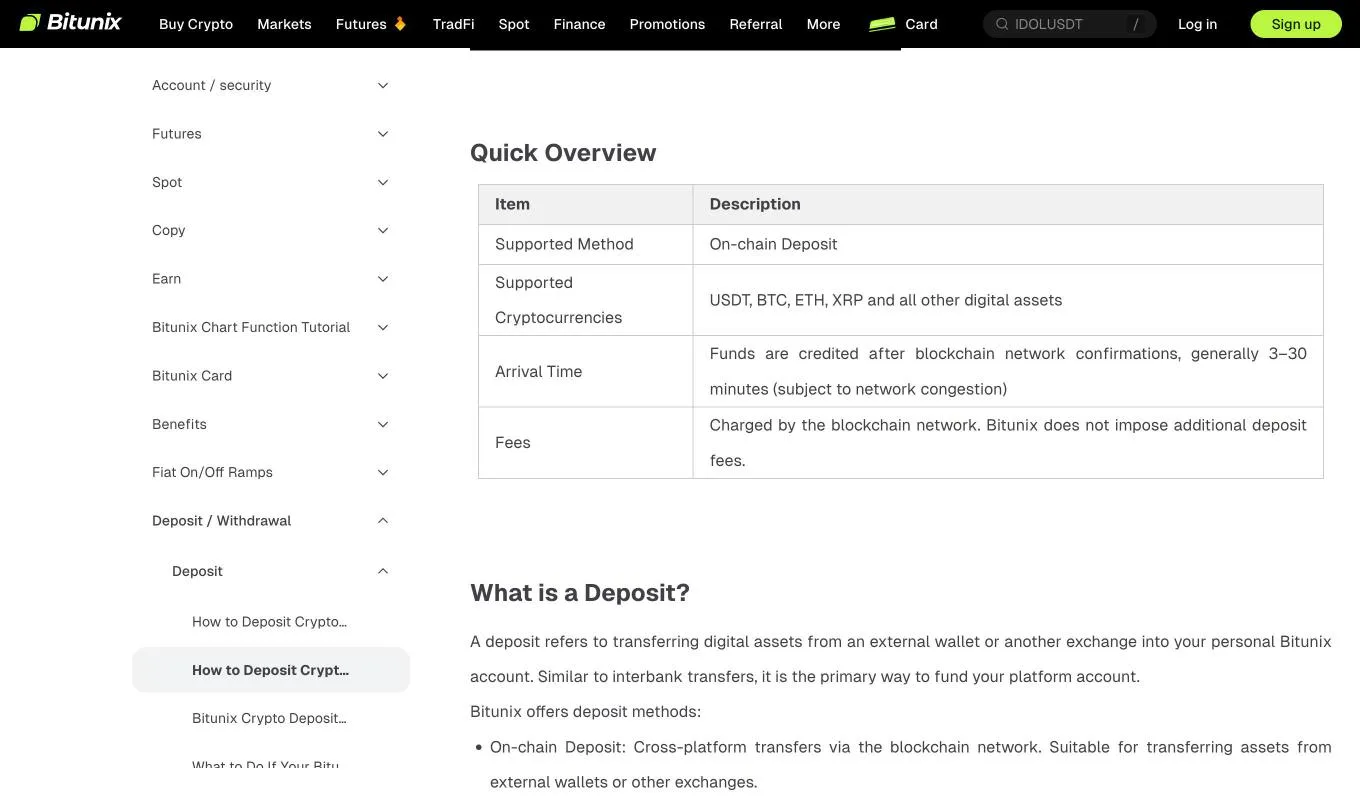
On BYDFi, payments made directly on a provider's own site do not appear in the deposit history. Start from BYDFi's Buy Crypto page (official FAQ).
Fees and rate spreads: compare the quoted amount
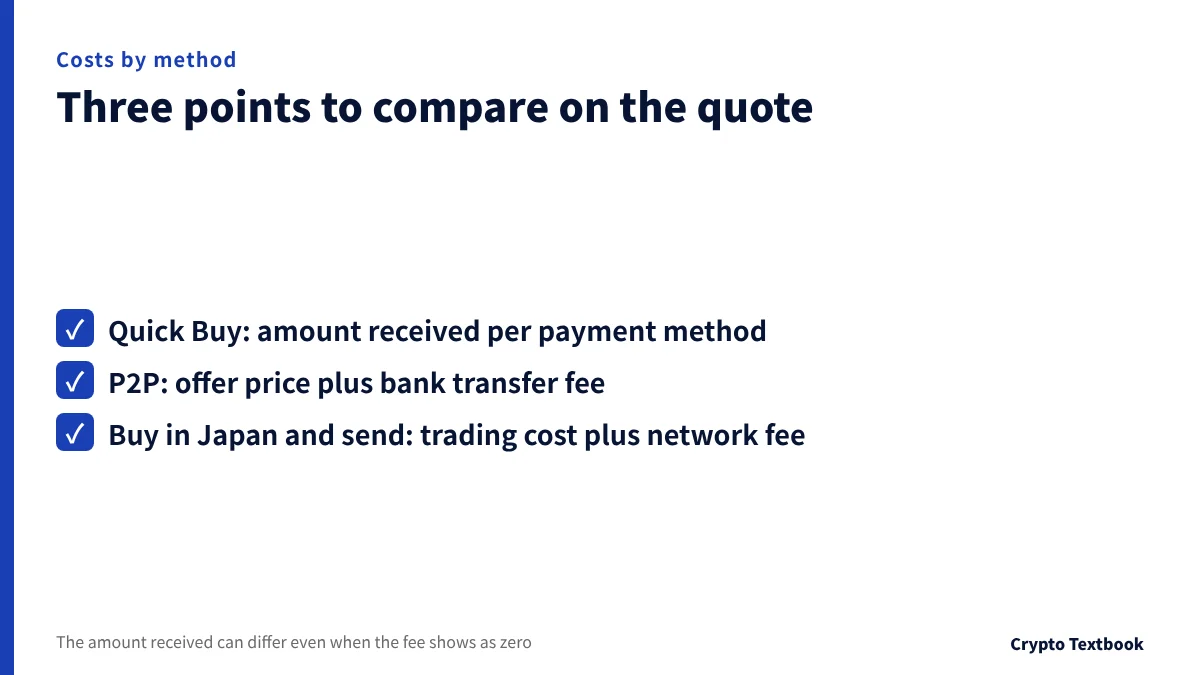
Even when the fee shows as zero, the amount you receive can change with the provider or payment method. The difference sits in the yen price per USDT.
Before buying, compare the quoted amount you will receive on the screen. BYDFi's FAQ also notes that the final quote can differ from the price first displayed.
- Quick Buy: compare the quoted amount for each payment method
- P2P: add the bank transfer fee to the advertised price
- Buy in Japan and send: you pay both the domestic trading cost and the network fee
Our conclusion: what to check for each priority
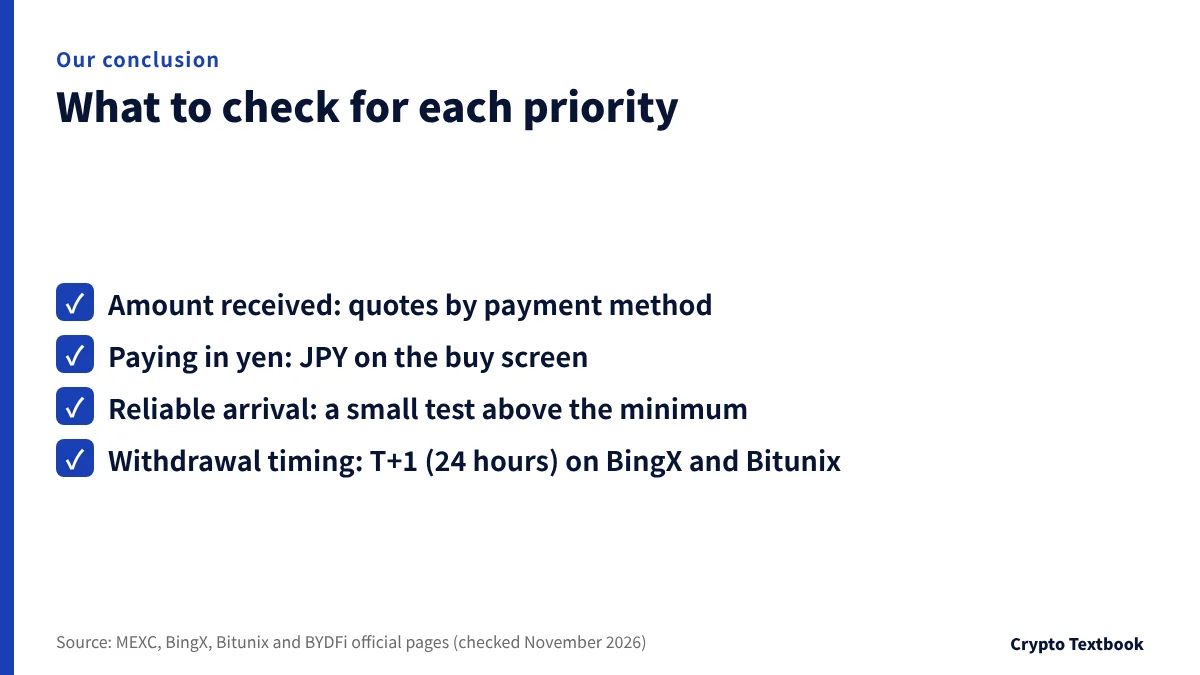
If speed matters, check the Quick Buy arrival time and any T+1 lock. If you want to pay by bank transfer, first see whether P2P has yen offers. If you are moving crypto you already hold, match the recipient list and the network.
- If the amount received matters: compare quotes by payment method
- If paying in yen matters: check whether JPY appears on the buy screen
- If reliable arrival matters: send one small test above the minimum deposit
- If withdrawal timing matters: allow for the 24-hour T+1 lock on BingX and Bitunix
Crypto prices move sharply and can fall right after you buy. Leveraged products such as futures can lose money very quickly. Only use amounts you can afford to lose.
Frequently asked questions
Q. Can I deposit Japanese yen directly into an overseas exchange?
A. The four exchanges' official pages, checked in November 2026, did not say that yen bank transfers are accepted. To start from yen you use Quick Buy with a card, P2P, or buy at a registered exchange in Japan and send.
Q. What is the difference between Quick Buy and P2P?
A. Quick Buy means buying through a card or payment provider. P2P means buying from another user's offer and paying the seller directly. MEXC, BingX and Bitunix charge no P2P trading fee, and BYDFi's Buy Crypto FAQ does not cover P2P. Check whether yen offers are listed.
Q. Can I withdraw crypto bought by card straight away?
A. BingX card purchases and Bitunix P2P purchases cannot be sold or withdrawn for 24 hours (T+1). Allow for that day if you plan to move the funds.
Q. Why can a transfer from a Japanese exchange to an overseas exchange fail?
A. Under the travel rule that began on 1 June 2023, some Japanese exchanges only let you pick pre-approved destinations from a list. Exchanges not on that list cannot receive direct transfers.
Q. Do overseas exchanges charge deposit fees?
A. MEXC, BingX and BYDFi say crypto deposits are free, and Bitunix says it charges no extra deposit fee. The network fee on the sending side is separate.
Q. Does BYDFi accept Japanese yen?
A. BYDFi's Buy Crypto FAQ lists more than 50 fiat currencies such as USD, EUR, AUD, CAD and CHF, without naming yen. After you pick a currency and amount, each provider's minimum and maximum appear on screen.
Sources
- MEXC | Buy Crypto (Quick Buy, P2P, Third Party; checked 15 November 2026) →
- MEXC | P2P buy USDT/JPY (checked 15 November 2026) →
- MEXC | Third-party providers →
- MEXC | KYC verification FAQ (checked 15 November 2026) →
- MEXC | Fees, deposits and withdrawals (checked 15 November 2026) →
- BingX Help | Deposit methods (checked 3 November 2026) →
- BingX Learn | Buying and selling on the app (updated 9 April 2026, checked 3 November) →
- Bitunix Help | Buying crypto with a card (checked 4 November 2026) →
- Bitunix Help | One-Click Buy (updated 20 August 2026, checked 8 November) →
- Bitunix Help | P2P FAQ (updated 18 May 2026, checked 8 November) →
- BYDFi Help | Buy Crypto FAQ (updated 5 November 2026, checked 8 November) →
FX Textbook is an independent information site, not an exchange or a provider of personal investment advice. Crypto-asset trading involves risk: price volatility, liquidation of leveraged positions, transfer mistakes and the operational risk of exchanges and service providers can cause you to lose some or all of your invested capital. No result is guaranteed.
NEXT STEP
See all four exchanges in one place
Fees, deposits and withdrawals and leverage for each exchange, as confirmed from official sources.
Exchanges related to this column
Fees, leverage, funding options and current offers are on each exchange page.