
Stuck on MEXC identity verification because a document was rejected or the review has not finished?
MEXC KYC has two levels. Crypto withdrawals are capped at 80 BTC a day for Primary KYC and 200 BTC a day for Advanced KYC, according to the official help center (checked 15 November 2026).
Below are the accepted documents, the web and app button names, review times and how to resubmit after a rejection, in the order of the help center.
Summary: MEXC KYC has two personal levels
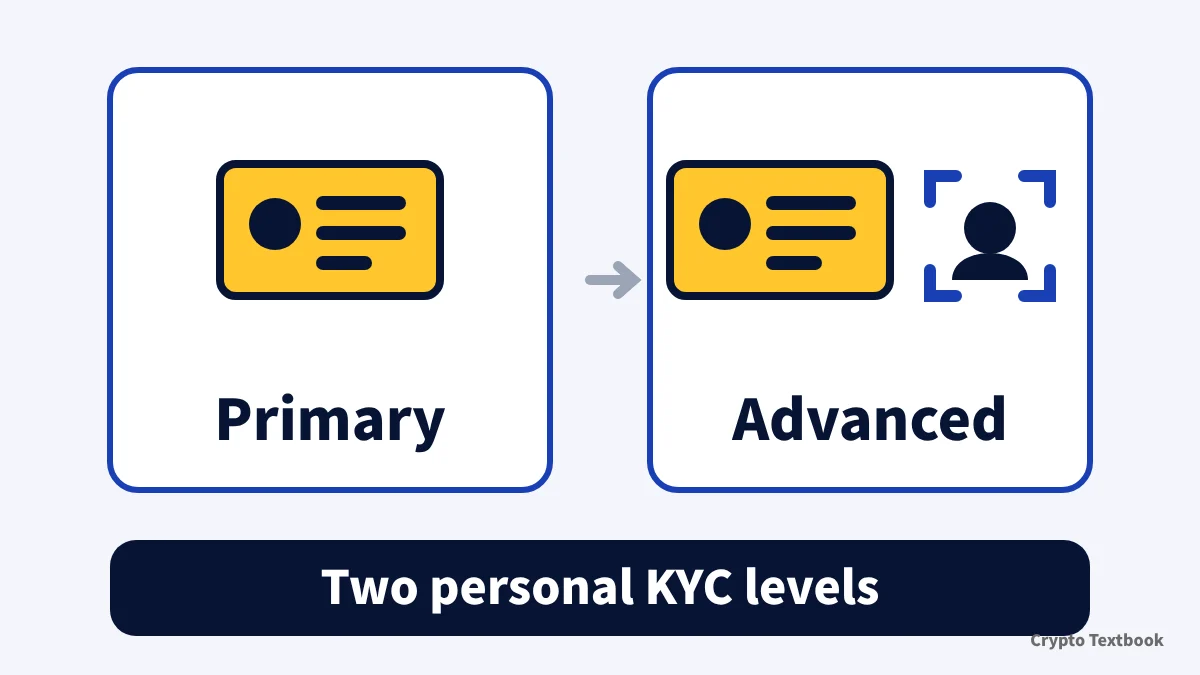
- Personal KYC has two levels: Primary KYC and Advanced KYC. Companies use Institutional Verification (web only)
- Crypto withdrawals: 80 BTC/day for Primary, 200 BTC/day for Advanced. Crypto deposits are unlimited at both levels
- Four document types: national ID card, passport, driver's licence and residence permit. Photos of the original only
- Review normally takes 15 minutes, and 8 to 24 hours when busy
- Up to 3 attempts a day for each level. After that, wait 24 hours
- The help center gives no withdrawal limit for unverified accounts. Regional rules may restrict deposits, withdrawals or trading
MEXC is a crypto exchange. Futures and leveraged trading can lose the whole margin you deposit. KYC is an account procedure, not a recommendation to trade.
Exchange KYC levels and withdrawal limits (beginner guide) →
Primary vs Advanced: 80 BTC or 200 BTC a day
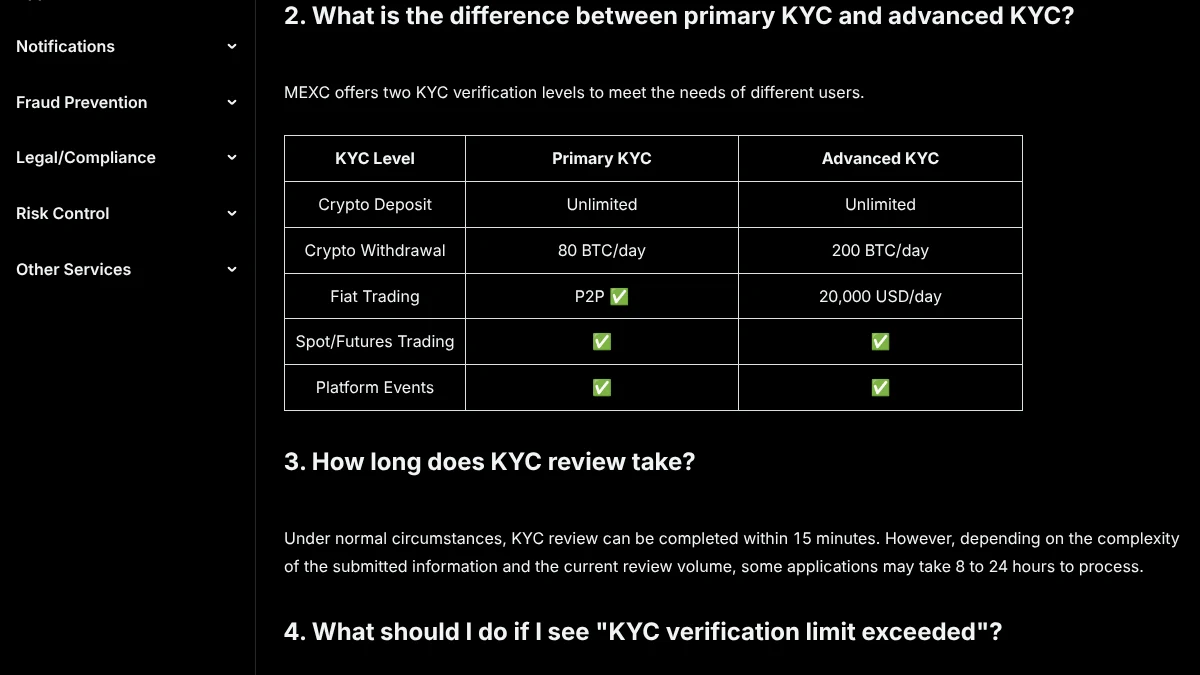
The two levels differ in the withdrawal cap and fiat trading. Spot and futures trading and platform events are ticked for both levels in the official table.
| Item | Primary KYC | Advanced KYC |
|---|---|---|
| What you submit | ID front and back | ID plus face verification |
| Crypto deposits | Unlimited | Unlimited |
| Crypto withdrawals | 80 BTC/day | 200 BTC/day |
| Fiat trading | P2P | 20,000 USD/day |
| Spot and futures | Yes | Yes |
| Where to apply | Web and app | Web and app |
You can skip Primary and apply for Advanced directly. If Primary is already done, Advanced reuses your issuing country and only asks for the ID type.
Institutional Verification is web only and raises the 24-hour withdrawal limit to up to 400 BTC. A personal account cannot be switched to institutional, so apply with a new account.
Documents for MEXC KYC: four types and photo rules
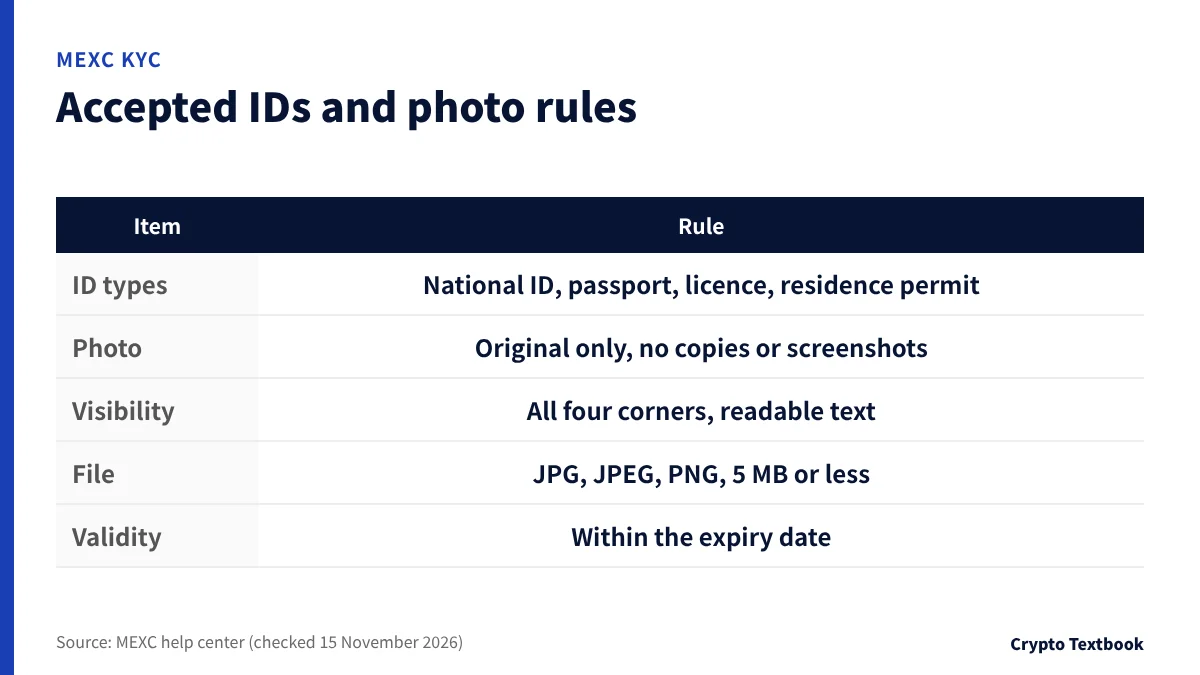
The help center accepts four government-issued documents, and they must be within their expiry date.
- National ID card issued by a government
- Passport
- Driver's licence with a photo and personal details
- Residence permit issued by a government
| Rule | What the help center says |
|---|---|
| How to shoot | Photograph the original. No copies, scans or screenshots |
| Clarity | Text and photo readable, all four corners visible |
| Editing | Images edited with software are not accepted |
| File | JPG, JPEG or PNG, 5 MB or less |
| Age | Legal adult age in your country or region |
| Issuer | Documents from restricted countries are not accepted |
A name or document number that differs from the document can cause a rejection. Submitting someone else's or a forged document is a violation.
How to verify on MEXC: web and app steps
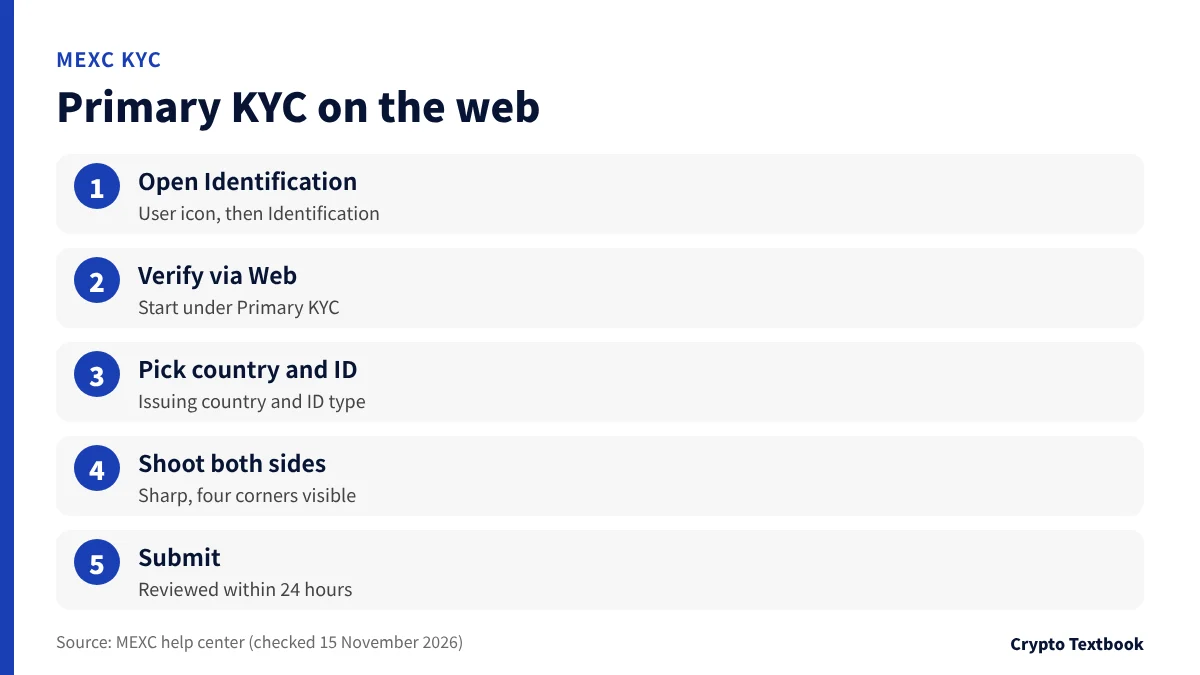
Everything starts from the Identification page under the user icon. Button names differ slightly between the web and the app.
- 01Open Identification
On the web, click the user icon and select Identification. In the app, tap the user icon, then Verify next to your nickname.
- 02Start Primary KYC
Click Verify via Web, or tap Verify under Primary KYC in the app.
- 03Choose country and document
Select the issuing country or region and the ID type. In the app, tap Next.
- 04Photograph both sides
Take or upload photos of the front and back, sharp and with all four corners in the frame.
- 05Submit for review
Submit the application. The procedure page says the review is completed within 24 hours.
For Advanced KYC, click Verify via Web under Advanced KYC on the same page, then Start Verification. After the document step, a face check (selfie) follows.
- Tick the data and privacy box, then continue
- Allow camera access
- In the app, select your residence before the face check
- Use a bright place so your face is clearly visible
Proof of address: documents and conditions
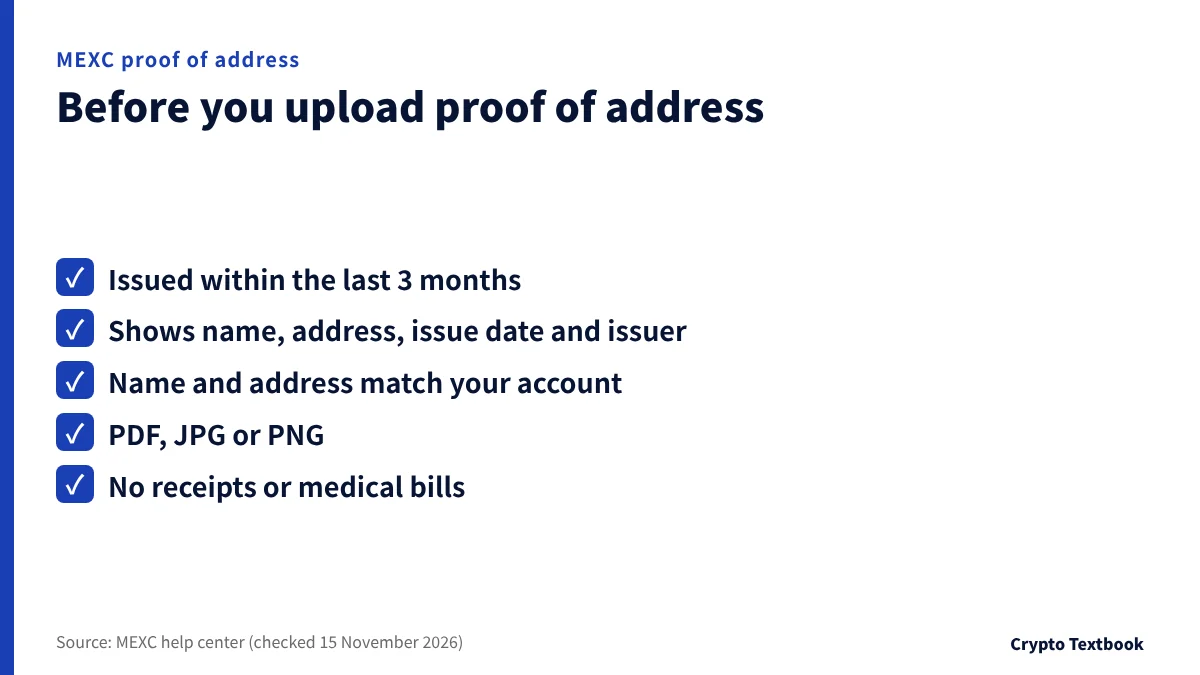
The help center treats proof of address (POA) as part of KYC. When the screen asks for it, upload a document showing your name and address.
| Item | What the help center says |
|---|---|
| Issue date | Within the last 3 months |
| Required details | Name, address, issue date, issuer name |
| Examples | Bank statement, utility bill, government notice, rental agreement |
| Not accepted | Purchase receipts, medical bills |
| File | PDF, JPG or PNG |
| Review | Up to 24 hours, with an automatic notice |
The name and address must match your MEXC account. Include flat number, city, region and postcode. Contact customer service if your address changes.
Review time and how to check the result
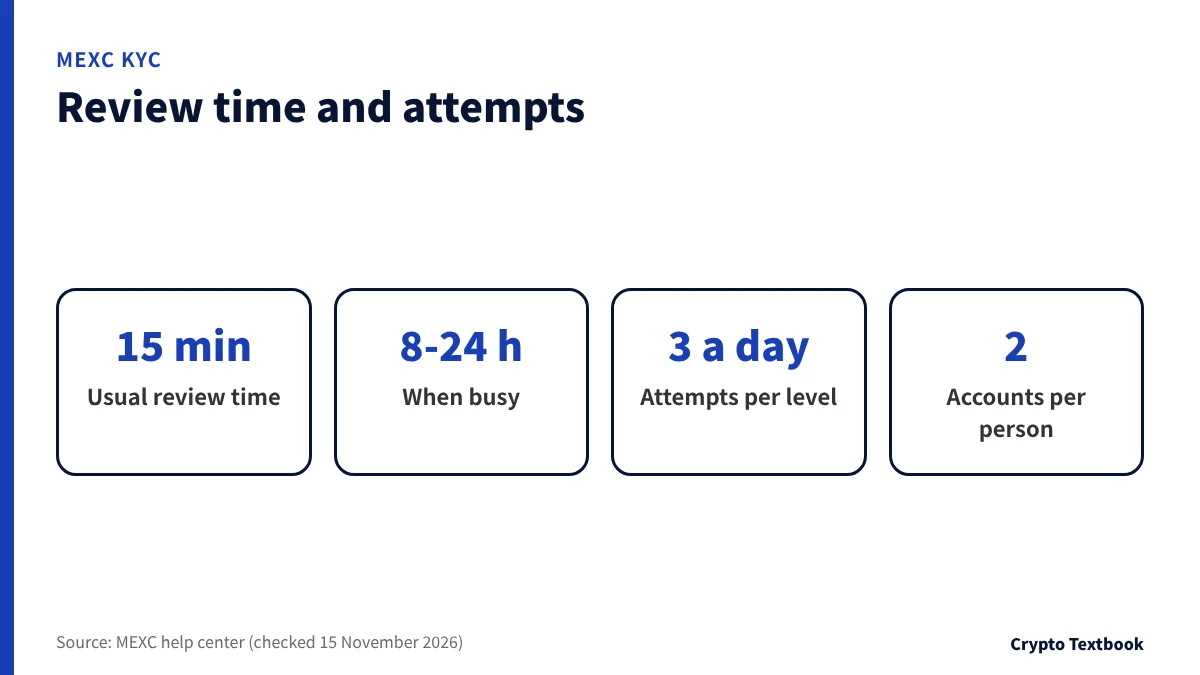
The KYC FAQ says review is usually completed within 15 minutes. Depending on the submission and the queue, it may take 8 to 24 hours.
The step-by-step pages for both levels say the review is completed within 24 hours, so plan for that.
| Where | What to look at |
|---|---|
| Result email to your registered address, with the reason if rejected | |
| Web | User icon, then Identification |
| App | User icon, then Profile. Shows Verified when done |
The FAQ says each user can complete verification on up to two MEXC accounts. The message that KYC is already completed on another account relates to this limit.
MEXC KYC failed or cannot be completed: causes and resubmission
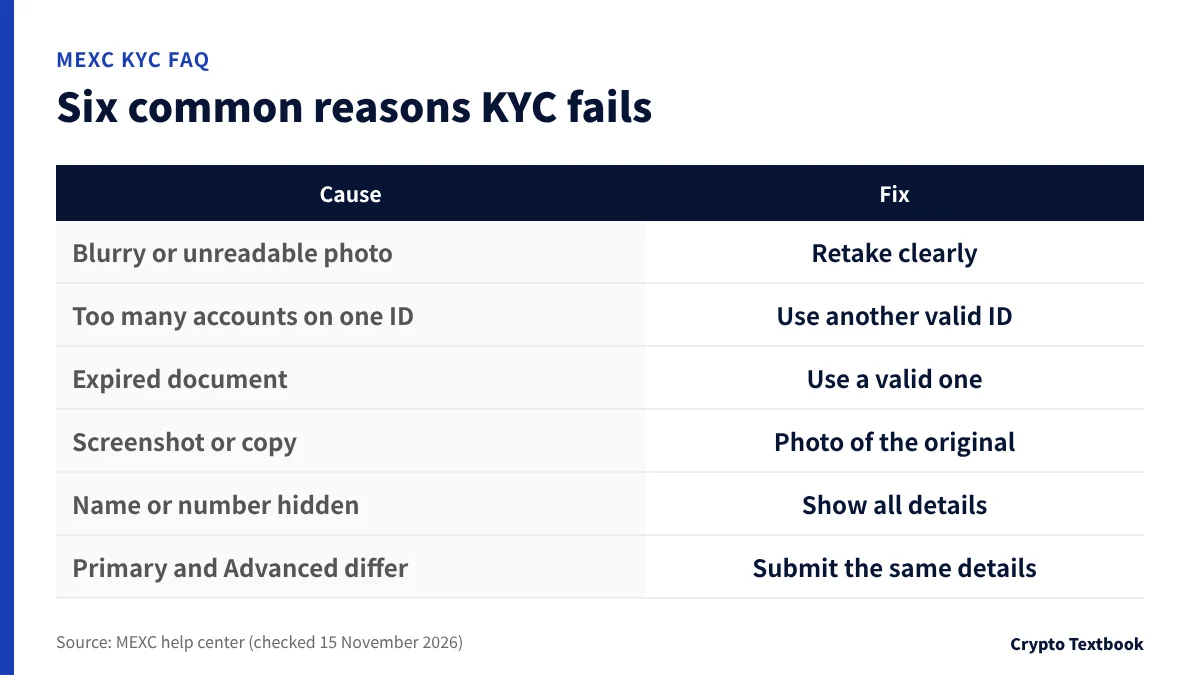
You can read the rejection reason in the result email or on the Identification page. The FAQ lists six common causes.
| Cause | Fix |
|---|---|
| Blurry or unreadable photo | Retake so the name and photo are clear |
| Document linked to too many accounts | Use a different valid document |
| Expired document | Use a document within its expiry date |
| Screenshot or copy | Upload a photo of the original |
| Name or number hidden | Retake with all details visible |
| Primary and Advanced details differ | Submit the same details in both |
If a photo will not upload, check the format (JPG, JPEG or PNG) and the 5 MB limit first. Then wait a little, clear the cache, or try another browser or the latest app.
- 01Read the reason
Check the result email or the Identification page.
- 02Prepare again
Change the document or retake the photos in good light.
- 03Resubmit
On the web, user icon, then Identification. In the app, Profile, then Complete KYC Verification, then Verify or Re-verify.
Each level allows 3 attempts a day. If you see that the KYC verification limit is exceeded, apply again after 24 hours. If resubmission still fails, contact live support or submit a ticket.
Can you use MEXC without KYC? Limits for unverified accounts
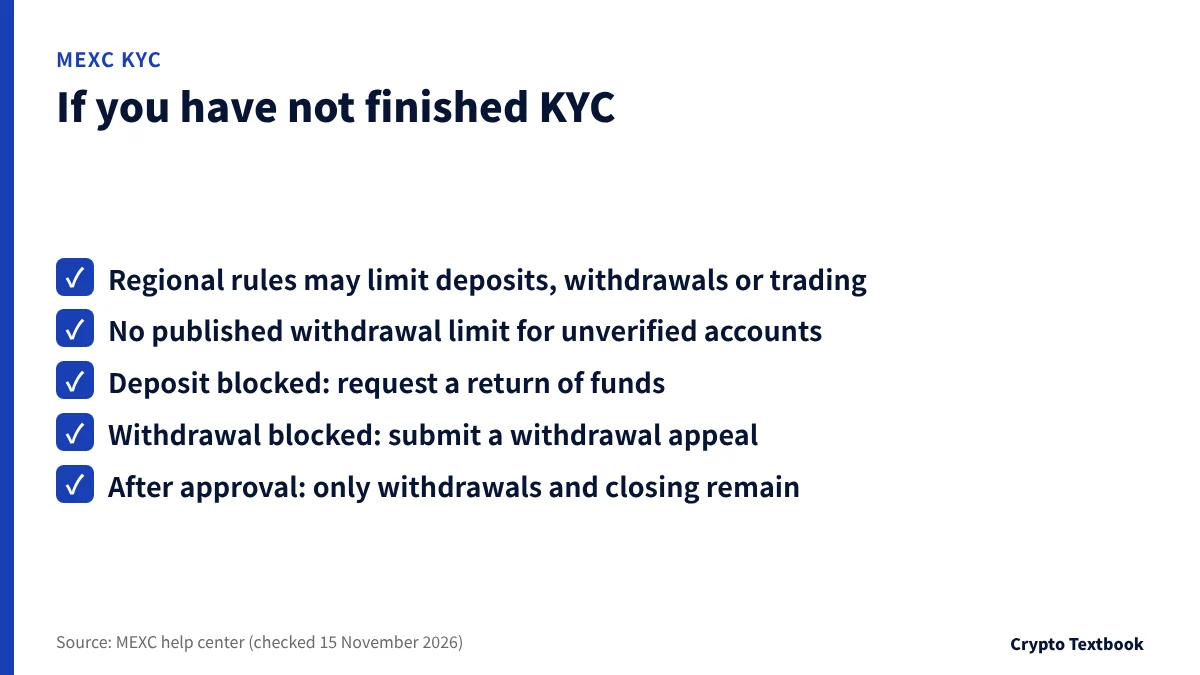
The FAQ says that without KYC, regional rules may affect some deposits, withdrawals or trading. The screen shows which services are affected.
The help center gives no withdrawal limit for unverified accounts. A MEXC Learn article dated 21 October 2026 also says the figure is not published.
| Pop-up | What the FAQ says |
|---|---|
| Funds restricted, deposit not credited | Complete KYC, or request a return of funds |
| Identity not verified, cannot withdraw | Complete KYC, or submit a withdrawal appeal form |
Once a withdrawal appeal is approved, the account keeps only withdrawal and position closing. Other functions are no longer available.
Japan is not on the prohibited jurisdictions list in the Terms of Use (last updated 13 October 2026). The terms say MEXC may change the list at any time, so check the current version before signing up.
MEXC reputation and safety: how to check the operator and terms →
Our view: finish MEXC KYC before you deposit
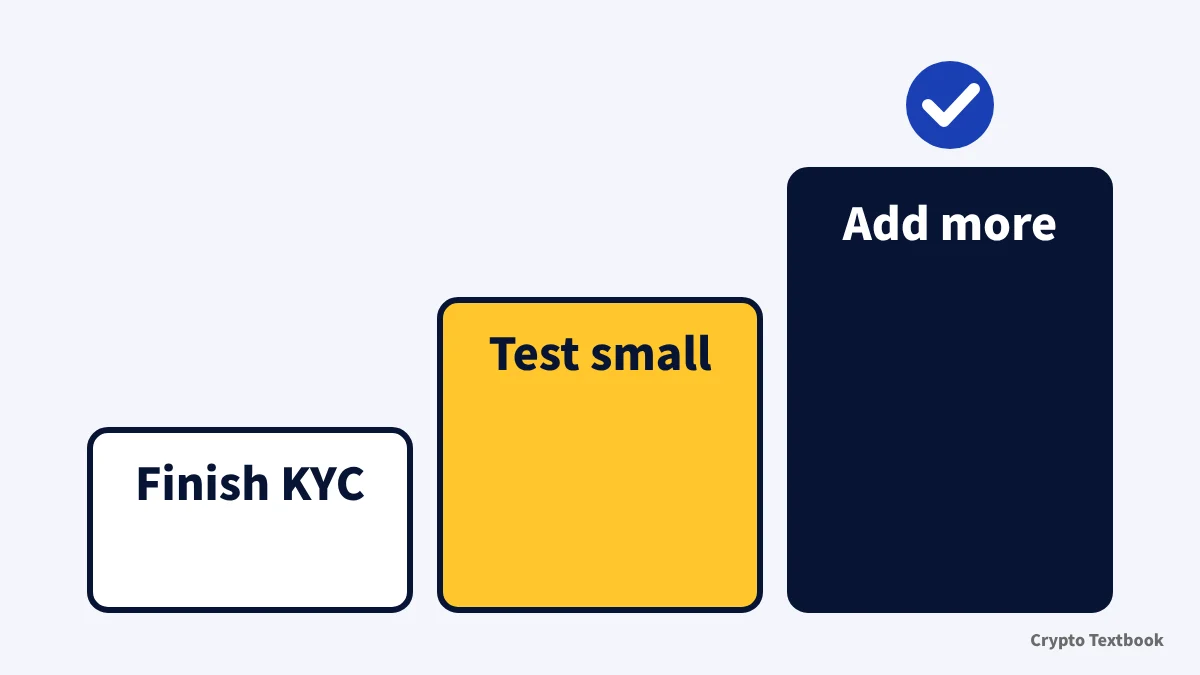
If 80 BTC a day is enough, the official table lists spot and futures for Primary KYC. If you need the 20,000 USD daily fiat trading line or the 200 BTC cap, apply for Advanced KYC first and take the photos once. Limits for unverified accounts depend on regional rules and no withdrawal cap is published, so deposit after KYC is complete.
- Before signing up: check the prohibited list and your document's expiry date
- When applying: shoot the original in good light with all corners and your name visible
- After approval: test one small deposit and one small withdrawal
MEXC deposits and withdrawals: buying with yen and withdrawal times →
MEXC fees: spot, futures and withdrawals →
MEXC referral code and sign-up steps →
Open the MEXC sign-up page (our referral link) →
Based on the MEXC help center and Terms of Use as checked on 15 November 2026. It is not a recommendation to sign up or trade. We have an advertising relationship.
Frequently asked questions
Q. How do I complete KYC on MEXC?
A. On the web, click the user icon, open Identification and click Verify via Web under Primary KYC. Choose the issuing country and ID type, upload the front and back, and submit. In the app, start from the user icon and Verify next to your nickname.
Q. What documents does MEXC KYC require?
A. A national ID card, passport, driver's licence or residence permit. You need a photo of the valid original. Copies and screenshots are not accepted. Advanced KYC adds a face check.
Q. How long does MEXC KYC verification take?
A. The KYC FAQ says usually within 15 minutes, and 8 to 24 hours depending on the submission and review volume. Check the result in your email or on the Identification page.
Q. What if my MEXC KYC fails?
A. Read the reason in the result email, then change the document or retake the photos and resubmit. If uploads fail, check JPG, JPEG or PNG and 5 MB or less. You get 3 attempts a day, then wait 24 hours.
Q. Can I use MEXC without KYC?
A. The FAQ says unverified accounts may face limits on some deposits, withdrawals or trading because of regional rules. The help center gives no withdrawal limit for unverified accounts. Check the on-screen notices.
Q. What is the difference between Primary and Advanced KYC?
A. Primary needs ID photos only and allows 80 BTC of crypto withdrawals a day. Advanced adds a face check and raises the cap to 200 BTC a day. The fiat trading cap of 20,000 USD a day is listed for Advanced.
Q. Can I correct my KYC details?
A. At the Primary stage, submit the correct details and documents through Advanced KYC, which becomes the final record. After Advanced, use the self-service KYC update request.
Q. Can one ID verify several MEXC accounts?
A. The FAQ says each user can complete verification on up to two MEXC accounts. Above that, you see a message that KYC is already completed on another account.
Sources
- MEXC Help Center | MEXC KYC FAQ (updated 2 June 2026, checked 15 November 2026) →
- MEXC Help Center | Common Questions About KYC Verification (updated 2 April 2026, checked 15 November 2026) →
- MEXC Help Center | How to Complete Primary KYC Verification (updated 15 October 2026, checked 15 November 2026) →
- MEXC Help Center | How to Complete Advanced KYC Verification (updated 23 July 2026, checked 15 November 2026) →
- MEXC Help Center | What Documents Do I Need for KYC Verification? (updated 28 March 2026, checked 15 November 2026) →
- MEXC Help Center | Why Did My KYC Verification Fail? (updated 28 March 2026, checked 15 November 2026) →
- MEXC Help Center | Unable to Upload Photos During KYC (updated 28 March 2026, checked 15 November 2026) →
- MEXC Help Center | How to Verify My Residential Address on MEXC (updated 25 December 2025, checked 15 November 2026) →
- MEXC Help Center | How to Complete Institutional Verification (updated 20 July 2026, checked 15 November 2026) →
- MEXC | Terms of Use (last updated 13 October 2026, checked 15 November 2026) →
- MEXC Learn | MEXC KYC requirements guide (21 October 2026, checked 15 November 2026) →
FX Textbook is an independent information site, not an exchange or a provider of personal investment advice. Crypto-asset trading involves risk: price volatility, liquidation of leveraged positions, transfer mistakes and the operational risk of exchanges and service providers can cause you to lose some or all of your invested capital. No result is guaranteed.
NEXT STEP
Check MEXC fees, leverage and deposits on the exchange page.
We list the official information we have confirmed. Compare conditions before you sign up.
Exchanges related to this column
Fees, leverage, funding options and current offers are on each exchange page.