
You sent crypto to BingX and the balance does not show it, or you cannot tell what a withdrawal will cost. The official fee page and help centre answer both.
BingX charges no fee on crypto deposits, but an amount below the minimum is not credited. Withdrawals carry a fixed fee per coin and network, and the 24-hour limit depends on your KYC level.
This guide uses the official figures checked on 3 November 2026. By the end you can look up the minimum and the fee for your own network in the tables.
Conclusion: deposits are free, withdrawals cost a fixed fee, limits follow KYC
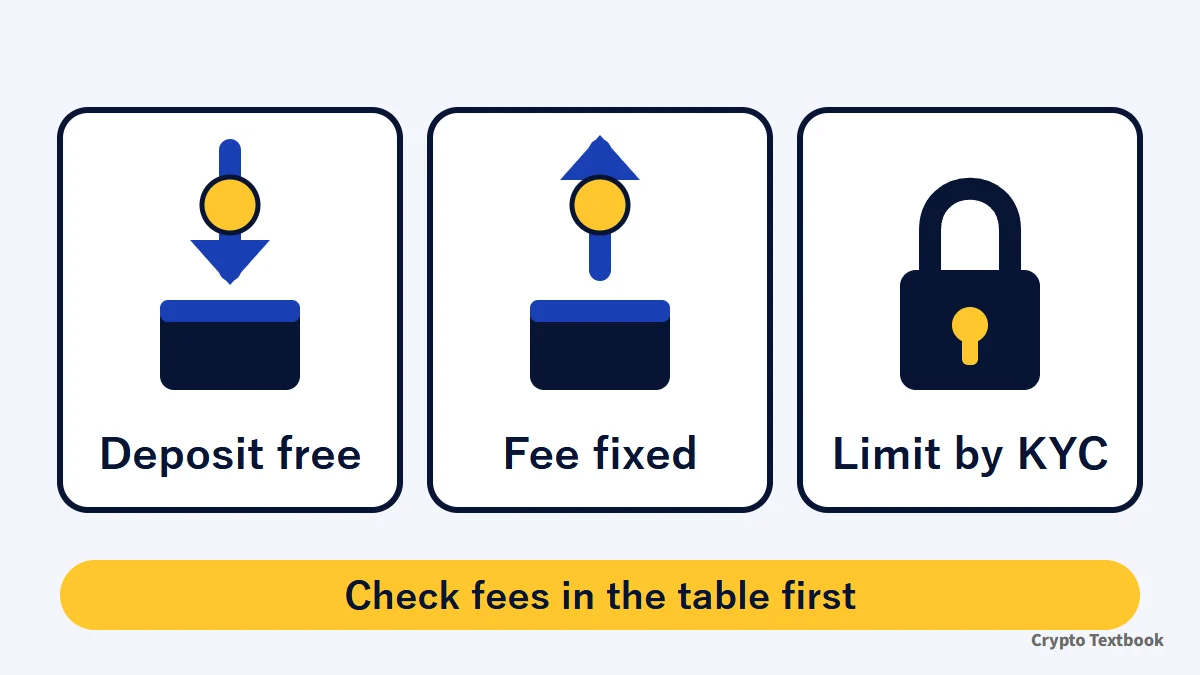
- Deposits are possible after advanced verification; BingX charges no deposit fee (official)
- A deposit below the minimum is not credited (1 USDT or more for USDT on TRC20)
- Withdrawals cost a fixed fee per coin and network (1.5 USDT for USDT on TRC20)
- The 24-hour withdrawal limit is 20,000 USDT unverified and 5,000,000 USDT with advanced verification
- Crypto bought by card cannot be sold or withdrawn for 24 hours (T+1)
The figures in the tables come from the BingX official fee page and help centre; only the fee-as-a-share-of-amount columns are our own calculation. Fees can change with network congestion, so check your own screen before you send.
Futures let you control a large position with little money, and a forced liquidation can wipe out the whole deposit. BingX is not a crypto asset exchange registered in Japan and is outside Japanese user protection.
Can Japanese residents use BingX? FSA warning check and restricted regions →
Four ways to deposit: crypto transfer, card, P2P and bank transfer
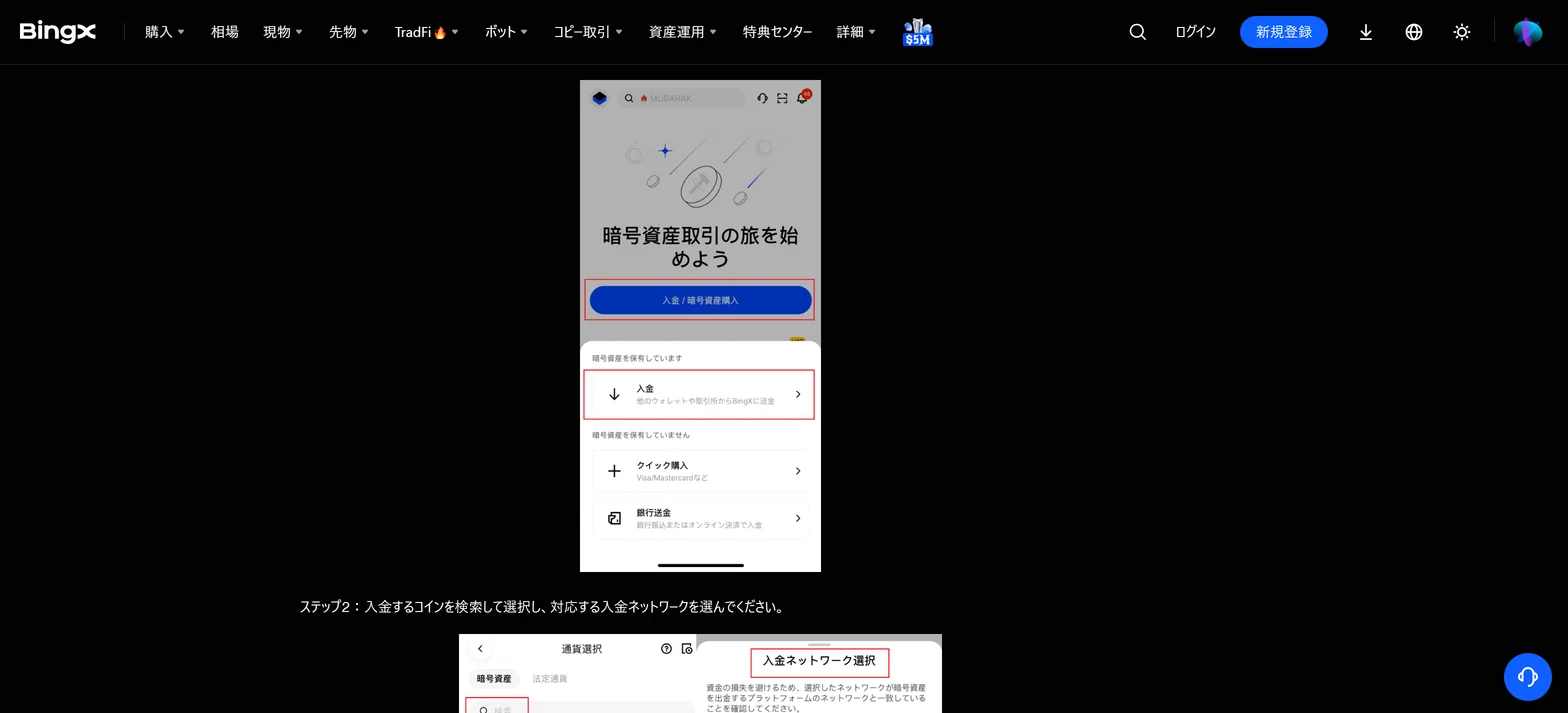
In the official help screen, the Deposit/Buy Crypto button on the home screen leads to three entries. The official Learn guide adds P2P as a separate route.
| Method | Official description | Fees and conditions |
|---|---|---|
| Deposit (crypto transfer) | Send from another wallet or exchange to BingX | No BingX deposit fee. Match the network and the minimum |
| Quick Buy | Visa/Mastercard and similar. Apple Pay and Google Pay are also listed | Card processor fees. Purchases cannot be sold or withdrawn for 24 hours (T+1) |
| P2P trading | Buy from verified merchants. 300+ payment methods | Zero transaction fees. You pay outside the exchange |
| Bank transfer (fiat deposit) | SEPA and similar. KYC required | Deposit is free; bank fees are separate. Yen support is not stated |
※ The official pages do not say whether yen deposits or P2P are available (checked November 2026). Check whether the app lets you pick your currency first.
Speed and cost of the three buy-in routes
| Route | Speed | Cost |
|---|---|---|
| Quick Buy | Instant | Card processor fees |
| P2P trading | 2 to 15 minutes | Zero transaction fees |
| Bank transfer (fiat deposit) | 1 to 2 business days (instant for SEPA Instant) | Free; bank fees are separate |
※ The bank transfer example is European SEPA. The official pages do not say whether Japanese banks are supported (checked November 2026).
How a P2P purchase works
- 01Open P2P trading
On the app home screen tap More, then P2P Trading, and choose your currency and crypto.
- 02Pick a merchant
Check the completion rate and terms, then tap Buy next to a merchant that accepts your payment method.
- 03Enter the amount and order
Once you order, the merchant's crypto is locked in escrow held by BingX.
- 04Pay outside the exchange
Send the fiat amount to the merchant using the payment details shown.
- 05Tap I have paid
Return to the app and tap it. The crypto arrives after the merchant confirms receipt.
If you send from a Japanese exchange, the first thing to check is whether it allows BingX as a destination. The existing column explains the rules.
Cannot send to an overseas exchange? The travel rule explained →
Crypto deposit steps: coin, network, address
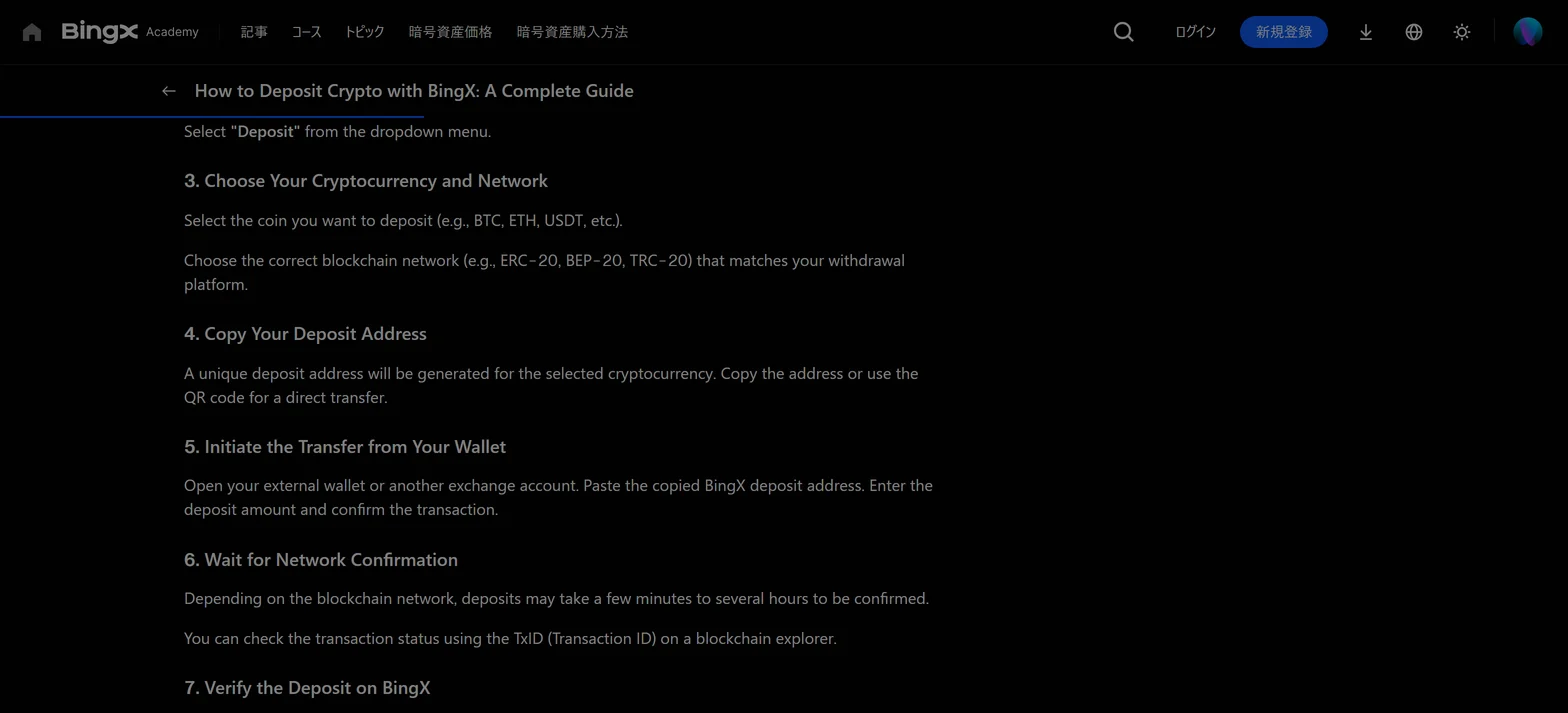
- 01Open the deposit screen
On the web, choose Assets then Deposit. In the app, tap Deposit/Buy Crypto on the home screen, then Deposit.
- 02Choose the coin and network
Pick the same network as the withdrawal screen you send from. A mismatch loses the funds for good.
- 03Choose the receiving account
The official tutorial says funds can go straight to the Fund Account or the Futures Account.
- 04Copy the address and send
Paste the copied address or scan the QR code at the sending side. Re-check the address and amount before you confirm.
- 05Wait for confirmation and check
Congestion can slow it down. Check the deposit history under the Fund Account in Assets.
Deposit speed is not set by BingX. The TxID from the sending side shows where the transfer stands on the blockchain.
Example: depositing USDC from MetaMask on the Base network
- 01Press Send in MetaMask
Choose USDC and confirm the network is set to Base.
- 02Paste the BingX address
Re-check the deposit address, the deposit network and the fee.
- 03Confirm the transfer
Once the blockchain confirms it, the funds are credited to your BingX account automatically.
With another wallet or exchange the flow is the same: match the coin, the network and the address in that order.
Settings to finish before depositing
- Complete advanced verification (KYC). Unverified accounts cannot deposit or trade (official help centre)
- Turn on two-factor authentication (official Learn)
- Set an anti-phishing code so you can tell genuine BingX emails apart (official Learn)
Before you send from a Japanese exchange
- Check the latest notice of your Japanese exchange to see whether BingX is an allowed destination
- Match the network by following the existing guide
- Test first with an amount close to the minimum, then send the full amount after it arrives
Deposit and transfer basics and choosing a network (beginner guide) →
Minimum deposits and deposit fees by network
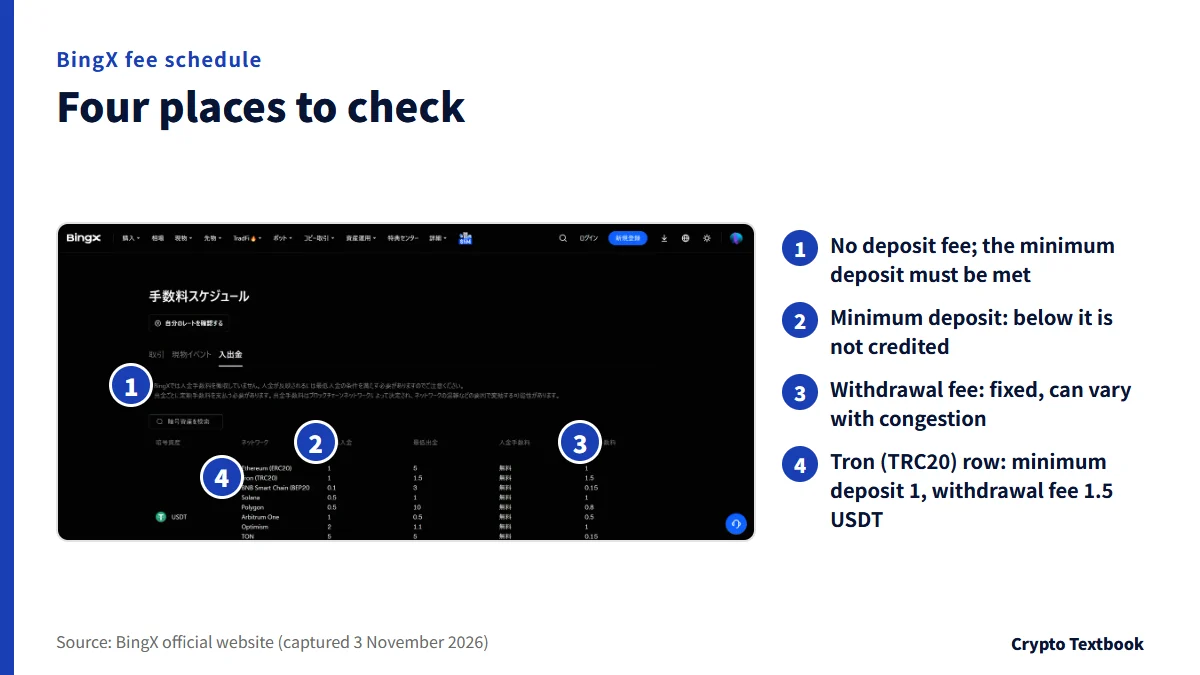
The official fee schedule shows the deposit fee as free on every network. The condition for crediting is the minimum deposit.
| Network | Minimum deposit (USDT) | Deposit fee |
|---|---|---|
| BNB Smart Chain (BEP20) | 0.1 | Free |
| Solana | 0.5 | Free |
| Polygon | 0.5 | Free |
| Ethereum (ERC20) | 1 | Free |
| Tron (TRC20) | 1 | Free |
| Arbitrum One | 1 | Free |
| Aptos | 1 | Free |
| TON | 5 | Free |
※ Values are as shown officially, sorted from smallest. The official table also lists Optimism (2), opbnb (5) and StableChain (1).
- BTC on the Bitcoin network: minimum deposit 0.00009 BTC
- DOGE on the Dogecoin network: minimum deposit 15 DOGE
- BNB on BEP20: minimum deposit 0.0006 BNB
Other networks and major coins
| Coin and network | Minimum deposit | Minimum withdrawal |
|---|---|---|
| USDT on Optimism | 2 | 1.1 |
| USDT on opbnb | 5 | 5 |
| USDT on StableChain | 1 | 5 |
| BTC on Bitcoin | 0.00009 | 0.000046 |
| BTC on BEP20 | 0.000012 | 0.000066 |
| BNB on opbnb | 0.008 | 0.00719 |
| DOGE on Dogecoin | 15 | 67.604111 |
How to open the fee schedule
- 01Open Trading Fees
Press Trading Fees in the footer of the BingX official site.
- 02Choose the Deposit and withdrawal tab
It is the right-hand one of the three tabs: Trading, Spot events and Deposit and withdrawal.
- 03Search by coin
Type the coin into the search box and read the minimums and fees for each network.
The official tutorial says a deposit below the minimum fails to be credited. Work out whether the amount after the sending side's own fee still clears the minimum.
Withdrawal steps and fees: a fixed fee weighs more on small amounts
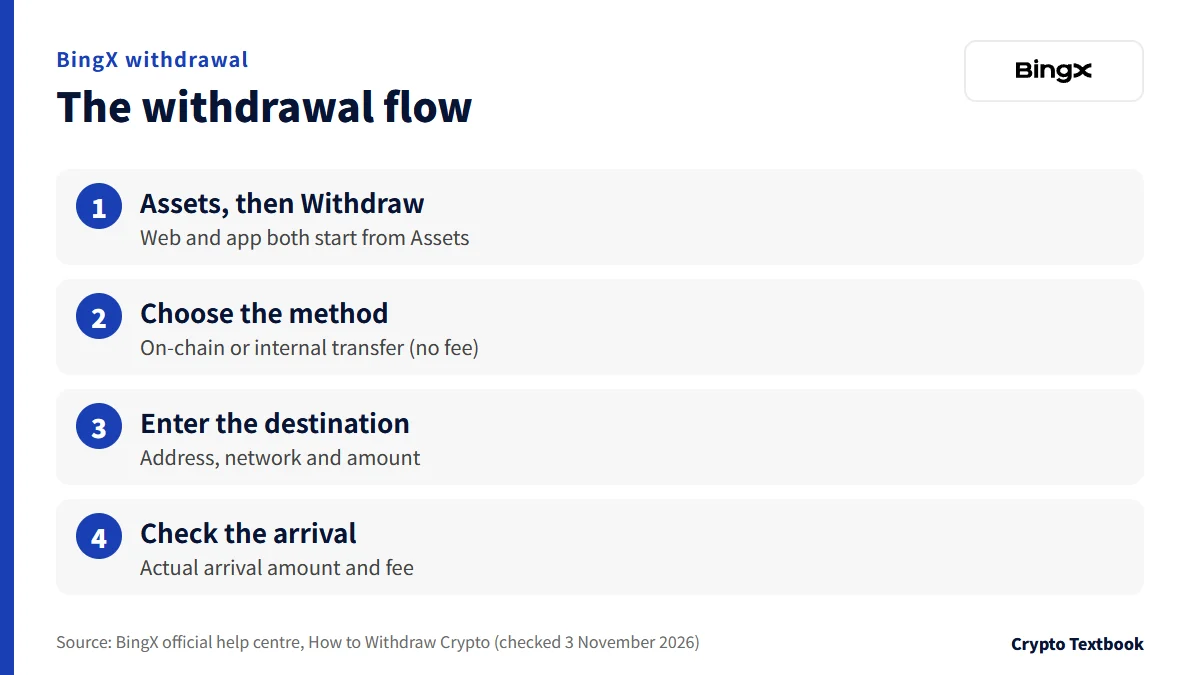
There are two withdrawal methods: on-chain withdrawal to a blockchain address, and an internal transfer to another BingX account with no fee.
- 01Open the withdrawal screen
On the web, choose Assets then Withdraw. In the app, tap Assets at the bottom right, then Withdraw and Cryptocurrency.
- 02Choose the coin and method
Pick on-chain withdrawal or the no-fee internal transfer (by email, phone number or UID).
- 03Enter the destination
Enter the address, network and amount, and select the account to withdraw from.
- 04Check the arrival amount and fee
Read the actual arrival amount and withdrawal fee on screen, then press Withdraw.
| Network | Withdrawal fee | Share at 10 USDT (at 100 USDT) |
|---|---|---|
| Aptos | 0.01 USDT | 0.1% (0.01%) |
| BNB Smart Chain (BEP20) | 0.15 USDT | 1.5% (0.15%) |
| Ethereum (ERC20) | 1 USDT | 10% (1%) |
| Tron (TRC20) | 1.5 USDT | 15% (1.5%) |
※ The fee is fixed, so a smaller amount carries a heavier share. Minimum withdrawals are 5 for ERC20, 1.5 for TRC20, 3 for BEP20 and 5 for Aptos (all in USDT).
How the fee share moves with the amount
| Amount | TRC20 share | BEP20 share |
|---|---|---|
| 10 USDT | 15% | 1.5% |
| 50 USDT | 3% | 0.3% |
| 100 USDT | 1.5% | 0.15% |
| 1,000 USDT | 0.15% | 0.015% |
USDT minimum withdrawal and fee on all 11 networks
| Network | Minimum withdrawal | Withdrawal fee |
|---|---|---|
| Ethereum (ERC20) | 5 | 1 |
| Tron (TRC20) | 1.5 | 1.5 |
| BNB Smart Chain (BEP20) | 3 | 0.15 |
| Solana | 1 | 1 |
| Polygon | 10 | 0.8 |
| Arbitrum One | 0.5 | 0.5 |
| Optimism | 1.1 | 1 |
| TON | 5 | 0.15 |
| opbnb | 5 | 1.5 |
| Aptos | 5 | 0.01 |
| StableChain | 5 | 1.5 |
Internal transfers and turning crypto into yen
- An internal transfer is free; the destination is given by email, phone number or UID (another BingX account)
- When you sell via P2P the transaction fee is zero. Release the crypto only after you confirm the payment in your own account
- For fiat withdrawal, the official Learn example shows SEPA at about 0.035% plus 0.28 euros and 1 to 3 business days. The payee name must match your KYC details
- The official pages do not say whether yen withdrawal is supported (checked November 2026)
BingX says funds take about 10 to 120 minutes to arrive. The account security check can trigger a manual review if it detects abnormal risk.
BingX states that withdrawal fees can vary with network congestion. The table shows values as of 3 November 2026; the withdrawal screen is final.
Withdrawal limits: the 24-hour cap follows your KYC level
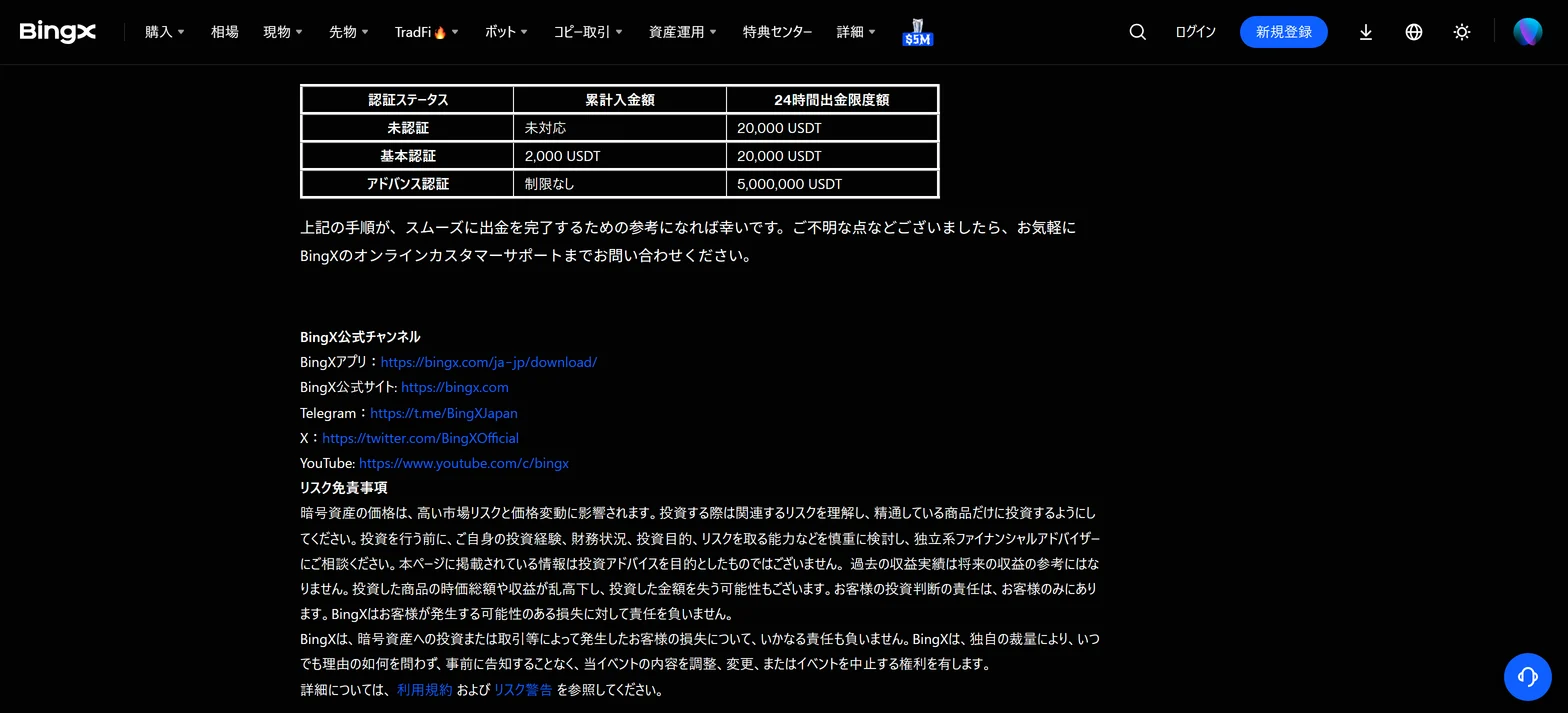
The screenshot shows the table in the withdrawal tutorial (published February 2023). The official KYC page lists only two levels: unverified and advanced.
| Verification status | Deposit | 24h max. withdrawal |
|---|---|---|
| Unverified | Not allowed | 20,000 USDT |
| Advanced verification | Unlimited | 5,000,000 USDT |
※ The withdrawal tutorial table also keeps a Basic verification row (cumulative deposit 2,000 USDT, withdrawal 20,000 USDT). According to the official KYC page, users who completed KYC before 13 June 2024 count as advanced. Levels can differ by region, and the product page prevails.
- Every crypto asset is converted to USDT at the price at the time of withdrawal and checked against the limit (official)
- The limit is a 24-hour total, not a per-transaction cap
- Advanced verification takes an ID and a selfie and about 2 to 10 minutes (existing KYC column)
Checking why a withdrawal will not go through
| Cause | What to check |
|---|---|
| Over the 24-hour limit | Your verification status and the limit in the table above (20,000 or 5,000,000 USDT) |
| Below the minimum withdrawal | The minimum withdrawal table by network |
| Wrong network or address | The network on the withdrawal screen and the networks the receiver supports |
| Security review | A manual review can follow when abnormal risk is detected (official) |
| Fiat payee name mismatch | Whether the bank account name matches your KYC details |
When a deposit or withdrawal does not show: causes by symptom and the order to check
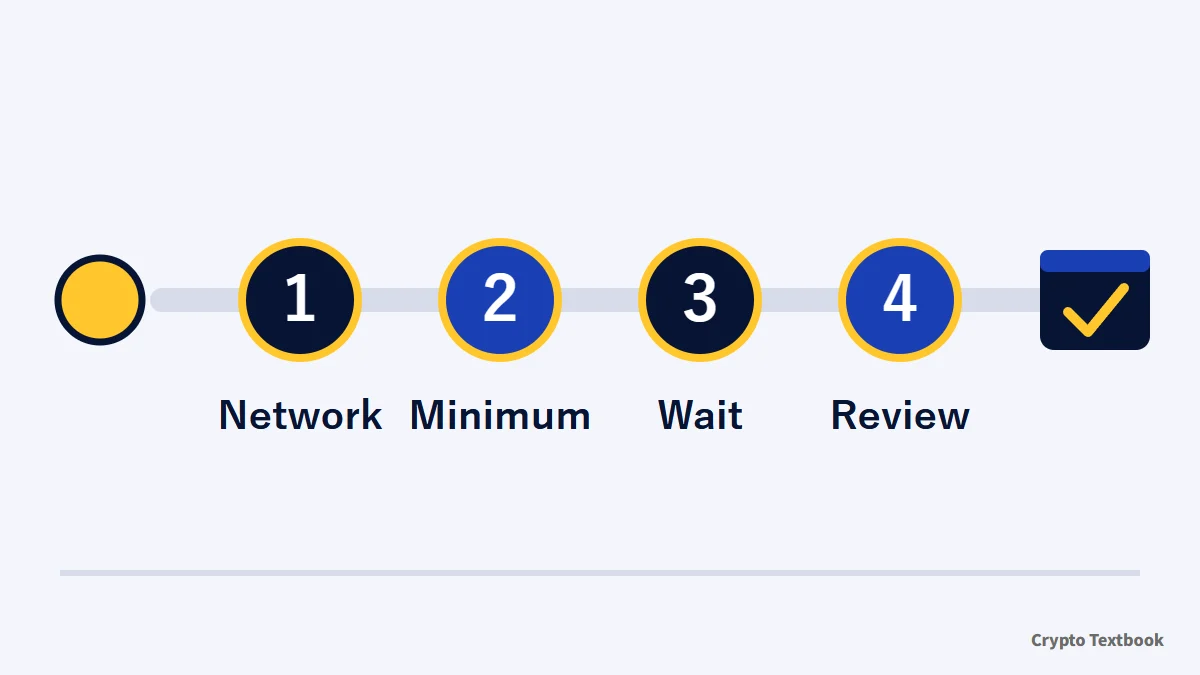
| Symptom | Likely cause | Where to check |
|---|---|---|
| Deposit missing from the balance | Below the minimum deposit (not credited) | Minimum deposit in the fee schedule |
| Deposit never arrives | Wrong network or address (funds are lost) | Network and destination in the sender's history |
| Deposit is slow | Waiting for confirmation; congestion adds time | TxID from the sending side |
| Balance not visible | Funds went to the Futures Account, not the Fund Account | Fund Account and Futures Account in Assets |
| Withdrawal does not move | Manual review after abnormal risk is detected | Online support |
※ The official pages checked here do not say whether a deposit below the minimum can be recovered (checked November 2026).
The order to check when funds do not show
- 01Check how far the confirmation has gone
Enter the TxID from the sending side into a blockchain explorer and see its status.
- 02Check the network and address
In the sender's history, confirm that the chosen network and the destination match what BingX shows.
- 03Compare the amount with the minimum
See whether the amount that arrived is at least the minimum deposit in the fee schedule.
- 04Check the receiving account
In Assets, look at the Futures Account as well as the Fund Account.
What to gather before you contact support
- The TxID (transaction ID) from the sending side
- Coin, network, amount and the time you sent it
- The BingX receiving address and a screenshot of the deposit screen
The place to ask is BingX online customer support, which the official tutorial points to.
Our verdict: what small and large senders settle first
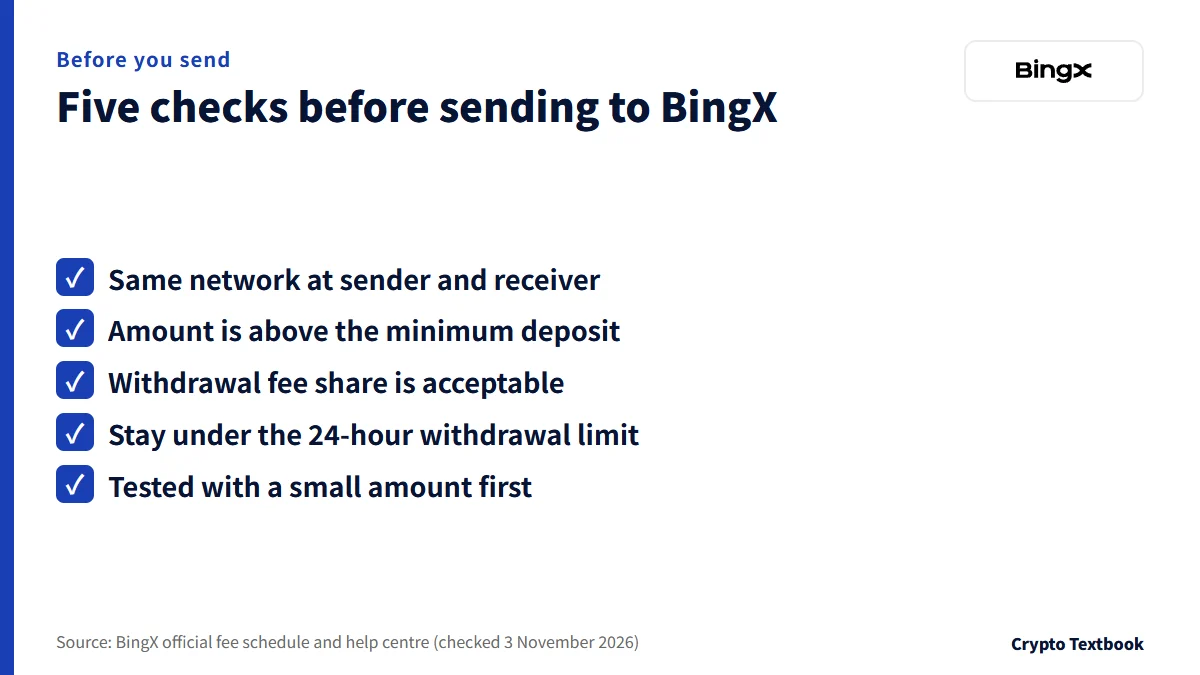
If you move small amounts often, choose a network whose withdrawal fee is a small share of the amount (0.01 USDT on Aptos, 0.15 USDT on BEP20 in the table). If you move large amounts, complete advanced verification before depositing; it sets the 24-hour limit at 5,000,000 USDT.
If you bought by card, plan around the 24-hour wait. Also confirm that the receiving side supports the network before you send.
- Is the network the same at the sender and the receiver?
- Is the amount larger than the minimum deposit?
- Is the withdrawal fee share acceptable?
- Will you stay under the 24-hour withdrawal limit?
- Did you test with a small amount first?
Frequently asked questions
Q. How much is the BingX deposit fee?
A. The official fee schedule shows crypto deposits as free on every network. The sending side may still charge its own withdrawal or network fee. The amount must meet the minimum deposit to be credited.
Q. What is the BingX minimum deposit?
A. It depends on the coin and network. For USDT it is 0.1 on BEP20, 0.5 on Solana, 1 on ERC20 and TRC20, and 5 on TON (checked 3 November 2026). A deposit below the minimum is not credited.
Q. How long until a BingX deposit is credited?
A. It is credited automatically once the network confirms the transfer. The official Learn guide says this takes minutes to hours and longer when congested. The TxID from the sending side shows the status.
Q. Can I deposit or withdraw Japanese yen on BingX?
A. The official pages checked here do not say that yen deposits or withdrawals are supported (checked November 2026). They describe Quick Buy, P2P and bank transfer such as SEPA. Check which currencies the app screen offers.
Q. How much is the BingX withdrawal fee?
A. It is a fixed amount per coin and network. For USDT it is 0.01 on Aptos, 0.15 on BEP20, 1 on ERC20 and 1.5 USDT on TRC20 (checked 3 November 2026). It can change with congestion, so the withdrawal screen is final.
Q. What is the BingX withdrawal limit?
A. The 24-hour limit is 20,000 USDT unverified and 5,000,000 USDT with advanced verification (official help centre, checked 3 November 2026). Unverified accounts cannot deposit. Crypto is converted to USDT at the price at the time of withdrawal.
Q. What if my BingX withdrawal stalls?
A. BingX says it evaluates account security during withdrawal and may review manually when it detects abnormal risk. Arrival takes about 10 to 120 minutes. If it drags on, contact online support.
Q. What is a BingX internal transfer?
A. It sends crypto to another BingX account with no fee. You give the destination as an email address, phone number or UID. It is offered beside on-chain withdrawal on the official withdrawal screen.
Sources
- BingX | Fee schedule, Deposit and withdrawal tab (official, checked 3 November 2026) →
- BingX Tutorial | How to Deposit Crypto (official help centre, checked 3 November 2026) →
- BingX Tutorial | How to Withdraw Crypto (includes the withdrawal limit table, official help centre, checked 3 November 2026) →
- BingX Learn | How to Deposit Crypto with BingX (official, updated 10 October 2025, checked 3 November 2026) →
- BingX Learn | How to Buy and Sell Crypto on the BingX App (official, updated 9 April 2026, checked 3 November 2026) →
- BingX | KYC Benefits and Advantages at Different Levels (official help centre, 7 June 2024, checked 3 November 2026) →
- BingX exchange profile (this site, official fee page checked 3 September 2026) →
FX Textbook is an independent information site, not an exchange or a provider of personal investment advice. Crypto-asset trading involves risk: price volatility, liquidation of leveraged positions, transfer mistakes and the operational risk of exchanges and service providers can cause you to lose some or all of your invested capital. No result is guaranteed.
NEXT STEP
See the BingX exchange profile in one place
Trading types, fees, leverage and deposits and withdrawals as confirmed from official sources.
Exchanges related to this column
Fees, leverage, funding options and current offers are on each exchange page.