
Many people stall at the referral code box on the BingX sign-up screen. It is not clear whether skipping it costs you anything, or whether a forgotten code can be added later.
BingX's official FAQ says the referral code is optional, and you can sign up with the box empty. If you forget it, you can add it under My Referrer, as long as you have not deposited or invited anyone.
Our referral code is NTQKVZ. We checked the sign-up screen and official help on 3 November 2026 and set out where to enter it, when a late addition is allowed, and the deadlines of the offers running now.
Short answer: the code is optional, and entering it at sign-up is the safe route (ours is NTQKVZ)
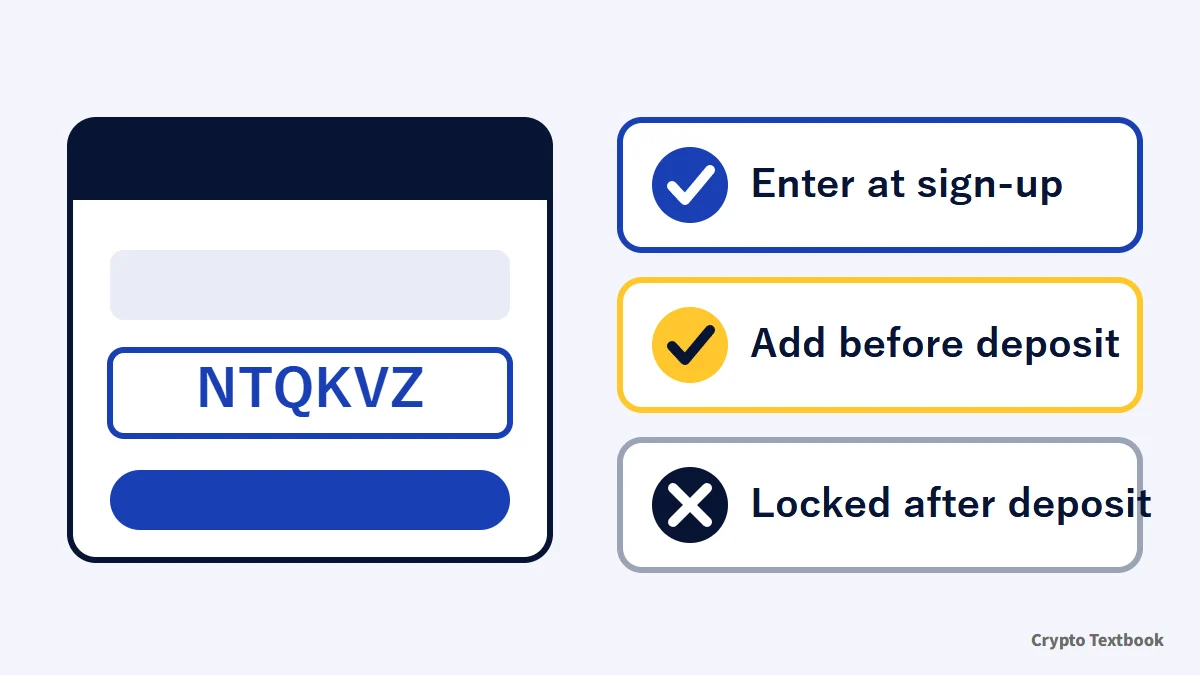
- The referral code box is optional; you can open a BingX account with it empty (official FAQ)
- Our referral code is NTQKVZ. Enter it in the box labelled referrer's invitation code or UID (optional)
- A forgotten code can be added only while you have not deposited or invited anyone
- Once a code is linked to an account, it cannot be changed or removed
- On 3 November (Japan time) the new-user offers are Autumn Thanksgiving (until 4 November 23:59) and BingX Card rewards (until 1 December 00:59)
BingX futures use leverage, so a price move can trigger forced liquidation and you can lose all or part of the funds you deposited. Avoid raising your trading volume to match the size of a reward.
What is a BingX referral code? What the official help says, and how it differs from a discount code
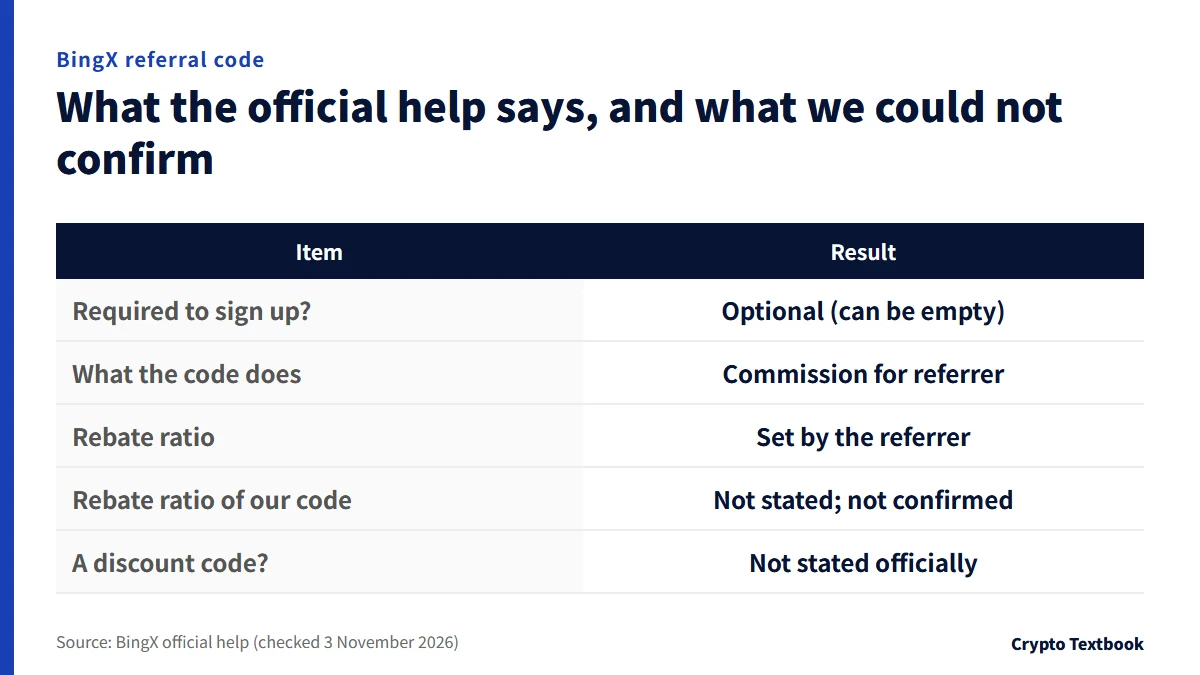
A referral code is a code a BingX user shares to bring in a new user. The official help says the referrer receives part of the friend's spot and futures trading fees as commission.
The referrer can pass part of that share on to the friend (the official name is Earn Crypto Together). The friend receives it as a trading-fee rebate after signing up and trading.
The referrer sets the rebate ratio. In an official notice dated 21 June 2022, the ratio for newly created codes is capped at 45%.
| Item | Result |
|---|---|
| Required to sign up? | No. Optional; you can leave it empty |
| What the code does | Commission for the referrer and a fee rebate for the friend |
| Rebate ratio | Set by the referrer (capped at 45% in the June 2022 notice) |
| Rebate ratio of our code | Not stated in the official help; not confirmed |
| Is it a coupon? | The official explanation does not describe a discount or coupon code |
If you invite friends with your own code (the official referral program)
- Create a referral link under Invite to Earn in the app (on the web, More, then Invite to Earn) by pressing Invite Now
- The commission ratio rises from 10% at Lv1 to 20% at Lv2 once 10 valid friends have signed up and traded (official tutorial, 26 May 2022)
- Lv1 earns only on direct referees; Lv2 and above also earn on friends those referees invite
- Ratios and terms can change, so the official page says the latest announcement prevails
Referral codes differ by referrer. A search returns many different codes, and which one you enter is your choice. Because a code cannot be changed once linked, compare them before you type.
How to sign up for BingX (web and app are the same up to the verification code)
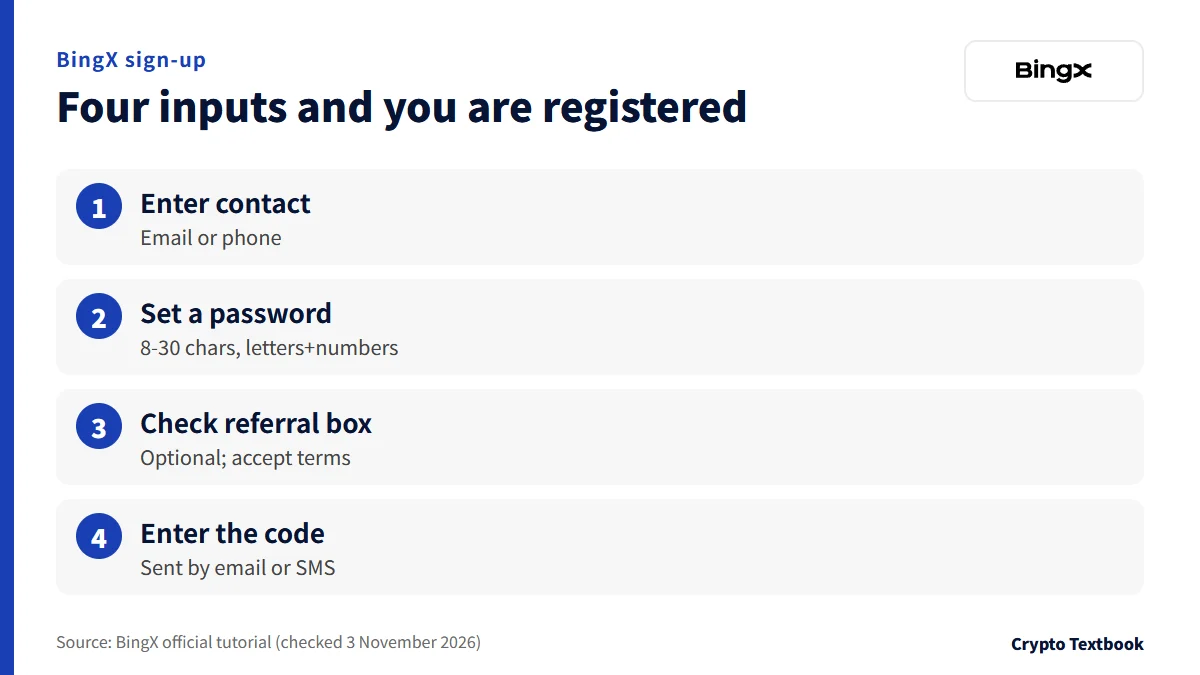
To sign up in the app, install it first. The official tutorial says to search for BingX in the App Store or Google Play, or to scan the QR code from the download icon at the top right of the official site. On Android, you can also install the APK file directly.
- 01Open the sign-up screen
In the app, tap the icon at the top left of the home screen, then Sign Up. On the web, open the BingX sign-up page.
- 02Choose email or phone and enter it
If you cannot find your phone's country code, sign up by email. For phone sign-up, ask online support (official FAQ).
- 03Set a password
The password must be 8 to 30 characters with letters and numbers (official tutorial).
- 04Check the referral code box and accept the terms
The referral code box is optional. Tick the box saying you have read and agree to the Terms of Use and Privacy Policy.
- 05Enter the verification code
Press Sign Up and enter the code sent by email or SMS. After sign-up, move on to identity verification.
- You must be 18 or of legal age and able to accept the terms (Customer Agreement)
- You must not be a U.S. or Canada user (same terms)
- If you already have a BingX account, you cannot open a second (same terms)
Where to enter the code: the box on the sign-up screen and our code (NTQKVZ)
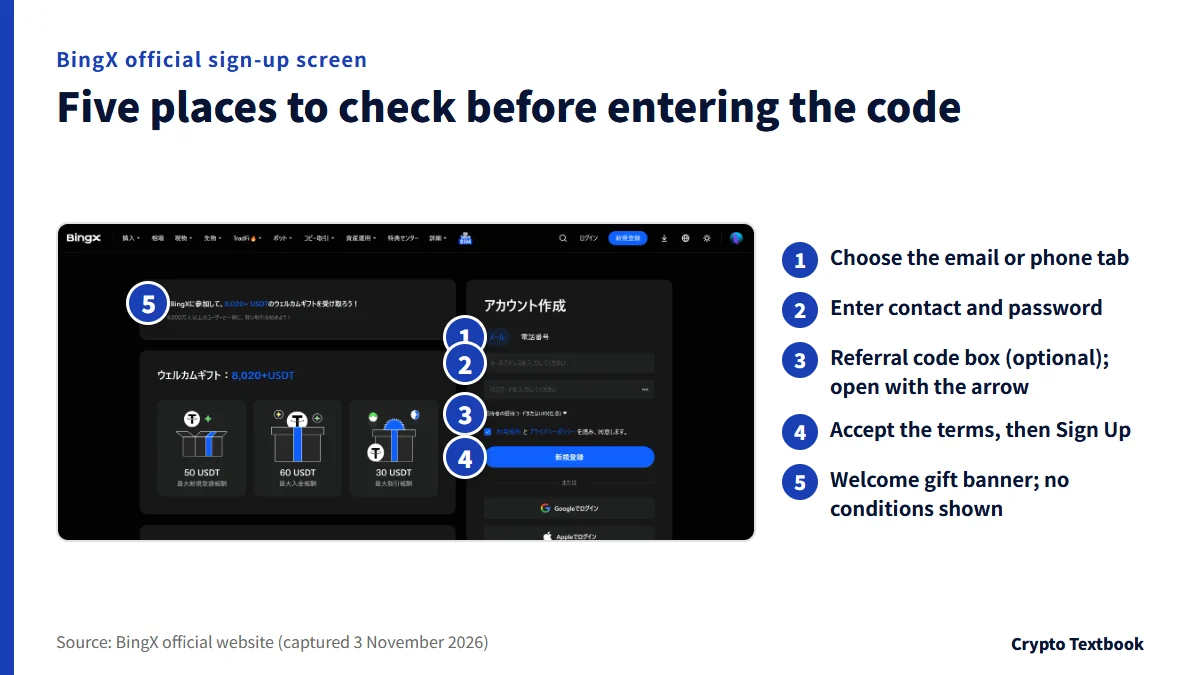
The box is inside the sign-up form. On the 3 November 2026 screen it sits under the password box, labelled for the referrer's invitation code or UID (optional). Press the arrow beside the label to open it.
Our referral code is NTQKVZ. Opening the referral link shows a sign-up screen that displays the referrer. If the box is empty, type NTQKVZ yourself.
- The code is NTQKVZ (capital N, capital Z)
- The label says UID too, so the referrer's UID can also be entered (as shown on screen)
- After typing it, confirm the terms checkbox before pressing Sign Up
The captured screen does not state any condition for rewards tied to a referral code. Its link to the welcome gift is not described in the official help either, and we could not confirm it.
If you forgot the code: when you can add it later, and how
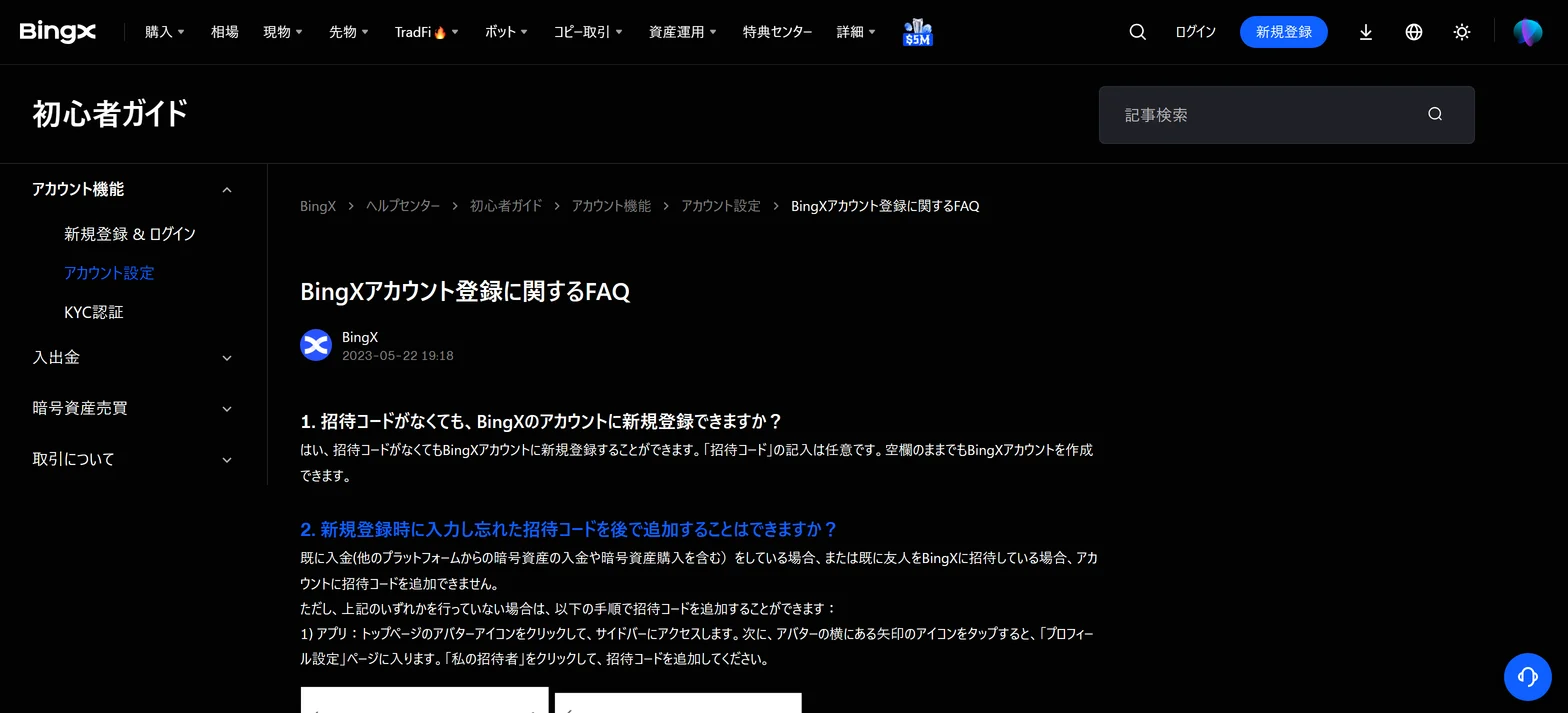
The official FAQ says a forgotten code can be added later. That works only for an account that has not deposited and has not invited any friends.
A deposit includes crypto sent from other platforms and crypto bought through Buy Crypto. If either has happened, the code cannot be added.
Adding it in the app
- Tap the avatar icon on the home page to open the sidebar
- Tap the arrow next to the avatar to open Profile Settings
- Tap My Referrer and enter the referral code
Adding it on the web
- Hover over the avatar icon on the home page and choose Account & Security
- Scroll down to find My Referrer
- Enter the referral code in the box
| Account status | Add it? |
|---|---|
| No deposit and no friends invited | Yes |
| Crypto deposited from another platform | No |
| Crypto bought with Buy Crypto | No |
| Friends invited to BingX | No |
| A code is already linked | Cannot be changed or removed |
Offers you can check at sign-up: two running on 3 November 2026, and their deadlines
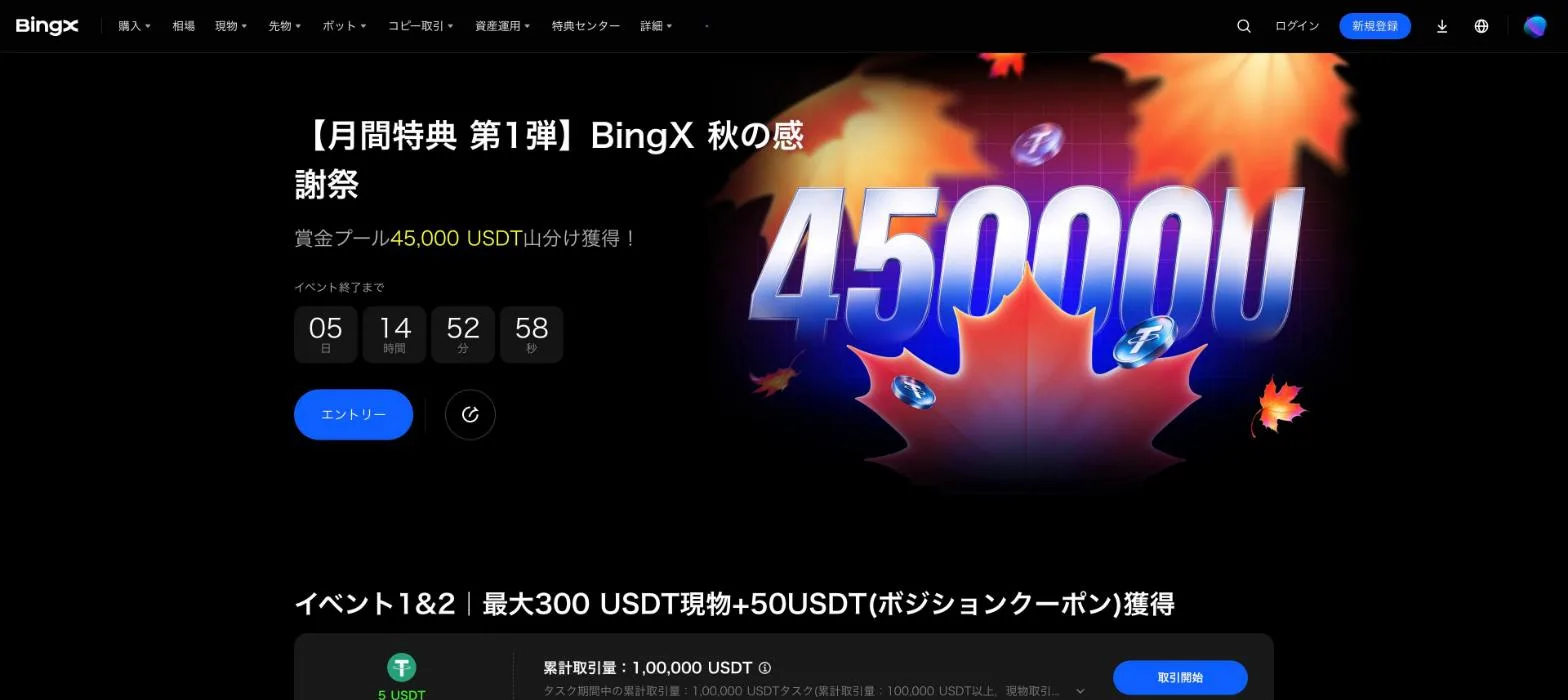
In our data, two BingX offers are running on 3 November (Japan time). Offers that have ended are not listed.
| Offer | Deadline | Reward as stated | Key conditions |
|---|---|---|---|
| Autumn Thanksgiving (monthly perk no. 1) | 4 Nov 23:59 | Up to 370 USDT equivalent per person | Japan users only. Entry required. Identity verification needed to receive rewards |
| Earn rewards with the BingX Card | 1 Dec 00:59 | Up to 245 USD equivalent per person | Entry required. Card tasks need a card application |
※ Autumn Thanksgiving ends on 4 November at 23:59. If you read this after that, it has already ended. The official page does not say whether the BingX Card can be applied for from Japan.
The sign-up screen showed Welcome Gift: 8,020+ USDT, with up to 50 USDT for sign-up, 60 USDT for deposits and 30 USDT for trading (captured 3 November). The screen gave no conditions, and we could not confirm them.
BingX Autumn Thanksgiving: conditions and reward table →
BingX Card rewards: conditions and rewards →
Crypto exchange sign-up bonuses: types and withdrawal rules →
After sign-up: identity verification, checks before depositing, and futures risk
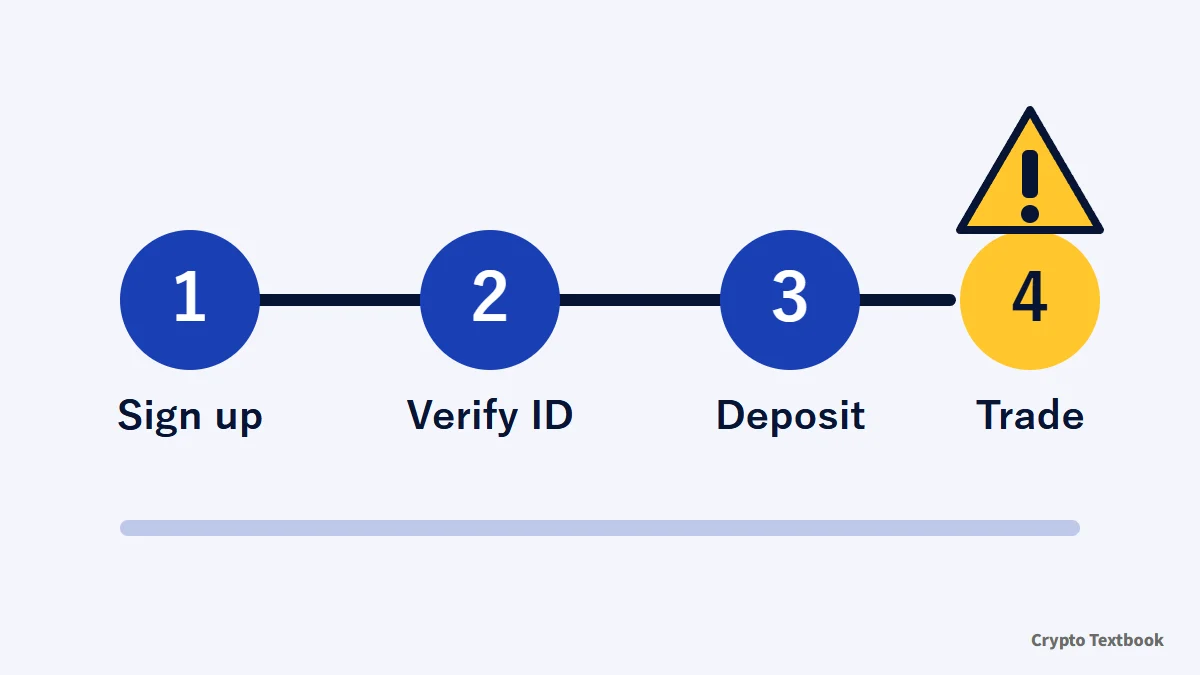
- Identity verification: without it you cannot deposit or trade. See the dedicated column for steps and documents
- Restricted regions: Japan is not on the list in the official disclaimer (the list can change)
- Deposits: match the coin and the network. A mismatch can mean the funds never arrive
- Futures: the higher the leverage, the smaller the price move before forced liquidation
How to complete BingX identity verification (KYC) and what is limited without it →
BingX deposits and withdrawals: minimums, fees and what to do when funds do not arrive →
BingX fees for spot, futures and VIP levels, with worked examples →
Can people in Japan use BingX? FSA warnings and restricted regions →
BingX is an overseas exchange that is not registered as a crypto asset exchange service provider in Japan. As with other overseas exchanges, domestic user-protection schemes do not apply. The FSA check is in the column above (checked 16 September 2026).
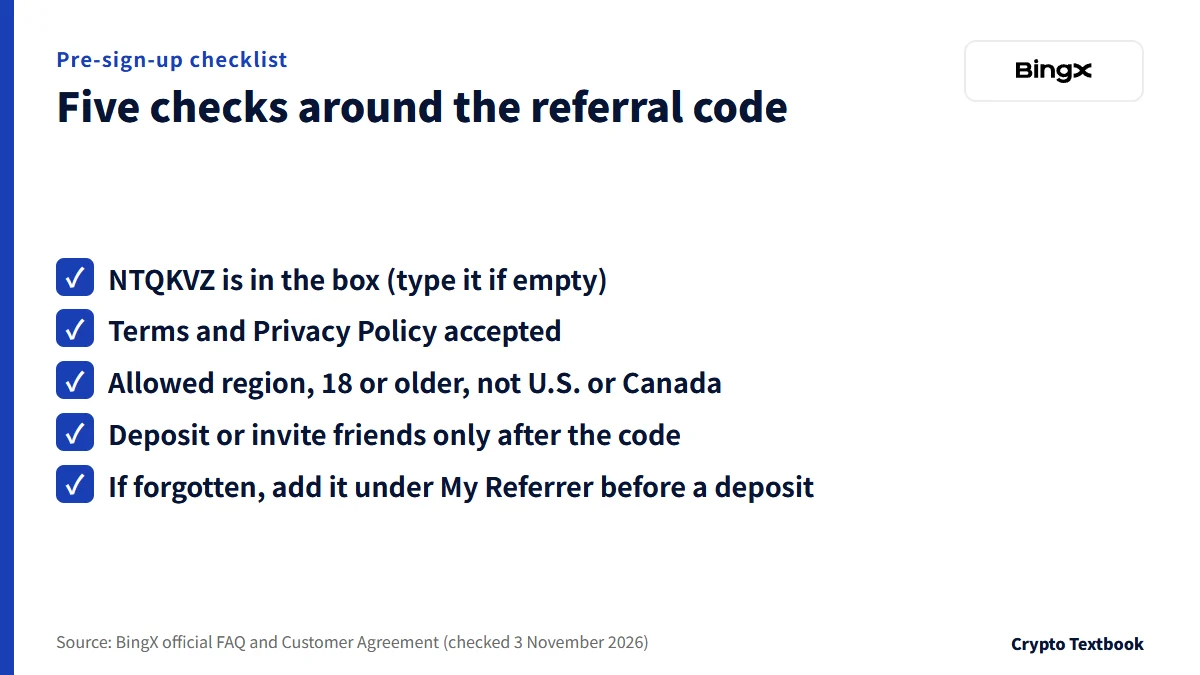
Common input mistakes, and a pre-sign-up checklist
| Mistake | Cause | Fix |
|---|---|---|
| Signed up with the box empty | The box is optional, so you can proceed | Before a deposit, add it under My Referrer |
| Noticed after a deposit | Codes cannot be added after a deposit | The official FAQ gives no exception |
| Entered the wrong code | Cannot be changed or removed | The terms do not allow a second account |
| Sign-up will not proceed | Region, age or terms conditions | Check the terms and disclaimer |
Enter the referral code at sign-up, before any deposit. If you forgot, add it under My Referrer before you deposit or invite anyone. If rewards are your aim, check the Autumn Thanksgiving deadline (4 November 23:59) and the Card rewards deadline (1 December 00:59) first, and decide based on whether you can get through identity verification in time.
Frequently asked questions
Q. What is the BingX referral code?
A. Our referral code is NTQKVZ. Enter it in the box labelled referrer's invitation code or UID (optional) on the sign-up screen. Referral codes differ by referrer, so other sites list other codes.
Q. Can I sign up for BingX without a referral code?
A. Yes. The official FAQ says the referral code box is optional and you can create an account with it empty. Whether to enter a code is your decision.
Q. Can I add a BingX referral code after signing up?
A. Yes, if you have not deposited and have not invited friends. In the app use Profile Settings; on the web use Account & Security, then My Referrer. Crypto sent from other platforms and crypto bought through Buy Crypto both count as deposits.
Q. Can a BingX referral code be changed or removed?
A. No. The official FAQ says an account linked to a specific code cannot change or remove it. Compare codes before you enter one.
Q. Will a referral code always get me a reward?
A. The official help does not say so. A code works as commission for the referrer and a fee rebate for the friend. The sign-up screen of 3 November 2026 did not state conditions for the welcome gift.
Q. Can I register with BingX from Japan?
A. Japan is not among the restricted jurisdictions in the official disclaimer (updated 11 December 2023). The list can change. BingX is not registered as a crypto asset exchange service provider in Japan, as the dedicated column explains.
Q. What does UID mean in the referral code box?
A. The box label is the referrer's invitation code or UID (optional). The wording suggests the referrer's UID also works, but the official help has no detailed explanation of UID, and we could not confirm it.
Sources
- BingX | BingX Account Signup FAQs (official help centre, 22 May 2023, checked 3 November 2026) →
- BingX | How to Download and Sign Up on BingX (official help centre, 2 March 2022, checked 3 November 2026) →
- BingX | How to Join the BingX Referral Program (official help centre, 26 May 2022, checked 3 November 2026) →
- BingX | BingX Referral Program Upgraded (official help centre, 21 June 2022, checked 3 November 2026) →
- BingX | Customer Agreement (checked 3 November 2026) →
- BingX | Disclaimer (restricted jurisdictions, updated 11 December 2023, checked 3 November 2026) →
- BingX | Sign-up page (official, checked and captured 3 November 2026) →
- BingX | Autumn Thanksgiving, monthly perk no. 1 (official event page, checked 27 October and captured 30 October 2026) →
- BingX | Earn rewards with the BingX Card (official event page, checked 24 October 2026) →
FX Textbook is an independent information site, not an exchange or a provider of personal investment advice. Crypto-asset trading involves risk: price volatility, liquidation of leveraged positions, transfer mistakes and the operational risk of exchanges and service providers can cause you to lose some or all of your invested capital. No result is guaranteed.
NEXT STEP
See BingX details in one place
Product types, fees, leverage and deposits, as confirmed from official sources by this site.
Exchanges related to this column
Fees, leverage, funding options and current offers are on each exchange page.