
Before you start Bitunix copy trading, two questions come up: is there an extra fee, and do you still pay a share in a week that loses money?
According to the official help checked on 8 November 2026, there is no separate copy fee and the trading fee is the same as normal futures. The profit share applies only in a week with realized profit. The default is 10%, settled every Monday at 9:00 Japan time.
This guide goes through how to start, the cost math, the two copy modes, how to stop and when copies fail. These are futures, so the risks come last.
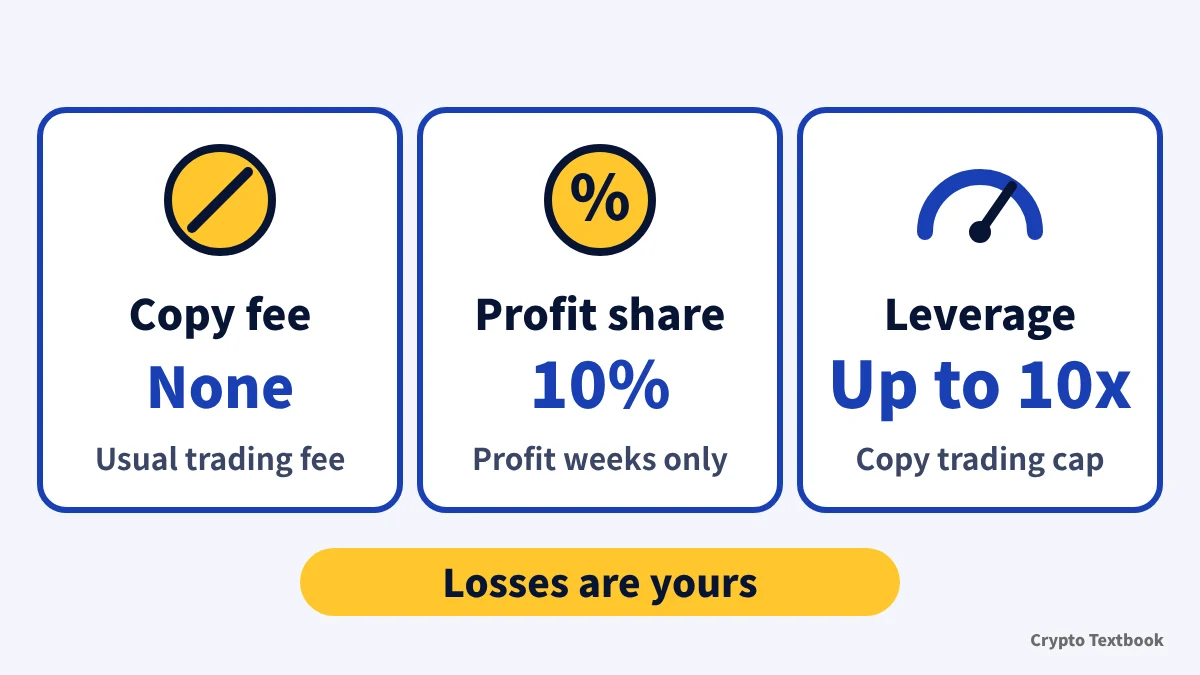
Bottom line: no separate copy fee, just the trading fee and a profit share
- Copy trading covers futures contracts. Official help does not mention spot copying
- No separate copy fee. The trading fee is the same as normal futures: VIP 0 is 0.02% maker and 0.06% taker
- Profit share = realized profit for the week x share ratio. Default 10%, zero if there is no profit
- Settlement is every Monday 00:00 UTC, which is 9:00 Monday in Japan
- Maximum leverage in copy trading is 10x (rules limits table)
- Stopping a copy by hand does not close positions that are already open
Terms 3.3 says Bitunix will charge certain service fees. The rules limits table says copy trades pay the standard futures rate with no additional copy trading service fee. Check the rate you are actually charged on the Fees page and the order screen.
How it works and how to start: five steps from sign-up to copying
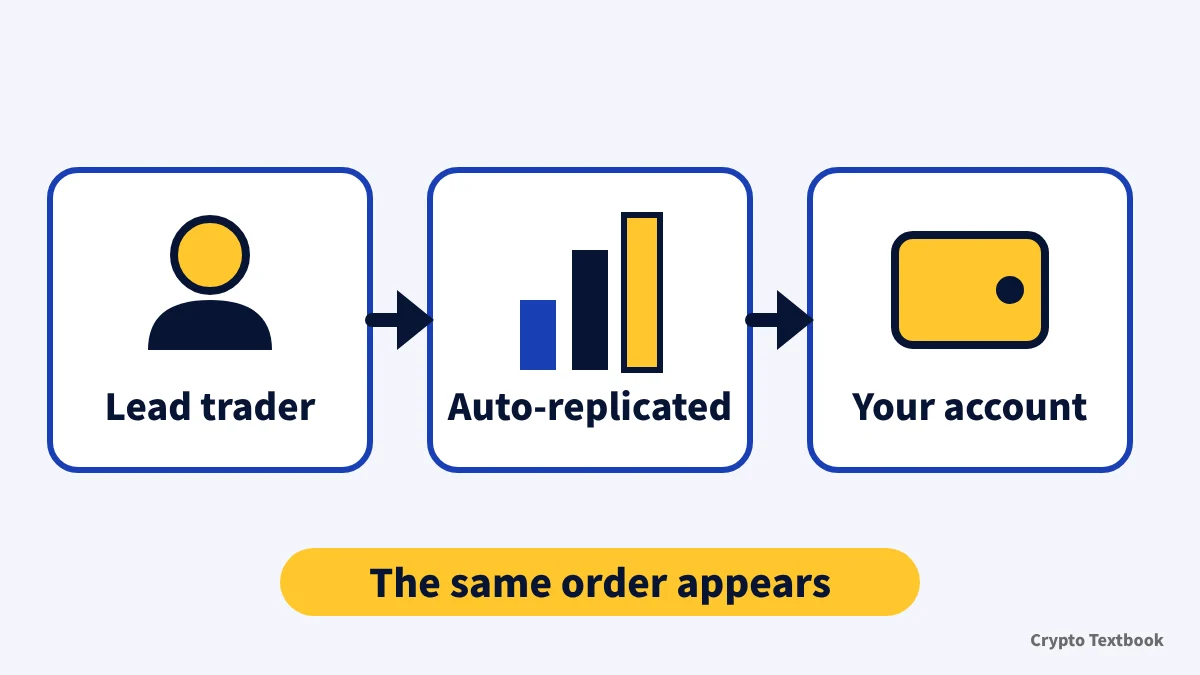
When a lead trader places a futures order, the system places the same order in your account. Closes are replicated at the same ratio the trader reduces by: if a trader holding 1 BTC closes 0.2 BTC, your position shrinks by 20% (rules example).
Becoming a lead trader requires an application, and Bitunix decides at its own discretion (terms 3.4). The initial copy amount is at least 500 USDT, and one strategy can have up to 100 copiers (rules).
- 01Sign up and complete verification
The copy trading help does not say whether verification is required. The KYC level help says that without it some trading, withdrawal and fiat services may be restricted (updated 16 October 2026).
- 02Put USDT in your futures account
In the rules formula, copying uses your futures available balance minus the expected profit share. Deposits are covered in the deposit and withdrawal column.
- 03Choose a trader in Copy Square
Pick from the list and press [Copy] (on the web, [Copy Now]). Copy Square and My Copy are screen names from the English help, so check what your own app shows.
- 04Set the copy mode and funds
Choose fixed amount or fixed ratio and enter the amount. The operation guide mentions advanced settings, and the rules refer to a strategy stop-loss, a margin ratio cap per pair and a slippage tolerance as settings.
- 05Check My Copy
View positions, trade history and live PnL. In the rules, take-profit and stop-loss prices per position are set on the My Copy Trading page.
Open the Bitunix sign-up page (with this site's referral code) →
You cannot rehearse copying first. Demo trading (50,000 USDT of virtual funds) does not support copy trading (official demo trading guide, updated 19 October 2026), so copying starts with real funds.
Bitunix verification (KYC) and withdrawal limits (beginner guide) →
Bitunix identity verification (KYC): documents and review times for KYC 1 and KYC 2 (column) →
How to deposit and withdraw on Bitunix (column) →
Bitunix referral code (fUys): where to enter it and what happens if you forget (column) →
Trading fees: copy orders pay the same rate as normal futures
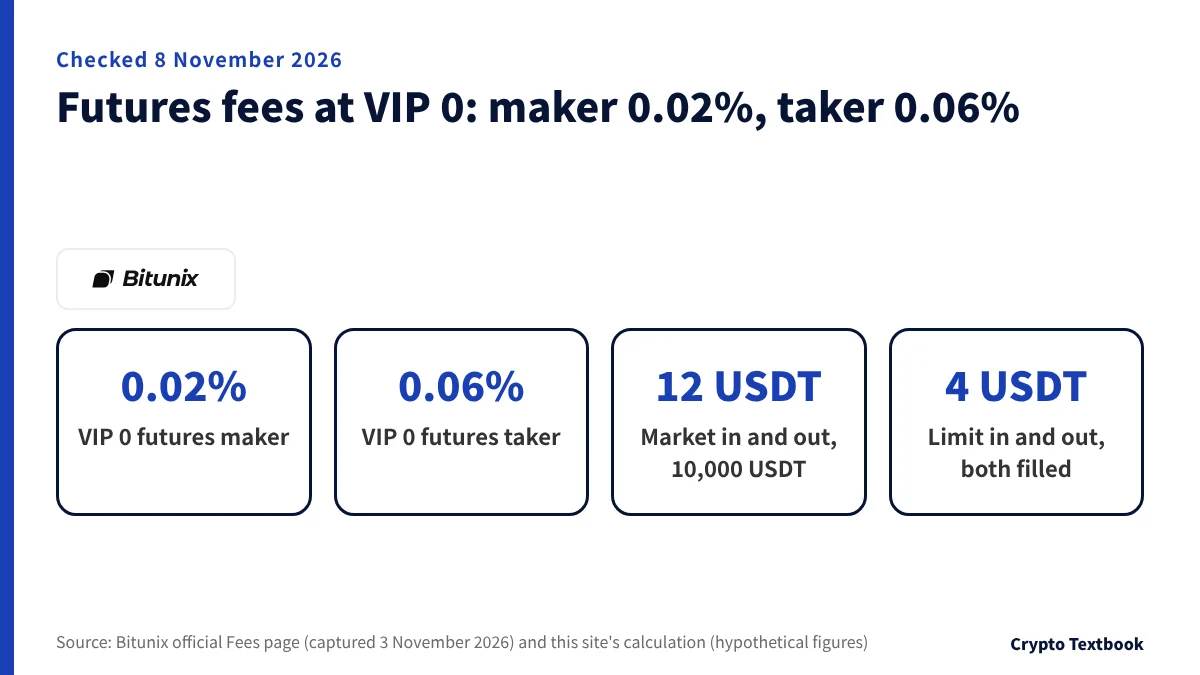
The rules say copy orders pay the normal futures rate. The rate falls with your VIP level, which depends on 30-day volume or balance. The table can be read on the Fees page without logging in, and after you log in the card at the top shows your own rate.
| VIP level | Futures maker | Futures taker |
|---|---|---|
| VIP 0 | 0.0200% | 0.0600% |
| VIP 1 | 0.0200% | 0.0500% |
| VIP 2 | 0.0160% | 0.0500% |
| VIP 3 | 0.0140% | 0.0400% |
The fee applies to position size, not margin, and is charged twice: when you open and when you close (official help). A market order is a taker; a limit order that rests on the book is a maker.
At VIP 0 on a 10,000 USDT position, a market open and market close costs 6 + 6 = 12 USDT. A limit open and limit close, both filled, costs 2 + 2 = 4 USDT. A market open with a limit close costs 6 + 2 = 8 USDT (official formula price x quantity x rate, hypothetical figures).
VIP 0 and VIP 1 show the same figure in the spot volume column (100,000.00), so read the futures volume and balance columns as well.
Bitunix fees in full: VIP 0-8, spot and withdrawals (column) →
Profit share: realized profit x ratio, zero in a losing week
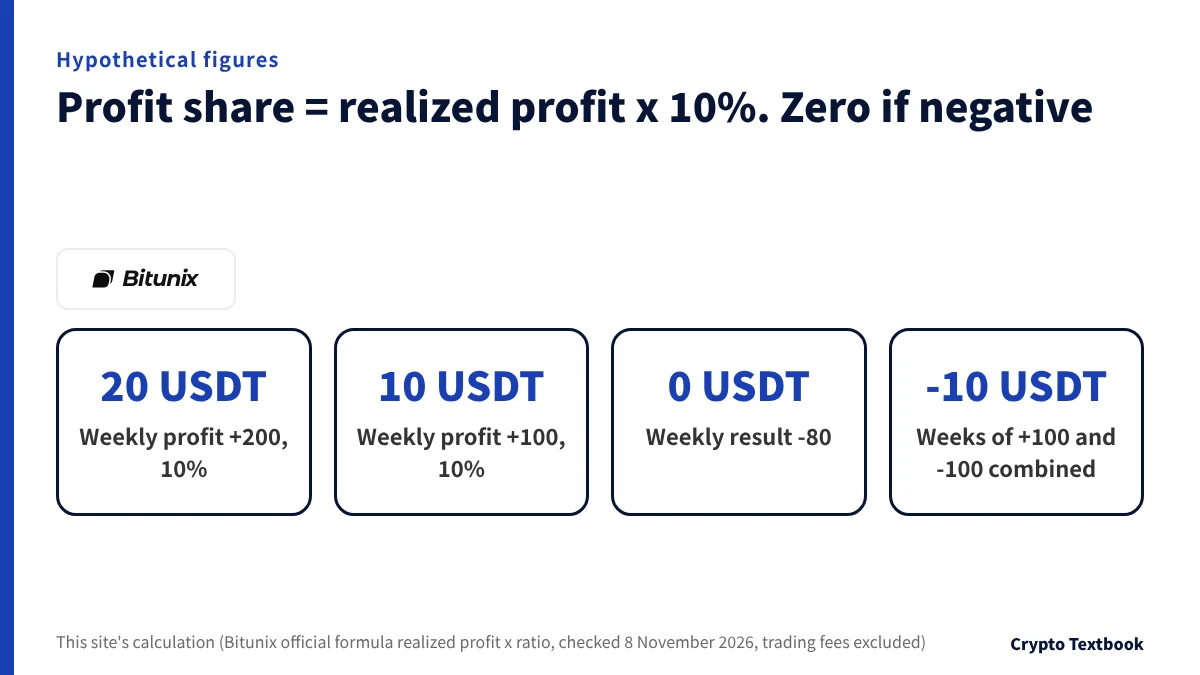
The official formula is share = realized profit for the period x share ratio, and a negative result is 0. The default ratio is 10% (rules limits table). Official help does not say whether it can differ by trader.
| Weekly realized PnL | Ratio | Share | Left after share |
|---|---|---|---|
| +200 USDT | 10% | 20 USDT | 180 USDT |
| +100 USDT | 10% | 10 USDT | 90 USDT |
| -80 USDT | 10% | 0 USDT | -80 USDT |
The profit period runs Monday 00:00:00 to Sunday 23:59:59 UTC, which is Monday 9:00:00 to the next Monday 8:59:59 in Japan. Settlement is Monday 9:00 Japan time, when the share moves to the lead trader's spot wallet. The expected share is deducted from your usable balance in advance.
Because it is calculated weekly, a +100 week followed by a -100 week means you pay 10 USDT in week 1 and 0 in week 2. The two-week total is 0, yet you are 10 USDT down (this site's calculation). Official help does not mention loss carry-over, or whether fees count in realized profit.
If settling while you hold positions would trigger liquidation, settlement is postponed to the next period and combined with that period's profit and loss (rules).
Copy modes and limits: fixed amount, fixed ratio and how many traders
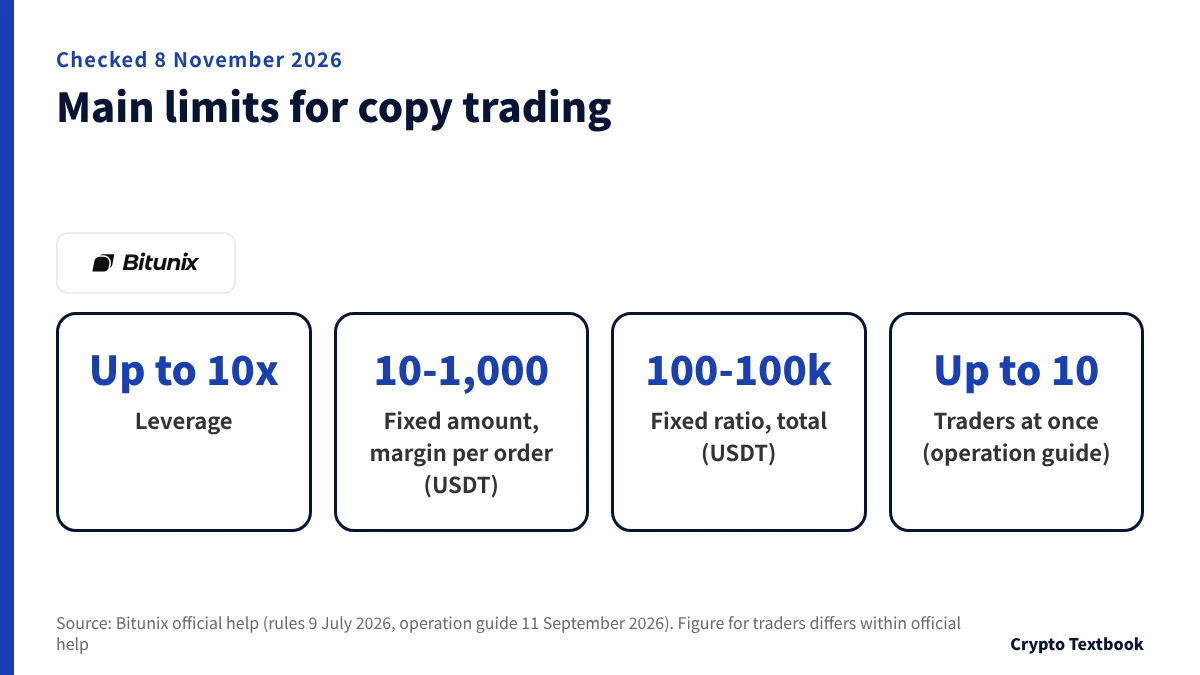
| Item | Fixed amount | Fixed ratio |
|---|---|---|
| What you set | Margin per order (10-1,000 USDT) | Copy amount (100-100,000 USDT) |
| Order size | Calculated from your set margin each time | Matches the trader's order cost ratio |
| Closing | Same ratio as the trader's reduction | Same |
| Caution | If funds fall short, it tries the remainder or the minimum size and may fail | Slippage makes the real position slightly smaller than the theory |
The official fixed-ratio example: the trader has 1,000 USDT available and an order cost of 500 USDT, you have 500 USDT, and your copy opens at about 250 USDT. The formula is trader order cost / (available balance before the order + funds frozen in open positions) x your available balance. For a trader with 2,000 USDT and a 100 USDT order cost, copied with 400 USDT, it is about 20 USDT (this site's calculation, hypothetical figures).
The official Academy describes fixed amount as easier for setting a per-order risk cap. It says fixed ratio follows the trader's allocation more closely but is harder to control per order.
- Leverage is 10x at most. In normal futures, BTC/USDT and ETH/USDT perpetuals offer up to 200x (official blog)
- The default profit-share ratio is 10%, and one strategy can have up to 100 copiers
- In fixed amount, margin per order must not exceed the total copy amount
- Accounts in Multi-Assets margin mode do not support copy trading (asset mode guide)
Bitunix futures leverage and liquidation: the 10x copy cap versus the usual 200x maximum →
The operation guide (updated 11 September 2026) says up to 10 at once. The rules limits table (updated 9 July 2026) says active copy strategies up to 20. Neither says they mean the same thing, so check what your screen shows before you follow.
Minimum order handling is not consistent either. The limits section says that if the calculated opening size is below the minimum, it opens at the minimum. The failure section says it may not open. If you set a small amount, check on My Copy that the position was actually opened.
Choosing a trader: official metric definitions and how to read them
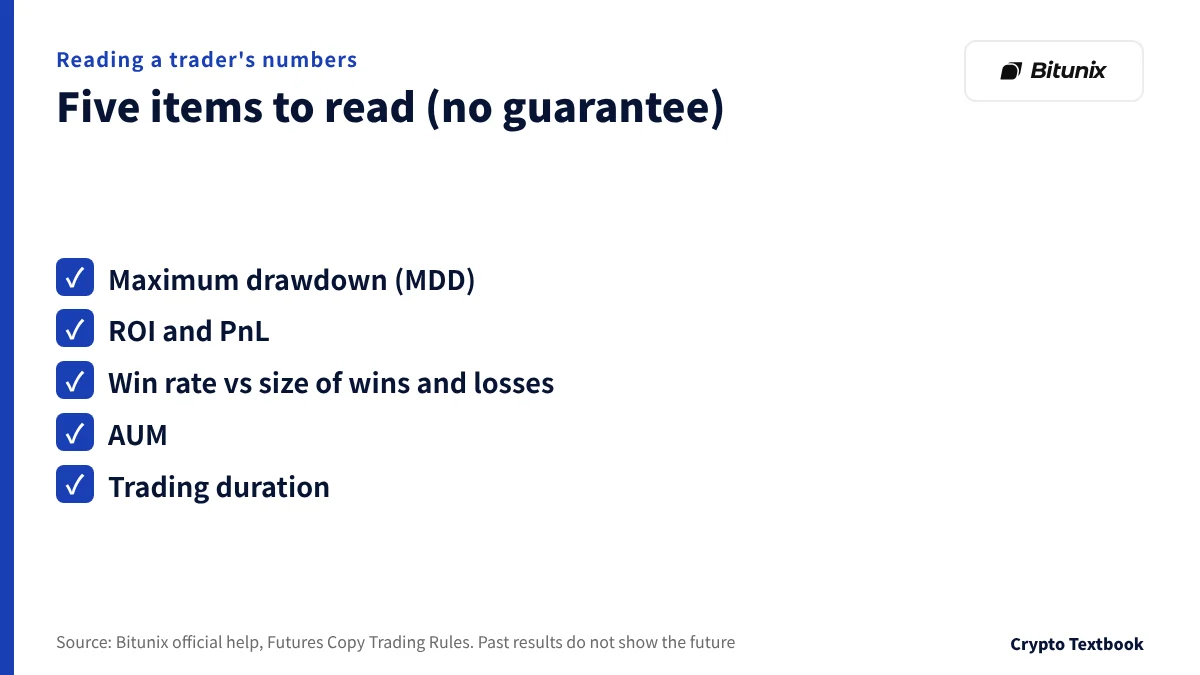
The trader list shows figures such as return and win rate. The official rules publish the formula for each metric.
| Metric | Official definition | This site's reading |
|---|---|---|
| Maximum drawdown (MDD) | (max ROI in the period - ROI at the end) / (max ROI + 1) | Falling from a 50% peak ROI to 20% is (0.5 - 0.2) / 1.5 = 20% |
| Win rate | Fully closed profitable positions / all fully closed positions | The size of wins and losses is not counted |
| ROI | Total profit / max(current copy amount, cumulative net deposit) | Deposits and withdrawals move the denominator |
| AUM | Trader's actual investment + copiers' actual investment | Grows as more people copy |
| Trading duration | From creating the strategy to now | A short one covers a limited period |
Win rate counts only the number of profitable positions. A trader who makes many small gains and one large loss can still show a high win rate.
The official Academy (updated 20 October 2026) lists screening examples and says none is a guarantee. This site does not suggest using these figures as a rule.
- Is performance stable over the past 3-6 months?
- Is maximum drawdown under 20% (example)?
- Is the win rate above 80% and the profit/loss ratio above 3:1 (example)?
- Are there more than 5 trades a day (a short-term trading sign)?
- Does the trader rely on averaging down or oversized adds?
The terms do not treat past performance or statistics as a reliable indicator of the future. Inflating returns or win rate is cheating and can mean a lower ranking or a ban. Lead traders are also barred from promising stable returns to attract copiers, and from putting contact details on a profile or in private chats.
Stopping and stop-loss: stopping leaves open positions in place
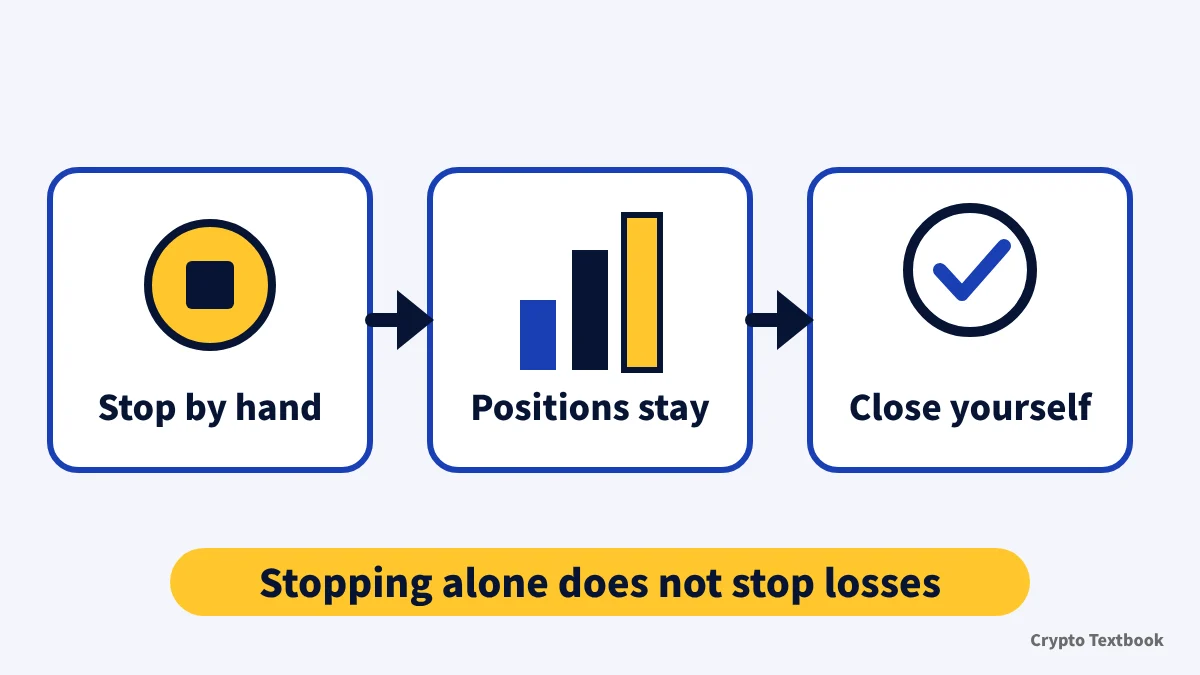
There are three ways to stop a copy yourself: an account-level stop-loss, take-profit or stop-loss per position, and stopping by hand. Bitunix can also stop it. They behave differently, so here is a table.
| Method | What happens |
|---|---|
| Strategy stop-loss (optional) | Ratio 5-95%. When your copy margin balance falls to net deposit x (1 - ratio) or below, copying that trader stops and the copied positions close at market |
| Take-profit and stop-loss per position (optional) | Set the price on the My Copy Trading page. When triggered, the position closes at market |
| Stop copying by hand | Positions already open do not close automatically. Close them yourself or wait for the trader to close; they then reduce under the rules |
| Stop or block by Bitunix | Positions opened by copying are closed (terms 3.5) |
A strategy stop-loss example: with a net deposit of 1,000 USDT and a 30% ratio, it triggers once the copy margin balance falls to 700 USDT or below (this site's calculation).
After a manual stop, the open positions stay exposed to the market. Whether to close them or wait for the trader is up to you.
When copies fail: nine official cases and a 500-order daily cap
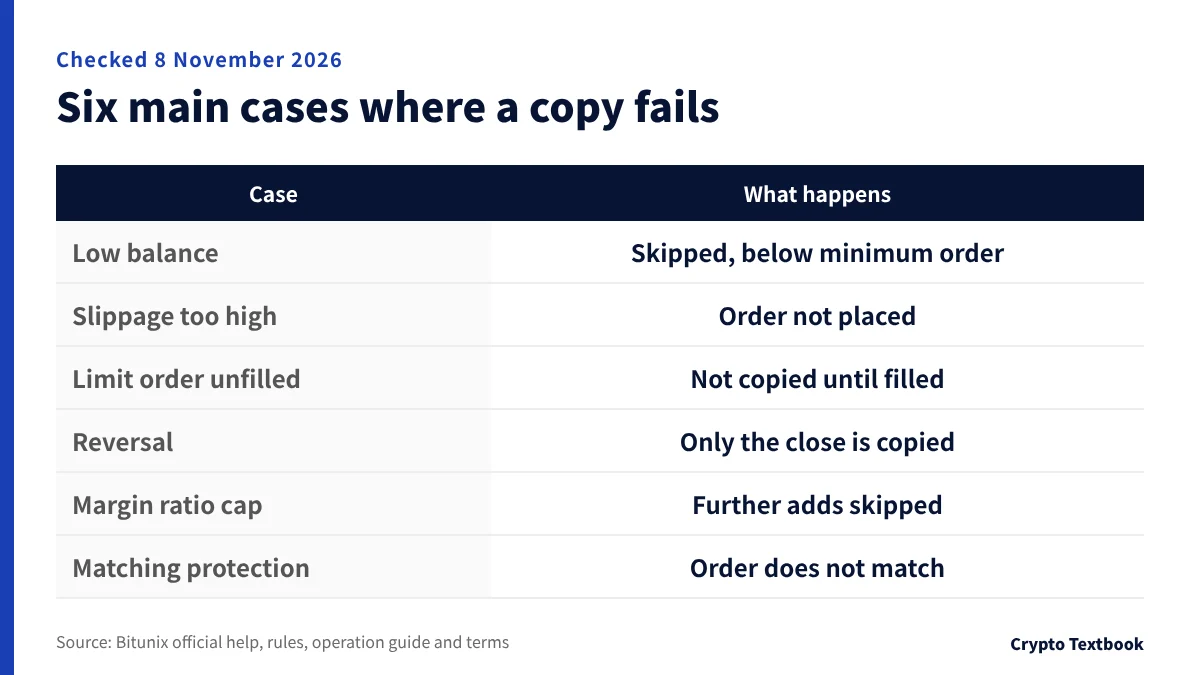
When a copy fails, that order is not opened in your account. It is a main reason your results drift from the trader's.
| Case | What happens |
|---|---|
| Available balance is too low | After the expected profit share is deducted, the balance cannot meet the minimum order, so it is skipped |
| The trader's limit order is not filled | Not copied until fully filled |
| Slippage exceeds the tolerance | The order is not placed (the tolerance is set by the copier; the operation guide cites a 0.1% limit) |
| Reversal while both hold the position | Only the close is copied; the new opposite position is not |
| The trader already held a position when you started | Without the start-point conditions, its increases and reductions are not copied |
| Maximum margin ratio per pair reached | Further adds on that pair are not copied |
| Execution price outside the matching protection range | The order does not match |
| Not enough market liquidity | The position may not close |
| Calculated opening amount is below the minimum order size or value | The position may not open |
| The trader places more than 500 orders in a day | Orders after the 500th are not copied (terms 3.4) |
Only the last row comes from the terms (3.4) rather than the rules. And a profitable trader does not mean the same profit for you: terms 4.1 says results can differ greatly because of orders you change or close by hand, orders below the minimum trade size and price differences at the start.
Risks and four things to decide before you start
The terms give no guarantee that your results will match the trader's. They also say trades open and close in your account without your intervention. Latency can cause failures or high costs, and losses may greatly exceed the amount you used to copy (4.1).
Bitunix takes no responsibility for the decisions or results of the trader you follow. It may end the service for law, force majeure or abusive trading, and while it will try to give 3 days' notice, it is not obliged to (3.5).
Crypto futures are volatile and liquidation can wipe out your margin. Copying still uses your own money. Use only funds you can afford to lose and decide your stop-loss before you start.
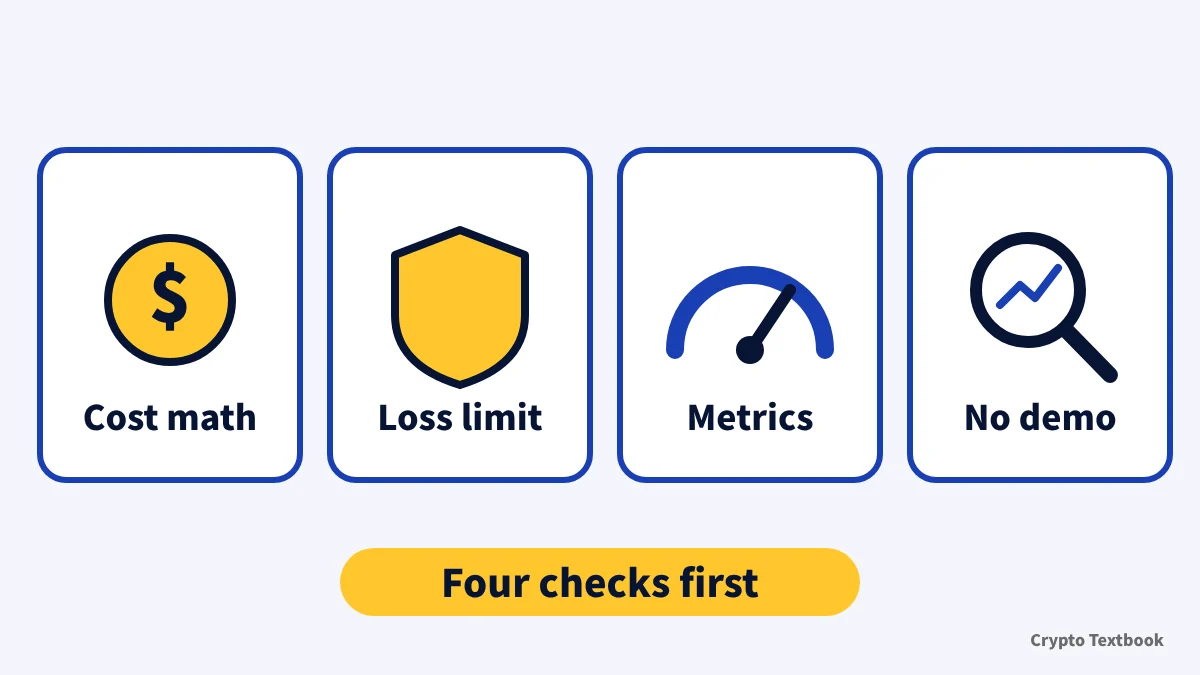
Copy trading costs two things: the futures trading fee and the profit share in a week with profit (default 10%). You bear every loss yourself.
- If cost comes first, add the trading fee and realized profit x 10%
- If you want a loss limit, check fixed amount and the strategy stop-loss
- If you are comparing traders, read maximum drawdown and duration by the official definitions
- If you want to practice in demo, it is not supported; check the live setup from 10 USDT per order
Four points could not be confirmed officially: whether spot copying exists, a copy-specific verification requirement, whether the ratio can be changed, and loss carry-over. We have not filled the gaps with guesses.
Bitunix reputation and safety: reserves, terms and risk disclosure (column) →
Frequently asked questions
Q. How much does Bitunix copy trading cost?
A. There is no separate copy fee. The trading fee is the same as normal futures, and VIP 0 is 0.02% maker and 0.06% taker. A profit share applies in a week with profit.
Q. What is the Bitunix copy trading profit share and when is it paid?
A. The default ratio in the rules limits table is 10%. It is calculated as realized profit for the period x ratio, and is zero if there is no profit. Settlement is Mondays 0:00 UTC, which is 9:00 Monday in Japan.
Q. How much do I need to start Bitunix copy trading?
A. Fixed amount is 10-1,000 USDT of margin per order, and fixed ratio is a copy amount of 100-100,000 USDT (rules). You set the amount within the range for your chosen mode.
Q. How many traders can I copy on Bitunix?
A. The operation guide (updated 11 September 2026) says up to 10 at once. The rules limits table says active copy strategies up to 20, so the wording differs. Rely on what your screen shows.
Q. What is the maximum leverage for Bitunix copy trading?
A. The rules limits table says 10x. The 200x on BTC/USDT and ETH/USDT perpetuals (official blog) is a normal futures condition, and 10x is the figure given for copy trading.
Q. What happens to positions if I stop Bitunix copy trading?
A. Positions already open do not close automatically when you stop by hand. Close them yourself or wait for the trader to close. If a strategy stop-loss triggers, the copied positions close at market.
Q. Can I copy trade spot on Bitunix?
A. The official rules and help cover futures contracts, and spot copying is not mentioned (checked 8 November 2026). Demo trading does not support copy trading either.
Q. Can I lose money with Bitunix copy trading?
A. Yes. It is not a profit guarantee, and the terms say past performance is not a reliable indicator of the future. They also say losses may greatly exceed the amount you used to copy.
Sources
- Bitunix | Bitunix Copy Trading Operation Guide (APP) (official help, English, updated 11 September 2026, checked 8 November 2026) →
- Bitunix | Bitunix Copy Trading Operation Guide (Web) (official help, updated 11 September 2026, checked 8 November 2026) →
- Bitunix | Bitunix Futures Copy Trading Rules (official help, profit-share formula, limits and failure cases, updated 9 July 2026, checked 8 November 2026) →
- Bitunix | Copy Trading Terms and Agreements (official help, terms, updated 28 May 2026, checked 8 November 2026) →
- Bitunix | Bitunix Copy Trading: Strategy Guide & Setup Steps (official Academy, updated 20 October 2026, checked 8 November 2026) →
- Bitunix | Trading Fees Explanation & Calculation (Bitunix Futures) (official help, fee formula, updated 28 May 2026, checked 8 November 2026) →
- Bitunix | Fees (trading rates by VIP level, official, checked and captured 3 November 2026) →
- Bitunix | Bitunix KYC Level Benefits (official help, updated 16 October 2026, checked 8 November 2026) →
- Bitunix | Bitunix Demo Trading Guide (App) (official help, demo does not support copy trading, updated 19 October 2026, checked 8 November 2026) →
- Bitunix | Bitunix Futures Asset Mode Switching Guide (official help, Multi-Assets mode and copy trading, updated 1 September 2026, checked 8 November 2026) →
- Bitunix | Bitunix Leverage Explained (official blog, up to 200x on BTC/USDT and ETH/USDT perpetuals, updated 21 August 2026) →
FX Textbook is an independent information site, not an exchange or a provider of personal investment advice. Crypto-asset trading involves risk: price volatility, liquidation of leveraged positions, transfer mistakes and the operational risk of exchanges and service providers can cause you to lose some or all of your invested capital. No result is guaranteed.
NEXT STEP
Check Bitunix fees, leverage and product types on the exchange page.
Spot, futures and copy trading conditions, based on official pages.
Exchanges related to this column
Fees, leverage, funding options and current offers are on each exchange page.