
After signing up to BYDFi, do you need to verify your identity (KYC), and how far should you go?
KYC for individuals has two levels: Primary and Advanced. At VIP 0, the 24-hour withdrawal limit is 50,000 USDT unverified, 200,000 Primary and 500,000 Advanced (official VIP page, checked 8 November 2026).
Whether an unverified account works depends on the rules of your region, and the official pages say nothing specific about residents of Japan. The steps, documents and error fixes below come from six official help articles and the VIP page.
In short: BYDFi KYC has two personal levels, and unverified access depends on your region
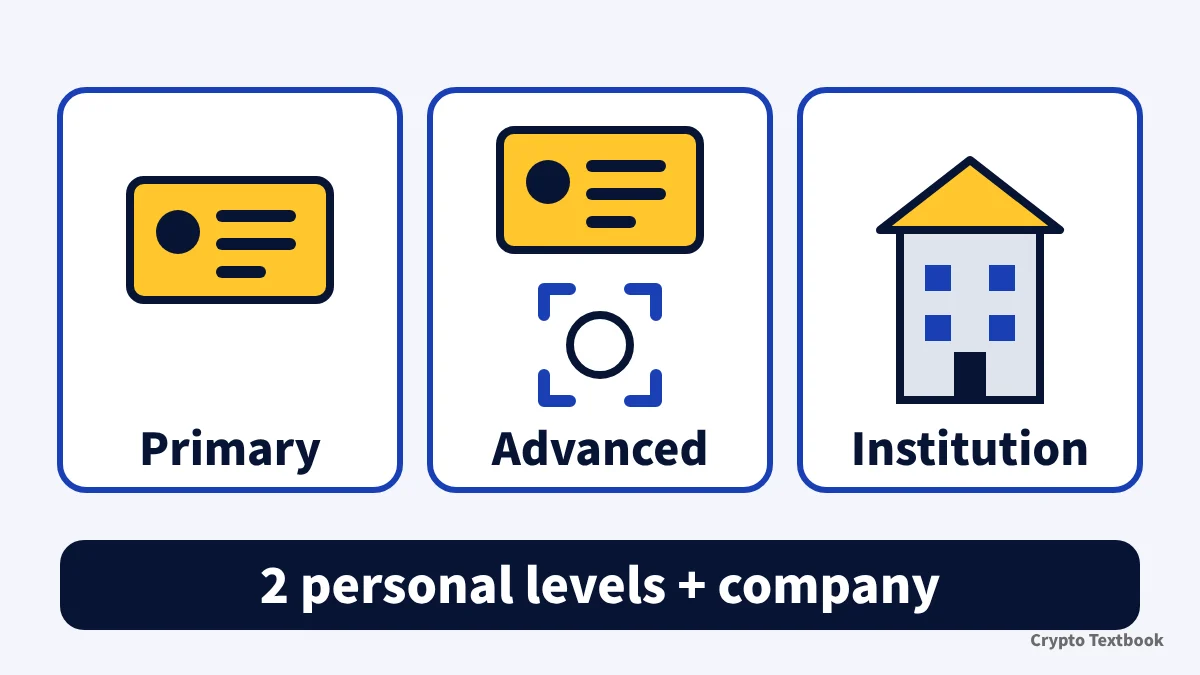
- KYC for individuals has two levels, Primary and Advanced. Companies use Institutional verification (web only)
- Primary needs photos of the front and back of an ID. Advanced adds a face check and a country-of-residence step
- 24-hour withdrawal limits at VIP 0: 50,000 USDT unverified, 200,000 Primary, 500,000 Advanced, 800,000 Institution
- The fiat trading cap (20,000 USD a day) is listed for Advanced only. The Primary column shows "--"
- Review time is stated as anything from 15 minutes to 24 hours depending on the help page, so go by the status shown after you apply
- Whether an unverified account works depends on regional rules. The official pages do not mention residents of Japan
BYDFi is a crypto exchange, not a forex broker. Futures and leverage trading can wipe out the whole margin you put in. Verification is an account procedure, not a sign of safety and not a recommendation to trade.
KYC at overseas exchanges: levels, documents and campaigns (beginner guide) →
Primary, Advanced and Institutional KYC: what you submit and what it unlocks
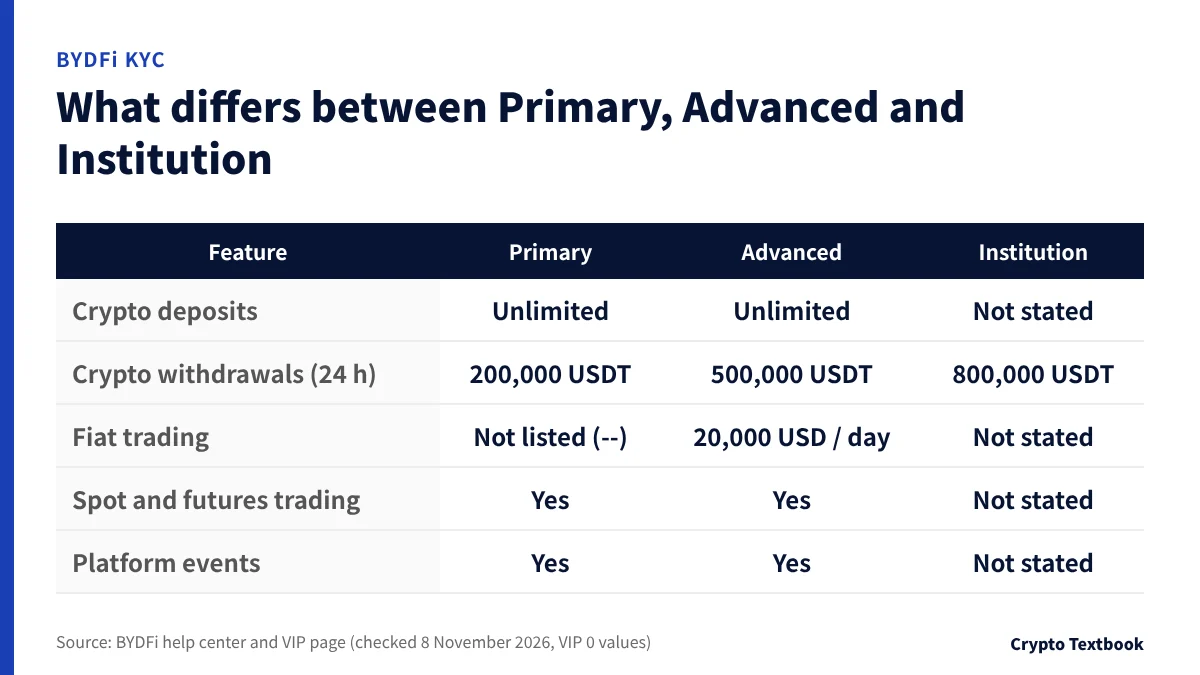
Primary needs only photos of an ID, and Advanced adds a face check. You can skip Primary and start with Advanced.
The step-by-step articles say Primary and Advanced. The FAQ and the VIP page use Japanese labels meaning beginner and upper level. Individuals have only two levels, so this page reads them as the same pair.
| Item | Primary | Advanced | Institution |
|---|---|---|---|
| What you submit | Front and back of an ID | Front and back of an ID, plus a face check | Company details, member details, documents |
| Where you can apply | Web and app | Web and app | Web only |
| Attempts per day | Up to 3 | Up to 3 | Not stated |
| Review time | Within 24 hours | About 24 hours | Not stated |
※ You cannot switch between personal and corporate KYC inside one account. A company applies for Institutional verification with a new account. Only one account can be verified per company registration number.
24-hour withdrawal limits by VIP level and verification level
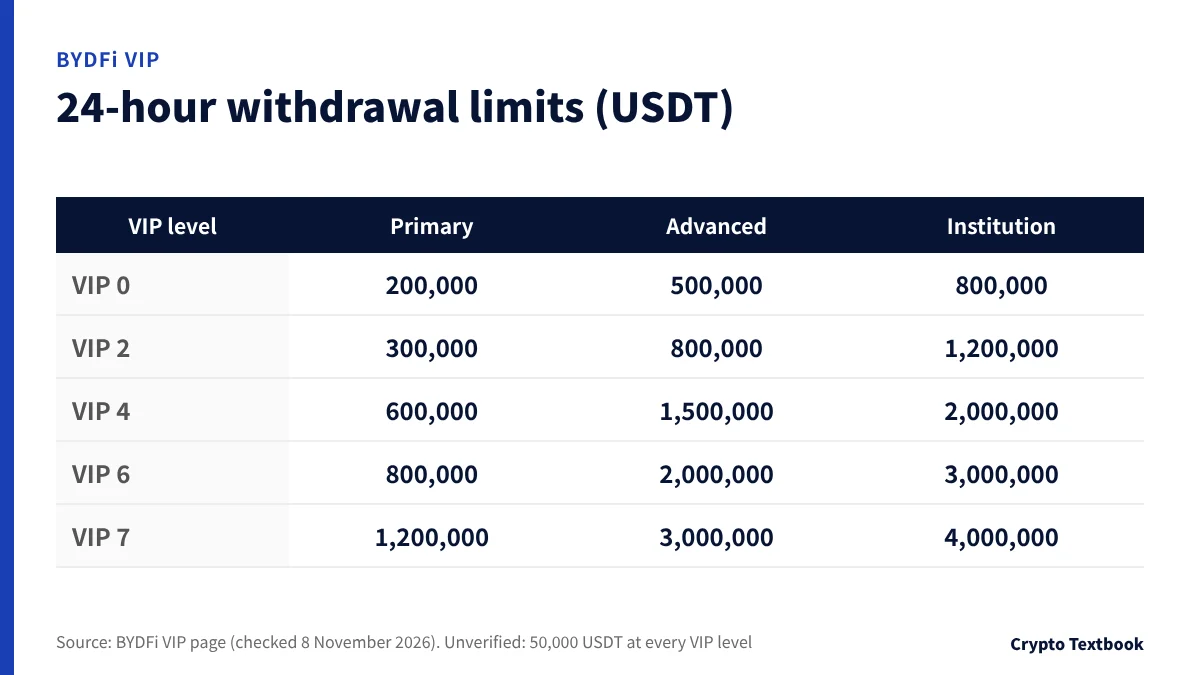
The limit depends on your verification level and your VIP level together. At VIP 0 it is 50,000 USDT unverified, 200,000 Primary, 500,000 Advanced and 800,000 Institution.
| VIP | Primary | Advanced | Institution |
|---|---|---|---|
| VIP 0 and 1 | 200,000 | 500,000 | 800,000 |
| VIP 2 | 300,000 | 800,000 | 1,200,000 |
| VIP 3 | 400,000 | 1,000,000 | 1,500,000 |
| VIP 4 | 600,000 | 1,500,000 | 2,000,000 |
| VIP 5 | 700,000 | 1,800,000 | 2,500,000 |
| VIP 6 | 800,000 | 2,000,000 | 3,000,000 |
| VIP 7 | 1,200,000 | 3,000,000 | 4,000,000 |
※ The unverified limit is shown as 50,000 USDT at every VIP level.
VIP is judged on 30-day spot volume, 30-day futures volume and asset holdings, and the highest level of the three applies. VIP 1 requires 100,000 USDT of spot volume, 10 million of futures volume or 50,000 of assets, and levels refresh every day at 11:00 Japan time.
The help article on withdrawals (updated 2 November 2026) gives two tiers, 50,000 USDT unverified and 500,000 USDT verified, and points to the VIP page for the per-level detail.
What an unverified account can do: the FAQ says it depends on your region
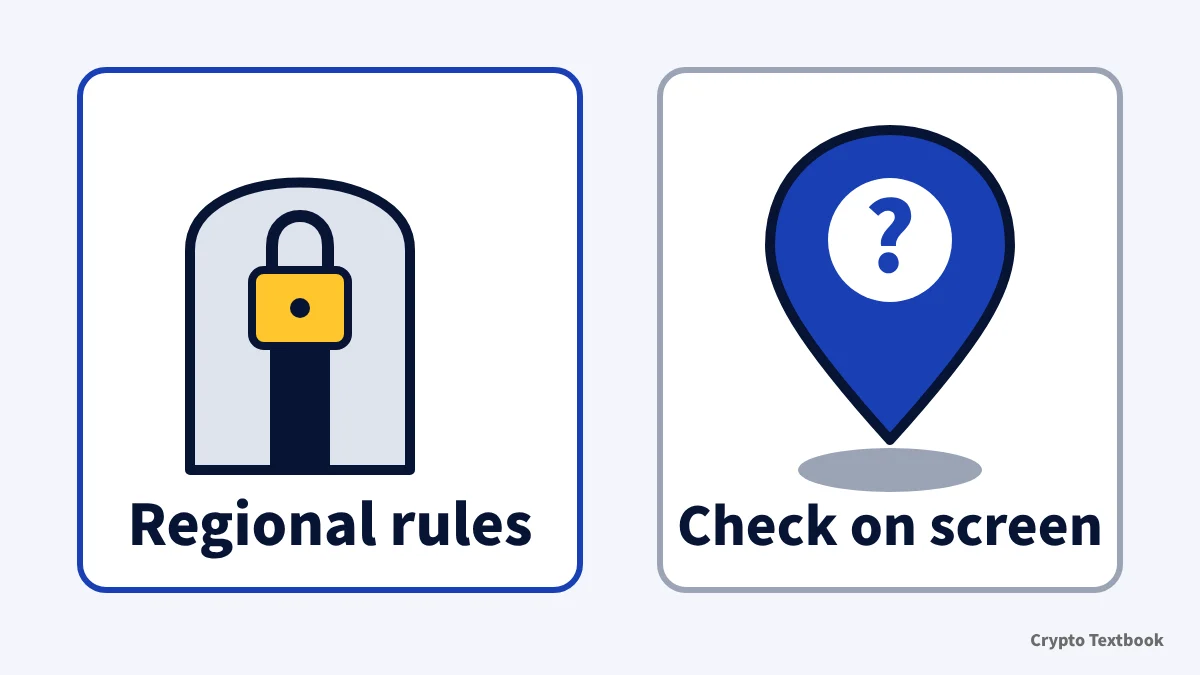
The FAQ (updated 3 November 2026) answers the question about trading without KYC like this. Depending on the rules of your country or region, some services, including deposits, withdrawals and trading, may be restricted. The specific restrictions are shown on the platform.
The help center does not say how far a resident of Japan can use an unverified account. The 50,000 USDT figure for unverified accounts on the VIP page does not mean you can use BYDFi from Japan without verifying.
| Situation | What the official pages say |
|---|---|
| You deposited fiat currency | KYC is required before you can withdraw crypto (What is KYC) |
| You deposit through Buy Crypto | KYC is required at BYDFi before depositing, and also at the third-party provider |
| You see "Funds are restricted, so you cannot deposit" | Caused by unfinished KYC. Complete it, or file a refund request |
| You see "Real-name verification not completed" | Withdrawals are restricted. Complete KYC, or use the withdrawal appeal form |
※ Even if a withdrawal appeal is approved, you can only withdraw and close positions. Other account functions stay unavailable.
Turning on the "withdrawal address whitelist" under Security > Fund security settings removes the extra security check for withdrawals to verified addresses. It is a separate feature from identity verification.
Deposit bonus conditions differ by campaign. Check the bonus page for the amount and conditions.
BYDFi deposit bonus: conditions and cautions (our bonus page) →
Primary KYC steps on the web and in the app
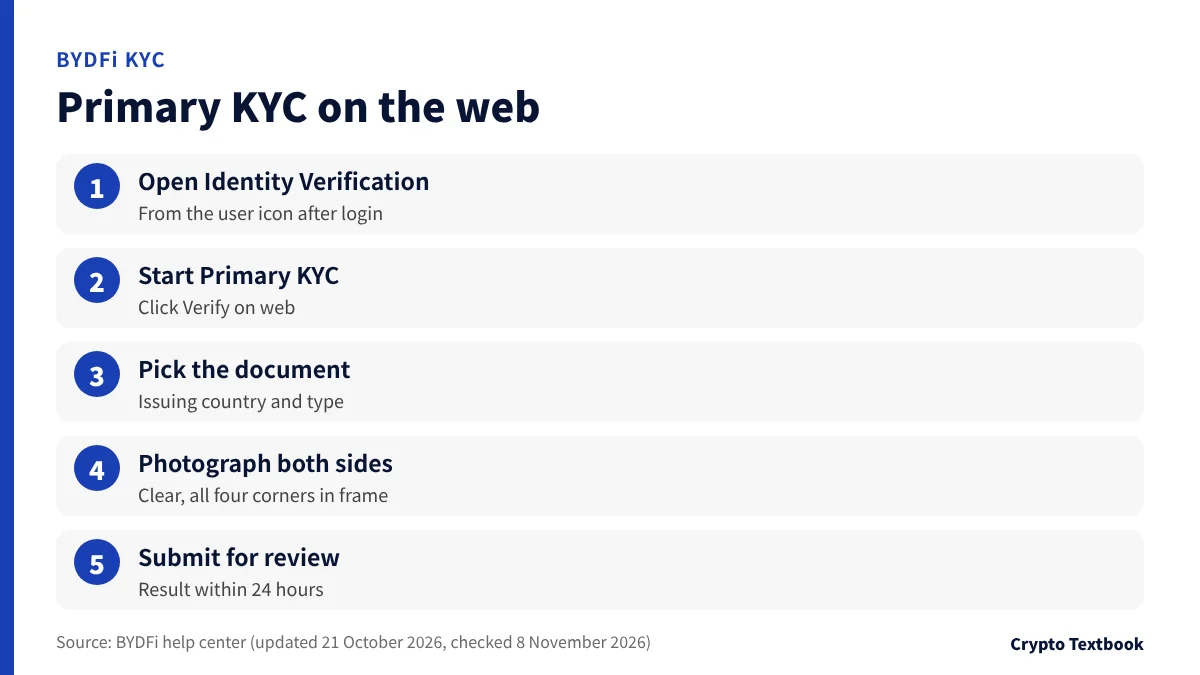
- 01Open Identity Verification
Log in to the official site and choose Identity Verification from the user icon in the navigation bar.
- 02Start Primary KYC
Under Primary KYC, click Verify on web.
- 03Pick the document's country and type
Select the country or region that issued the document and the document type.
- 04Photograph front and back
Prepare clear photos with all four corners visible, either freshly taken or saved images.
- 05Submit for review
Check what you entered and submit. The result is notified within 24 hours.
In the app, the path is: user icon at the top left of the home page, then Verify under your nickname (or Identity Verification inside your profile), then Verify next to Primary KYC on the individual verification page, then the issuing country and document type (ID card, passport, driver's licence, residence permit and so on), the requirements screen, the photos and submit.
The Primary procedure does not include a face check. The document must be clear, fully in frame, with no cut-off edges, glare or blur.
Advanced KYC steps and requirements: ID plus a face check
- 01Start Advanced KYC
On the Identity Verification page, click Verify on web under Advanced KYC.
- 02Pick the country and document type
If you finished Primary, your earlier document details appear and the same document may be recommended.
- 03Submit front and back photos
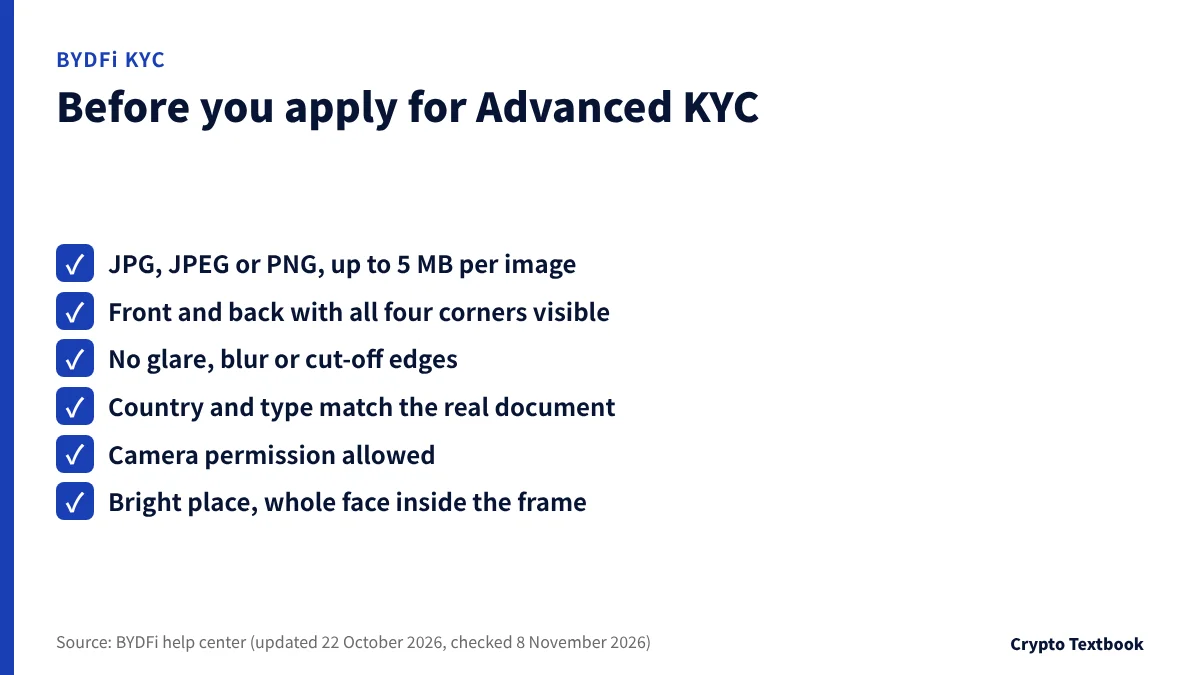
JPG, JPEG or PNG, up to 5 MB per image. Avoid blur, glare and cut-off edges, and make sure the country and document type match the real document.
- 04Choose your country of residence
Select it and agree to the personal data processing notice.
- 05Complete the face check
Allow the camera and fit your whole face in the circular frame in a bright place. Do not wear anything that blocks face recognition.
- 06Submit and wait
The review takes about 24 hours. Check progress on the KYC verification page.
The app splits the process into ten screens, but the flow is the same. If you finished Primary, you only choose the document type.
If the camera is blocked, open the site information icon next to the browser address bar and enable the camera permission. Then return to the verification page and click Retry.
Proof of address (POA): documents and conditions when requested
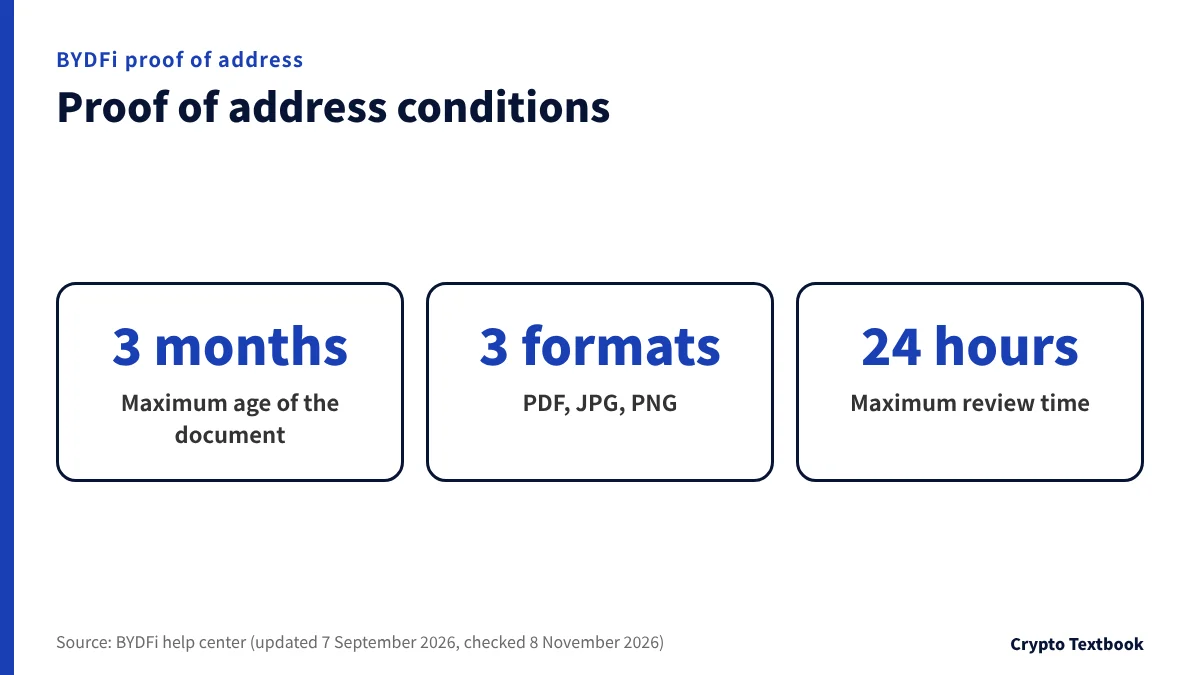
Proof of address (POA) is a document you may be asked for as part of KYC. The name must match the account holder, and the residential address, issue date and issuer must be readable.
| Type | Examples |
|---|---|
| Accepted (partial list) | Water, electricity or gas bills, bank statements, tax assessment notices, letters from government bodies, mobile or internet bills, voter registration certificates |
| Not accepted | Transaction receipts (even if they show a delivery or billing address) and medical bills |
※ The list of accepted documents is introduced as "including but not limited to". When unsure, check the official list.
- Use a document issued within the last 3 months
- Upload an unedited, uncropped original
- Paper bills can be photographed or scanned, and e-bills can be uploaded as PDFs
- All four corners must show and all details must be readable
Address verification is available only for supported countries and regions (FAQ 5.3). The help center does not say whether Japan is included. If your address changes after verification, contact customer service.
When review takes long or fails: fixes by error message
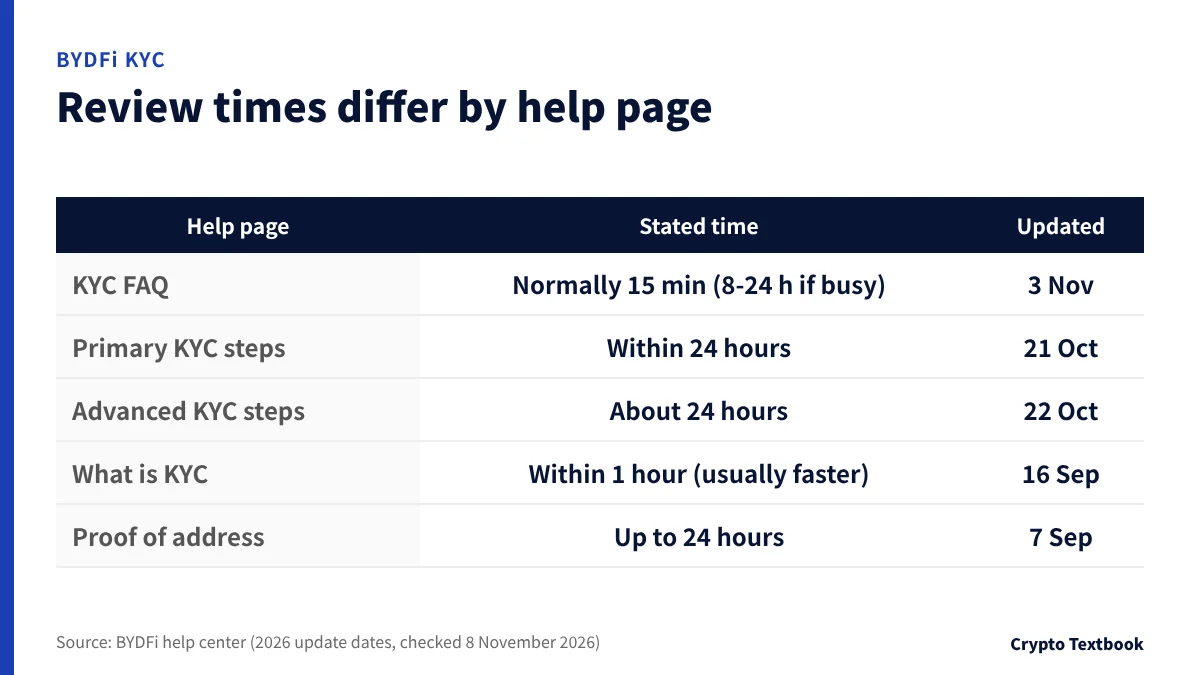
Review times are worded differently on each help page. The FAQ says normally within 15 minutes and 8 to 24 hours when busy. Primary is within 24 hours, Advanced about 24 hours, proof of address up to 24 hours, and "What Is KYC Verification?" says within 1 hour (for people who deposited fiat). Go by the status shown after you apply, and plan for 24 hours.
| Message or situation | Meaning | What to do |
|---|---|---|
| KYC attempt limit exceeded | The daily attempt limit (up to 3 each for Primary and Advanced) | Wait 24 hours, then apply again |
| Already verified on another account | Your identity is already used on another BYDFi account. Up to 2 accounts can be verified per person | If you think it is wrong, contact customer support |
| Funds are restricted, so you cannot deposit | Required KYC is not completed | Complete KYC. If you cannot, file a refund request |
| Real-name verification not completed (on withdrawal) | Withdrawals are restricted until KYC is done | Complete KYC. If you cannot, submit the withdrawal appeal form |
| Mistake in your Primary details | You noticed it after Primary | Submit the correct details and documents in Advanced KYC |
Beware of messages that pretend to be KYC requests
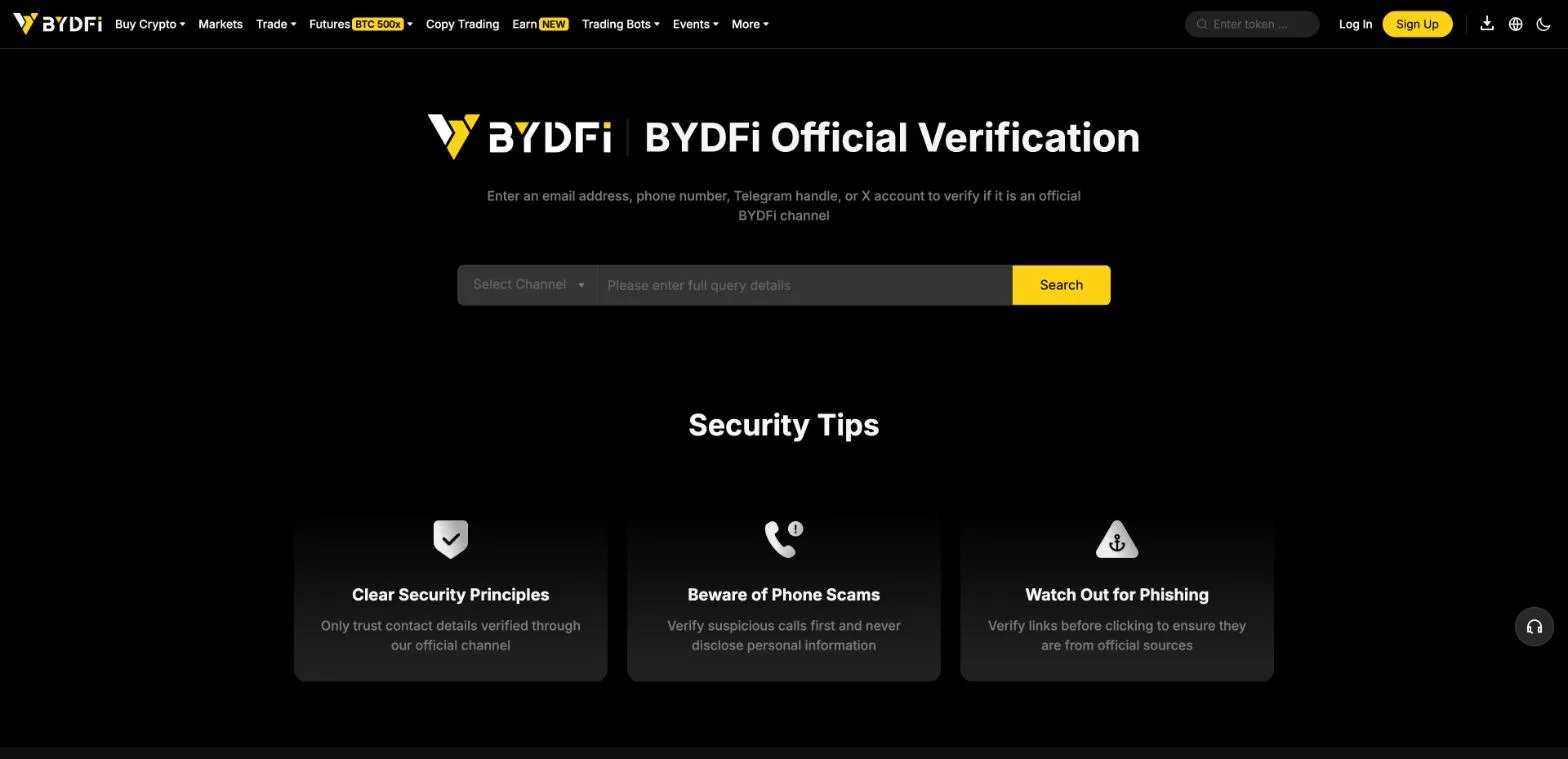
ID documents and face photos do the most damage if misused. The Primary, Advanced and Institutional procedures all start from a menu after you log in, and none describes sending documents through a link in an email or direct message.
On the official verification page you can enter an email address, phone number, Telegram handle or X account to check whether it is an official channel. The page gives three tips: trust only verified contact details, never disclose personal information on a suspicious call, and check that a link is official before clicking.
- Do not send documents or face photos when asked by email, DM or phone
- Start KYC from the menu after logging in (user icon, then Identity Verification)
- Check the sender by searching on the official verification page
Safety checklist for overseas crypto exchanges (beginner guide) →
Editorial verdict: how to decide
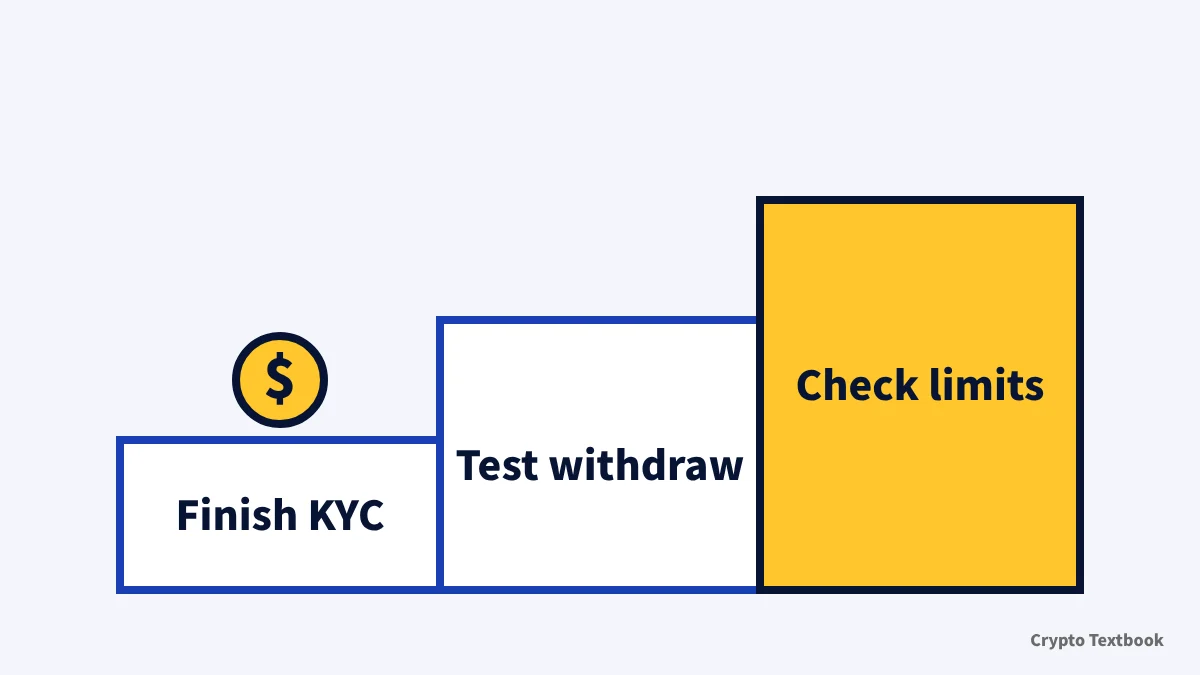
BYDFi KYC has two personal levels, and the withdrawal limit rises as you go from Primary to Advanced. Unverified access depends on your region. Once KYC is done, test a small withdrawal to see the flow, and check your limits before deciding to move a larger amount.
The levels differ in the withdrawal limit and the fiat trading row. At VIP 0 the 24-hour withdrawal limit is 200,000 USDT for Primary and 500,000 for Advanced, and the fiat trading cap (20,000 USD a day) is listed for Advanced only. Which level you need is shown on screen after you register.
A company creates a new account and applies for Institutional verification on the web. If handing over documents worries you, read the terms and privacy policy before submitting, and skip it if you are not comfortable. Limits and steps change, so check the help article's update date before you apply.
Cannot send from a Japanese exchange to an overseas one? How the travel rule works →
Open the BYDFi sign-up page (our referral link) →
A summary of facts confirmed in the official help center and VIP page on 8 November 2026. It is not a recommendation to trade or sign up. This site has advertising relationships, and futures losses can exceed the margin.
Frequently asked questions
Q. Can I use BYDFi without KYC?
A. The official FAQ says some deposit, withdrawal and trading features may be restricted depending on the rules of your country or region. It does not say how far a resident of Japan can go unverified, so we do not state it. The 50,000 USDT unverified limit on the VIP page does not show regional availability.
Q. How long does BYDFi KYC take?
A. The official FAQ says normally within 15 minutes, and 8 to 24 hours when busy. The Primary procedure says within 24 hours, Advanced about 24 hours and proof of address up to 24 hours, so the wording differs by page. Go by the status shown after you apply and plan for 24 hours.
Q. What documents do I need for BYDFi KYC?
A. Primary needs photos of the front and back of an ID such as an ID card, passport, driver's licence or residence permit. Advanced adds a face check. If proof of address is requested, use a document issued within the last 3 months.
Q. What is the difference between Primary and Advanced KYC?
A. Primary needs only photos of an ID, and Advanced adds a face check. At VIP 0 the 24-hour withdrawal limit is 200,000 USDT for Primary and 500,000 for Advanced. The fiat trading cap of 20,000 USD a day is listed for Advanced.
Q. What are the BYDFi withdrawal limits?
A. At VIP 0 the 24-hour limit is 50,000 USDT unverified, 200,000 Primary, 500,000 Advanced and 800,000 Institution. At VIP 7 it rises to 1,200,000 for Primary and 3,000,000 for Advanced.
Q. What if my BYDFi KYC is rejected?
A. You can apply up to 3 times a day for each level, and after that you wait 24 hours. Check that the document is clear, that the country and type match, and that the file is JPG, JPEG or PNG under 5 MB. If it still fails, contact customer support.
Q. Can a company complete KYC on BYDFi?
A. Yes. Institutional verification is available on the web only, not in the app. You cannot switch from a personal account, so apply with a new account. Only one account can be verified per company registration number.
Q. Can I correct my BYDFi KYC information later?
A. If you notice a mistake after Primary, submit the correct details and documents through Advanced KYC. What you submit in Advanced becomes the final information. If your address changes after verification, contact customer service.
Sources
- BYDFi Help Center | BYDFi KYC Verification FAQ (Japanese page, updated 3 November 2026, checked 8 November 2026) →
- BYDFi Help Center | How to Complete Primary KYC Verification on BYDFi (Japanese page, updated 21 October 2026, checked 8 November 2026) →
- BYDFi Help Center | How to Complete Advanced KYC Verification on BYDFi (Japanese page, updated 22 October 2026, checked 8 November 2026) →
- BYDFi Help Center | How to Complete Institutional Verification on BYDFi (Japanese page, updated 22 October 2026, checked 8 November 2026) →
- BYDFi Help Center | How to Verify My Residential Address on BYDFi (Japanese page, updated 7 September 2026, checked 8 November 2026) →
- BYDFi Help Center | What Is KYC Verification? (Japanese page, updated 16 September 2026, checked 8 November 2026) →
- BYDFi | VIP requirements and benefits (24-hour withdrawal limits, Japanese page, checked and captured 8 November 2026) →
- BYDFi Help Center | Account & Security > Identity Verification (KYC) article list (checked and captured 8 November 2026) →
- BYDFi Help Center | Buy Crypto FAQ (Japanese page, updated 5 November 2026, checked 8 November 2026) →
- BYDFi Help Center | How to Withdraw Crypto from Your BYDFi Account (APP) (Japanese page, updated 2 November 2026, checked 8 November 2026) →
- BYDFi Help Center | How to Fill In Memo/Tag for Crypto Deposits (APP) (Japanese page, updated 23 September 2026, checked 8 November 2026) →
- BYDFi Help Center | Withdrawal without verification (PC) (Japanese page, updated 12 October 2026, checked 8 November 2026) →
- BYDFi | Official Verification (Japanese page, checked and captured 8 November 2026) →
FX Textbook is an independent information site, not an exchange or a provider of personal investment advice. Crypto-asset trading involves risk: price volatility, liquidation of leveraged positions, transfer mistakes and the operational risk of exchanges and service providers can cause you to lose some or all of your invested capital. No result is guaranteed.
NEXT STEP
Check BYDFi fees, leverage and deposits on the exchange page.
We list the official information we have confirmed. Compare conditions before you sign up.
Exchanges related to this column
Fees, leverage, funding options and current offers are on each exchange page.