













You want a different account type, or a separate account for a bonus. The rules for extra accounts differ from broker to broker.
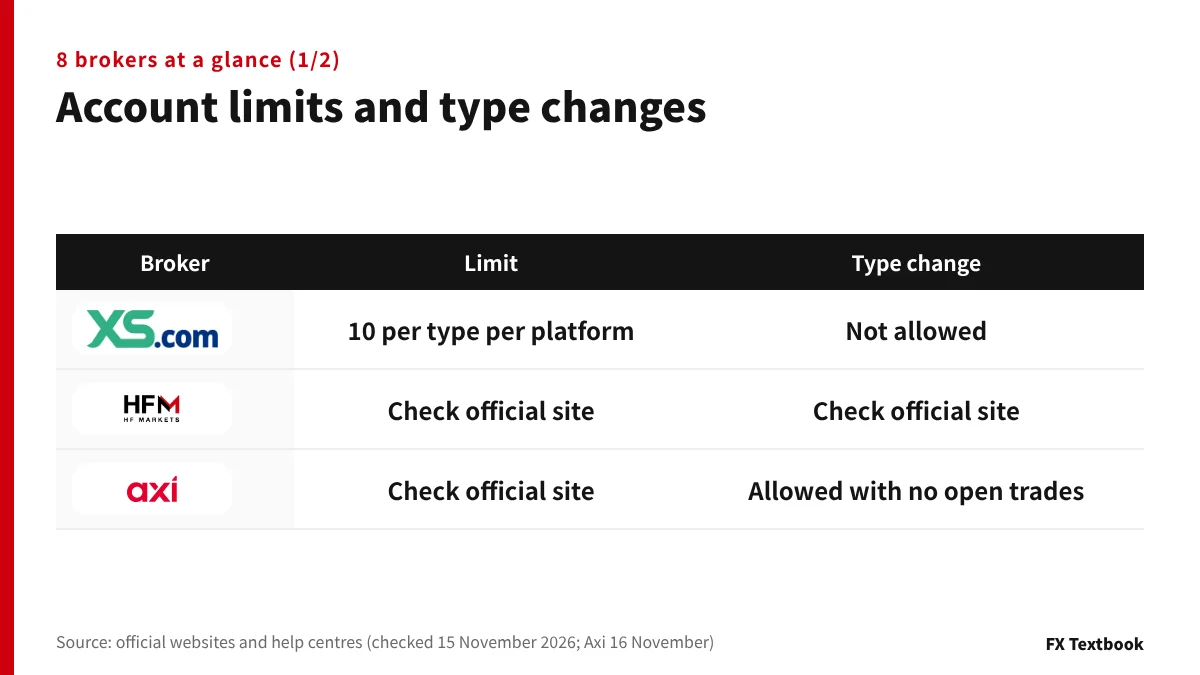
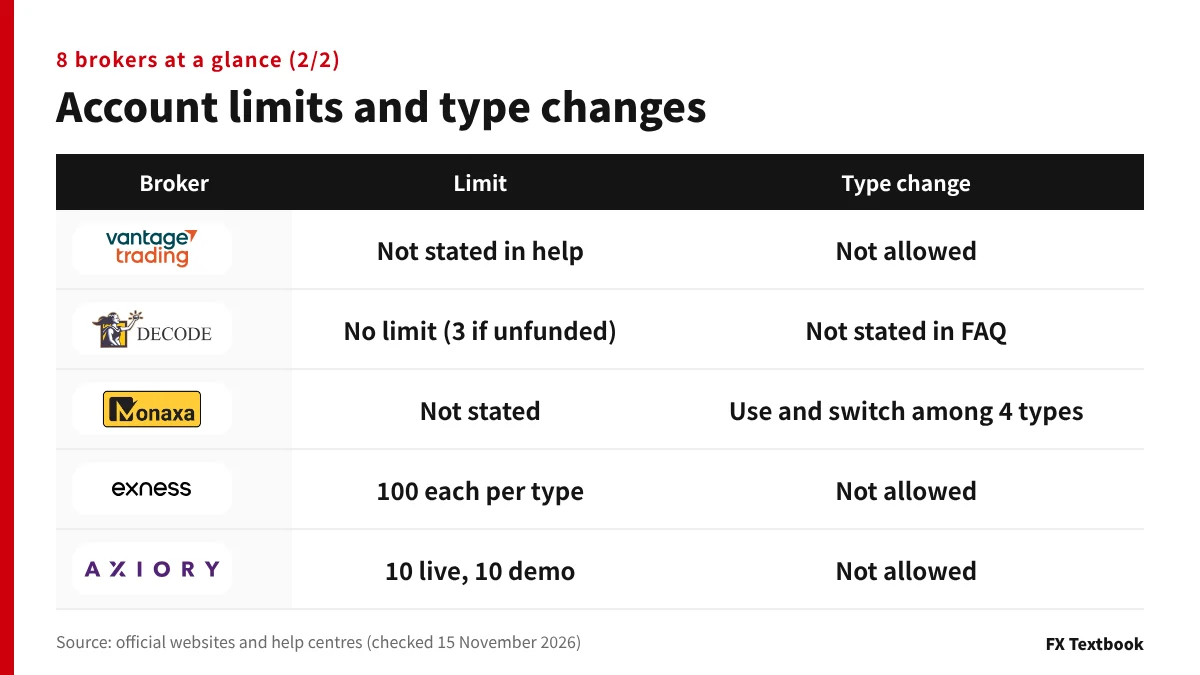
Reading the official pages of our 8 brokers on 15 November 2026, 4 say the account type cannot be changed later. Limits range from 10 at XS to 100 at Exness.
By the end you will know where to add an account at each broker and which account receives a bonus.
In short: check the limit, type changes and the bonus account
- XS, Vantage, Exness and AXIORY state that an account type cannot be changed later
- Axi accepts a switch between Standard and Premium, but not while trades are open
- Limits are counted per type or per person. XS allows 10, Exness 100
- Bonuses go to set accounts. XS, HFM and Monaxa use dedicated account types
We read the official pages and help centres of the 8 brokers we list on 15 November 2026. Where no limit or rule is published, the table tells you to check on the broker's own screens.
The order follows this site's broker list, not a ranking. Where the official pages say nothing, the table says so.
Additional accounts at 8 brokers: where to open them and the limits
At every broker here, you add an account from the member area you already have. There is no need to register again with a new email address.
| Broker | Where to open it (official wording) | Limit |
|---|---|---|
| XS | Client area. Manage under Accounts, then Account Overview | 10 per account type, per platform |
| HFM | myHF (client area) | Check the official site |
| Axi | Client portal: Add new account | Check the official site |
| Vantage | Client portal: Trading accounts tab, then + Open account | Not stated in the help centre |
| DecodeFX | The FAQ does not name the screen | No limit; up to 3 while unfunded |
| Monaxa | One verification covers all 4 types (account types page) | Not stated |
| Exness | Personal Area: My accounts, then Open new account | 100 per account type |
| AXIORY | Portal: Open an account | 10 live, 10 demo |
Vantage's help centre says one email address can hold several trading accounts. Transfers between accounts in the same currency carry no fee.
How to choose an account type: spreads, fees and minimum deposits
How many accounts can you open? Each broker counts differently
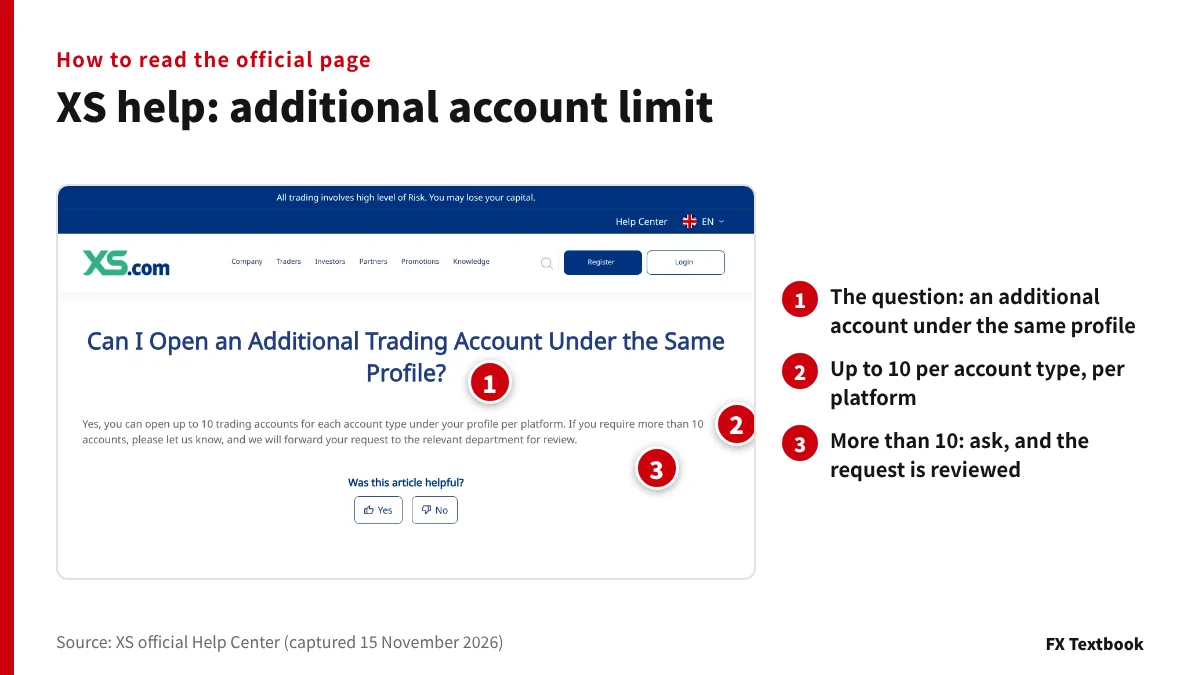
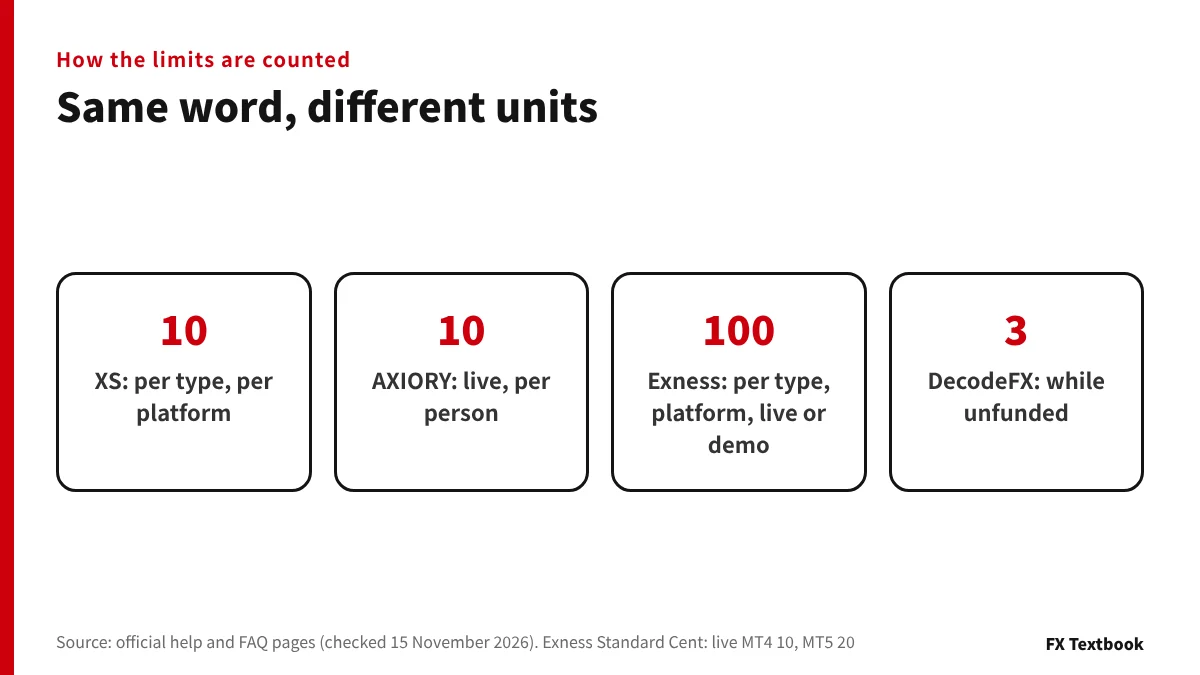
A limit of 10 means different things depending on what it counts. At XS it is 10 per account type, for each platform.
- XS: 10 per type per platform. If you want more, contact XS and the request is reviewed
- AXIORY: 10 live accounts per person, more reviewed per request, and 10 demo accounts in total
- AXIORY: only one wallet account can be added
- Exness: per type, 100 each for MT4 live, MT4 demo, MT5 live and MT5 demo
- Exness: Standard Cent allows 10 live MT4 and 20 live MT5 accounts
- DecodeFX: no limit on live accounts, but 3 before any deposit
Exness puts the total of active trading accounts in one Personal Area at 1,630. It says the limits reduce load on its trading servers.
Can you change the account type? Who says no, and the exceptions
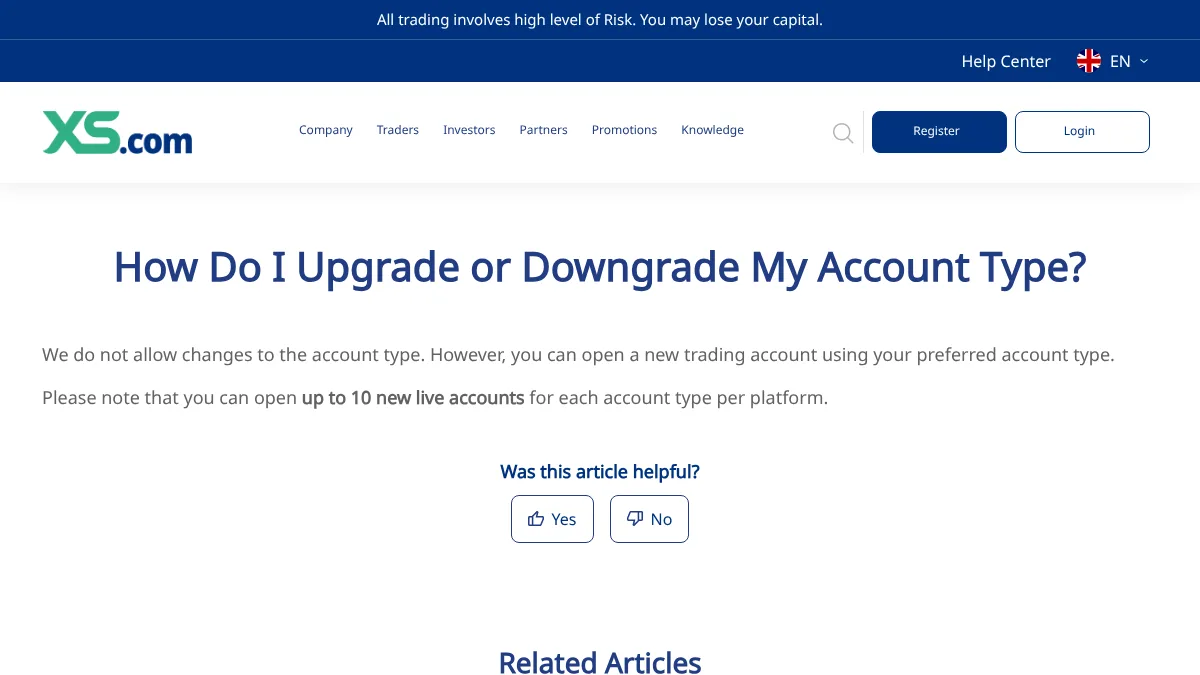
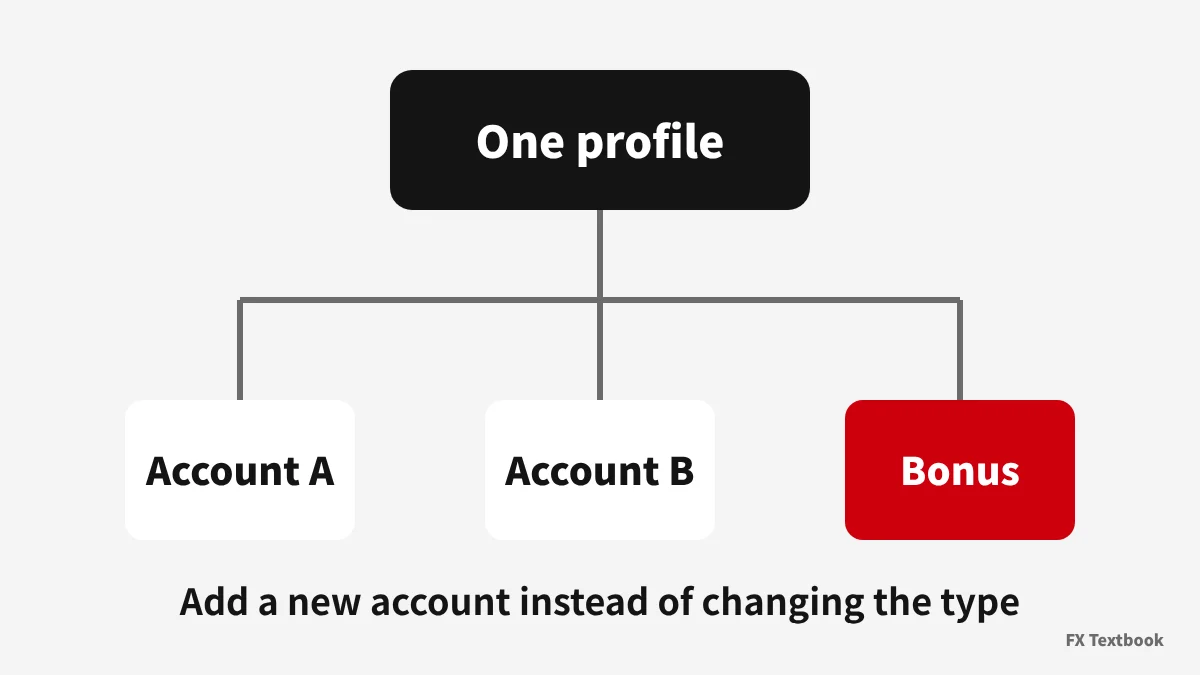
At most brokers, a new type means adding an account rather than converting the old one.
| Broker | Type change | What the broker says |
|---|---|---|
| XS | No | Open a new account in the type you want. Base currency cannot change either |
| Vantage | No | Type, currency and platform are fixed after opening |
| Exness | No | Account type and trading server cannot be changed |
| AXIORY | No | Apply for an additional account in the type you want |
| Axi | Yes, with a condition | Switch between Standard and Premium by contacting Axi, with no open trades; a sub-account of the other type can also be requested |
| Monaxa | Switch among 4 | Says one verification lets you use Standard, Pro, Zero and Cent and switch at any time |
| HFM | Check | Check in myHF |
| DecodeFX | Not stated | The FAQ does not cover it |
Vantage does not let you change the account currency or switch between MT4 and MT5 later. To hold both JPY and USD, open one account per currency.
How to add an account: the screens at each broker
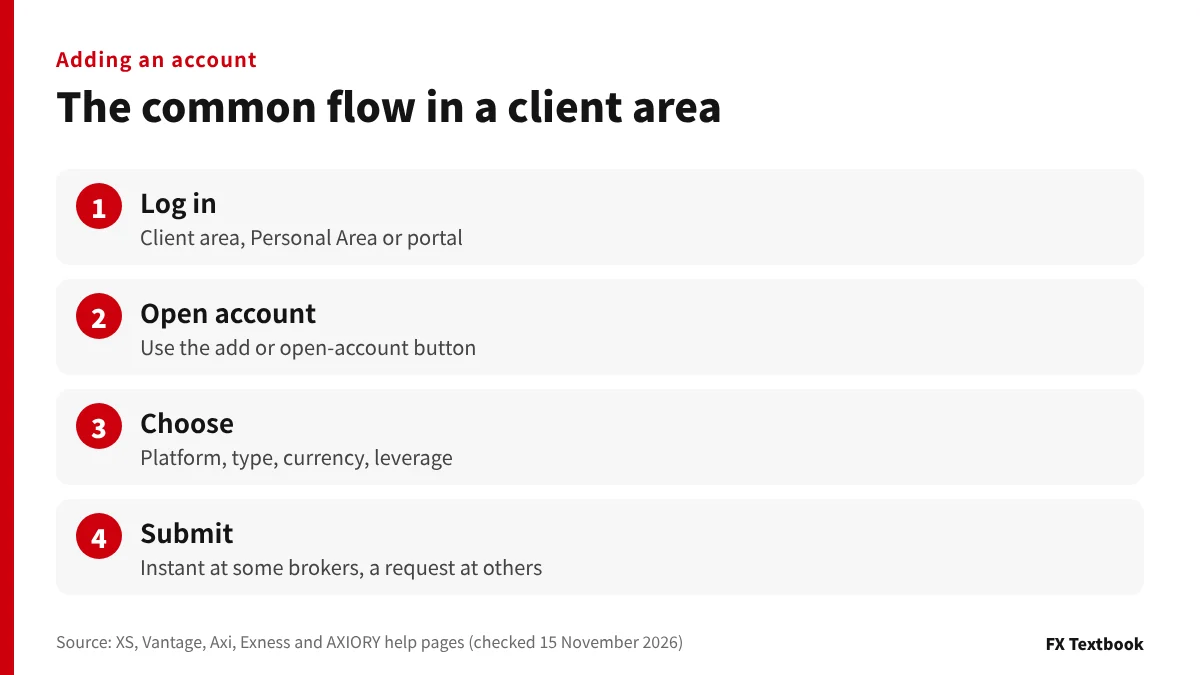
The flow is much the same everywhere. Log in to the member area, press the add button, then choose the platform, account type and currency.
- 01AXIORY: log in to the portal
Next to Your accounts, press Open an account.
- 02AXIORY: pick the account, change if needed
Switch the platform and type with the Change button.
- 03AXIORY: confirm it is open
The FAQ says that, if all is in order, the account opens at once without waiting for approval.
- Vantage: Trading accounts tab, + Open account, platform, type, currency, Submit
- Exness: Personal Area, My accounts, Open new account, then type, currency, leverage
- Axi: portal, Add new account, type, currency, leverage, Request new account
- XS: open from the client area and manage under Accounts, Account Overview
At Axi the account is a request, so it may not be ready at once. Exness says it charges nothing for a new trading account.
Can an additional account receive a bonus? Dedicated and excluded accounts
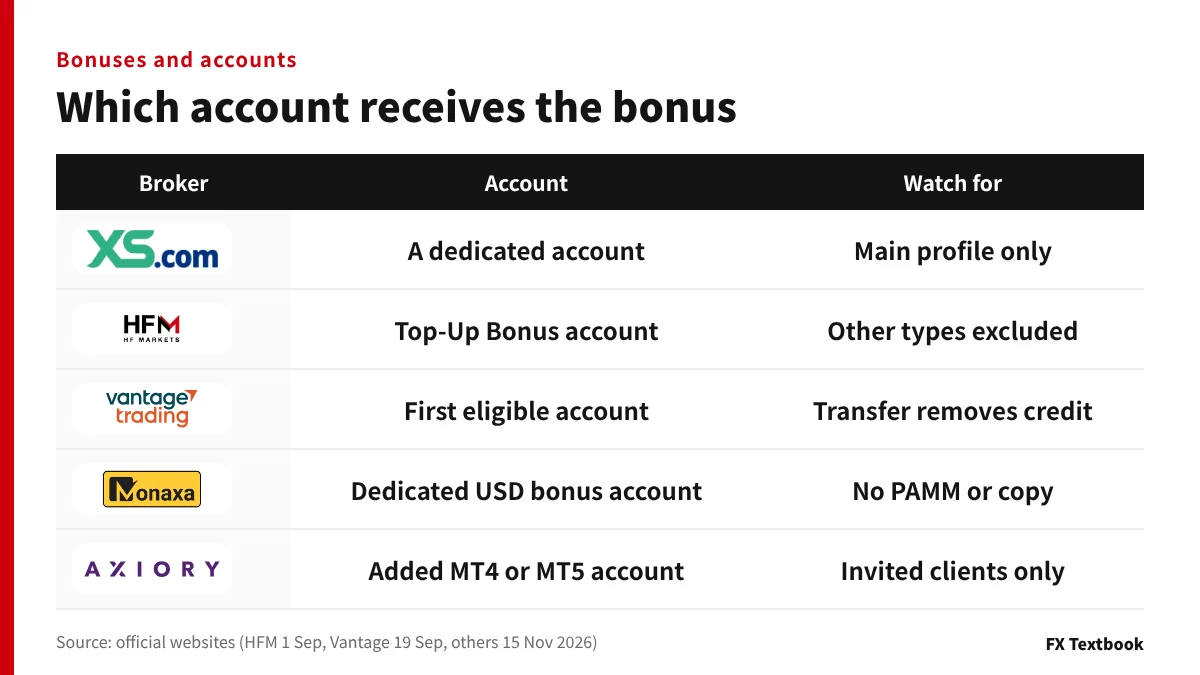
Each broker decides which account takes the bonus. XS and Monaxa use a dedicated account; Vantage pays its registration bonus on the first eligible account.
| Broker | Account that gets the bonus | What it means for extra accounts |
|---|---|---|
| XS | Welcome bonus: the Welcome 5000 account. First deposit bonus: its own dedicated account | Main profile only; sub-accounts are excluded |
| HFM | Top-Up Bonus account (MT4, MT5) | Not paid on other types; existing clients add this account |
| Vantage | Registration bonus: the first eligible account opened | Not paid on accounts added later |
| Monaxa | Deposit bonuses: usually a dedicated USD MT4/MT5 bonus account | PAMM and copy trading accounts excluded |
| AXIORY | 15th anniversary package: an added MT4 or MT5 live account | Invited clients only; the account must be empty with no positions |
XS's first deposit bonus account can be opened only after the Welcome 5000 credit has been converted to balance or has expired. The order matters.
XS says moving money out of the Welcome 5000 account sets the credit to zero. Vantage says a transfer from an account holding credit requires removing all of it.
AXIORY's package cannot be received on Alpha or cTrader accounts, and must be claimed within 14 days of the invitation email.
What to check before adding an account
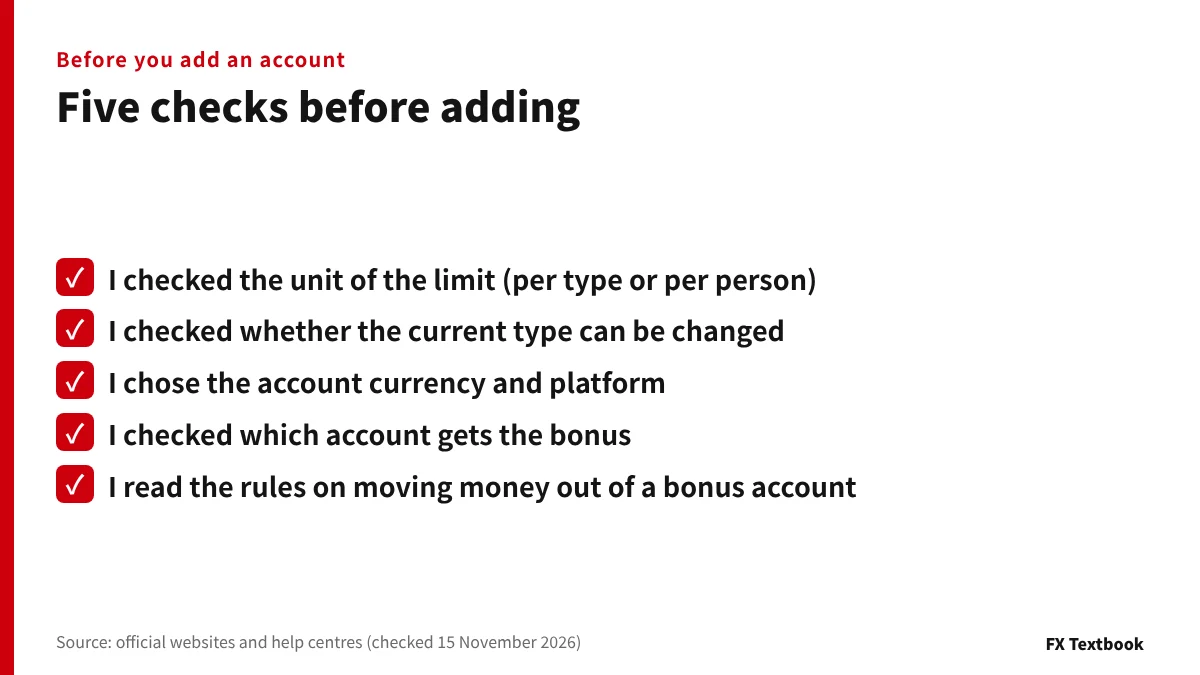
- Check the unit of the limit (per type at XS, per person at AXIORY)
- If you want a new type, first check whether a change is allowed (Axi: Standard and Premium, with no open trades)
- Settle the currency and MT4 or MT5 first (Vantage cannot change them later)
- For a bonus, read which account gets it and the rules on moving money
Users registered with Exness Limited Jordan can hold at most 5 live accounts in total. The limit can change with the entity you are registered with.
Splitting money across accounts does not change trading risk. With leverage, FX and CFD positions can move against you sharply and you can lose the money you deposit.
To try another type at a broker that does not allow changes, open it as an extra account. If the bonus is the aim, read first whether a dedicated account is used and what moving money does. If you need many accounts, check whether the limit is per type or per person.
Frequently asked questions
Q. How many additional forex accounts can I open?
A. It depends on the broker and how it counts. XS allows 10 per type per platform, AXIORY 10 live accounts per person, and Exness 100 each per type for MT4 and MT5, live and demo. DecodeFX sets no limit, but only 3 before any deposit.
Q. Can I change my account type later?
A. XS, Vantage, Exness and AXIORY say no; you open an extra account in the type you want. Axi switches between Standard and Premium on request when no trades are open. Monaxa says one verification lets you switch among Standard, Pro, Zero and Cent.
Q. Do I have to verify my identity again for an extra account?
A. Extra accounts are opened from the member area you already have. Monaxa says one verification covers its 4 account types, and AXIORY says the account opens at once if all is in order.
Q. Can an additional account receive a bonus?
A. Each broker fixes the account. HFM's 20% bonus is paid only on the Top-Up Bonus account, Vantage's registration bonus on the first eligible account, and XS creates a dedicated account for each bonus.
Q. Does opening an additional account cost anything?
A. Exness says it charges nothing for a new trading account. Vantage says transfers between accounts in the same currency are free. For the others, check each broker's official pages.
Q. What if I want a different account currency?
A. XS and Vantage say the account currency cannot be changed later. To use another currency, open a new account in it.
Sources and conditions
- XS Help Center: additional account under the same profile (checked 15 November 2026) →
- XS Help Center: upgrading or downgrading the account type (checked 15 November 2026) →
- XS Help Center: changing account type or base currency (checked 15 November 2026) →
- XS: Welcome Bonus (checked 15 November 2026) →
- XS: First Deposit Bonus (checked 15 November 2026) →
- Axi Help Center: adding a new account (checked 15 November 2026) →
- Axi Help Center (Japanese): switching between Standard and Premium accounts (checked 16 November 2026) →
- Vantage Help Center: multiple accounts with one email (checked 15 November 2026) →
- Vantage Help Center: managing trading accounts (checked 15 November 2026) →
- Vantage Help Center: why credit cannot be transferred (checked 15 November 2026) →
- Vantage: registration bonus terms (checked 19 September 2026) →
- HFM: bonus offerings (checked 1 September 2026) →
- DecodeFX: account types and FAQ (checked 15 November 2026) →
- Monaxa: account types (checked 15 November 2026) →
- Monaxa: bonus and rewards (checked 15 November 2026) →
- Exness Help Centre: how many trading accounts can I create (checked 15 November 2026) →
- Exness Help Centre: how to create trading accounts (checked 15 November 2026) →
- AXIORY FAQ: opening an account (checked 15 November 2026) →
- AXIORY: 15th anniversary welcome package (checked 15 November 2026) →
FX Textbook is an independent information site, not a broker or provider of personal investment advice. Forex and CFDs involve risk. You may lose some or all of your invested capital. No trading result is guaranteed.
NEXT STEP
Before adding an account, compare the account terms.
Our broker list shows each broker's account types and minimum deposits.
Brokers covered in this column
Account types, trading conditions and current offers are on each broker page.