













Can you actually use XS's 1:2000 leverage on your account, and how far can price move before a stop out? This page answers with numbers.
Your leverage depends on three things: whether the account name carries "EQ" or "LT", your equity, and the time you open the trade. On a USD EQ account, FX majors get 1:2000 up to USD 3,000 of equity, and new trades from 15 minutes before major news are capped at 1:200 (XS official pages, checked 15 November 2026).
By the end you can work out the margin for one lot and the distance to a 20% stop out on your own calculator.
In short: account name, equity and timing set XS leverage
- Accounts with "EQ" in the name use equity-based leverage (MT5 only)
- Accounts with "LT" in the name use lot-based leverage, per instrument
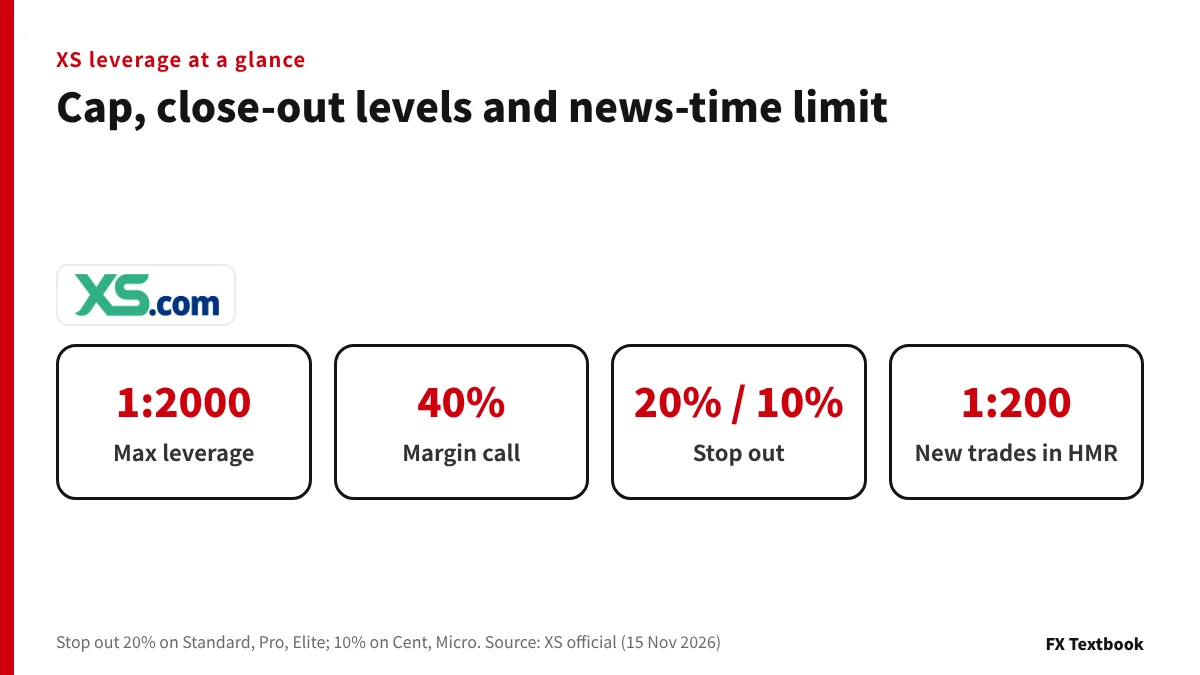
- On a USD EQ account, FX majors get 1:2000 up to USD 3,000 of equity and 1:100 above USD 100,000
- New positions opened during HMR periods (news, weekend open and close, holidays) are capped at 1:200
- Margin call is 40% on every account. Stop out is 20% on Standard, Pro and Elite, and 10% on Cent and Micro
| Driver | Official rule | Where to check |
|---|---|---|
| Account type | EQ = equity-based / LT = lot-based | Account type name in MT5 or the client area |
| Equity (EQ) | FX majors in 6 tiers (1:2000 to 1:100) | Official equity-based page |
| Volume (LT) | Crypto in 6 tiers by net lots (1:500 to 1:5) | Official lot-based page |
| Timing | New positions in HMR periods: max 1:200 | Economic calendar and trading hours |
| Close-out levels | Margin call 40%, stop out 20% / 10% | Each account type page |
FX and CFD trading can lose part or all of the money you deposit. The higher the leverage you use, the smaller the move needed to reach a stop out. The leverage and margin shown on your trading platform take priority over this page.
EQ vs LT accounts: two types of dynamic leverage
XS runs two dynamic leverage models: equity-based and lot-based. The account type name tells you which one you have.
The official examples are "Standard EQ" and "Standard LT". Both are Standard accounts, but the two letters change how leverage is set.
| Item | EQ (equity-based) | LT (lot-based) |
|---|---|---|
| What lowers leverage | Higher account equity | More net lots per instrument |
| Platforms | MT5 only (all account types) | MT4 and MT5 (except Cent and Micro) |
| Unit of calculation | Whole-account equity | Each instrument (symbol) |
| Hedged positions | Not stated on the official page | Partial hedges count as net lots |
| FX majors cap | 1:2000 (up to USD 3,000 of equity) | 1:2000 |
Equity is your balance plus open profit or loss. A floating profit raises equity, so an EQ account can move into the next tier.
Equity-based (EQ) tiers: FX, gold and silver
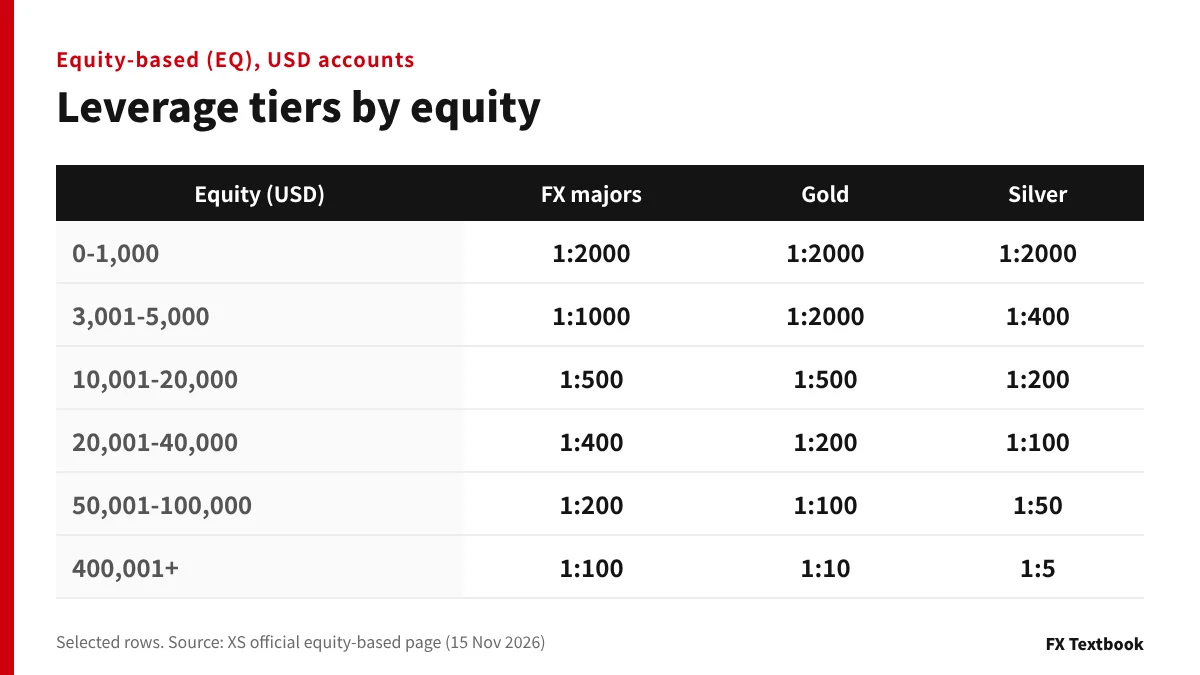
On EQ accounts each instrument group has its own tier table. These are the USD account breakpoints from the English page.
| Equity (USD) | FX majors and minors |
|---|---|
| 0-3,000 | 1:2000 |
| 3,001-6,000 | 1:1000 |
| 6,001-20,000 | 1:500 |
| 20,001-40,000 | 1:400 |
| 40,001-100,000 | 1:200 |
| 100,001+ | 1:100 |
| Equity (USD) | Gold | Silver |
|---|---|---|
| 0-1,000 | 1:2000 | 1:2000 |
| 1,001-3,000 | 1:2000 | 1:1000 |
| 3,001-5,000 | 1:2000 | 1:400 |
| 5,001-10,000 | 1:1000 | 1:400 |
| 10,001-20,000 | 1:500 | 1:200 |
| 20,001-50,000 | 1:200 | 1:100 |
| 50,001-100,000 | 1:100 | 1:50 |
| 100,001-200,000 | 1:50 | 1:20 |
| 200,001-400,000 | 1:25 | 1:10 |
| 400,001+ | 1:10 | 1:5 |
| Group | 0-1,000 | 1,001-5,000 | 100,001+ |
|---|---|---|---|
| FX exotics | 1:200 | 1:200 | 1:100 |
| Crude oil (USOIL, UKOIL) | 1:500 | 1:200 | 1:20 |
| Indices | 1:500 | 1:200 | 1:20 |
| BTC and ETH | 1:200 | 1:100 | 1:25 |
| Platinum and palladium | 1:50 | 1:50 | 1:20 |
※ The middle tiers (USD 5,001 to 100,000) are listed in six columns on the official page. NGAS is fixed at 1:20, crypto other than BTC and ETH at 1:10 and shares at 1:5, whatever the equity.
Margin by equity level: a worked example
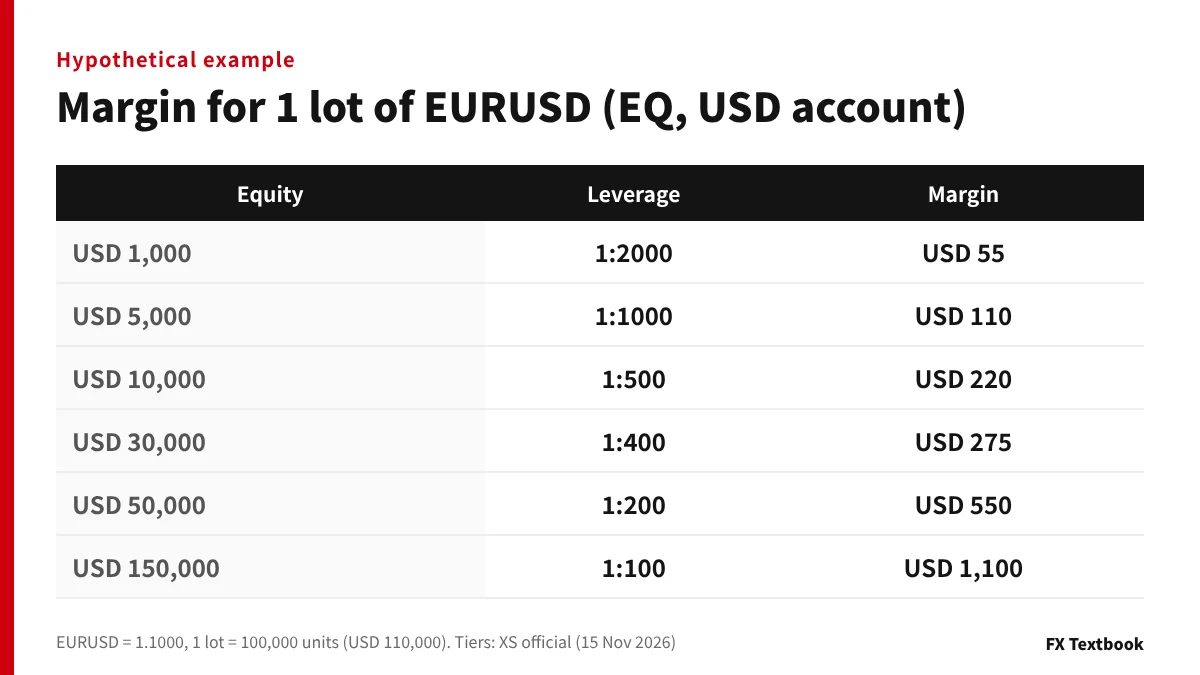
Margin = lots x contract size x price / leverage. This is the same formula XS uses in the worked examples on its lot-based page.
Take a Standard EQ account in USD buying one lot (100,000 units) of EURUSD. Assume a price of 1.1000, so the trade is worth USD 110,000.
| Equity | Leverage | Margin for 1 lot |
|---|---|---|
| USD 1,000 | 1:2000 | USD 55 |
| USD 5,000 | 1:1000 | USD 110 |
| USD 10,000 | 1:500 | USD 220 |
| USD 30,000 | 1:400 | USD 275 |
| USD 50,000 | 1:200 | USD 550 |
| USD 150,000 | 1:100 | USD 1,100 |
When equity grows from USD 1,000 to USD 5,000, the margin for the same lot doubles from USD 55 to USD 110. That tier step is why a bigger balance does not always let you open more.
- 110,000 / 2000 = 55
- 110,000 / 1000 = 110
- 110,000 / 200 = 550
Lot-based (LT) caps and crypto tiers
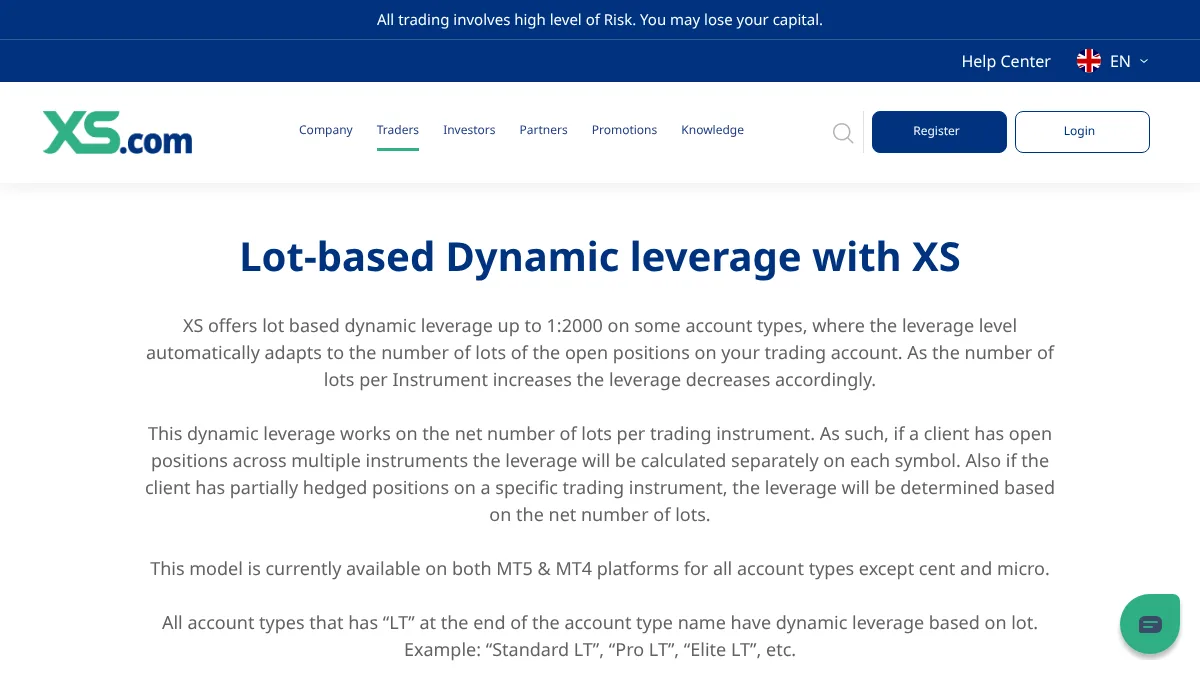
On LT accounts each asset class has a cap. As your lots in one instrument grow, its leverage steps down.
| Asset class | Maximum leverage |
|---|---|
| FX majors, gold | 1:2000 |
| FX minors, crude oil, major indices, BTC and ETH | 1:500 |
| FX exotics, silver | 1:200 |
| Platinum and palladium, minor indices | 1:100 |
| CNA50, HK50, USDXY | 1:50 |
| Other crypto | 1:20 |
| NGAS | 1:10 |
| Net lots | Margin rate | Leverage |
|---|---|---|
| 0-2 | 0.2% | 1:500 |
| 2-10 | 0.5% | 1:200 |
| 10-20 | 2% | 1:50 |
| 20-30 | 4% | 1:25 |
| 30-40 | 10% | 1:10 |
| 40+ | 20% | 1:5 |
Only the lots above each breakpoint get the lower leverage. In the official example, 15 lots of BTCUSD at USD 40,000 need USD 160 for 2 lots, USD 1,600 for 8 lots and USD 4,000 for 5 lots: USD 5,760 in total.
HMR periods: news, weekend and holiday limits
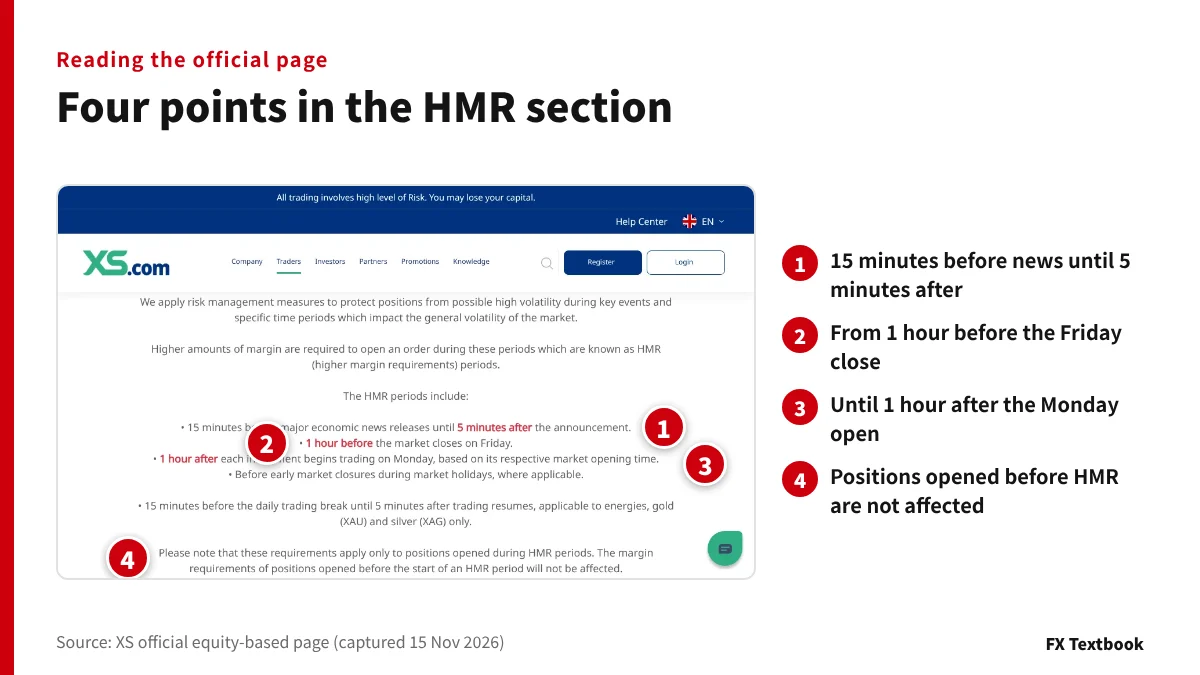
HMR stands for higher margin requirements. New positions opened at volatile times automatically get lower leverage.
- From 15 minutes before major economic news until 5 minutes after
- From 1 hour before the Friday market close
- Until 1 hour after each instrument opens on Monday
- Before early closes on market holidays
- From 15 minutes before a daily trading break to 5 minutes after it ends (energies, gold and silver only)
| Equity (USD) | FX majors | Gold | Silver |
|---|---|---|---|
| 0-40,000 | 1:200 | 1:200 | 1:50 |
| 40,001-60,000 | 1:200 | 1:200 | 1:50 |
| 60,001-100,000 | 1:200 | 1:100 | 1:30 |
| 100,001+ | 1:100 | 1:50 | 1:20 |
※ On LT accounts the HMR caps are 1:200 for FX majors and gold, 1:100 for FX minors and major indices, 1:50 for crude oil and silver, and 1:10 for BTC and ETH.
Example: with USD 1,000 of equity you open one lot of EURUSD 10 minutes before a release. Leverage drops to 1:200, so margin is USD 550 instead of USD 55. Your margin level right after opening is about 182%.
Positions opened before an HMR period are not affected. When the period ends, margin on trades opened during it is recalculated on the normal tiers.
The official page warns that closing one side of a hedge during an HMR period may fail if free margin cannot cover the leg that remains.
Margin call and stop out levels by account type
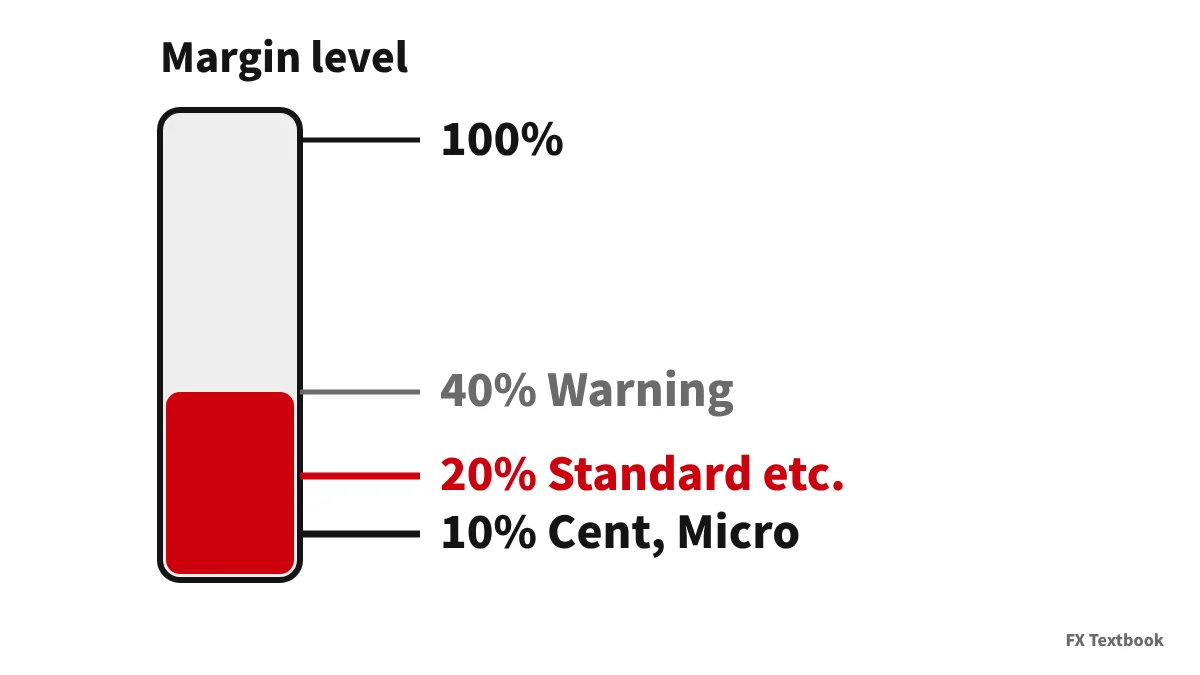
Margin level = equity / margin x 100. The XS Ltd Client Services Agreement defines it with the same formula.
| Account | Max leverage | Margin call | Stop out |
|---|---|---|---|
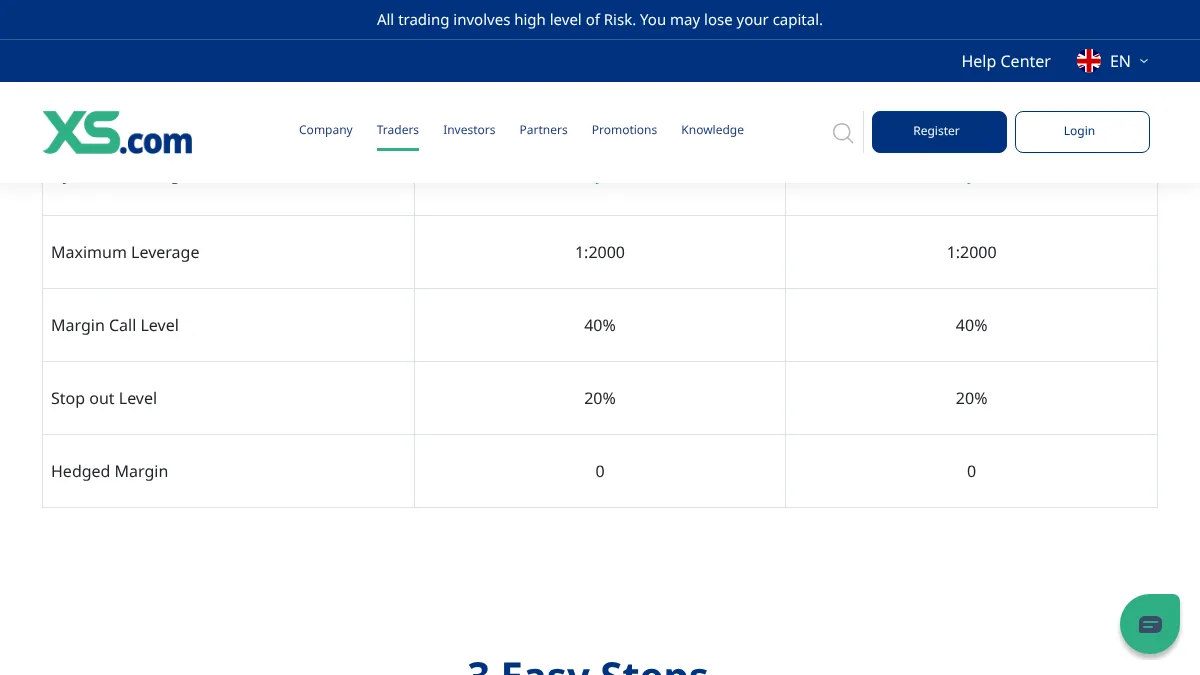
| Standard | 1:2000 | 40% | 20% |
| Pro | 1:2000 | 40% | 20% |
| Elite | 1:2000 | 40% | 20% |
| Cent | 1:2000 | 40% | 10% |
| Micro | 1:2000 | 40% | 10% |
※ Micro is listed as "Micro 1,000 USD" with a minimum of 0.1 lot; Cent as "Standard Cent (100,000) USC". Cent and Micro have no demo account.
A margin call is only a warning and your positions stay open. At the stop out level, open positions are closed automatically.
On negative balances, clause 5.1 of the agreement says clients will not have to cover losses beyond the capital invested. Clause 31 lets XS disapply this for abusive strategies, such as removing hedges just before major news.
Distance to a 20% stop out: hypothetical numbers
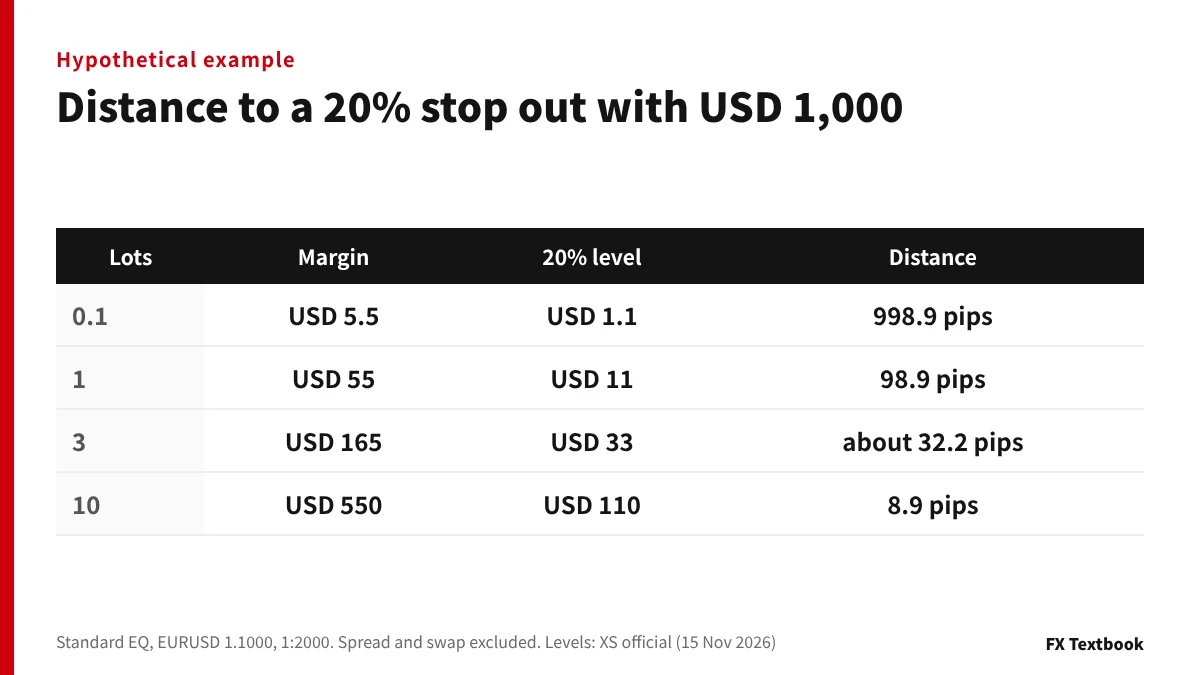
A Standard EQ account with USD 1,000 of equity buys EURUSD at 1.1000. One lot gains or loses USD 10 per pip (0.0001).
| Lots | Margin | 20% level | Distance |
|---|---|---|---|
| 0.1 | USD 5.5 | USD 1.1 | 998.9 pips |
| 1 | USD 55 | USD 11 | 98.9 pips |
| 3 | USD 165 | USD 33 | about 32.2 pips |
| 10 | USD 550 | USD 110 | 8.9 pips |
- 01Find the stop out amount
Margin x 20%. For one lot, USD 55 x 0.2 = USD 11.
- 02Find the loss you can absorb
Subtract it from equity: USD 1,000 - USD 11 = USD 989.
- 03Convert to pips
Divide by the value of one pip: USD 989 / USD 10 = 98.9 pips.
The 40% margin call on one lot sits at USD 22. That is a USD 978 loss, or 97.8 pips, leaving 1.1 pips before the stop out.
On Micro, 10 lots (10,000 units) with USD 100 of equity can absorb 99.45 pips. A 0.1-lot Standard trade with the same equity absorbs 98.9 pips. The 10% vs 20% gap is 0.55 pips; position size against equity matters far more.
How to check on the official pages, and our conclusion
- 01Read the account name
In the client area or MT5 account list, check for EQ or LT.
- 02Find your tier
For EQ use your equity; for LT use your lots per instrument. Pick the matching column on the official table.
- 03Check news times
Look up release times in an economic calendar and assume 1:200 for new trades from 15 minutes before to 5 minutes after.
- 04Check the levels
Confirm margin call 40% and stop out 20% or 10% on your account type page.
If you want to keep high leverage on a small balance, a USD EQ account keeps FX majors at 1:2000 up to USD 3,000. If you plan to deposit a lot, work out first that FX majors fall to 1:100 above USD 100,000. If you open trades around news, size them assuming margin ten times higher (1:2000 to 1:200).
Frequently asked questions
Q. What is the maximum leverage at XS?
A. 1:2000. On a USD EQ account, FX majors keep 1:2000 up to USD 3,000 of equity and gold up to USD 5,000. Leverage then steps down as equity or volume grows (official pages, checked 15 November 2026).
Q. What is the XS stop out level?
A. 20% on Standard, Pro and Elite, and 10% on Cent and Micro. The margin call is 40% on every account. When your margin level reaches the stop out, open positions are closed automatically.
Q. How do I know if my account is EQ or LT?
A. Check the account type name. An account ending in EQ, such as Standard EQ, uses equity-based leverage; one ending in LT uses lot-based leverage. EQ is offered on MT5 only.
Q. When are XS HMR periods?
A. From 15 minutes before major economic news to 5 minutes after, from 1 hour before the Friday close, until 1 hour after the Monday open, and a few others. New positions opened then are capped at 1:200. Existing positions are not affected.
Q. Why does leverage drop as my equity grows?
A. Because the equity-based model lowers the cap as equity rises. On a USD account, FX majors move to 1:1000 above USD 3,000 and to 1:500 above USD 6,000. Floating profit counts toward equity too.
Q. Can my XS balance go negative and leave me owing money?
A. Clause 5.1 of the XS Ltd Client Services Agreement says clients will not have to cover losses beyond the capital invested. Clause 31 allows XS to disapply this for abusive strategies, such as removing hedges just before major news.
Q. How do I calculate how many pips I can lose before a stop out?
A. Multiply your margin by the stop out level and subtract that from equity. Divide the result by the value of one pip. With USD 1,000 of equity and one lot of EURUSD, it is 98.9 pips (hypothetical).
Sources and conditions
- XS official: Equity-based dynamic leverage (checked 15 November 2026) →
- XS official: Lot-based dynamic leverage (checked 15 November 2026) →
- XS official: Standard account (checked 15 November 2026) →
- XS official: Pro account (checked 15 November 2026) →
- XS official: Cent account (checked 15 November 2026) →
- XS official: Micro account (checked 15 November 2026) →
- XS Ltd Client Services Agreement (checked 15 November 2026) →
- Advertising, affiliate relationships and risk disclosure →
FX Textbook is an independent information site, not a broker or provider of personal investment advice. Forex and CFDs involve risk. You may lose some or all of your invested capital. No trading result is guaranteed.
NEXT STEP
Checked the tiers and levels? Next, choose an XS account type.
Spreads, commissions, minimum deposits, current offers and the sign-up steps are on the broker page.
Brokers covered in this column
Account types, trading conditions and current offers are on each broker page.