
Your crypto sits on an overseas exchange and you want it back in yen in a bank account, but the withdrawal screen asks for things you have not prepared.
The route has three stages: send to a registered exchange in Japan, sell it for yen there, and withdraw to your bank. We checked the official help pages of MEXC, BingX, Bitunix and BYDFi on 17 November 2026.
By the end you will know what to prepare, the withdrawal limits, USDT fees and the amount that arrives, where to look when a transfer is late, and how the sale is taxed.
Conclusion: send to a registered exchange in Japan and sell there
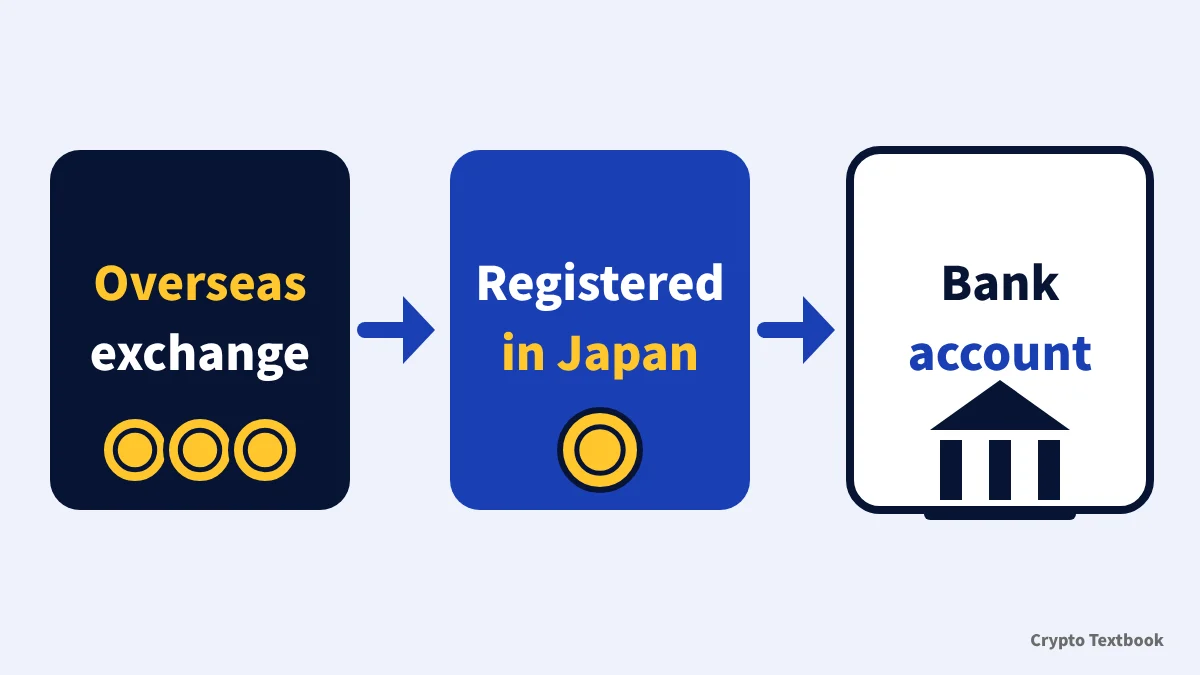
- Route: overseas exchange, then a registered exchange in Japan, sell, then bank withdrawal
- Withdrawal screen: the four guides describe on-chain withdrawals to an address and network you enter
- First step: open an account in Japan and check the deposit address
- Cost: sending USDT over TRC20 costs 1 to 1.5 USDT across the four exchanges (checked 17 November 2026)
- Tax: profit from selling for yen is, in principle, miscellaneous income
Some exchanges also have separate fiat features such as P2P. MEXC lists P2P under fiat trading in its KYC FAQ. This guide covers only the route of sending crypto to Japan.
Our guide to starting on an overseas exchange covers the whole path from sign-up to withdrawal, and the deposit guide covers network choice. This guide covers only withdrawing and converting to yen.
How to start on an overseas exchange: six steps from sign-up to withdrawal
Deposit and transfer basics: choosing the network
Prices keep moving while you transfer and sell. This guide explains procedures and does not recommend trading.
Five steps from withdrawal to bank deposit
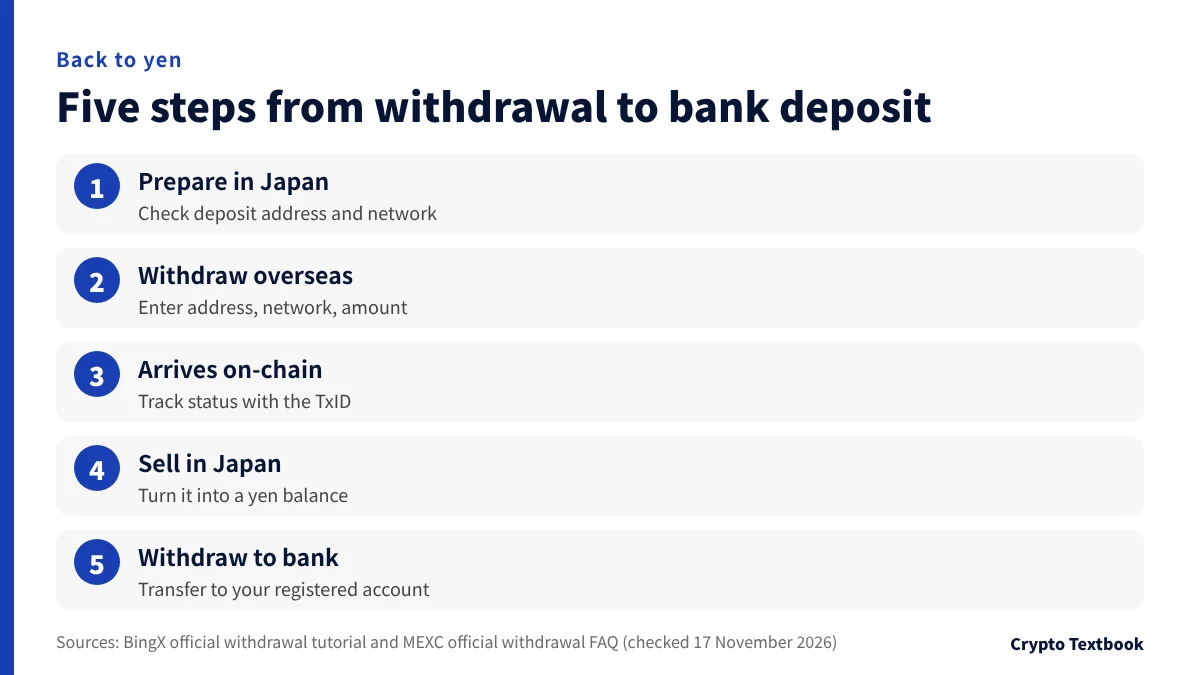
Only the second of the five steps happens on the overseas exchange screen. The other four run on the registered exchange in Japan and on the blockchain.
| Step | Where | What to do |
|---|---|---|
| 1 | Registered exchange in Japan | Check the deposit address and network |
| 2 | Overseas exchange | Enter address, network and amount, then authenticate |
| 3 | Blockchain | Wait for confirmation. BingX says arrival takes about 10 to 120 minutes |
| 4 | Registered exchange in Japan | Confirm arrival and sell for yen |
| 5 | Registered exchange in Japan | Withdraw yen to your registered bank account |
※ Selling fees and bank withdrawal times differ by exchange in Japan. Check them in that exchange's own guide before you send.
Step 1: prepare the receiving side in Japan first
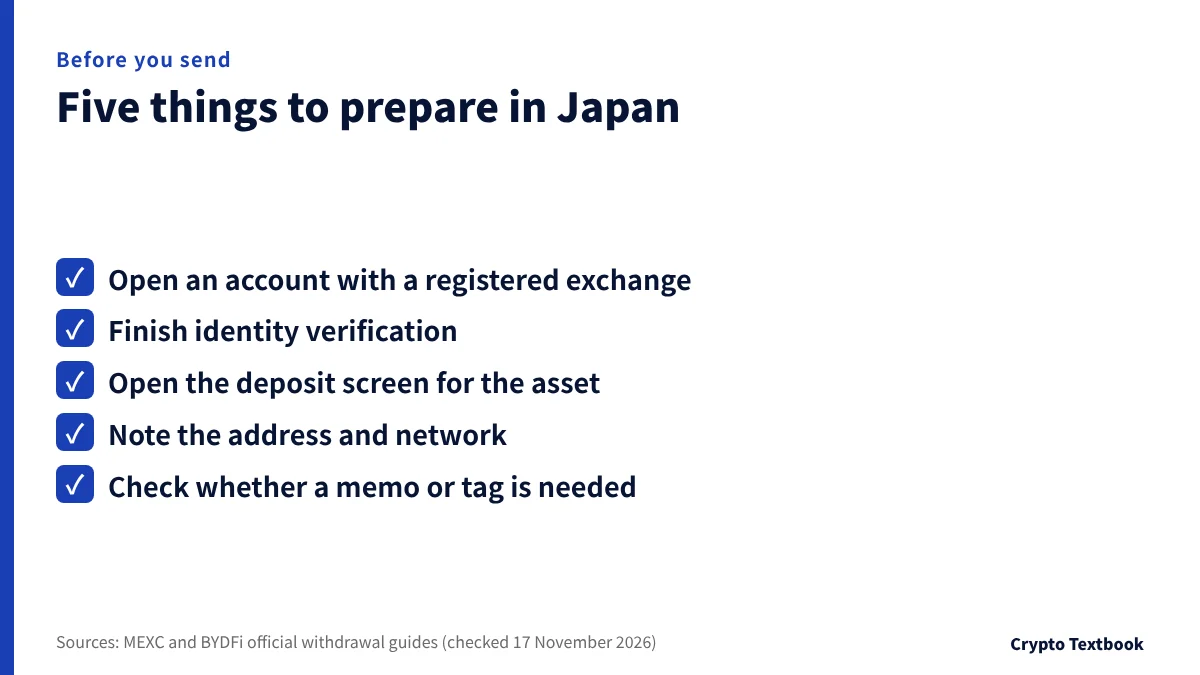
A business that exchanges crypto assets for fiat currency in Japan must be registered as a crypto asset exchange service provider. The Financial Services Agency publishes a list of registered providers.
Decide the destination on the Japan side first. The overseas withdrawal screen must be filled in to match the receiving network.
- Asset: decide which asset to sell, such as USDT or BTC
- Network: pick from the options shown on the deposit screen
- Address: copy and paste it, then compare it character by character
- Memo or tag: note the value shown on the deposit screen, only for assets that need one
The travel rule, a duty to notify on crypto transfers, took effect in Japan on 1 June 2023. An exchange may add a check stage during withdrawal (see the MEXC status table in Step 2).
Travel rule and send-to lists when sending from Japan to overseas
Step 2: send from the overseas exchange and authenticate
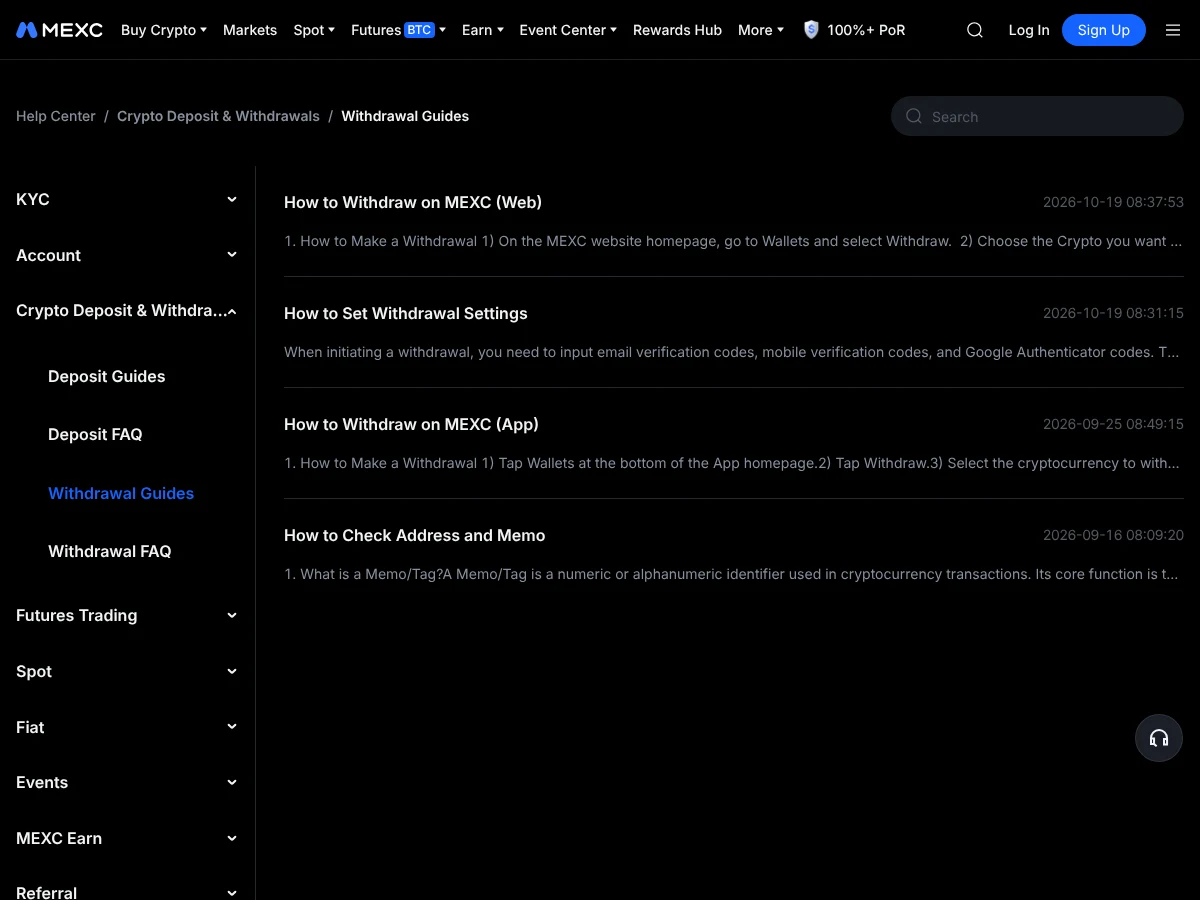
The withdrawal guides of MEXC, BingX, Bitunix and BYDFi ask for the same four items: the asset, the withdrawal address, the network and the amount.
- 01Open Wallets, then Withdraw
These are the MEXC web steps. On the app, go to Assets, Withdraw, then On-chain withdrawal.
- 02Enter asset, address, network and amount
Check everything, then press Submit.
- 03Enter the email and Google Authenticator codes
Depending on your settings, an SMS confirmation link is also used.
- 04Wait for processing
Follow the status in your withdrawal history.
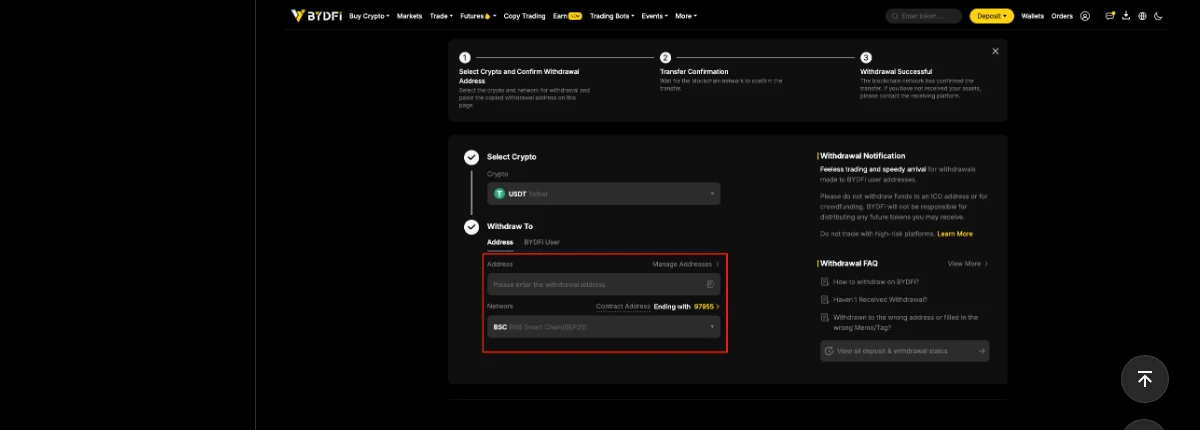
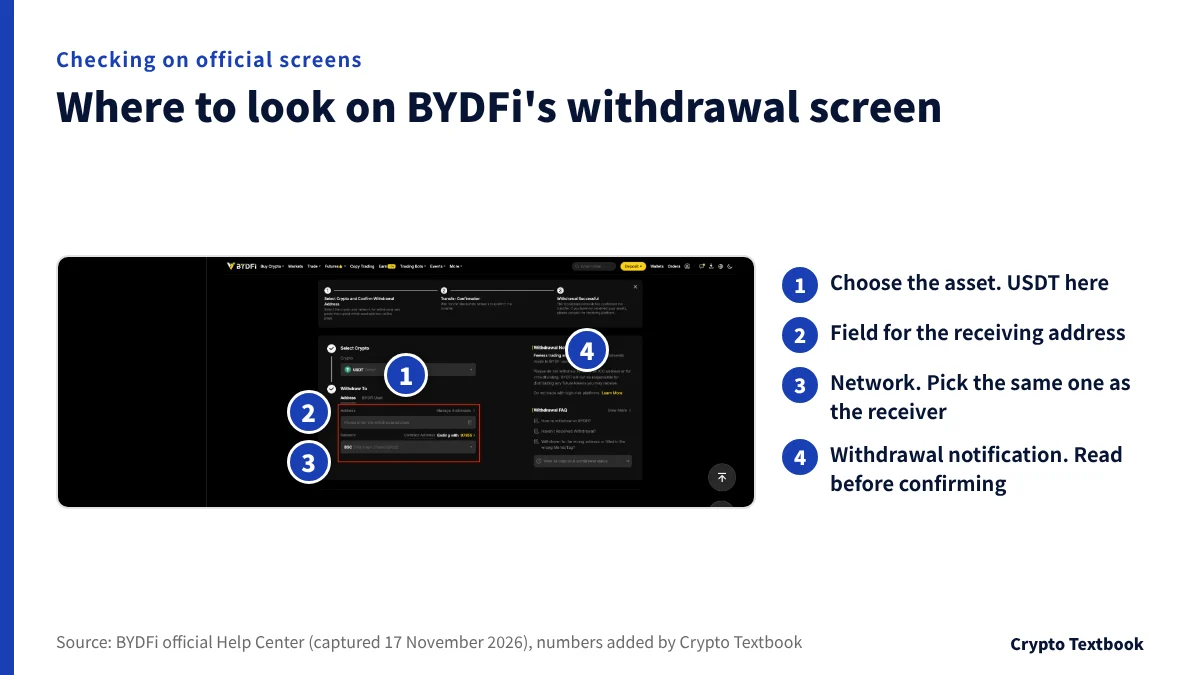
BYDFi works the same way. Choose the asset, enter the address and network, and press Submit.
Withdrawal statuses and timing (MEXC example)
| Status | Meaning and timing |
|---|---|
| Travel Rule information check | Usually 1 to 3 minutes |
| Awaiting verification | Open the link sent by email or SMS and confirm the last 4 characters of the address. The link expires in 15 minutes |
| Under review | About 5 to 60 minutes |
| Blockchain confirming | Already sent. Waiting for confirmation |
| Withdrawal successful | MEXC has sent the assets. If they have not arrived, check with the receiving platform |
※ A TxID (transaction ID) is generally issued within 1 to 60 minutes of the request. If none appears after an hour, contact customer service.
Withdrawal limits and security settings depend on KYC
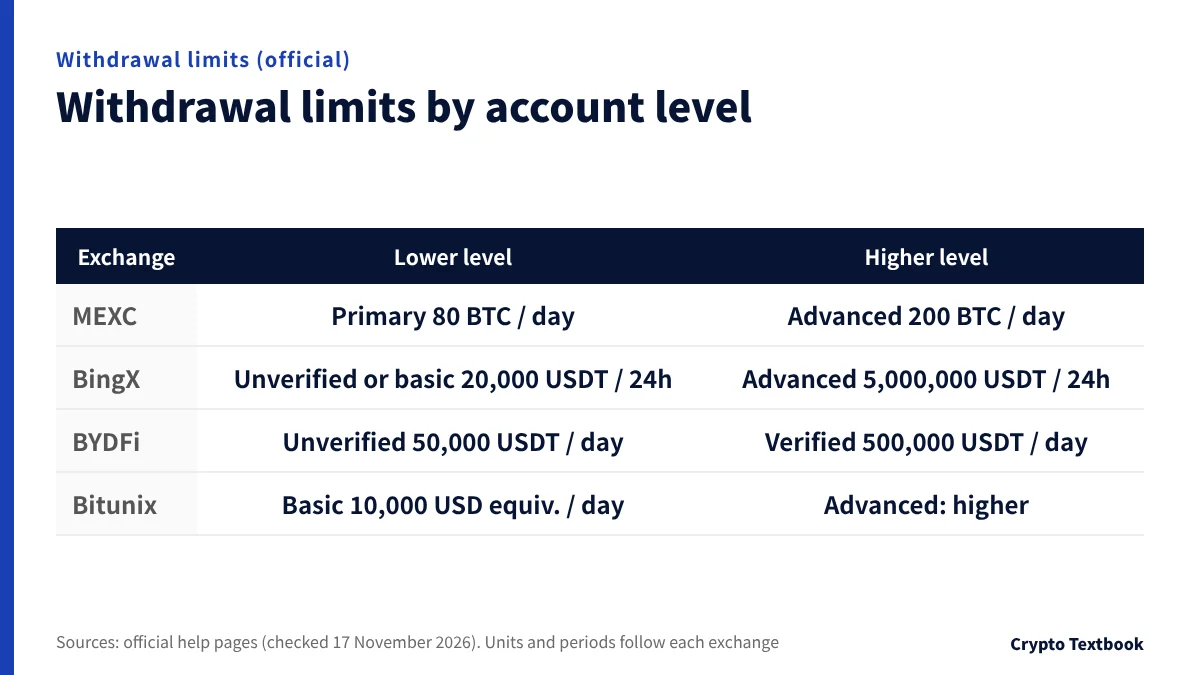
How much you can withdraw depends on your verification level. If you plan to move a large amount, check the limit first.
| Exchange | Lower level | Higher level |
|---|---|---|
| MEXC | Primary KYC: 80 BTC per day | Advanced KYC: 200 BTC per day |
| BingX | Unverified or basic: 20,000 USDT per 24 hours | Advanced: 5,000,000 USDT per 24 hours |
| BYDFi | Not verified: 50,000 USDT per day | Verified: 500,000 USDT per day |
| Bitunix | Basic: equivalent to 10,000 USD per day | Advanced: higher (check your account page) |
※ Units and periods follow each exchange's wording. BYDFi's limit also changes with VIP level. Bitunix's levels depend on how many security verifications are enabled, and completing KYC raises the limit further (official FAQ).
Whitelist and instant withdrawal
- MEXC withdrawal whitelist: once on, you can withdraw only to registered addresses
- MEXC security restriction (a whitelist option): when enabled, withdrawals to a newly added address wait 24 hours
- MEXC instant withdrawal: below the amount you set (the example is 500 USDT) there is no 2FA. A change to the limit takes effect after 24 hours
- BYDFi quick withdrawal: the example is below 500 USDT with no 2FA. With the whitelist on, withdrawals go only to registered addresses
Register the Japan-side address before the day you move a large amount. With MEXC's waiting setting, same-day registration may be too late.
Withdrawal fees and the amount that arrives, with USDT
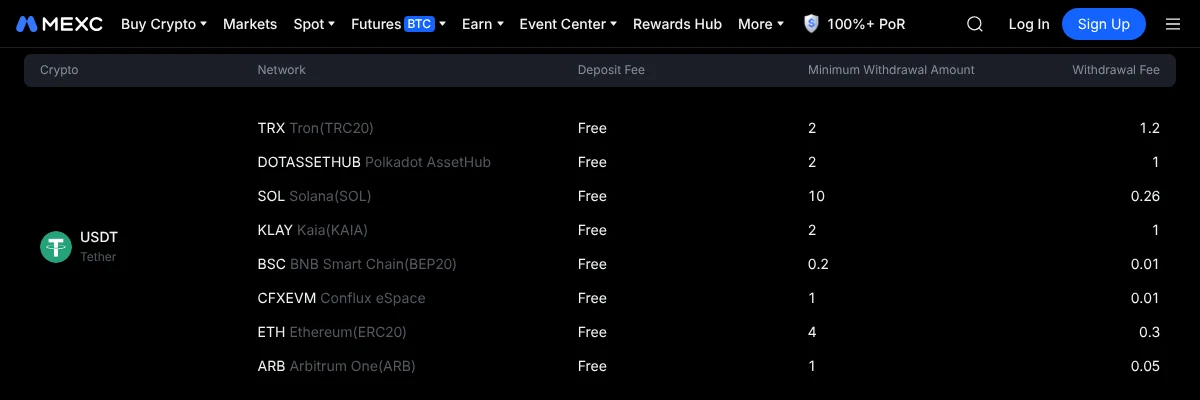
Withdrawal fees are fixed amounts per network. MEXC, BingX and BYDFi show deposit fees as free. Bitunix's fee page has no deposit fee column.
| Exchange | TRC20 | ERC20 | BEP20 |
|---|---|---|---|
| MEXC | 1.2 / min 2 | 0.3 / min 4 | 0.01 / min 0.2 |
| BingX | 1.5 / min 1.5 | 1 / min 5 | 0.15 / min 3 |
| Bitunix | 1 / min 2 | 1.2 / min 2 | 0.65 / min 2 |
| BYDFi | 1 / min 2 | 0.5 / min 3 | 0.01 / min 2 |
※ Fees can change with network conditions. The amount shown on the withdrawal screen takes priority (MEXC and BYDFi).
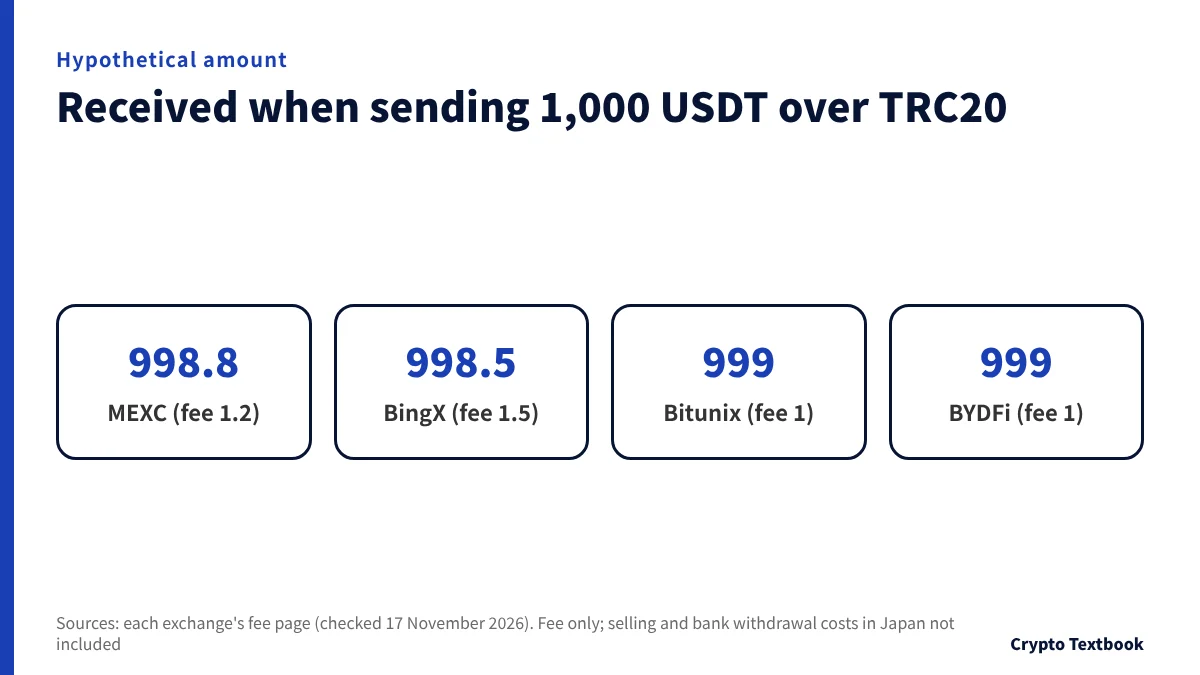
Send 1,000 USDT over TRC20 and you receive 998.8 USDT from MEXC, 998.5 USDT from BingX and 999 USDT from Bitunix and BYDFi.
A small test transfer also pays the fee. A 10 USDT test over MEXC's TRC20 arrives as 8.8 USDT, and the test plus the main transfer cost 2.4 USDT in fees.
The deposit screen in Japan decides which network you can use. A cheaper network is no use if the receiving side does not support it.
Four exchanges compared on fees: spot, futures and withdrawals
Step 3: sell for yen in Japan and withdraw to your bank
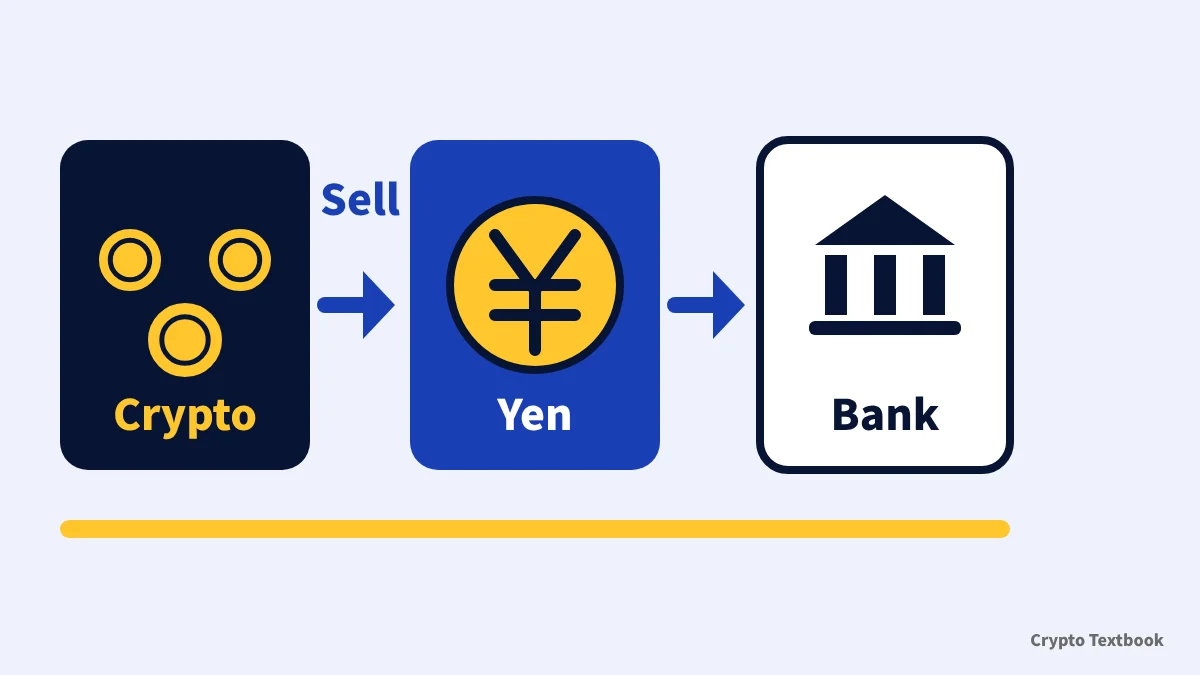
Once the coins arrive, sell them on the registered exchange in Japan. The proceeds become a yen balance, and you request a withdrawal to your registered bank account.
- Arrival: wait until it shows in the Japan-side deposit history. A Success status on the overseas side does not mean the receiver has credited it
- Sale record: keep the date, quantity and yen amount
- Bank withdrawal: check fees and timing in the registered exchange's own guide
Even when the overseas history says Completed, the receiving side may not have credited it yet. Bitunix's withdrawal FAQ explains this in three stages.
The National Tax Agency asks domestic crypto exchanges to issue an annual transaction report to customers. For trades on overseas exchanges, you confirm the acquisition and sale prices yourself (FAQ 2-7).
Tax in the year you convert: sales and swaps are taxable events
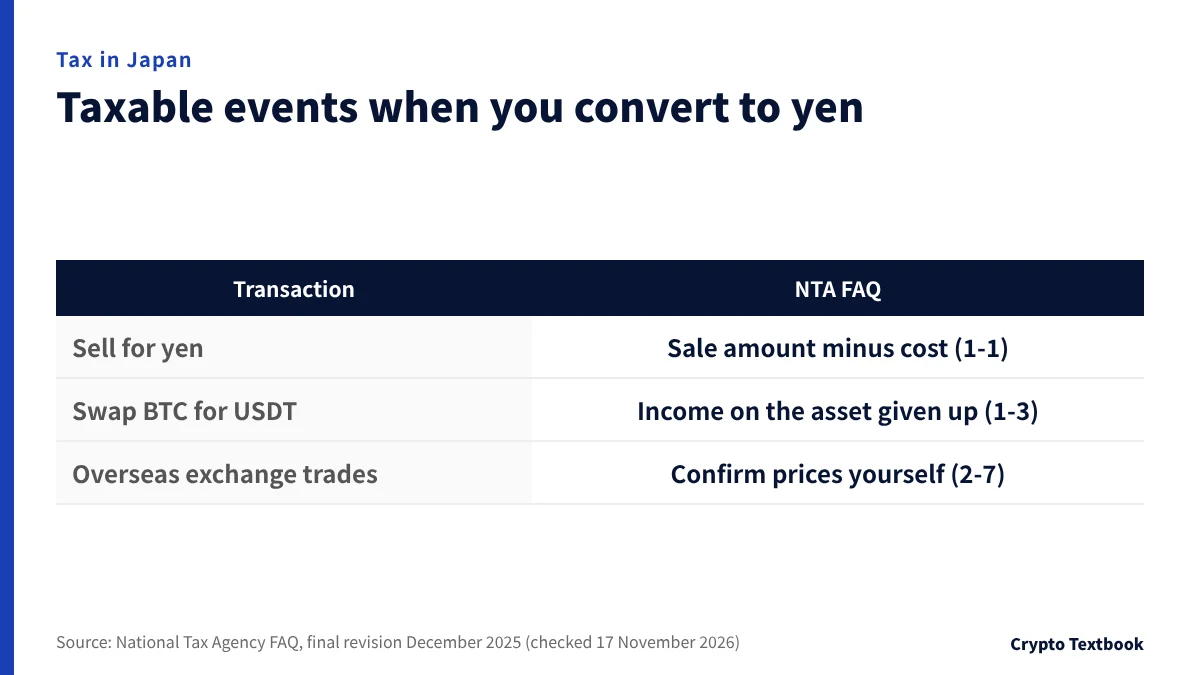
The National Tax Agency classifies profit from selling or using crypto assets as miscellaneous income in principle, and a tax return is required. Sales on overseas exchanges follow the same approach.
| Transaction | Treatment in the NTA FAQ |
|---|---|
| Selling for yen | Income is the sale amount minus the cost (FAQ 1-1) |
| Swapping for another crypto asset (BTC to USDT and so on) | Income from disposing of the asset given up is calculated (FAQ 1-3) |
| Trades on overseas exchanges | You confirm acquisition and sale prices yourself (FAQ 2-7) |
In FAQ 1-1, 0.2 BTC out of 4 BTC bought for JPY 4 million is sold for JPY 210,000. The cost is JPY 200,000, so the income is JPY 10,000.
Rates and filing conditions are covered in our tax basics guide. For your own tax amount, ask a tax accountant or the tax office.
Tax basics for profits made on overseas exchanges (beginner guide)
Filing crypto taxes on overseas exchanges: calculation, worksheets and payment
Where to look when it does not arrive or will not go out
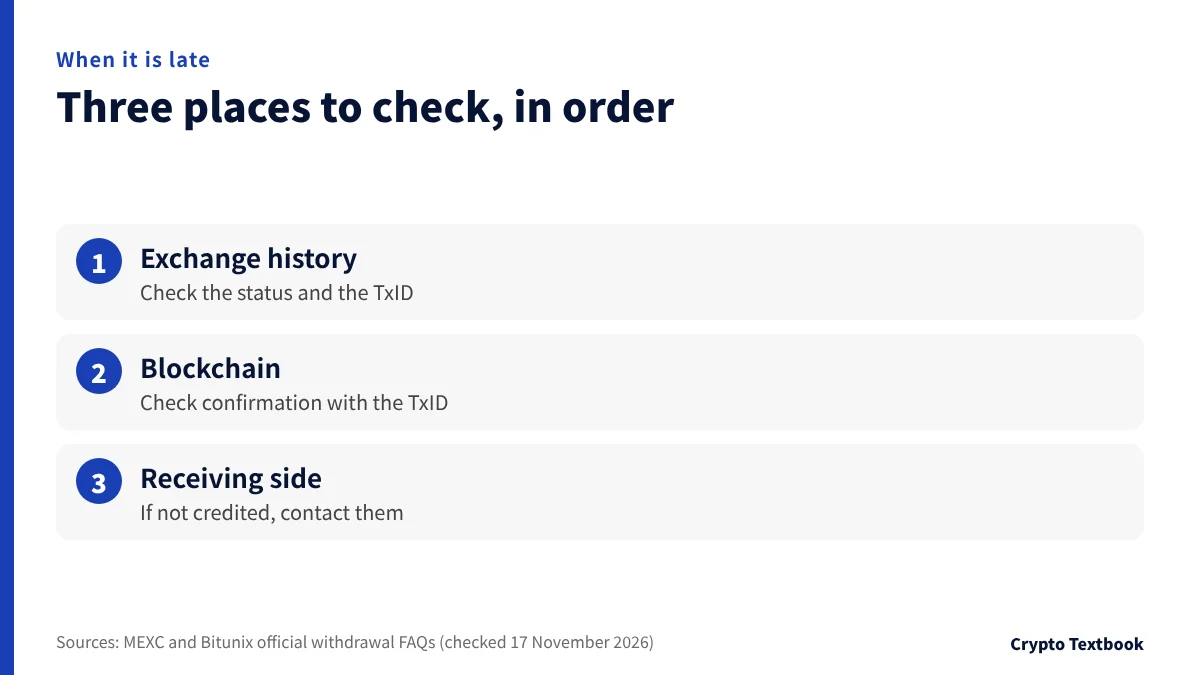
Check in this order: the exchange's withdrawal history, the blockchain, then the receiving side's deposit status. Knowing which stage is stuck tells you whom to contact.
| Symptom | What to check |
|---|---|
| Stuck on Awaiting verification | Open the email or SMS link within 15 minutes and confirm the last 4 characters of the address (MEXC) |
| Invalid address message | Recheck the combination of address and network (MEXC and BYDFi) |
| Shows Success but has not arrived | Copy the TxID and contact the receiving platform's support (MEXC and Bitunix) |
| Forgot the memo or tag | Before the confirmation email you can cancel from the history. After it you cannot (MEXC) |
| Sent to the wrong address | After confirmation it cannot be cancelled, and the exchange cannot recover it (MEXC) |
| Over the limit | Raise your verification level. Limits are in each exchange's table |
For a large amount, check the Japan-side address and the withdrawal limit first, and send a small amount once. Send the rest after you see it arrive.
Frequently asked questions
Q. Can I withdraw yen directly from an overseas exchange?
A. The withdrawal guides we checked at four exchanges describe sending crypto to an address and internal transfers to users of the same exchange. To get yen, send to a registered exchange in Japan, sell, and withdraw to your bank.
Q. How do I send from an overseas exchange to an exchange in Japan?
A. Check the deposit address and network on the Japan side. On the overseas withdrawal screen enter the asset, address, network and amount, and confirm with email or Google codes. Sell after you confirm arrival.
Q. Which network should I choose?
A. Choose from the options on the Japan-side deposit screen. USDT over TRC20 costs 1.2 at MEXC, 1.5 at BingX, 1 at Bitunix and 1 at BYDFi. A cheaper network cannot be used if the receiving side does not support it.
Q. Do I need a memo or tag?
A. Some assets need one. If the deposit screen shows a memo or tag field, enter that value on the withdrawal screen. MEXC and BYDFi warn that leaving it out can lose the assets.
Q. What if the withdrawal shows Success but has not arrived?
A. Success on the overseas side means the exchange has sent it to the blockchain. Copy the TxID and check its status on the blockchain. If it is confirmed but not credited, contact the receiving platform's support.
Q. What is the withdrawal limit?
A. It depends on verification. MEXC allows 80 BTC per day at primary KYC and 200 BTC at advanced. BingX allows 20,000 USDT per 24 hours when unverified or basic. BYDFi allows 50,000 USDT per day unverified and 500,000 verified (checked 17 November 2026).
Q. Is tax due when I convert to yen?
A. The National Tax Agency treats profit from selling crypto assets as miscellaneous income in principle and requires a tax return. A swap from BTC to USDT is also a taxable event. Ask a tax accountant or the tax office about your own amount.
Sources and conditions
- MEXC: withdrawal guides (how to withdraw, withdrawal settings, checking address and memo) →
- MEXC: withdrawal FAQ (statuses and what to do) →
- MEXC: KYC FAQ (withdrawal limits by KYC level) →
- MEXC: fee page (deposit/withdrawal, USDT) →
- BingX: withdrawal tutorial (withdrawal limits) →
- BingX: deposit and withdrawal fees →
- Bitunix: crypto withdrawal FAQ →
- Bitunix: fee page (deposit/withdrawal) →
- BYDFi: how to withdraw crypto from your BYDFi account (PC) →
- BYDFi: how to set withdrawal settings →
- BYDFi: fee page (deposit/withdrawal) →
- Financial Services Agency of Japan: crypto assets and electronic payment instruments (registration of crypto asset exchange service providers) →
- Financial Services Agency of Japan: amendments to the Act on Prevention of Transfer of Criminal Proceeds (travel rule, effective 1 June 2023, in Japanese) →
- National Tax Agency: FAQ on the tax treatment of crypto assets, final revision December 2025 (PDF, in Japanese) →
- National Tax Agency: tax treatment of crypto assets and calculation sheets (December 2025, in Japanese) →
- National Tax Agency: Tax Answer No.1524, taxation of profit from using crypto assets (in Japanese) →
FX Textbook is an independent information site, not an exchange or a provider of personal investment advice. Crypto-asset trading involves risk: price moves, liquidation of leveraged positions, transfer errors and exchange operating risk can result in the loss of some or all invested capital.
NEXT STEP
Compare exchanges, including how withdrawals work.
We list spot and futures fees, maximum leverage, and withdrawal and support details for each exchange.
Listed exchanges