














Start reading about forex and words like pips, lots and margin level appear with no explanation.
This glossary explains the terms beginners meet first, in one or two sentences each. Definitions were checked against the official MetaTrader 5 help from MetaQuotes (17 November 2026).
Look terms up in the A to Z index or the topic tables. Links under each table lead to our detailed guides.
Short answer: learn price, money and order terms first
- Price and size: pips, lots, spread, swap
- Money and margin: leverage, margin, margin level
- Forced closing: margin call, stop out, zero balance reset
- Orders: market, limit, stop, bid and ask
- Account terms: MT4/MT5, account types, bonuses
These five groups cover what you need before opening an account. Margin level and stop out matter most, because they decide where losses are cut.
For calculations and step-by-step detail, follow the links under each table. Use this page to check what a word means.
Forex glossary index, A to Z
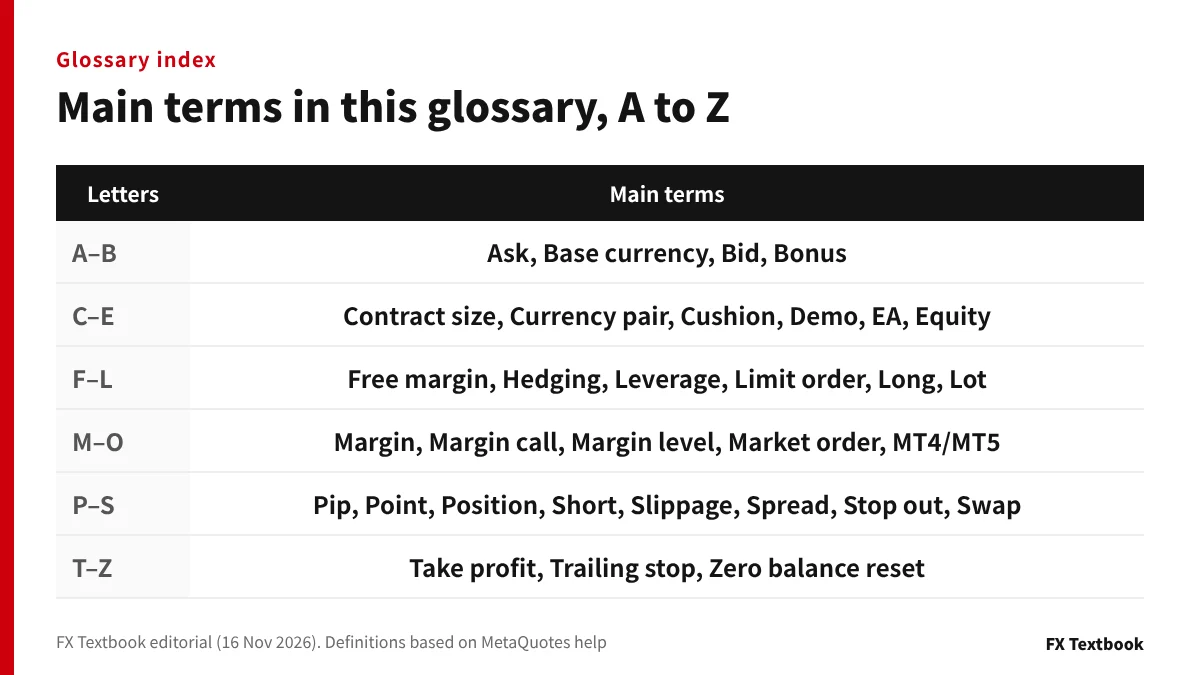
Every term in this glossary, in alphabetical order. The right column shows which section explains it.
| Term | Section |
|---|---|
| Ask (buy price) | Orders |
| Base currency | Price and size |
| Bid (sell price) | Orders |
| Bonus | Account terms |
| Contract size | Price and size |
| Copy trading | Account terms |
| Currency pair | Price and size |
| Cushion (bonus feature) | Account terms |
| Demo account | Account terms |
| EA (Expert Advisor) | Account terms |
| Equity | Money and margin |
| Free margin | Money and margin |
| Hedging | Orders |
| Identity check (KYC) | Account terms |
| Leverage | Money and margin |
| Limit order | Orders |
| Long / short | Orders |
| Lot | Price and size |
| Margin | Money and margin |
| Margin call | Forced closing |
| Margin level | Money and margin |
| Market order | Orders |
| MT4 / MT5 (MetaTrader) | Account terms |
| Pip and point | Price and size |
| Position | Orders |
| Slippage | Orders |
| Spread | Price and size |
| Stop order | Orders |
| Stop out | Forced closing |
| Swap | Price and size |
| Take profit and stop loss | Orders |
| Trailing stop | Orders |
| Zero balance reset | Forced closing |
MT4 and MT5 show short forms such as Bid, Ask, S/L and T/P. Knowing them saves time when you read the trading screen.
What are pips and lots? Price and size terms
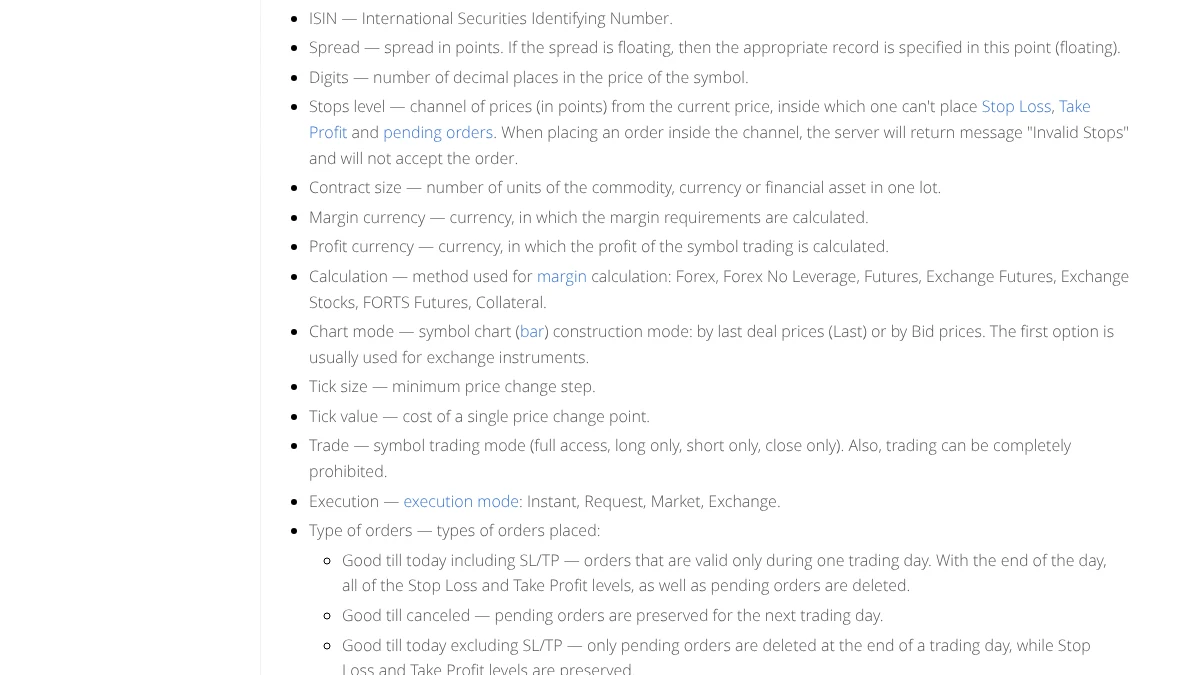
These terms describe how far the price moves and how much you trade. Your profit or loss is the product of the two.
| Term | Meaning |
|---|---|
| Currency pair | The two currencies being traded. In USD/JPY, the left is the base currency and the right is the quote currency |
| Base currency | The left-hand currency of a pair. MT5 usually states the required margin in it |
| Pip | The conventional unit of price movement. Commonly 0.01 for yen pairs and 0.0001 for pairs such as EUR/USD |
| Point | The smallest price step in MT5. Spreads are shown in points. For a yen pair quoted to 3 decimals, 1 point is 0.001 |
| Lot | The unit of trade size. How many units one lot holds is set by the contract size |
| Contract size | Units in one lot. In the MetaQuotes example, the EURUSD contract size is 100,000 |
| Spread | The gap between the bid and ask. A variable spread is marked as floating in the symbol specification |
| Swap | The amount added or charged when a position is held overnight. The broker sets the daily multipliers |
In the MetaQuotes symbol example, Wednesday carries a triple swap. Check the triple-swap day in the symbol specification.
On a yen pair quoted to 3 decimals, 1 pip (0.01) equals 10 points. Before comparing spreads, check whether a figure is in pips or points.
How to calculate pips, lots and margin
Leverage, margin and margin level
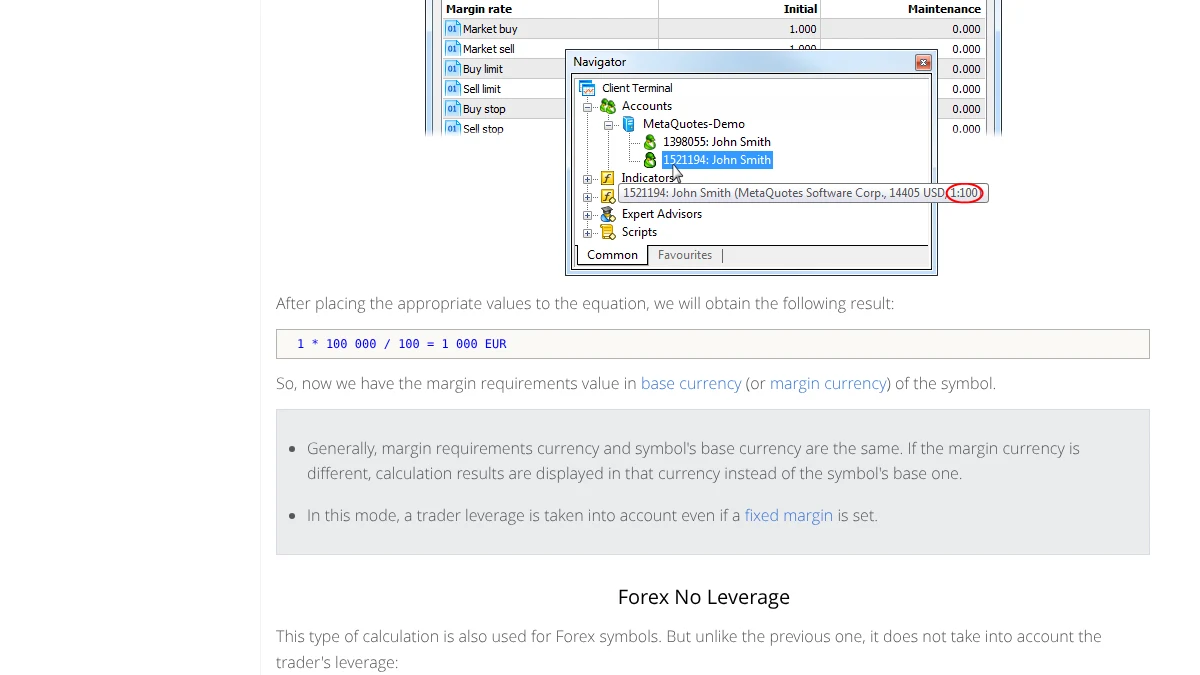
These terms describe the money in your account and the collateral a trade ties up. The MetaQuotes formulas make the links clear.
| Term | Meaning |
|---|---|
| Margin | Money set aside in your account as collateral for open positions |
| Required margin | For forex symbols: lots x contract size / leverage |
| Leverage | How much the required margin is reduced. At 1:100, margin is one hundredth of the trade value |
| Balance | Account money after closed profits and losses |
| Equity | Balance + credit - commission +/- floating profit or loss |
| Free margin | What is available for new positions: equity minus margin |
| Margin level | Equity / margin x 100 (%). The lower it goes, the closer a forced close |
Example: required margin for 1 lot of EURUSD
The MetaQuotes example uses a contract size of 100,000 and leverage of 1:100. 1 x 100,000 / 100 gives a required margin of 1,000 EUR.
Higher leverage lowers the margin for the same 1 lot. It does not change the trade size or how far your profit and loss can swing.
Floating losses reduce equity, so margin level falls too. Your balance can stay the same while margin level changes with every price move.
Margin call, stop out and zero balance reset
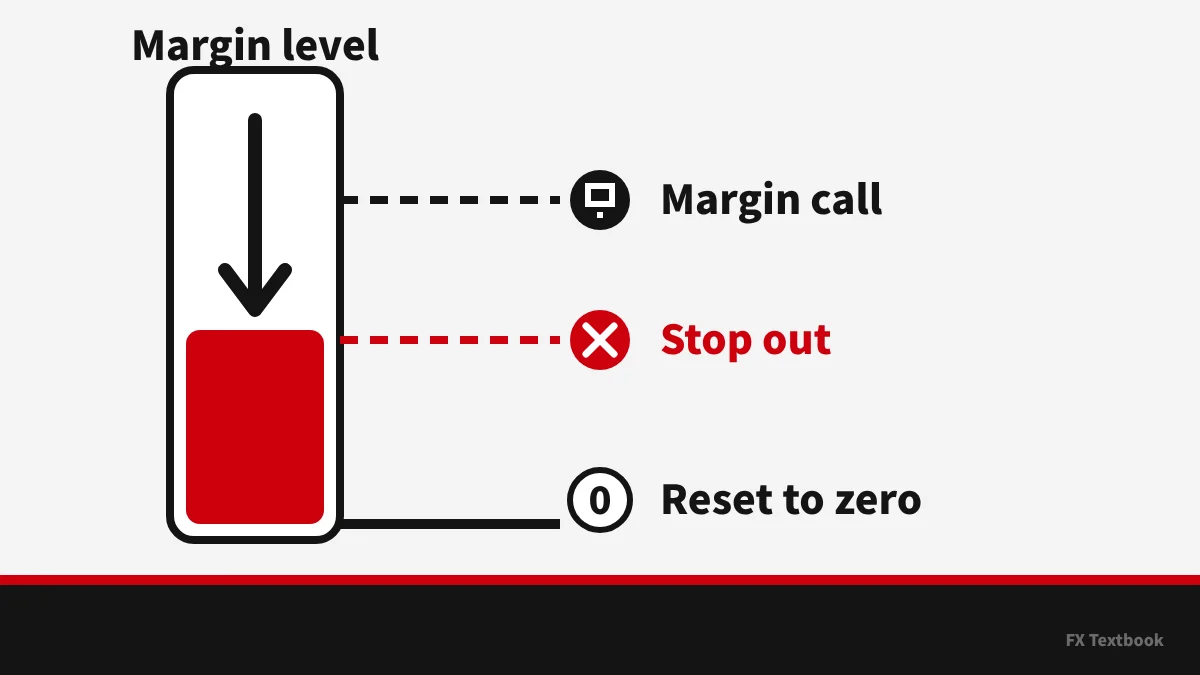
These terms describe what happens as losses grow. Here they are in the order margin level falls.
| Term | Meaning |
|---|---|
| Margin call | A warning when margin level falls below the broker's level. In MT5 the account status line turns red |
| Stop out | If margin level falls further, the server closes positions. Usually the position with the largest loss goes first |
| Loss cut | A Japanese term for a forced close when losses reach the agreed level. In MT5 terms it corresponds to a stop out |
| Zero balance reset | When a sharp move leaves a negative balance, the broker resets it to zero. Names and conditions follow each broker's terms |
| Additional margin | A request to add money to cover a margin shortfall |
Margin call and stop out levels differ by broker and account type. Check the stop out field on the broker page before opening an account.
FX and CFDs are leveraged products. You can lose some or all of the money you deposit. Each broker's terms decide when a zero balance reset applies.
Order terms: market, limit, stop, bid and ask
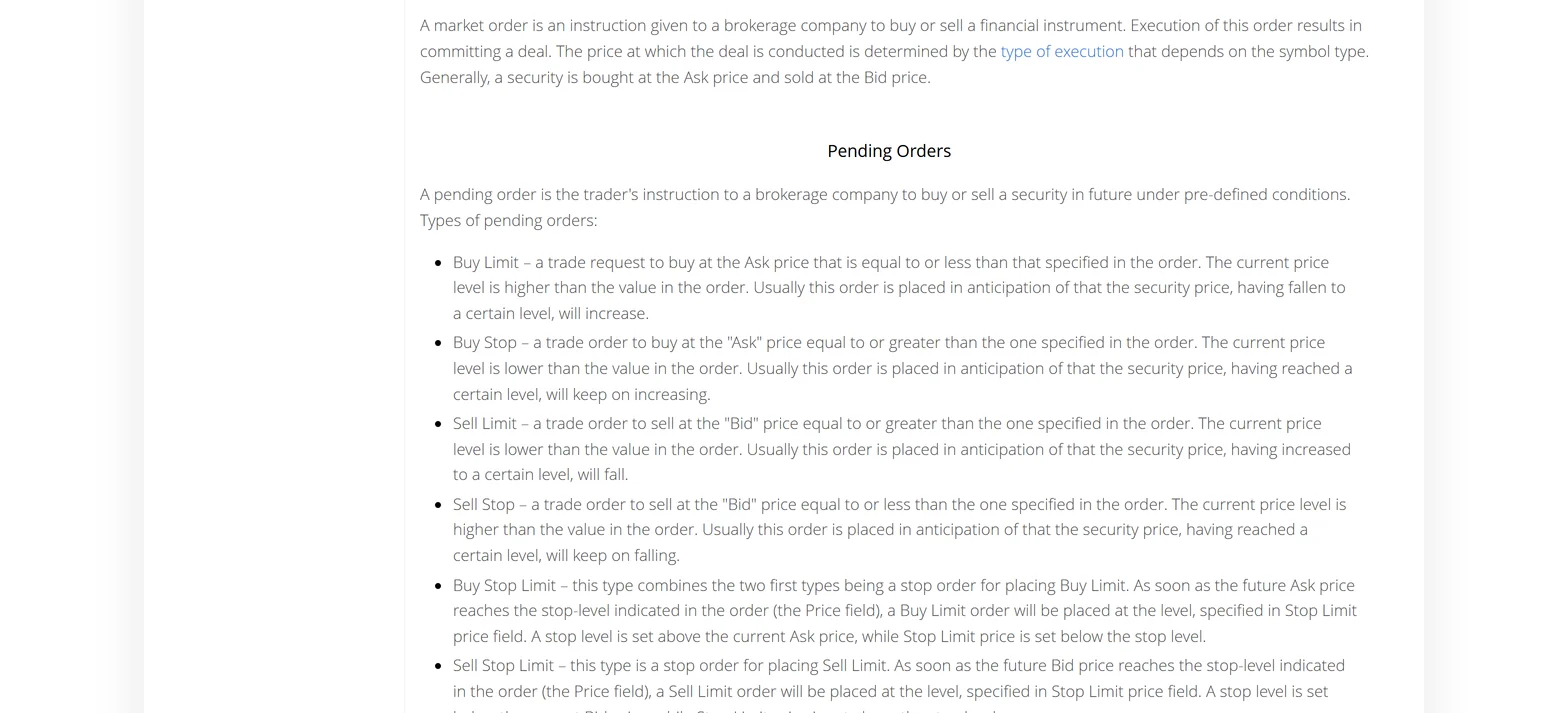
These terms describe trading instructions and how prices are set. MT5 orders are either market orders or pending orders.
| Term | Meaning |
|---|---|
| Bid | The sell price. Sells are filled at the bid |
| Ask | The buy price. Buys are filled at the ask |
| Long / short | A buy position is long, a sell position is short |
| Market order | An instruction to buy or sell now at the current price |
| Limit order | A pending order at a better price: below the market to buy, above it to sell |
| Stop order | A pending order at a worse price: above the market to buy, below it to sell |
| Stop loss (S/L) | A price at which a position is closed to limit a loss |
| Take profit (T/P) | A price at which a position is closed once reached |
| Trailing stop | Moves the stop loss with the price as profit grows. In MT5 it runs in the terminal, not on the server |
| Fill and slippage | A fill is an executed order. Slippage is the gap between the requested and executed price |
| Position and hedging | A position is an open trade. Hedging means holding a buy and a sell on the same symbol |
MT5 has six pending order types: buy and sell versions of limit, stop and stop limit. Whether you can hedge depends on the account using hedging or netting.
MetaQuotes says trailing stops run in the trading terminal, not on the server. If you close the app or computer, the stop loss no longer moves.
Find the terms on the MT5 screen
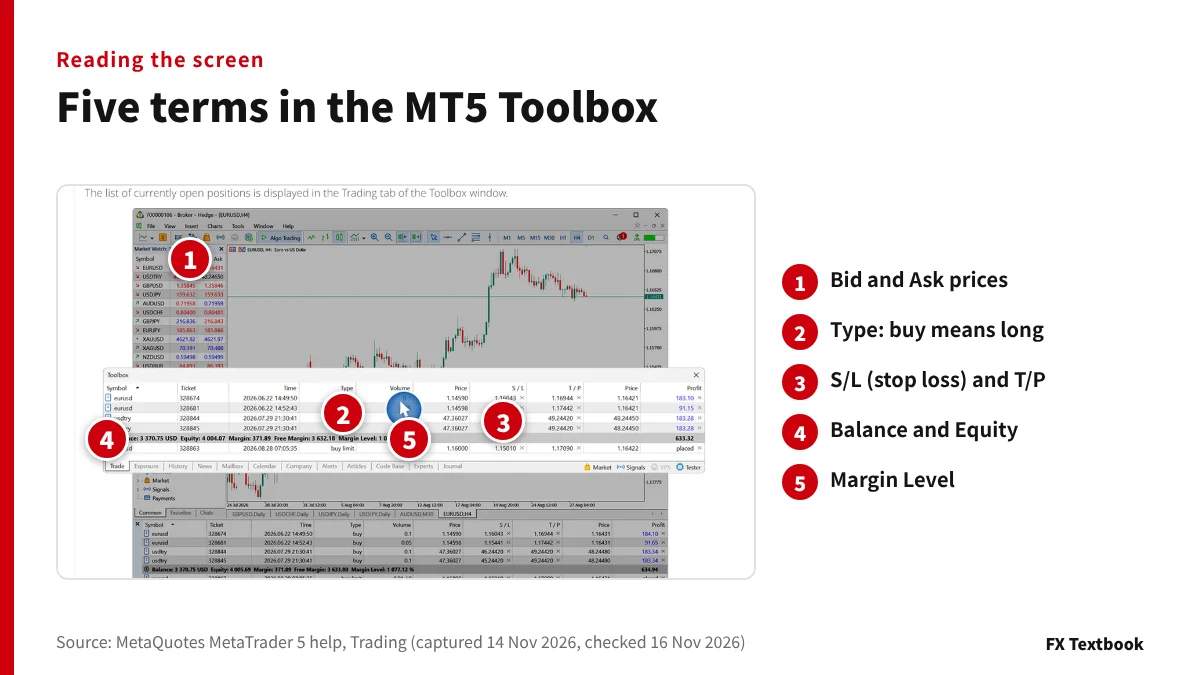
The numbers mark five places on the MT5 screen from the MetaQuotes help where these terms appear: Market Watch at top left and the Trade tab of the Toolbox below.
- 01Read bid and ask in Market Watch
The list at top left shows each symbol's bid and ask. The gap is the spread.
- 02Read the direction under Type
Buy means long and sell means short. Pending types such as buy limit also appear.
- 03Check S/L and T/P
S/L is the stop loss and T/P the take profit. Empty fields mean none is set.
- 04Compare Balance and Equity
The difference between the two is your floating profit or loss.
- 05Watch Margin Level
This is your margin level. Check how close it is to the broker's stop out level.
The screen works the same way on a demo account with no real money. Match each term to its place on screen before trading live.
Account terms: account types, bonuses and MT4/MT5
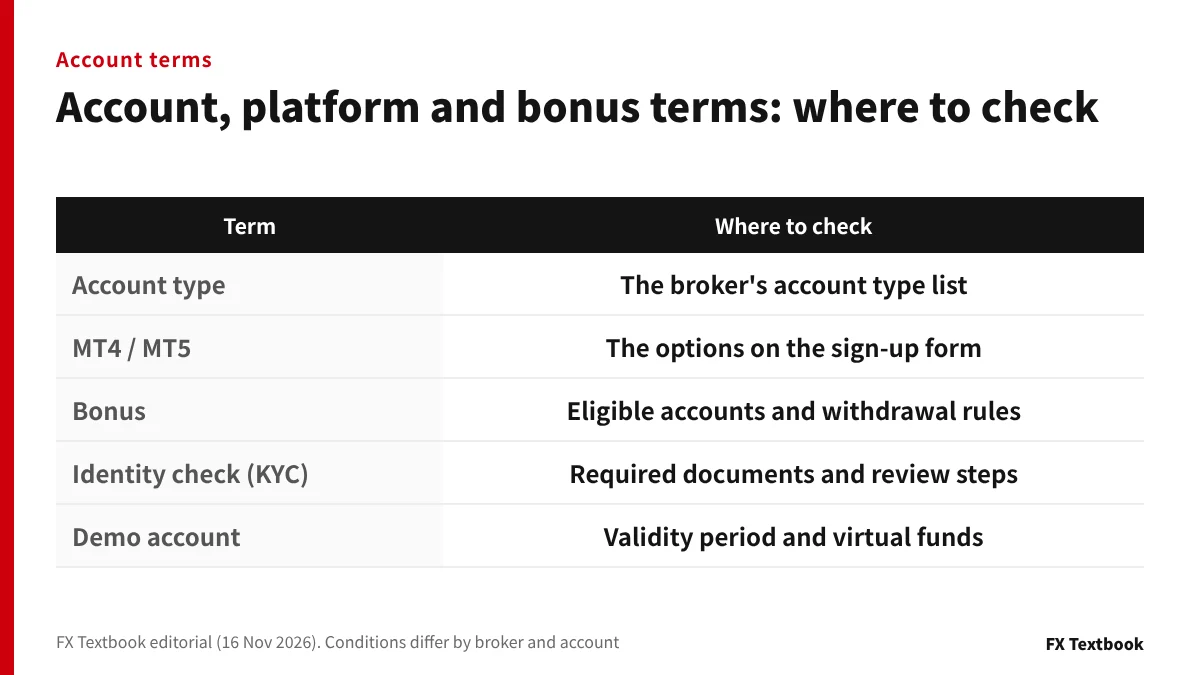
These terms come up when you open an account. Details differ by broker, so learn each meaning together with where to check it.
| Term | Meaning |
|---|---|
| MT4 / MT5 | Trading platforms made by MetaQuotes. MT4 has 4 pending order types and MT5 has 6. Only MT5 supports the netting system |
| Account type | The kinds of account a broker offers. Spreads, commissions and deposit requirements differ by type |
| Cent account | An account with smaller lot units, used to trade with small amounts |
| Bonus | Credit a broker adds to an account. MT5 includes credit in equity |
| Cushion | A feature where bonus credit absorbs losses as margin. Whether it applies depends on the offer |
| Identity check (KYC) | Sending ID and address documents to prove who you are. Some brokers block funding until it is done |
| Demo account | An account that trades with virtual money. Results do not affect real money |
| EA (Expert Advisor) | An automated trading program that runs on MT4 or MT5 |
| Copy trading | Automatically copying another trader's trades in your own account |
With a bonus, check the eligible accounts and withdrawal rules before the amount. Skipping the conditions can mean losing part of it when you withdraw.
What to read next
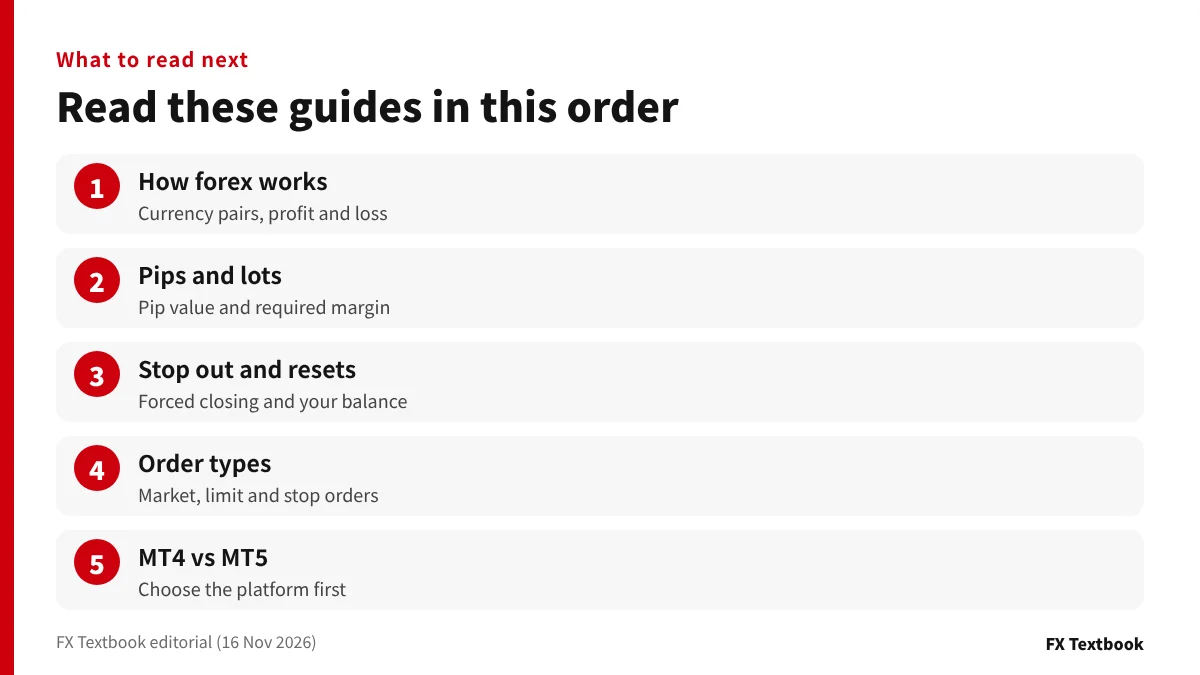
Once the words make sense, read how they work in this order. Together they cover what you need before opening an account.
- How forex works: the basics before you start
- Pip value and required margin: the calculation guide
- Where losses are cut: stop out and zero balance resets
- Using orders: forex order types
- Choosing a platform: MT4 vs MT5
Before opening an account, learn margin level and stop out first. Before placing an order, check bid and ask, and which side limit and stop orders sit on.
Knowing the terms does not reduce trading risk. With FX and CFDs you can lose some or all of the money you deposit.
Frequently asked questions
Q. Which forex terms should I learn first?
A. Start with pips, lots, margin, margin level and stop out. Together they tell you how much a move is worth and where losses are cut. Before your first order, add bid and ask, and limit and stop orders.
Q. What is a pip in forex?
A. A pip is the conventional unit of price movement, commonly 0.01 for yen pairs and 0.0001 for pairs such as EUR/USD. Its money value depends on trade size: lots x contract size.
Q. What is a lot in forex?
A. A lot is the unit of trade size. How many units one lot holds is set by the contract size in the MT5 symbol specification. The MetaQuotes example uses 100,000 for EURUSD, but cent accounts and others differ.
Q. How is margin level calculated?
A. In MT5, margin level is equity / margin x 100 (%). Equity is your balance adjusted for floating profit or loss. As losses grow, margin level falls, and below the broker's level a stop out happens.
Q. What is the difference between a stop out and a zero balance reset?
A. A stop out closes positions when losses reach the broker's level. A zero balance reset sets a negative balance back to zero when closing came too late. Check each broker's terms for when it applies.
Q. What is the difference between a limit order and a stop order?
A. A limit order waits at a better price and a stop order at a worse one. To buy, a limit goes below the market and a stop above it. A stop loss is a closing stop order.
Q. Do I trade at the bid or the ask?
A. You sell at the bid and buy at the ask. The gap between them is the spread. If you buy and sell straight away, you start down by the spread.
Sources and conditions
FX Textbook is edited from official platform documentation, broker-published information and applicable terms where available. Account conditions, services and rules can change. Confirm the current terms in the broker's registration flow before you act.
FX Textbook is an independent information site, not a broker or provider of personal investment advice. Forex and CFDs involve risk. You may lose some or all of your invested capital. No trading result is guaranteed.
NEXT STEP
Next: compare broker conditions
Stop out levels, account types and platforms for each listed broker, laid out on the same items.