
You may have heard that EAs now work on MEXC's MT5, but what MEXC officially published and what only came as a notice are easy to mix up.
MT5 support is confirmed in the official announcement of 2 November 2026. That EAs can be used, and the three cautions, come from a notice MEXC sent us.
Checked against the official pages on 5 November 2026, this guide sorts out how to start, the CFD trading rules and where to confirm costs.
Summary: MT5 is official; EA use comes from a MEXC notice
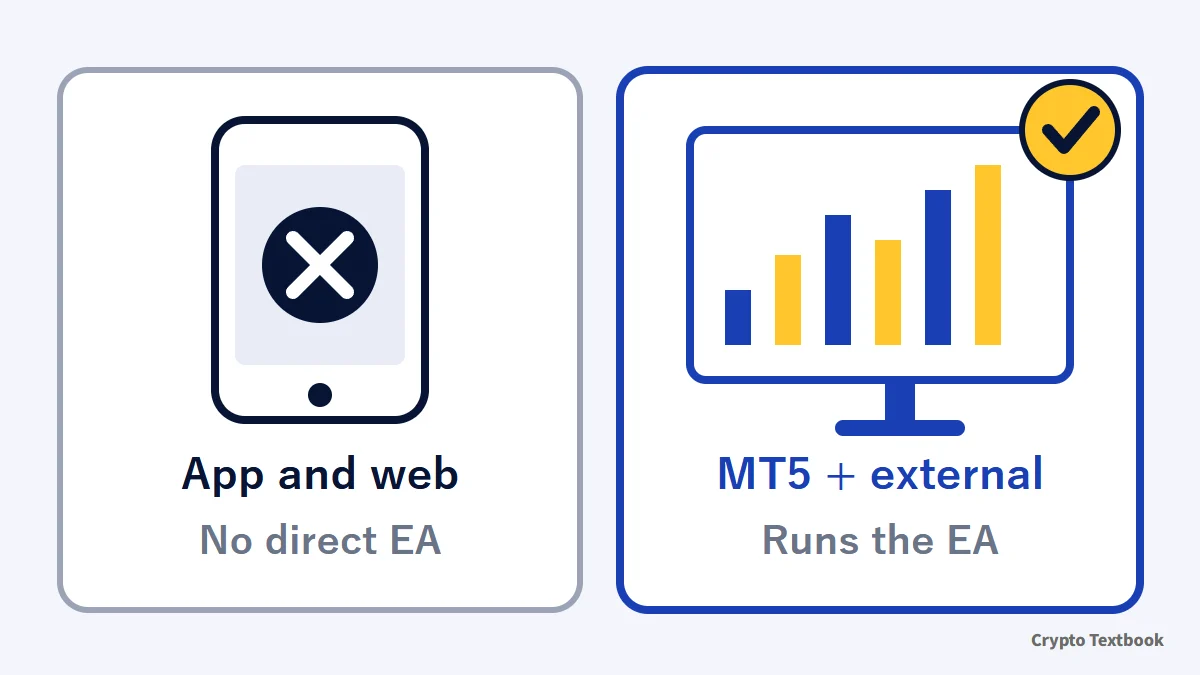
- MT5 support is confirmed by the official announcement (2 Nov 2026) and the CFD FAQ
- EA use comes from a MEXC notice, not an official page (checked 5 Nov)
- The MEXC app and web version cannot run EAs directly (notice)
- MEXC's CFD trading rules also apply to EA trading (notice)
- Leverage is fixed per symbol, up to 500x; forced close at 50% margin level
| Item | Where confirmed |
|---|---|
| CFDs can be traded on MT5 | Official announcement and CFD FAQ |
| USDT converted to USDx at 1:1 | Official announcement and CFD FAQ |
| Automated trading with EAs is possible | MEXC notice (not on official pages) |
| App and web cannot run EAs directly | MEXC notice (not on official pages) |
| CFD trading rules also apply to EAs | MEXC notice; the rules themselves are official |
CFDs use leverage, so small price moves can swing profit and loss sharply. MEXC's own risk disclosure says you may lose your invested capital. Using an EA does not prevent losses.
What are MEXC CFDs on MT5? Symbols, USDx and fixed leverage
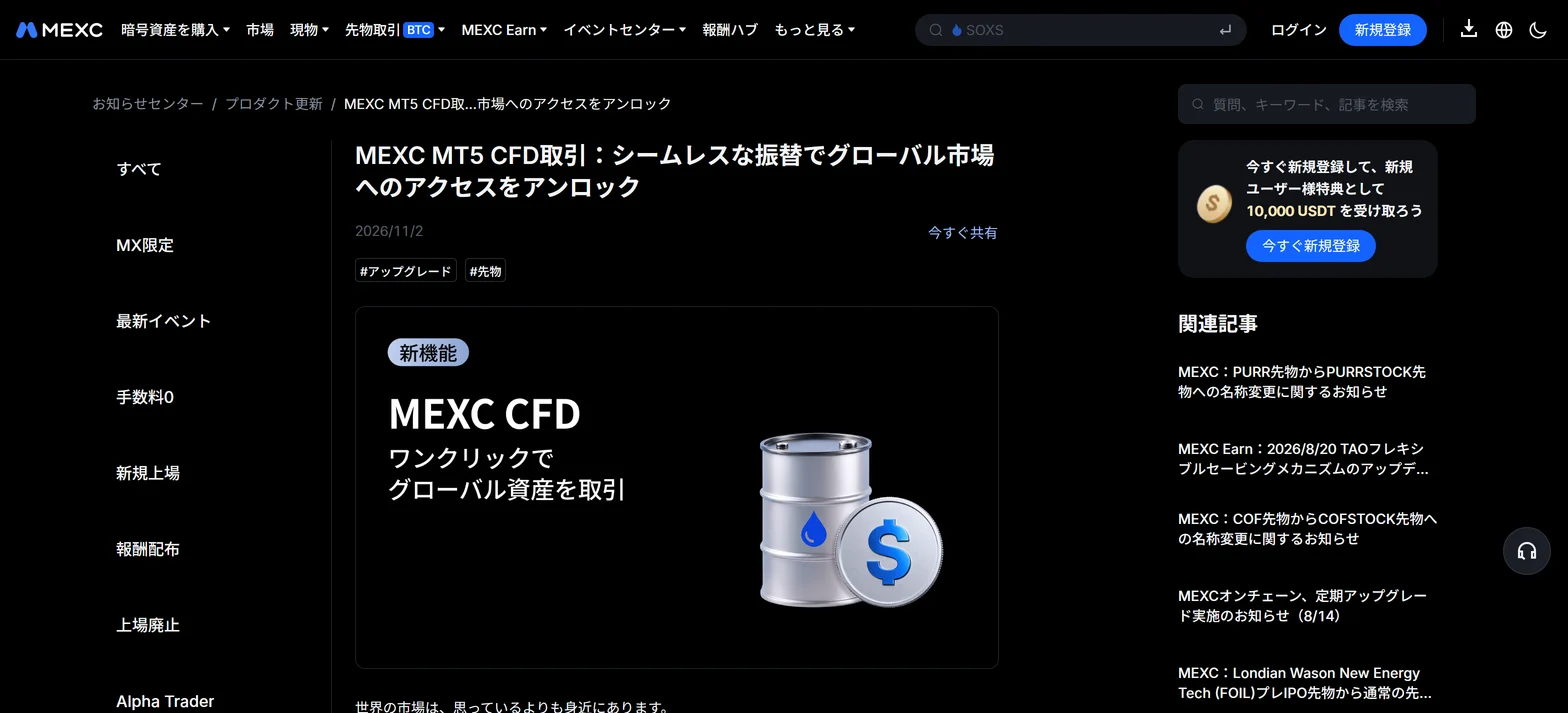
A CFD (contract for difference) lets you trade price moves without owning the underlying asset. MEXC now offers forex, precious metals and commodities through MT5, funded with USDT.
| Item | Official statement |
|---|---|
| Symbols | Forex (such as EUR/USD), gold, silver and commodities such as crude oil. The FAQ also mentions stock indices |
| Margin | USDT is converted to USDx at 1:1 with no conversion fee |
| Hedging | You can hold long and short positions in the same symbol at once |
| Leverage | Fixed per symbol; cannot be changed manually; up to 500x |
| Forced close | Executed when the margin level falls to 50% |
| MT5 server time | Usually UTC+2; UTC+3 during daylight saving time |
USDx is not a crypto asset. It is an internal unit that shows USD-denominated balances, used only for settlement in the CFD account, and it cannot be withdrawn directly.
MEXC futures leverage and liquidation (how it differs from crypto futures) →
What is an EA (automated trading)? Prerequisites on MEXC
An EA is a program that trades automatically on MT5. MetaQuotes' official help describes it as a trading robot that analyses prices with a preset algorithm and executes trades.
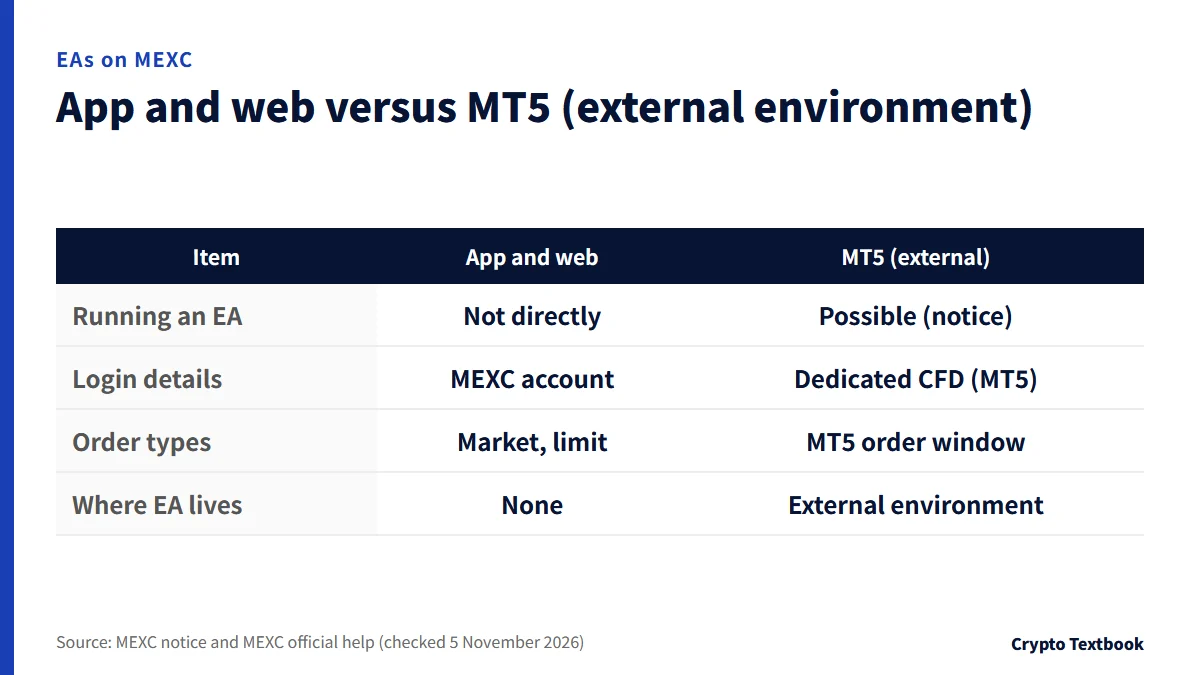
According to MEXC's notice, the MEXC app and web version cannot run EAs directly. You run them in an MT5-compatible external environment.
| Item | MEXC app and web | MT5 (external environment) |
|---|---|---|
| Running an EA | Not directly | Possible (notice) |
| Login details | MEXC account | Dedicated CFD (MT5) details |
| Order types | Market and limit | MT5 order window |
| Where the EA lives | None | The environment that runs MT5 |
Examples of such an environment are the MT5 desktop terminal and the virtual hosting (VPS) that MetaQuotes' help covers. The notice names no environment, so this is our own summary.
This site does not recommend, sell or distribute EAs. It only sorts out where EAs can run and where to check the official rules.
How to start: six steps to run an EA on MEXC's MT5
The steps follow the official announcement and the help article on starting CFD trading in the app (updated 2 November 2026). Screens after login are not shown.
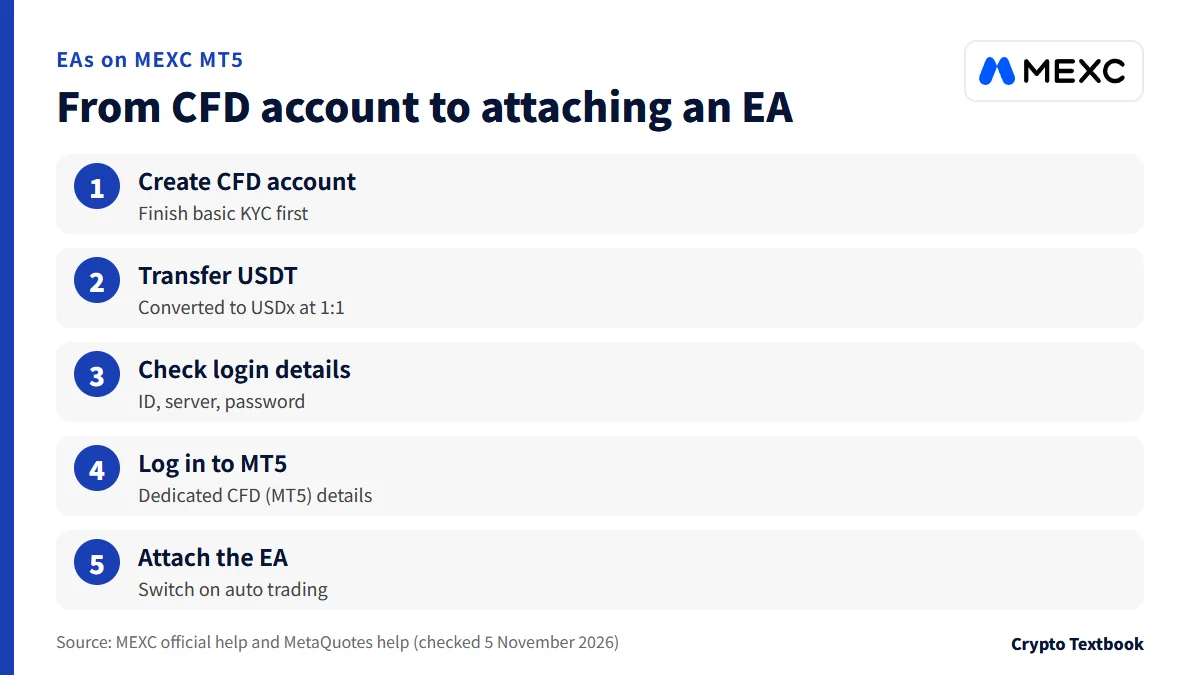
- 01Finish basic KYC
It is required before CFD trading. Sub-accounts cannot open a CFD account.
- 02Create a CFD account
In the app, open Home, Popular, CFD, tap Create CFD Account and accept the terms.
- 03Transfer USDT from spot
Tap Transfer and enter an amount. USDT is converted to USDx at 1:1.
- 04Check the CFD account ID
Tap CFD Account ID below the chart to see the ID, server and password.
- 05Log in to MT5
Enter the dedicated CFD (MT5) details, which differ from your MEXC account.
- 06Attach the EA and switch on auto trading
As MetaQuotes' help describes, attach an EA from the Navigator to a chart.
Attaching an EA to a chart (MetaQuotes official help)
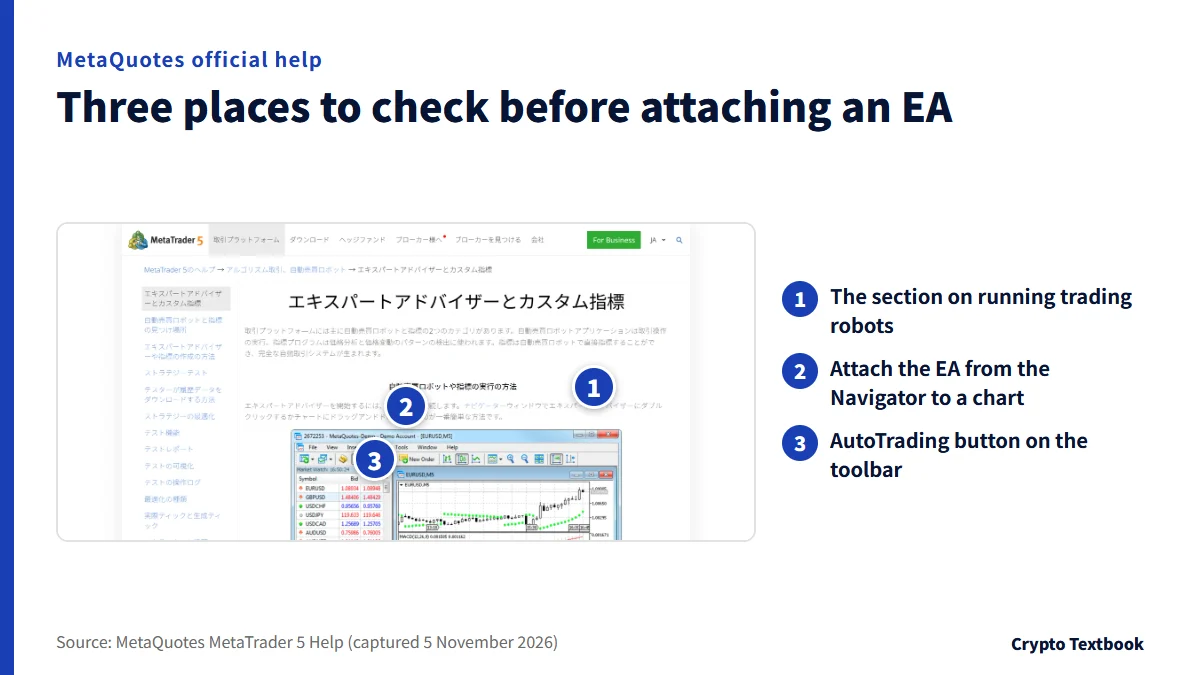
- Double-click the EA in the Navigator or drag it onto a chart
- Press OK in the properties window; the name and icon appear at the chart's top right
- If the icon shows trading is off, auto trading permission is missing
- Only one EA can run on a chart
The server name and ID appear only after login. This article does not print them; check them on your own screen.
CFD trading rules: the basic principle and types 3.4 to 3.8
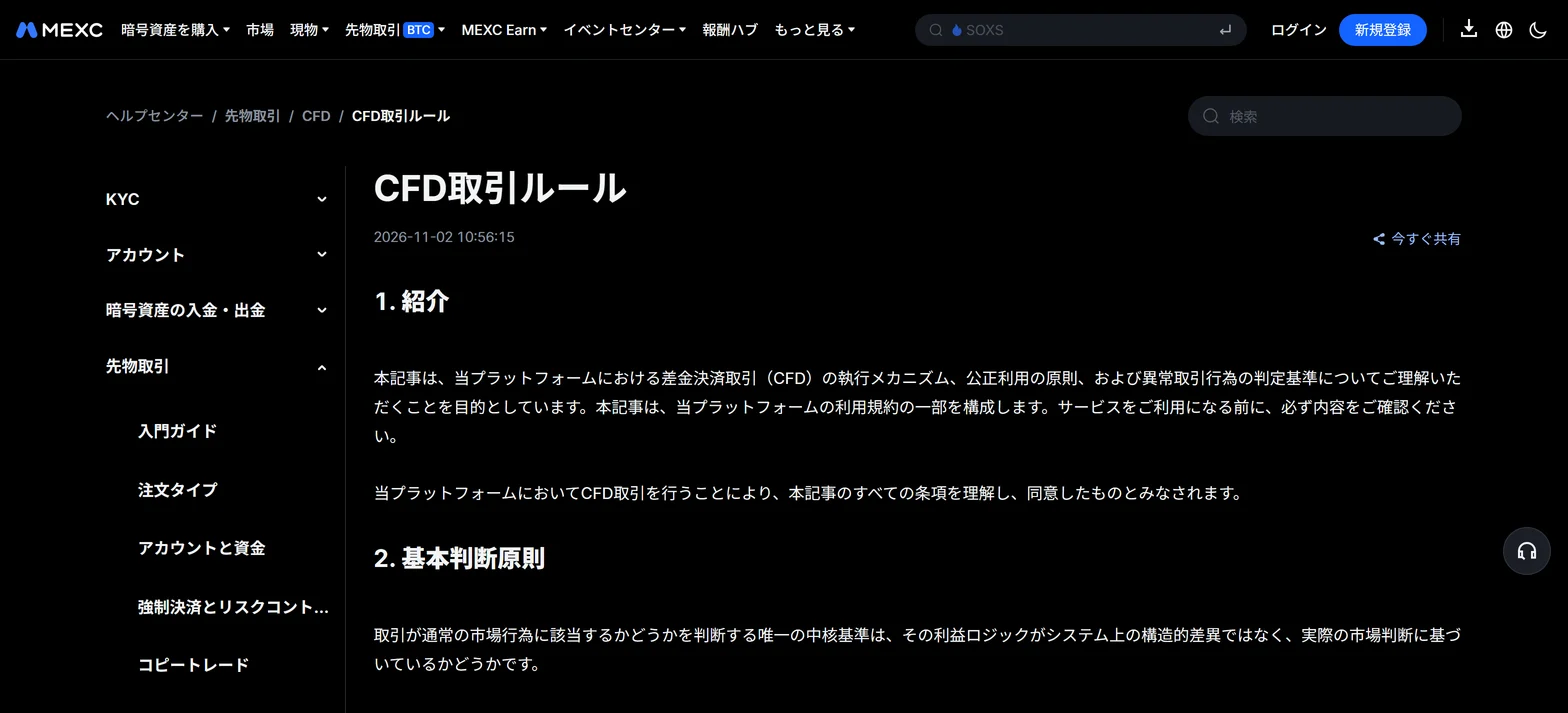
The official rules look at where a profit comes from. Profit from genuine market judgement is acceptable; profit from structural gaps in the system is an abnormal trade.
MEXC says it supports quantitative and high-frequency traders as long as the profit logic rests on market analysis. High-frequency trading itself is described as a normal execution method.
| Type | Official description |
|---|---|
| 3.4 News events | Holding positions before an announcement to exploit gaps, or using automated tools after it to catch direction with unusual speed and accuracy |
| 3.5 Low liquidity | Repeating small, high-frequency orders in thin markets to get fills clearly better than fair price |
| 3.6 Latency | Using quote delays or update gaps between price sources to trade before the system syncs |
| 3.7 Mispricing | Exploiting wrong prices from flash crashes or abnormal spreads |
| 3.8 Abuse of HFT | Using high-frequency trading for 3.6 or 3.7 is a serious violation under close watch |
Three more types exist: 3.1 market manipulation, 3.2 structural hedge arbitrage and 3.3 gap arbitrage. The official rules never use the term EA, and we found no clause that bans EAs as such.
The FAQ allows holding long and short in the same symbol. Rule 3.2, however, lists structural hedge arbitrage that uses zero-cut to cap losses as an abnormal trade.
Review process and four response levels: from warning to account action
A review can start in three ways: automatic detection, a report from a liquidity provider, or a manual review. It targets individual accounts or orders and is said not to affect the vast majority of ordinary users.
- During review: temporary changes to leverage or margin parameters
- During review: limits on new positions in certain products
- During review: rewards or promotions from the trades may be paused
- During review: you may be asked to explain your strategy
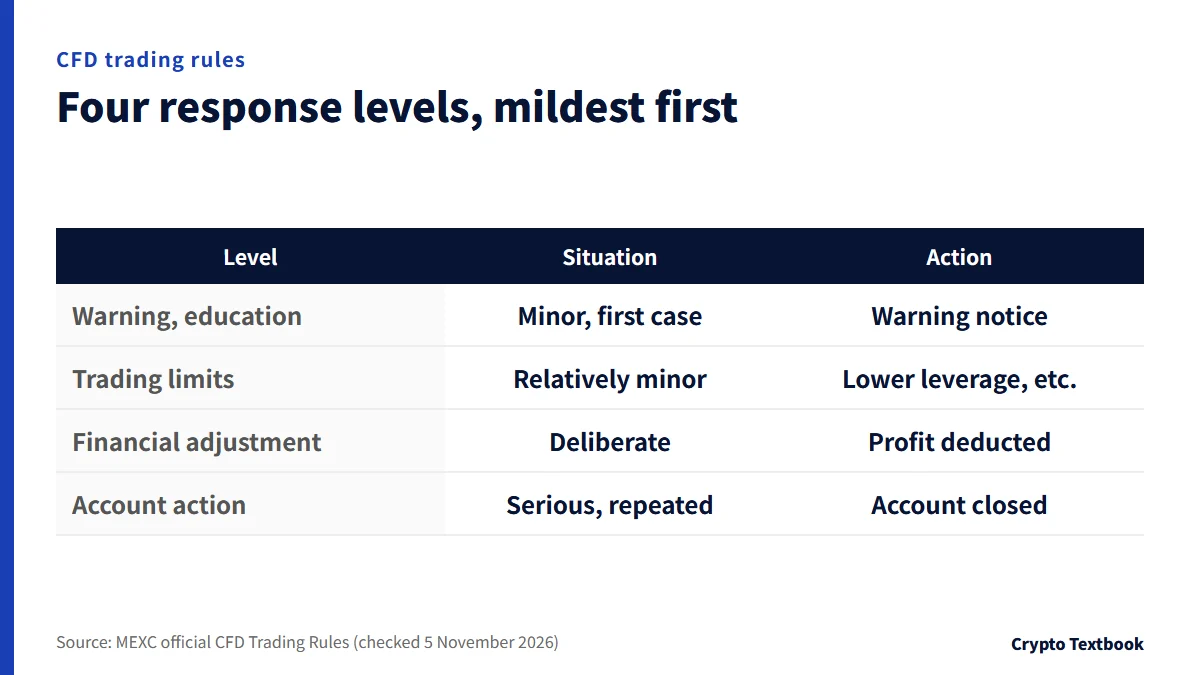
| Level | When it applies | Action |
|---|---|---|
| Warning and education | Minor, possibly unintended, first case | General warning notice |
| Trading limits | Improper but relatively minor | Lower leverage, product limits, no new positions |
| Financial adjustment | Deliberate, malicious breach | Deduct all or part of improper profit |
| Account action | Serious or repeated breach | Account closure and internal or industry blacklist |
You can appeal through the official customer service channel. MEXC re-reviews with the liquidity provider and that result is final. The criteria and internal detection methods are not disclosed.
Costs and hours: CFD fee table, swaps and trading times
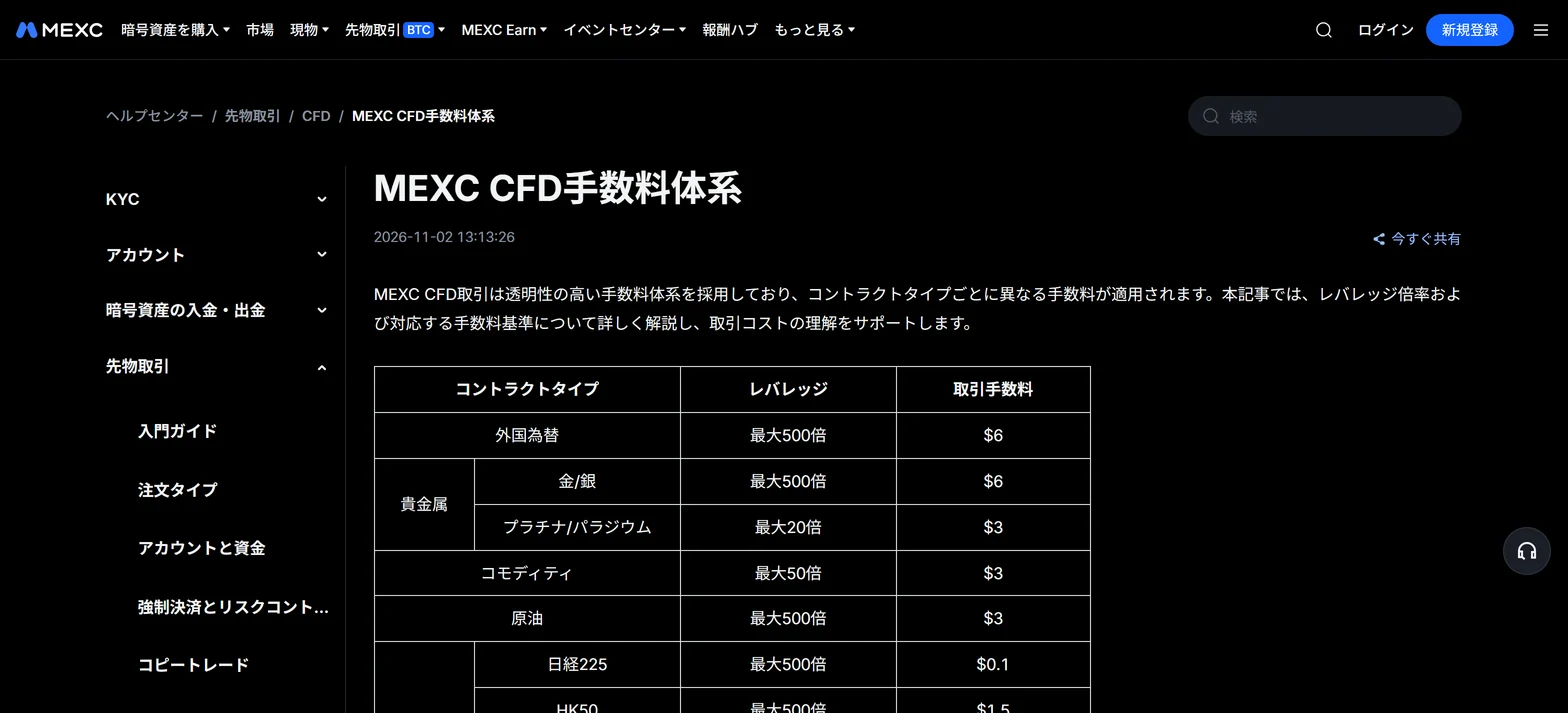
The trading fee is calculated per lot and charged once when a position is opened. Rates can be adjusted with market conditions, so also check the figure shown on the trading screen.
| Type | Max leverage | Fee (per lot) |
|---|---|---|
| Forex | 500x | $6 |
| Gold and silver | 500x | $6 |
| Platinum and palladium | 20x | $3 |
| Commodities | 50x | $3 |
| Crude oil | 500x | $3 |
| Nikkei 225 | 500x | $0.1 |
| HK50 | 500x | $1.5 |
| Other indices | 500x | $3 |
Swaps (overnight cost)
- Holding past the daily rollover at 23:59 (MT5 time) charges or credits a swap
- In Japan time that is 5:59 the next day in summer time and 6:59 in standard time
- Long and short swaps differ, and each side of a hedge is charged separately
- Once a week it counts three days: usually Wednesday for forex and metals, Friday for indices
- Official example: 1 lot long XAUUSD with a swap value of -45 costs -45 USDx for one day
A position closed before the rollover time pays no swap for that day. Check the values under Info on the trading page.
Cautions: external environments, passwords, trading hours and region
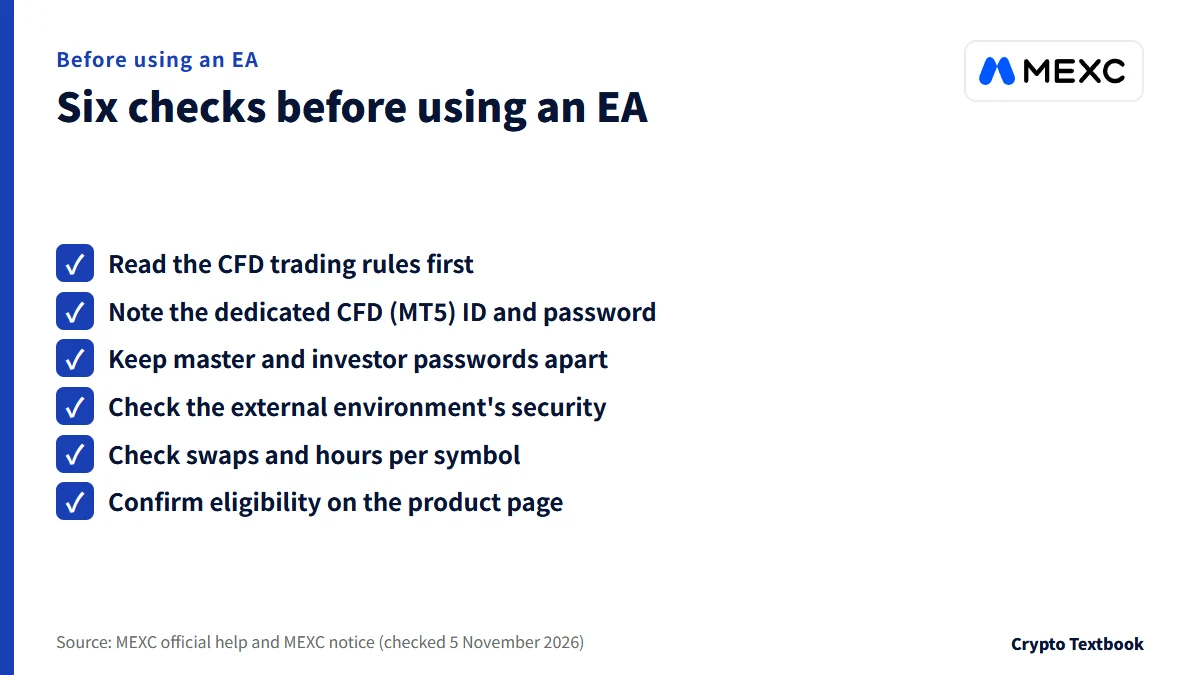
| Item | Details |
|---|---|
| External EAs and hosting | Take care over security (notice). MetaQuotes describes using DLLs as potentially dangerous |
| Passwords | The master password is for login and trading; the investor password is view-only. Each can be reset separately |
| Login details | Dedicated CFD (MT5) details, separate from your MEXC account. Sub-accounts are not supported |
| USDx | Cannot be withdrawn directly. Transfer to spot and it converts to USDT |
| Trading hours | Set per symbol. Closed on weekends and holidays, and prices may gap on reopening |
| MT5 time | Usually UTC+2 (UTC+3 in summer time). Mind the offset for hours and swaps |
| Region | Restricted in some regions by local rules. The product page's restricted-countries link leads to MaxiMarket Limited's terms, whose excluded-jurisdiction list does not name Japan (checked 5 November 2026) |
| Provider | The product page names MaxiMarket Limited (Anjouan, Comoros licence L16005/MM) |
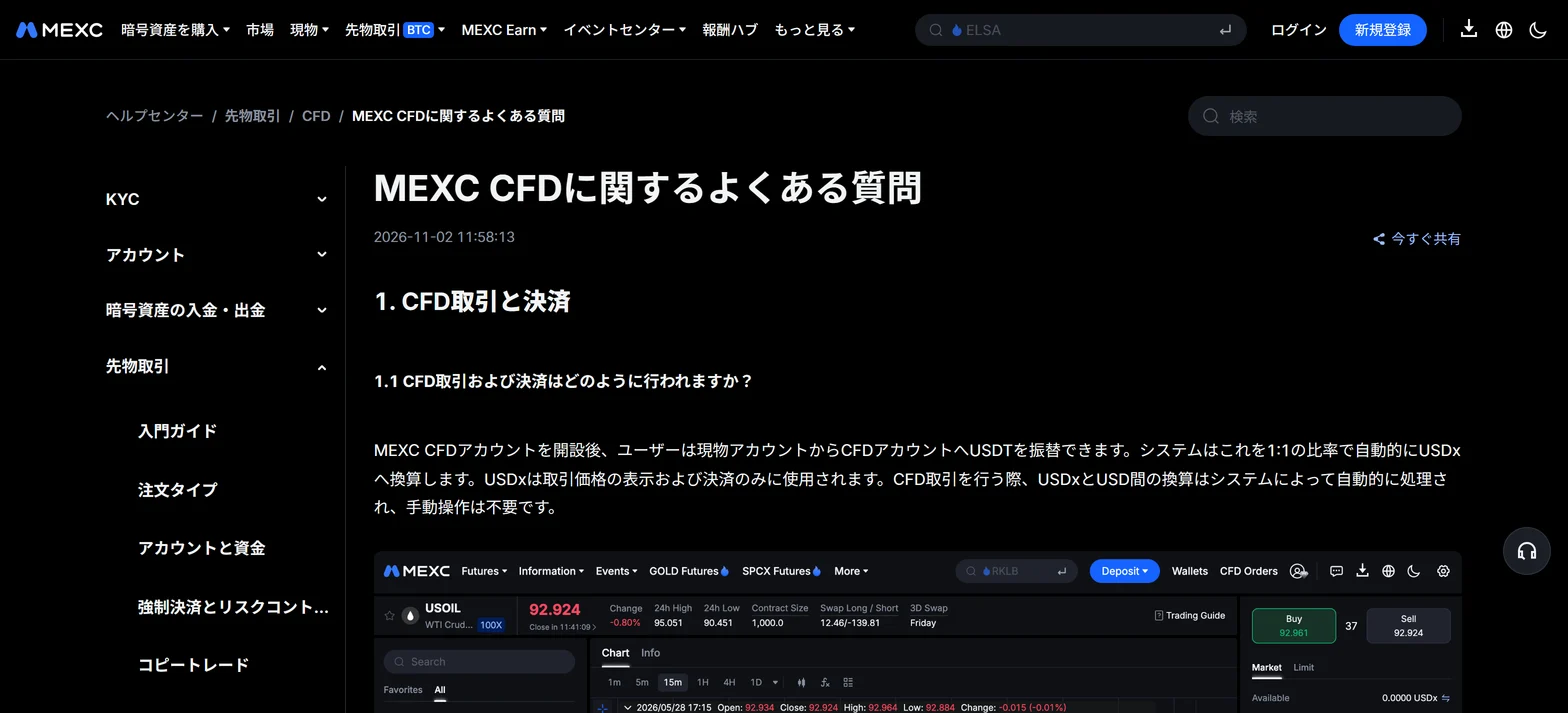
Our MEXC exchange page reflects a check on 3 September 2026 and says MT4 and MT5 are not offered. That predates MT5 support. This article follows the official pages (updated 2 November).
Editorial verdict: what to check before using an EA, in order
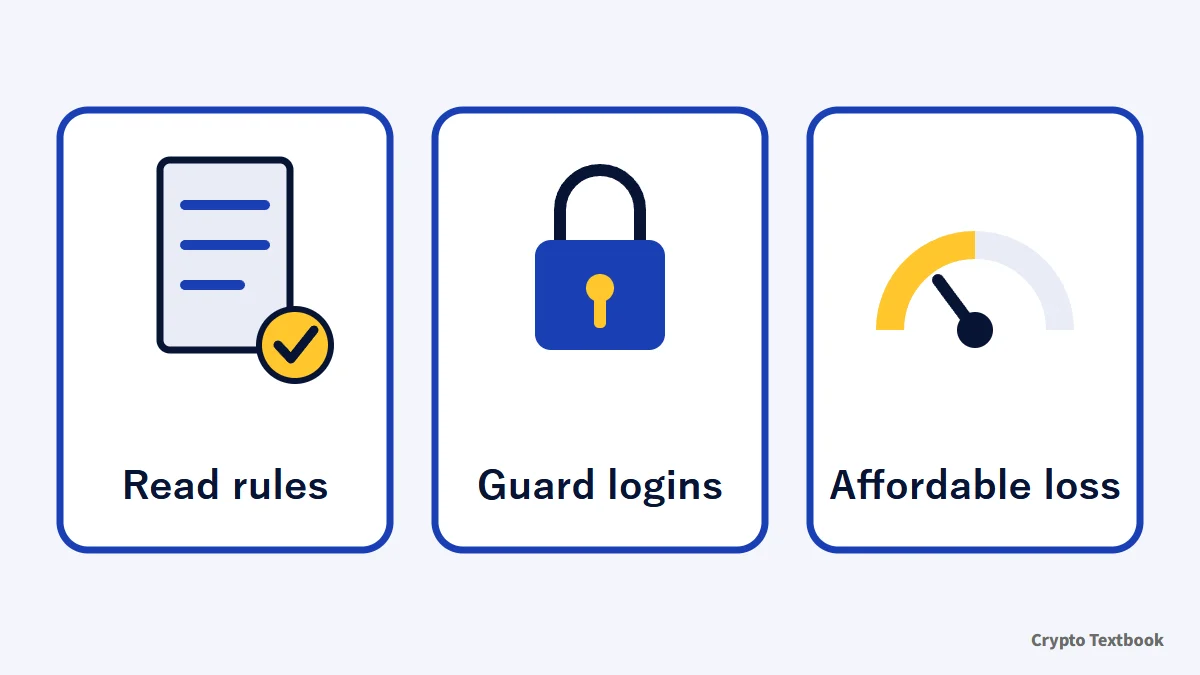
If you only trade by hand on MEXC's screens, you need neither an EA nor MT5. If you want to run an EA, read the CFD trading rules first, decide how to run the external environment and guard the passwords, then transfer only funds whose loss you can bear.
We will update the EA availability and the three cautions once they appear on official pages.
Open the MEXC sign-up page (this site's referral link) →
MEXC referral code and sign-up guide (adding a code you forgot) →
Frequently asked questions
Q. Can I use EAs on MEXC's MT5?
A. MEXC's notice says automated trading with EAs is possible on MT5. However, the official announcement, FAQ and trading rules do not mention EAs (checked 5 November 2026). MT5 support itself is confirmed by the official announcement of 2 November 2026.
Q. Do EAs run in the MEXC app?
A. According to MEXC's notice, the MEXC app and web version cannot run EAs directly. You need to run them in an MT5-compatible external environment.
Q. Can I use MEXC CFDs from Japan?
A. The official help says CFD services are restricted in some regions by local regulation, and eligibility is shown in real time on the product page. MEXC's official pages do not state whether Japan is included. The product page's restricted-countries link leads to MaxiMarket Limited's Terms of Use (last updated 29 January 2026), whose list of excluded jurisdictions does not name Japan (checked 5 November 2026). The terms say the list can change at the company's discretion, so this is not a confirmation that the service is available.
Q. Where do I find my MEXC MT5 login details?
A. Tap CFD Account ID below the chart on the CFD trading page to see the ID, server and password. They are dedicated CFD (MT5) details, separate from your MEXC account UID. They sit behind login, so this article does not print them.
Q. Does trading with an EA break the rules?
A. The official CFD trading rules never use the term EA. The test is whether profit rests on market judgement. If an automated tool is used in ways such as rule 3.4's post-news arbitrage, the account can be reviewed. MEXC makes the call.
Q. How much are MEXC's CFD fees?
A. Per the official fee table, forex and gold or silver cost $6 per lot, crude oil and most indices $3, and the Nikkei 225 $0.1. The fee is charged once when a position opens. Rates may be adjusted with market conditions.
Q. Can I change the leverage on MEXC CFDs?
A. No. It is fixed per symbol: up to 500x for forex, gold, silver and crude oil, 50x for commodities and 20x for platinum and palladium. Positions are force-closed when the margin level falls to 50%.
Q. Can I withdraw USDx?
A. Not directly. Transfer it to the spot account first and it converts to USDT at 1:1. You can then withdraw.
Sources
- MEXC | MEXC MT5 CFD Trading: Unlock Global Markets with Seamless Transfers (official announcement, 2 November 2026, checked 5 November 2026; Japanese page) →
- MEXC | MEXC CFD FAQ (official help centre, updated 2 November 2026, checked 5 November 2026; Japanese page) →
- MEXC | How to Start CFD Trading on MEXC (App) (official help centre, updated 2 November 2026, checked 5 November 2026; Japanese page) →
- MEXC | How to Start CFD Trading on MEXC (Web) (official help centre, updated 2 November 2026, checked 5 November 2026; Japanese page) →
- MEXC | CFD Trading Rules (official help centre, updated 2 November 2026, checked 5 November 2026; Japanese page) →
- MEXC | MEXC CFD Fee Schedule (official help centre, updated 2 November 2026, checked 5 November 2026; Japanese page) →
- MEXC | MEXC CFD product page (official, checked 5 November 2026; Japanese page) →
- MaxiMarket | Terms of Use (terms of the CFD provider, last updated 29 January 2026, checked 5 November 2026) →
- MetaQuotes | MetaTrader 5 Help: Algorithmic trading, trading robots (checked 5 November 2026; Japanese page) →
- MetaQuotes | MetaTrader 5 Help: Expert Advisors and custom indicators (checked 5 November 2026; Japanese page) →
FX Textbook is an independent information site, not an exchange or a provider of personal investment advice. Crypto-asset trading involves risk: price volatility, liquidation of leveraged positions, transfer mistakes and the operational risk of exchanges and service providers can cause you to lose some or all of your invested capital. No result is guaranteed.
NEXT STEP
See MEXC details in one place
Product types, fees, leverage and deposits, as confirmed from official sources by this site.
Exchanges related to this column
Fees, leverage, funding options and current offers are on each exchange page.