














Can you fund Axi with crypto, from what amount, and how long does it take to arrive?
Yes. In the Client Portal, choose Crypto under Funds. The minimum is USD 30, crediting is guided at 0-15 minutes, and Axi charges no deposit fee within its monthly limit (official Help Center, checked 8 November 2026).
Below: how to pick the coin and network, what to check when a deposit does not appear, and the rule that withdrawals go back in the same coin.
In short: an Axi crypto deposit starts at USD 30 and credits in 0-15 minutes
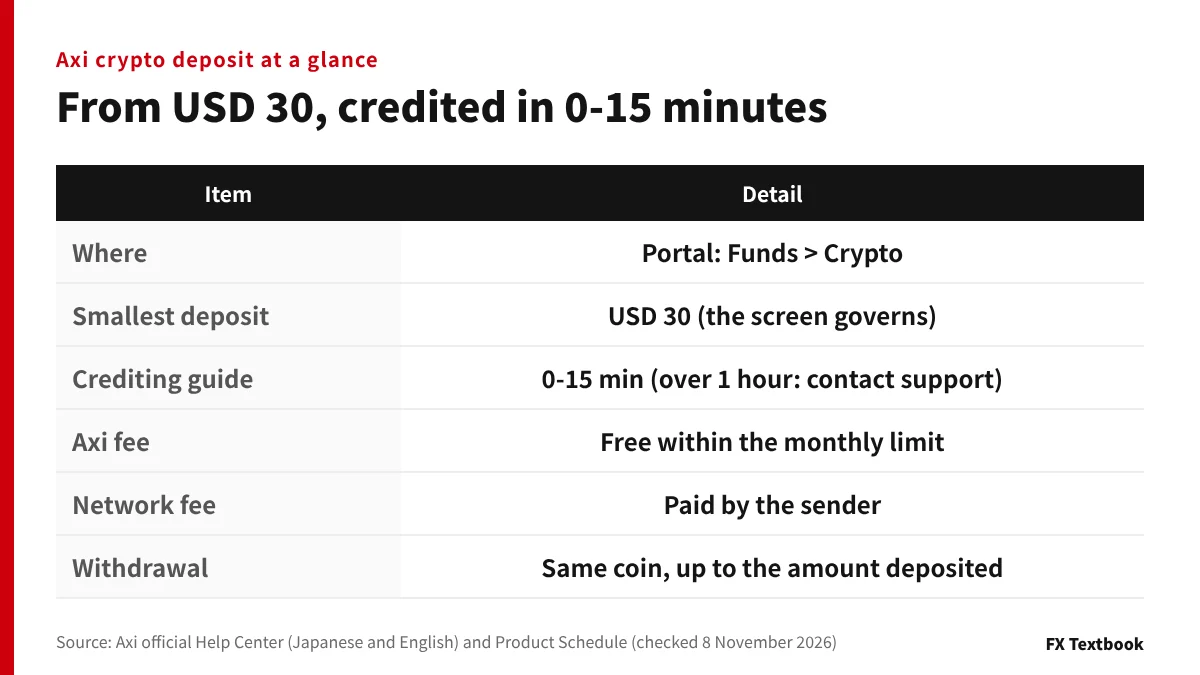
- Where: in the Client Portal, open Funds and choose Crypto
- Minimum: USD 30. The amount shown on the portal's deposit screen governs
- Crediting: 0-15 minutes. Contact support if one hour passes
- Fees: no Axi fee within the monthly limit. The sender pays the network fee
- Name: send from a wallet in your own name. Third-party deposits are returned to the sender
- Withdrawal: you receive the coin you deposited, up to the amount you deposited
Trading FX and CFDs carries the risk of losing more than the funds you deposit. Apart from the deposit steps, the risk of trading losses remains.
Coins and networks you can use to fund Axi with crypto
In this article, a crypto deposit means sending coins you already hold so that they become balance in your account. Crypto CFDs, which trade price moves in assets such as Bitcoin, are a separate product, and no coins stay in your account (Axi official page, checked 8 November 2026).
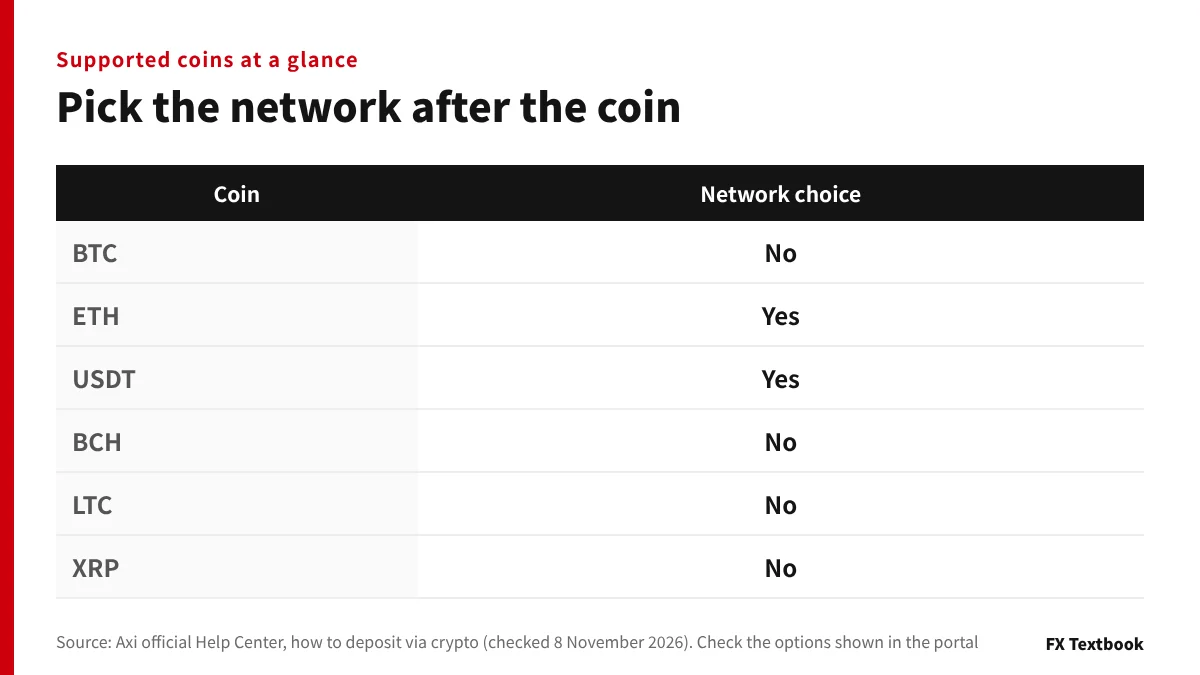
The deposit help names BTC, ETH, USDT, BCH, LTC and XRP. Other coins may appear, so check the options shown on the portal deposit screen.
| Coin | Network choice |
|---|---|
| BTC | None |
| ETH | Choose (e.g. ERC-20) |
| USDT | Choose (e.g. ERC-20, TRC-20) |
| BCH | None |
| LTC | None |
| XRP | None |
※ The options shown on the deposit screen are the definitive list for your account.
USDT and ETH need a network
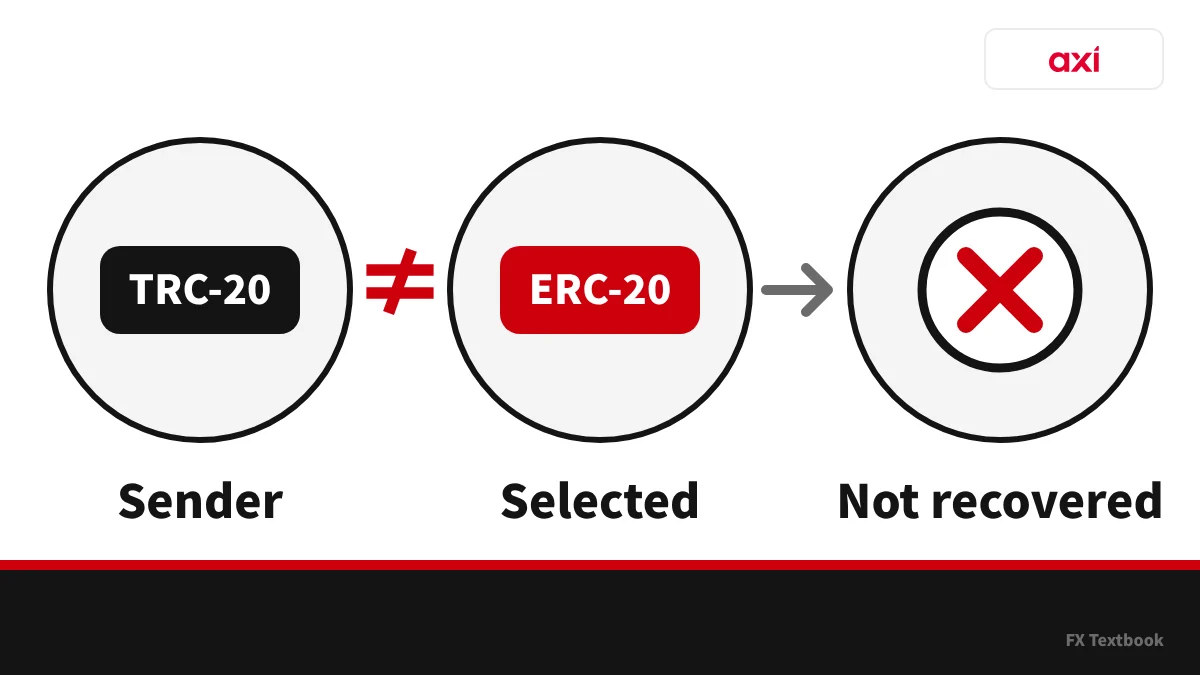
For USDT and ETH you pick a network after the coin. Choosing the wrong network can mean a permanent loss of funds (official Help Center).
The networks the official help gives as deposit examples are ERC-20 and TRC-20. Check the networks offered on the portal deposit screen. USDT sent over other networks cannot be recovered.
- Coin: the same on your sending screen and on the Axi deposit screen
- Network: the one you pick at the sender matches the one you picked at Axi
- Address: copied from the Axi screen and pasted
Also check which coins and networks your sending exchange can withdraw. A coin your exchange cannot withdraw cannot be sent to Axi.
Axi deposit and withdrawal methods, rules and how to track a withdrawal →
How to deposit crypto to Axi in the Client Portal
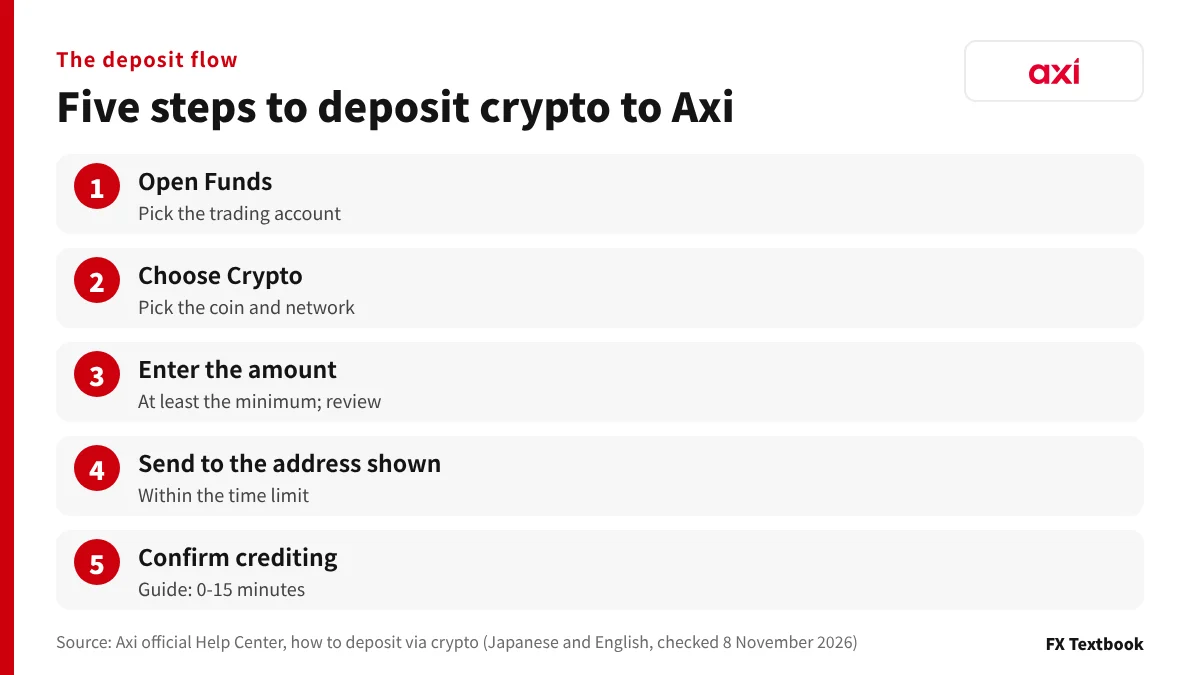
The official help starts from Funds in the Client Portal (checked 8 November 2026). Follow the screen names the portal shows.
- 01Open Funds
Log in to the Client Portal and choose Funds in the left menu. If you hold several trading accounts, pick the one you want to fund.
- 02Choose Crypto
Under Select payment method, choose Crypto, then the coin you will send. For USDT and ETH, also pick the same network as your sender. If Crypto does not appear, it is not available for your region or account settings.
- 03Enter the amount and review
Enter at least the minimum and press Continue. On the review screen, check the account, coin and amount.
- 04Send to the address shown
Scan the QR code or copy the address into your sender. Send within the time limit shown.
- 05Confirm crediting
A success notice appears when processing ends. Check the balance of the account you chose on the dashboard.
A new address is generated for each deposit attempt. Saving and reusing an earlier address or QR code can delay crediting or cause the deposit not to arrive.
If you deposit from the Axi app
The Axi Trading Platform app also lets you deposit from Deposit funds in the side menu, in the same order. The app is available for Standard accounts only.
In the app, after confirmation you are taken to an external payment window (Finrax). You send there using the QR code or the address.
Opening an Axi account and verifying your identity, before you deposit →
Timing and fees: no Axi fee, but you pay the network fee
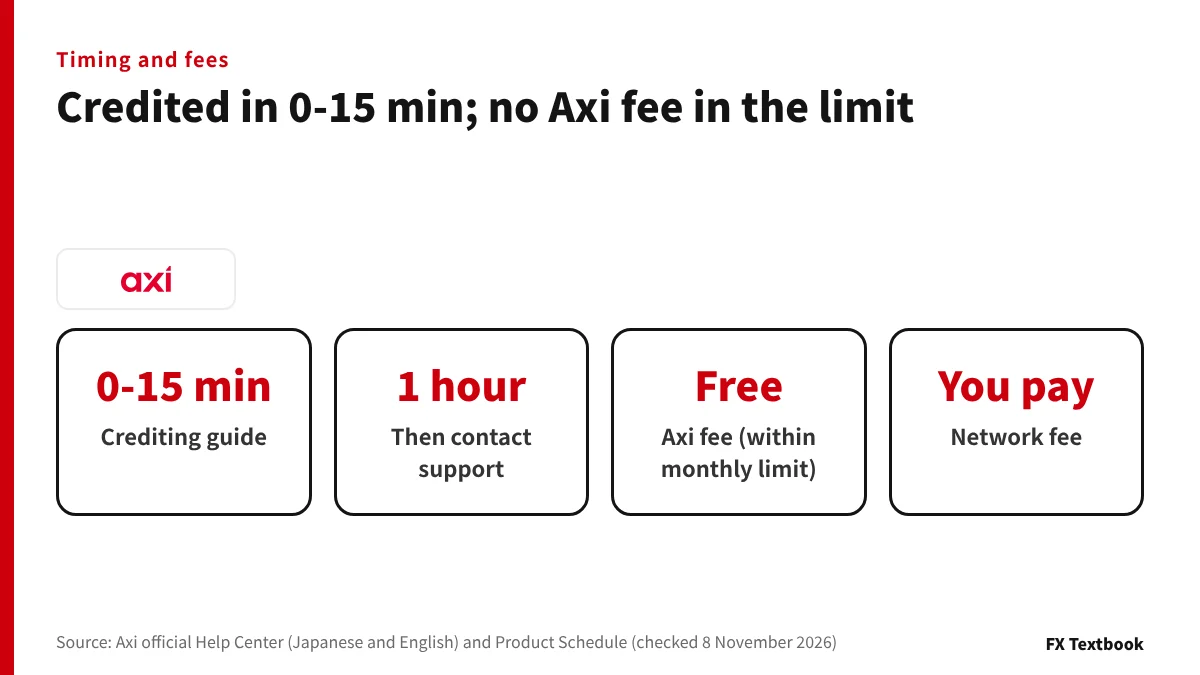
The crediting guide is 0-15 minutes (official Help Center, checked 8 November 2026). Most deposits arrive within minutes, and the help asks you to contact support if one has not appeared within an hour.
| Cost | Paid to | Detail |
|---|---|---|
| Axi deposit fee | Axi | Free within the monthly limit |
| Network fee | The blockchain | Varies with congestion. Axi does not receive it |
| Sender's withdrawal fee | Exchange or wallet | Differs by sender |
| Deposits over USD 50,000 a month | Axi | 3.0% for other methods (check the portal to see whether crypto is covered) |
※ The monthly limit and fee are in the Deposits section of the Product Schedule (effective 6 October 2026). Bank transfers have no limit and no fee.
How the network fee reduces what arrives
The network fee is also called a gas fee or miner fee. It goes to the people running the network, not to Axi. In the official example, sending 0.1 BTC with a 0.0002 BTC fee means 0.0998 BTC arrives.
| Amount sent | Fee (assumed) | Amount that arrives |
|---|---|---|
| 100 USDT | 1 USDT | 99 USDT |
| 101 USDT | 1 USDT | 100 USDT |
※ Some senders take the fee out of the amount sent and others add it on top. Check the received amount on the sending screen before you send.
Do not send right at the minimum; leave room for the fee.
Deposits are converted into your account currency (Client Agreement 3.3(b)). The amount you sent and the balance credited will not be the same number.
If a deposit does not appear: what to check, in order
The official help asks you to contact support if a deposit has not appeared within an hour. Before you do, check in this order.
- 01Has the guide time passed?
Crediting is guided at 0-15 minutes. In your sender's record, see whether blockchain confirmations are progressing.
- 02Do coin and network match?
In the sender's record (the TXID), check the coin and network you sent. If they differ, Axi cannot recover the funds either.
- 03Did you send to this attempt's address?
Reusing an earlier address or a saved QR code can delay the deposit or stop it arriving. Check you sent within the time limit.
- 04Is the sender in your own name?
Deposits from a third party's wallet are returned to the sender. Re-check the name.
- 05Contact support
Attach the TXID, sending address, coin and network, trading account ID and a screenshot.
| Symptom | Possible cause | Check |
|---|---|---|
| The QR code will not scan | Wallet app compatibility | Copy and paste the address |
| Below the minimum | The amount is too small | See the minimum on the portal's deposit screen |
| The amount looks wrong | Network fee, conversion to account currency | Compare the TXID and received amount |
| Confirmations are stuck | Confirmation count on the blockchain | Attach a screenshot of the confirmation status |
Submitting several deposit requests for the same transfer slows processing. The official help asks you to avoid duplicate requests while you wait.
Are Axi's withdrawal-refusal and freeze rumours true? Facts from official documents →
Name and sender: send from a wallet in your own name
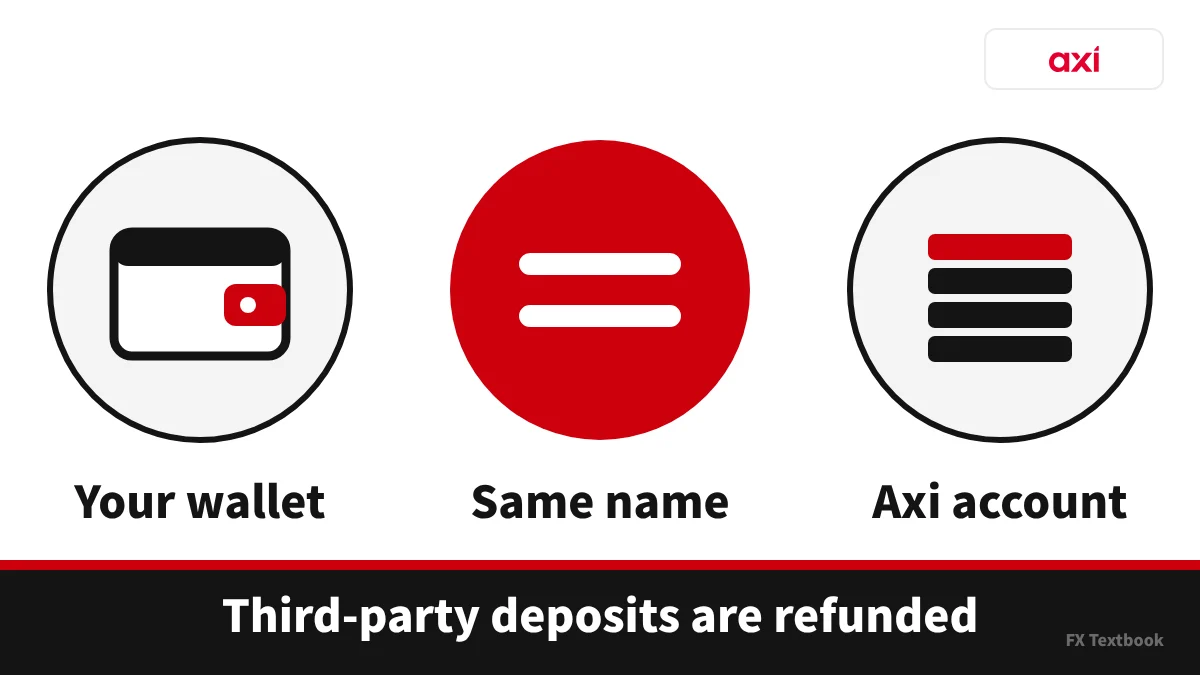
Crypto deposits must come from a wallet held in your own legal name. Deposits from a third party's wallet are returned to the sending address (official Help Center, checked 8 November 2026).
| Document | What it says |
|---|---|
| Help Center (deposits) | From a wallet in your own legal name. Third-party deposits are returned |
| Product Schedule (effective 6 October 2026) | If third-party funding is suspected, funds may be returned and the balance held until identity and source of funds are verified |
| Client Agreement 6.2(i) (effective 7 July 2026) | A deposit from a crypto wallet that cannot be verified as yours is one ground for closing positions without notice |
| Help Center (between brokers) | Transfers from other FX brokers are not accepted |
- An unverified account has a deposit cap of USD 5,000
- Finish identity verification within 28 days of opening. Until then deposits, trading and withdrawals are restricted
- If a deposit exceeds the limit, the excess is returned
When you send straight from a domestic exchange
If you send straight from an exchange, ask Axi support before you deposit whether that sending address counts as a wallet in your own name (checked 8 November 2026).
Japanese crypto exchanges screen recipients under the Travel Rule. Where you can send differs by exchange.
Travel Rule limits and checks when sending to overseas exchanges and wallets →
The basics of crypto tax in Japan, checked against National Tax Agency material →
Withdrawal rules for funds deposited in crypto
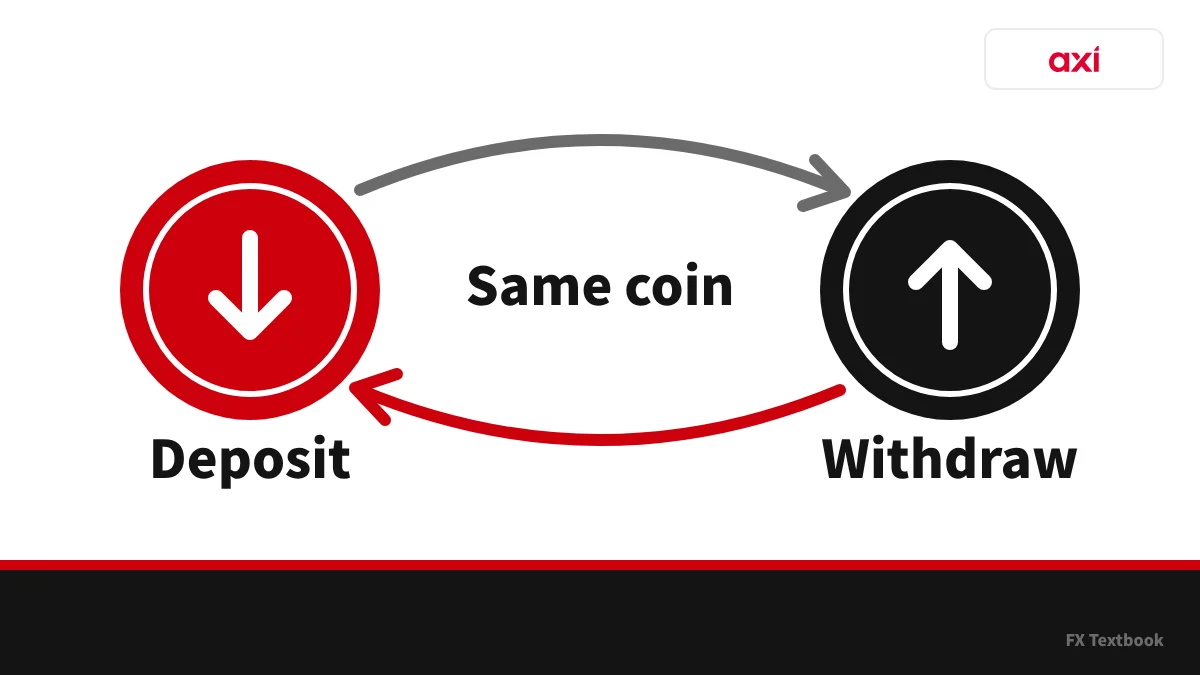
Withdrawals go back by the same method you deposited with. Funds deposited in crypto return by the same method, up to the equivalent of what you deposited (official Help Center on RTS, checked 8 November 2026).
| Item | Detail |
|---|---|
| How you are paid | By the same method, back to the original source |
| Amount | Up to the equivalent of the deposit, counted in coin |
| Profits | Withdrawn by another method, such as bank transfer |
| Per-transaction cap | USD 300,000 equivalent in crypto |
| Name on the payee | The account holder. Third-party payees are cancelled |
| Processing | 1-2 business days to confirm and process |
RTS counts the coin amount, not the dollar amount. In the official example, someone who deposited 0.05 BTC requests a withdrawal of 0.05 BTC.
| Portion | How you receive it |
|---|---|
| The 0.02 BTC deposited | In crypto, up to 0.02 BTC |
| Profits beyond that | By another method, such as bank transfer |
※ If the message "Customer must consume RTS balance" appears, withdraw the full balance, because the remainder would fall below the minimum withdrawal.
Register your withdrawal wallet
- 01Open Funds, then Manage
On the Crypto tab, press Add at the bottom right.
- 02Choose coin and network
Pick the ones that match your wallet address. A mismatch loses the funds.
- 03Enter the address and verify
Enter the address and confirm with the 6-digit code sent to your phone or authenticator app.
You can save up to three wallets. For a large amount or a new wallet, send a small test first and withdraw the rest afterwards (the official help's recommendation).
Comparing withdrawal methods, fees and times across overseas FX brokers →
Checking before you deposit: activate promotions first
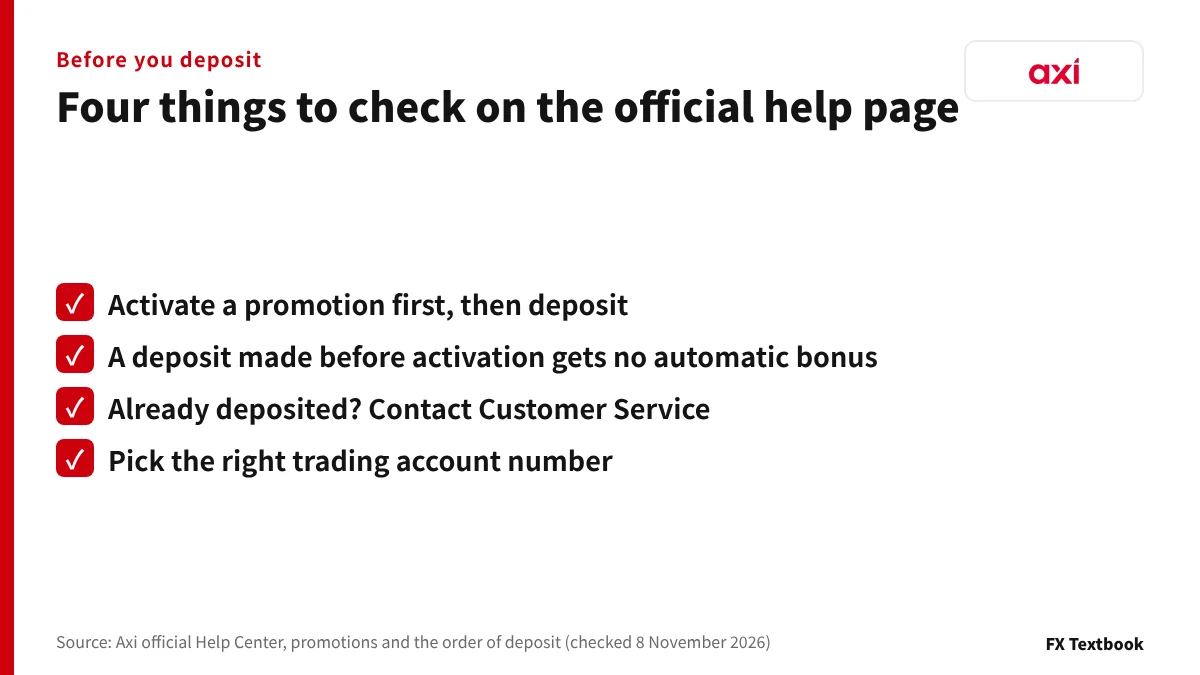
If you plan to use a promotion such as a bonus, activate it before you deposit. The official help says a deposit made before activation does not get the bonus automatically.
- If you use a promotion, activate it in the portal first, then deposit
- With several trading accounts, pick the account number you want to fund (the wrong one needs an internal transfer and delays things)
- On the deposit screen, check the minimum, the time limit and the network options
- Finish identity verification before depositing a larger amount
Editorial verdict: who a crypto deposit suits
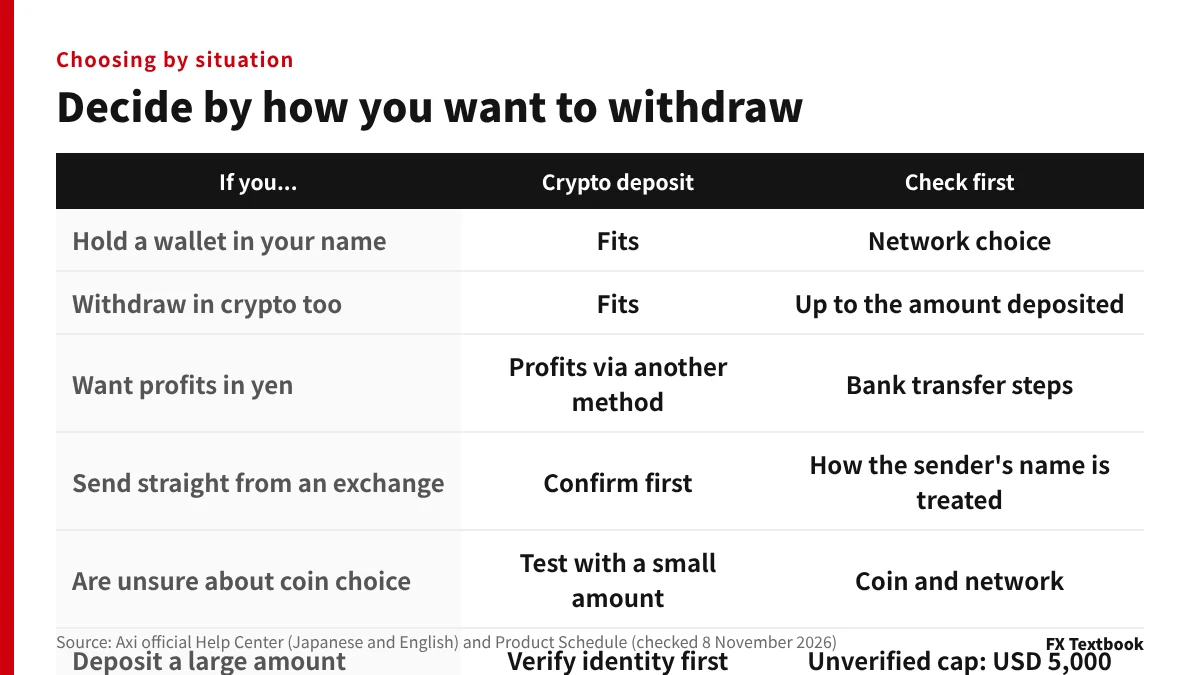
If you hold a wallet in your own name and also want to withdraw in crypto, a crypto deposit fits. If you are unsure about coin and network, test with an amount around USD 30. If you want profits in yen, decide how you will withdraw the profit portion before you deposit.
Final checks before you deposit
- Minimum: confirmed on the portal's deposit screen
- Coin and network: the same as your sender's
- Name: you have checked that the sender is a wallet in your own name
- Withdrawal: you have decided assuming you receive the coin back, up to the amount deposited
- Crediting: 0-15 minutes is the guide; contact support after one hour
Frequently asked questions
Q. Can you deposit to Axi with crypto?
A. Yes. In the Client Portal, choose Crypto under Funds. Crypto is usable only where it appears for your region and account settings. Deposits must come from a wallet in your own name (official Help Center, checked 8 November 2026).
Q. What is Axi's minimum crypto deposit?
A. USD 30. The minimum shown on the deposit screen governs, and you cannot complete a deposit below it.
Q. How long does an Axi crypto deposit take to credit?
A. The guide is 0-15 minutes. The official help asks you to contact support if a deposit has not appeared within an hour, attaching the TXID, sending address, coin and network, and trading account ID.
Q. Which network should I use to send USDT to Axi?
A. Use the same network at your sender as the one you picked on the Axi deposit screen. The official help gives ERC-20 and TRC-20 as deposit examples. If the network is wrong, Axi cannot recover the funds.
Q. Are there fees on an Axi crypto deposit?
A. Axi charges no deposit fee within its monthly limit. The sender pays the network fee. Your sending exchange or wallet may also charge its own withdrawal fee.
Q. Can I send straight from a Japanese exchange to Axi?
A. Japanese exchanges screen recipients under the Travel Rule, and where you can send differs by exchange. Ask Axi support before you deposit whether an exchange sending address counts as a wallet in your own name.
Q. If I deposit in crypto, do I withdraw in crypto?
A. Yes. You are paid by the same method, in the same coin, up to the amount you deposited. Profits beyond that are withdrawn by another method, such as bank transfer. Confirming and processing a withdrawal takes 1-2 business days.
Q. What if my deposit has not appeared?
A. Wait an hour, then check in your sender's record that the coin and network match. If it still has not appeared, contact support with the TXID, sending address and trading account ID.
Sources and conditions
- Axi official Help Center: depositing to an MT4 account with crypto (Japanese, checked 8 November 2026) →
- Axi official Help Center: How to deposit via Cryptocurrency, Client Portal (English, checked 8 November 2026) →
- Axi official Help Center: crypto deposits (Japanese, checked 8 November 2026) →
- Axi official Help Center: when funds reach your account (Japanese, checked 8 November 2026) →
- Axi official Help Center: deposit fees (Japanese, checked 8 November 2026) →
- Axi official Help Center: why a crypto fee was charged (Japanese, checked 8 November 2026) →
- Axi official Help Center: why a crypto deposit has not arrived (Japanese, checked 8 November 2026) →
- Axi official Help Center: crypto withdrawals and Return to Source (Japanese, checked 8 November 2026) →
- Axi official Help Center: minimum and maximum deposit amounts (English, checked 8 November 2026) →
- Axi official: Product Schedule for MT4 and MT5 (effective 6 October 2026) →
- Axi official: Client Agreement (AxiTrader LLC, effective 7 July 2026) →
- Axi official: crypto CFDs (Japanese, checked 8 November 2026) →
- Axi account types and trading conditions (this site, Axi-supplied information) →
- Advertising, affiliate relationships and risk disclosure →
FX Textbook is an independent information site, not a broker or provider of personal investment advice. Forex and CFDs involve risk. You may lose some or all of your invested capital. No trading result is guaranteed.
NEXT STEP
Checked the deposit steps? Compare Axi's account conditions next.
Spreads, commission and first-deposit amounts for Standard, Premium and Elite, current bonuses and the account opening steps are on the broker page.
Brokers covered in this column
Account types, trading conditions and current offers are on each broker page.