














You found an EA with a smooth, rising backtest on its sales page, and you are not sure how far to trust it.
Look at three things before the profit figure: the test settings, the maximum drawdown and the number of trades. MetaQuotes publishes how it measures price data quality and drawdown in its official help (checked 30 October 2026).
By the end you can read an MT5 test report yourself and use a 10-point checklist to spot results that only look good.
Conclusion: check settings, drawdown and trade count first
- Settings: read the period, tick mode, spread, commission and delay first
- Data: use History Quality to check the price data for gaps
- Drawdown: size the account on the largest fall including open losses (Equity Drawdown Maximal)
- Trades: with few trades, one big win moves every figure
- Gap: compare the optimised period with a separate forward period
Look at profit factor and recovery factor only after these five. A backtest shows how an EA would have traded on past prices. It does not promise future results.
What an EA backtest is: the MT5 Strategy Tester
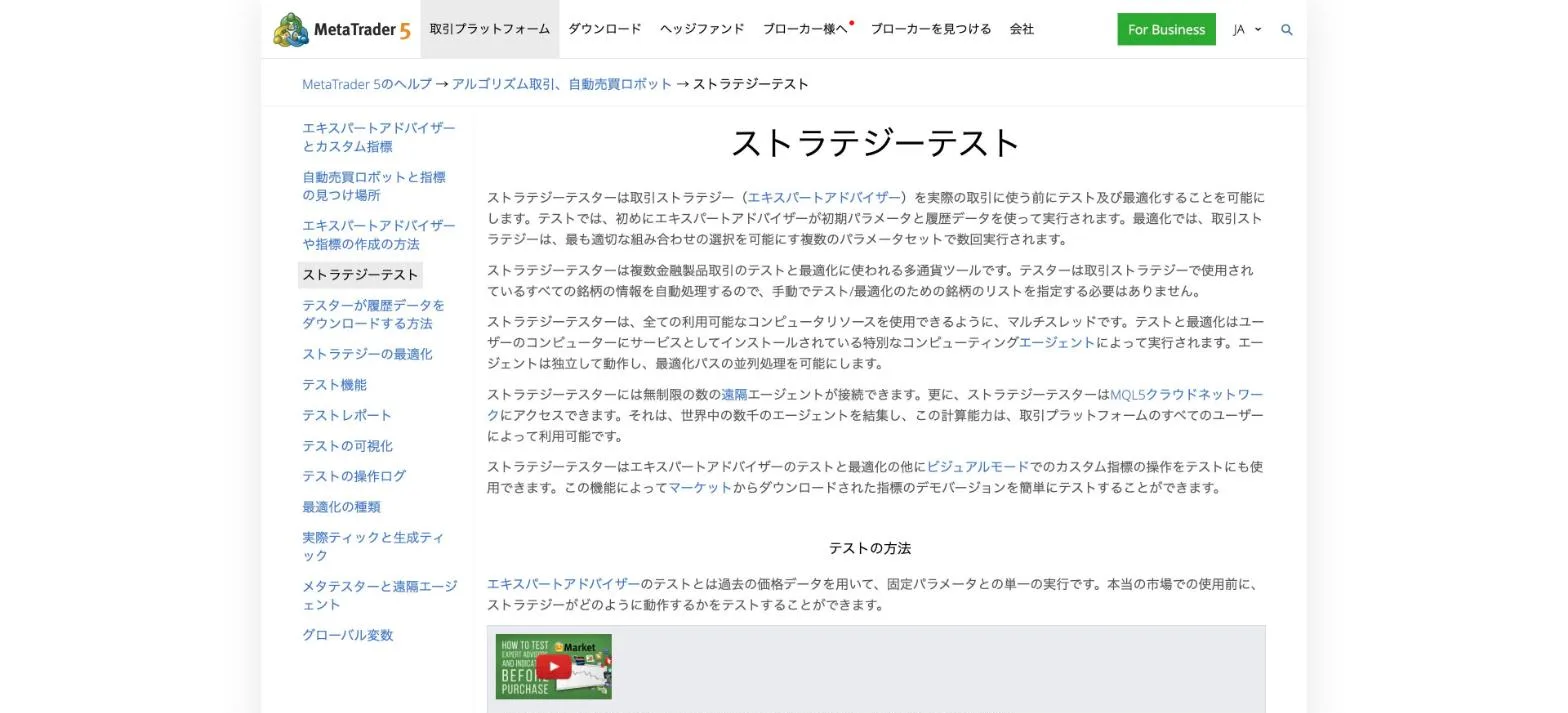
The MT5 Strategy Tester runs an EA (Expert Advisor, an automated trading program) on historical price data. The official help treats testing and optimisation separately.
| Function | Official description | What to watch |
|---|---|---|
| Testing | One run with fixed parameters | One set of settings, so easy to verify |
| Optimisation | Many runs with different parameter sets to pick the best | The chosen set tends to fit the past |
| Forward testing | Splits the period and tests the chosen set on the later part | Shows results outside the optimised period |
| Visual mode | Replays the trades on a chart | Shows how positions are built |
The tester reads symbol history from the platform and downloads only the missing part from the trade server. The same EA can therefore give different results with different brokers.
Every MQL5 Market product has a free demo version that runs in the Strategy Tester (official help). You can test it on your own MT5 before buying.
How EAs work, running them on a VPS (virtual server) and when to stop them are covered in our beginner guide.
Before you start with EAs: how they work, where they run and when to stop
Check it on screen: report fields and formulas
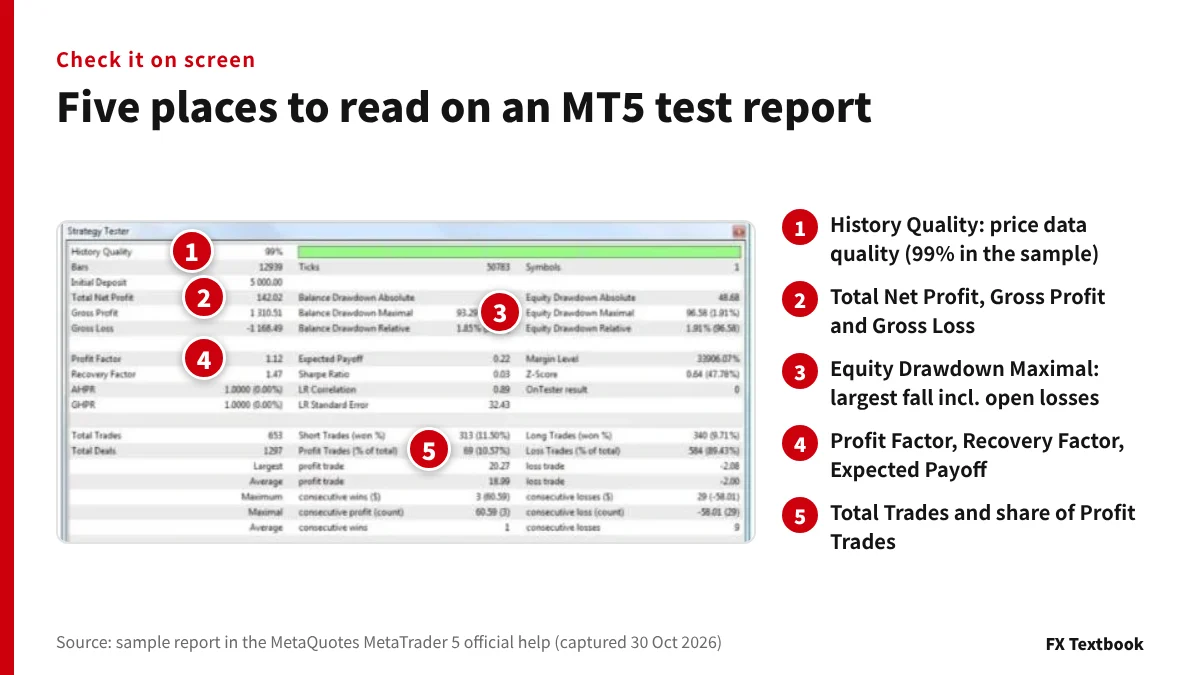
When a test ends, the Results tab shows a detailed report. The image above is the sample in the MT5 official help. Read the five numbered places from top to bottom.
| Field | Meaning or formula |
|---|---|
| History Quality | Share of correct 1-minute data (%) |
| Total Net Profit | Result of all trades (gross profit minus gross loss) |
| Profit Factor | Gross profit divided by gross loss; 1 means equal |
| Expected Payoff | Average profit or loss per trade |
| Recovery Factor | Profit divided by maximum drawdown |
| Sharpe Ratio | Return divided by its standard deviation (risk-free rate set to 0) |
| Profit Trades | Number and share of winning trades |
Translated versions of the platform may label fields differently from the help pages. Matching by the English field name avoids mix-ups.
Three drawdown types, each for balance and equity
| Type | Official definition |
|---|---|
| Absolute | Initial deposit minus the lowest value below it |
| Maximal | Largest fall in money from a high to the next low (% in brackets) |
| Relative | Largest percentage fall from a high to the next low |
Balance counts closed trades only. Equity includes open profit and loss. The longer an EA holds positions, the wider the gap, so size your account on Equity Drawdown Maximal.
Official guide to the Sharpe Ratio
| Value | Official reading |
|---|---|
| Below 0 | The strategy is unprofitable (bad) |
| 0 to below 1.0 | Risk is not rewarded (uncertain) |
| 1.0 or more | Risk is rewarded and results may follow (good) |
| 3.0 or more | Very low chance of a loss on each trade (very good) |
Below the figures are bar charts of entries and profit by hour, weekday and month. In the hourly chart, Asian, European and American sessions are yellow, green and red.
Reading the official sample: profit at a 10.57% win rate
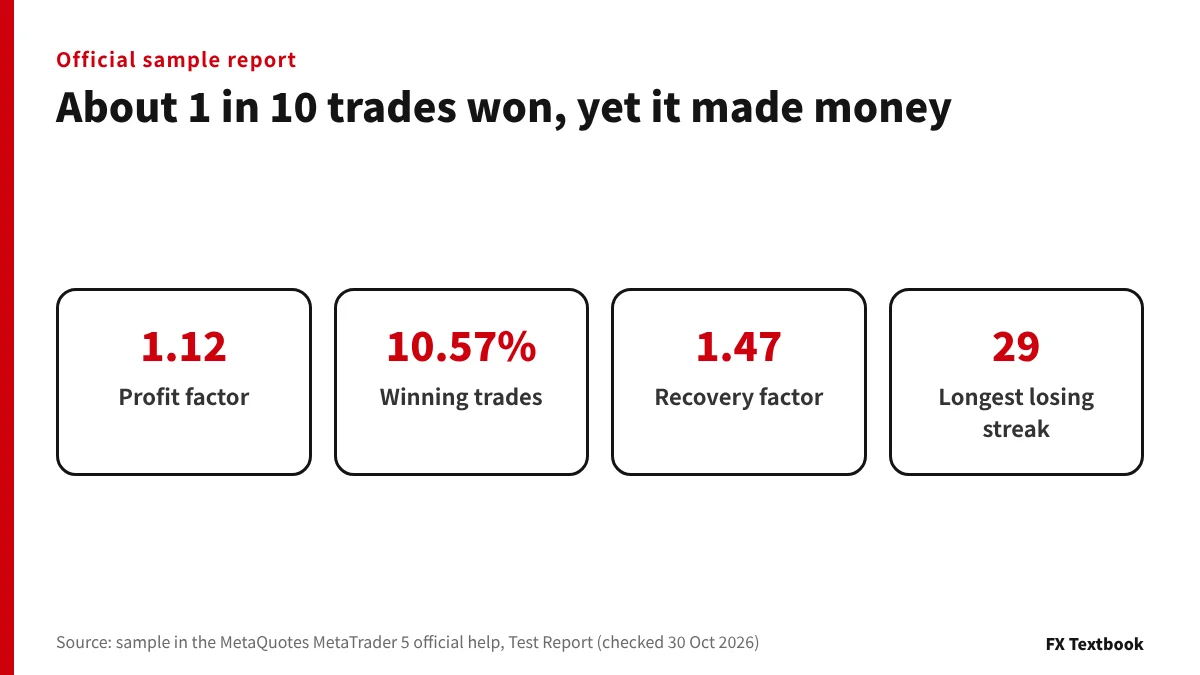
Here is the official sample, read line by line. The help does not state the symbol, lot size or account currency, so read the amounts in account currency units.
| Field | Sample value | Our check |
|---|---|---|
| Initial Deposit | 5,000.00 | - |
| Total Net Profit | 142.02 | 1,310.51 - 1,168.49 = 142.02 |
| Profit Factor | 1.12 | 1,310.51 / 1,168.49 = 1.12 |
| Expected Payoff | 0.22 | 142.02 / 653 = 0.22 |
| Recovery Factor | 1.47 | 142.02 / 96.58 = 1.47 |
| Profit Trades | 69 (10.57%) | 69 / 653 = 10.57% |
Only about one trade in ten won. The test still made money because the average win was 18.99 and the average loss was 2.00. One win paid for about nine and a half losses.
The longest losing streak was 29 trades, costing 58.01, or about 1.2% of the 5,000 deposit. With a low win rate, ask first whether you could sit through a streak that long.
- Largest fall: balance 93.29 (1.85%), equity 96.58 (1.91%)
- 653 trades and 1,297 deals
- History Quality 99% (green band across the period)
The sample Sharpe Ratio is 0.03, in the uncertain band of the official guide. A PF of 1.12 only shows that the test period made money.
Red flag 1: short periods and few trades
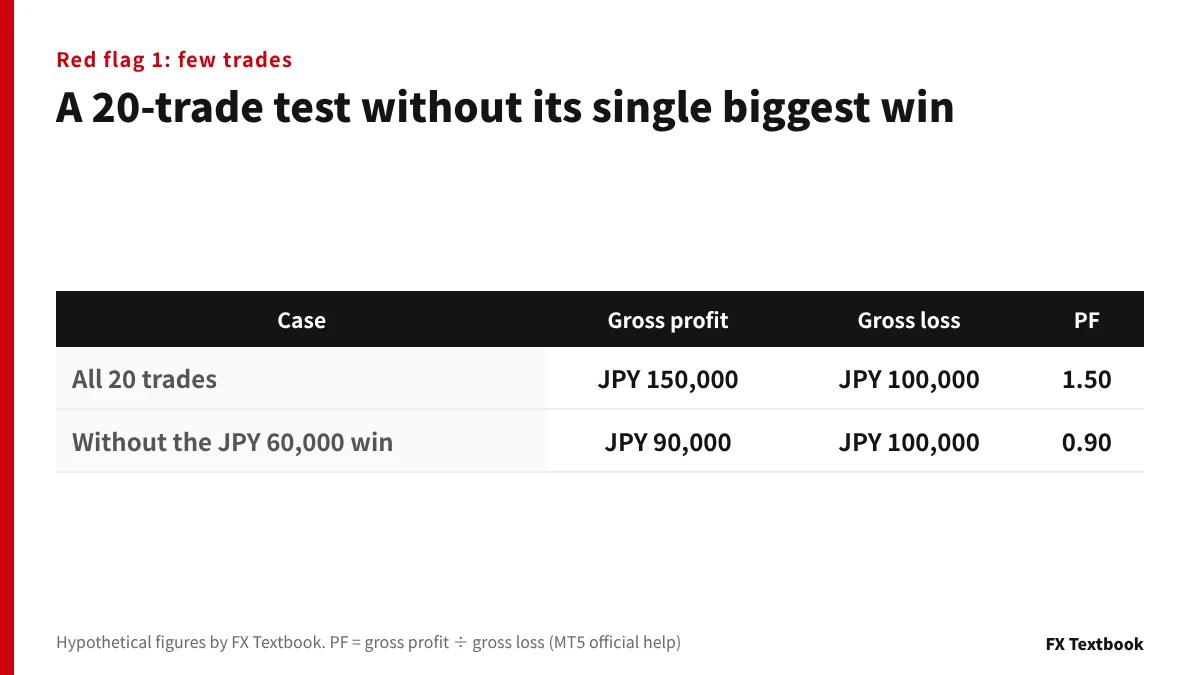
A short test may capture only the market phase that happened to suit the EA. With few trades, one big win moves every figure.
| Case | Gross profit | Gross loss | PF |
|---|---|---|---|
| All 20 trades | JPY 150,000 | JPY 100,000 | 1.50 |
| Without the biggest win of JPY 60,000 | JPY 90,000 | JPY 100,000 | 0.90 |
Removing one trade pushes the PF below 1. The report alone tells you whether the Largest profit trade makes up most of the gross profit.
- Period: does it include rising, falling and sideways markets?
- Trades: is the count very low for the length of the test?
- Concentration: does profit come from a few months or hours (see the bar charts)?
In the official help, the start date is included and the end date is not. If there is not enough history to build at least 100 bars before the start, the start date moves automatically.
Red flag 2: spread, commission and delay settings
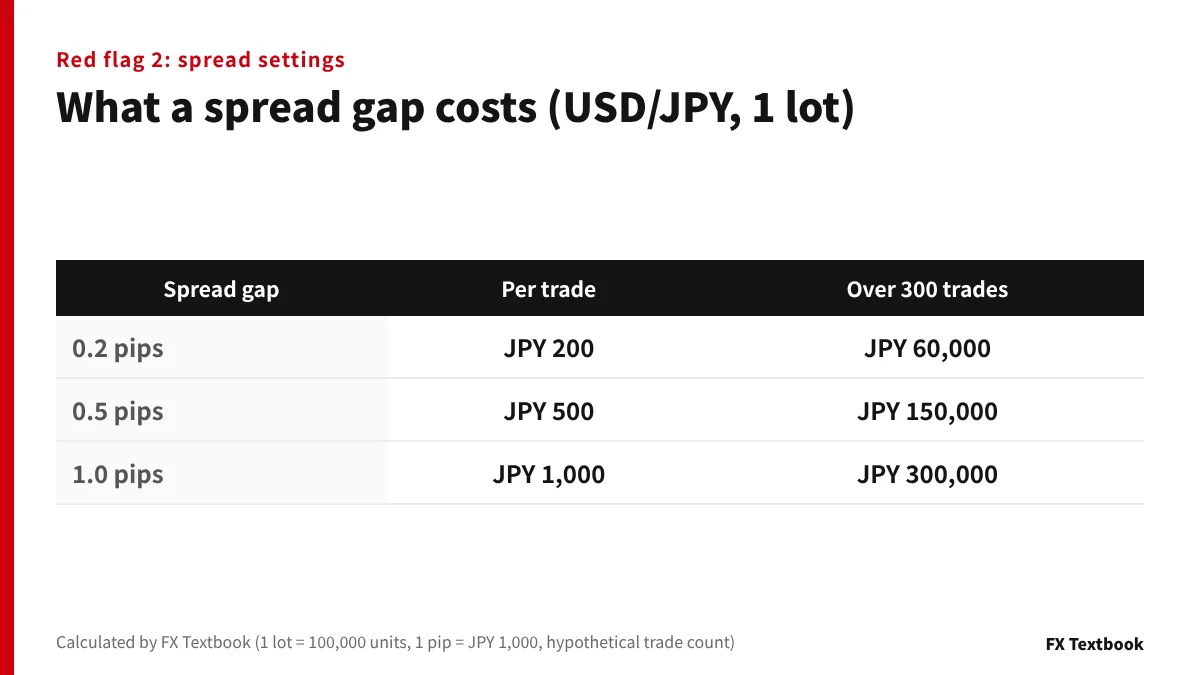
The MT5 tester takes spreads from historical data instead of modelling them. With real ticks the spread changes within a minute. With generated ticks it is fixed for each bar.
A report made with another broker or account will not match your spread. On USD/JPY, one lot (100,000 units) means JPY 1,000 per pip.
| Spread gap | Per trade | Over 300 trades |
|---|---|---|
| 0.2 pips | JPY 200 | JPY 60,000 |
| 0.5 pips | JPY 500 | JPY 150,000 |
| 1.0 pips | JPY 1,000 | JPY 300,000 |
Calculating profit in pips drops swaps and commissions and skips margin control. The official help calls it a rough estimate, not a figure to show as performance.
Include commission and execution delay
If your account charges a round-turn commission, check that it was entered in the advanced settings. There is also an option to apply the connected account's own commissions (Use predefined commissions).
- No delay: every order fills at the requested price, an ideal case
- Random delay: 0 to 8 seconds 90% of the time, 9 to 18 seconds 10%
- Fixed delay: a set number of seconds, or the ping to the broker server
Offshore FX spread comparison: 10 brokers by account, including commission
Red flag 3: tick generation mode and history quality
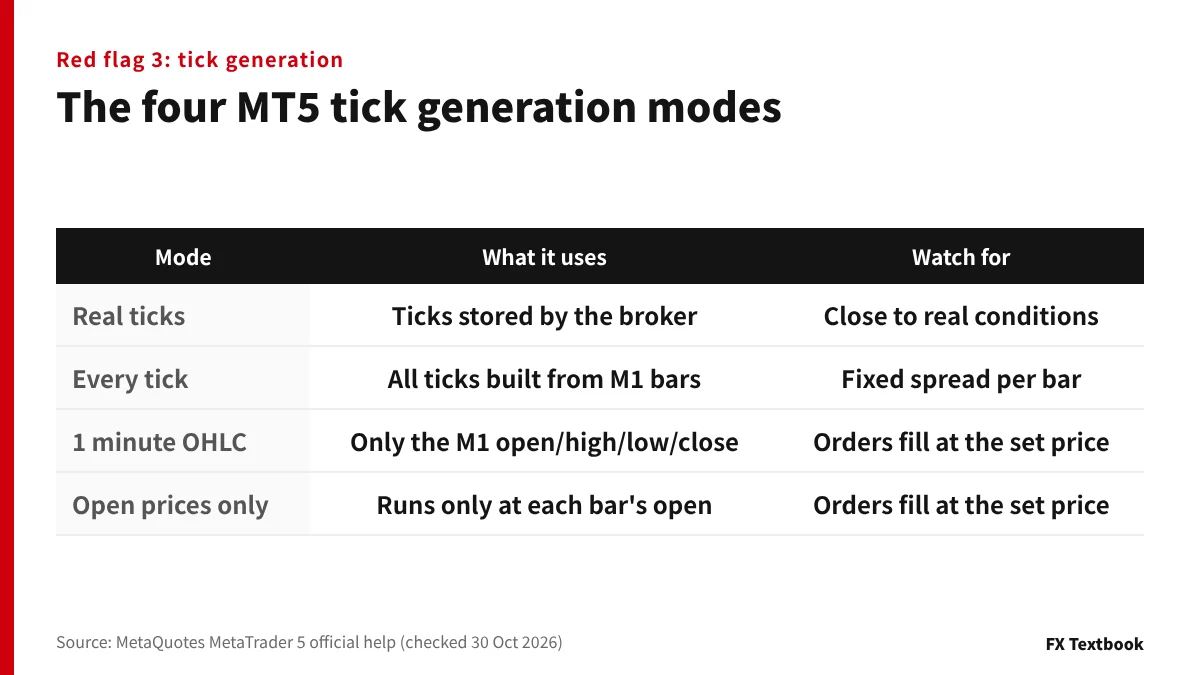
The tick generation mode sets how detailed the test is. Coarser modes finish faster but do not reproduce price moves inside each bar.
| Mode | Official description | What to watch |
|---|---|---|
| Every tick based on real ticks | Uses real ticks stored by the broker | Close to real conditions; first download is slow |
| Every tick | Generates all ticks from 1-minute bars | Generated ticks keep a fixed spread per bar |
| 1 minute OHLC | Uses only the open, high, low and close of each minute | No moves inside the bar; pending orders and SL/TP fill at the order price |
| Open prices only | Runs the EA only at each bar's open | The EA acts only at the open; pending orders and SL/TP fill at the order price |
An EA aiming for a few pips is sensitive to moves within a minute. In the two coarse modes, limit, stop and SL/TP orders fill at exactly the price set. If those are the only reports, ask for a rerun on real ticks.
History Quality (Modelling quality in MT4)
MT5 History Quality is the share of correct 1-minute data. Bars with volume 1 but different OHLC values, and gaps in history, count as incorrect data.
- MT5: lighter green means better quality; red marks stretches at or below 50%
- MT4: grey is unused history; red means lower timeframe data was missing
- MT4: testing on Open prices only shows Modelling quality as n/a
MT4 Modelling quality follows the formula in an MQL5 official article. Its largest weight is 0.9, so even pure 1-minute data caps it at 90% (our calculation from the formula).
Red flag 4: overfitting and the forward test gap
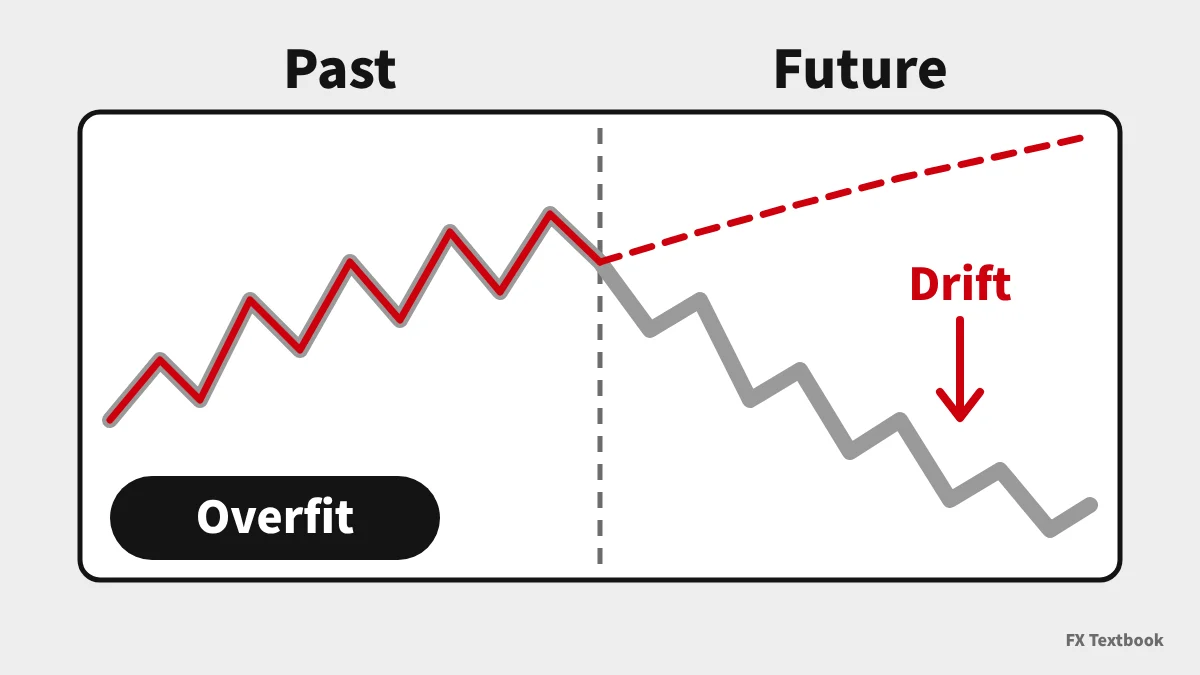
Optimisation tries many parameter sets and keeps the best performers. A set fitted too closely to past prices can fail in another period. This is overfitting, or curve fitting.
The official help offers forward testing as a way to avoid overfitting. It splits the period in two and tests the chosen sets on the newer part.
| Official rule | Detail |
|---|---|
| Split | 1/2, 1/3 or 1/4 of the period, or a custom start date |
| Forward period | Always the newer, later part |
| Sets tested | Top 10% (complete algorithm) or top 25% (genetic algorithm) |
| Minimum | Extra runs are added if fewer than 256 |
- PF or maximum drawdown differs sharply between the two parts
- A small change in settings wrecks the result
- The optimised period ends just before the EA went on sale
- No forward or live account record is shown
The optimisation chart shows results by parameter as colour intensity. We read a setting surrounded by similar results as more robust to small changes than a lone peak.
Continue the forward check on a demo account in live market conditions.
Checklist: 10 things to verify in an EA track record
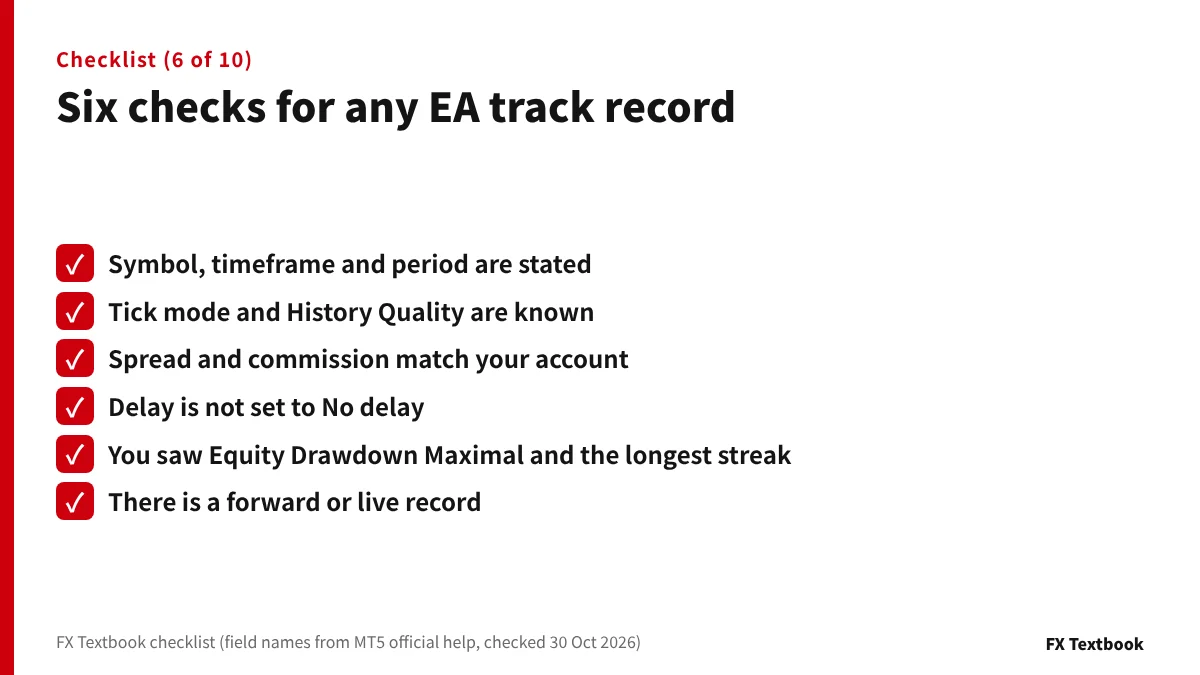
| Check | If the answer is no |
|---|---|
| 1. Symbol, timeframe and period are stated | Figures without settings cannot be compared |
| 2. The tick mode is known | If Open prices only, rerun on real ticks |
| 3. History Quality (Modelling quality in MT4) is shown | Data gaps cannot be checked |
| 4. Spread and commission are close to your account | Results fall by the cost gap |
| 5. Delay is not set to No delay | Fills were ideal |
| 6. The trade count fits the period | Results may rest on a few trades |
| 7. Equity Drawdown Maximal is shown | Open losses are unknown |
| 8. You checked the longest losing streak and its cost | You may stop the EA mid-streak |
| 9. There is a forward or live record | It may only fit the past |
| 10. The original report or a demo lets you reproduce it | An image alone proves nothing |
If any answer is no, do not treat the figure as performance. Match the settings and rerun it. The same applies if the seller will not share the original report.
Designs that add positions can show a smooth balance line while open losses grow. Check the maximum number of positions and how lots increase as well.
How to run your own backtest in MT5
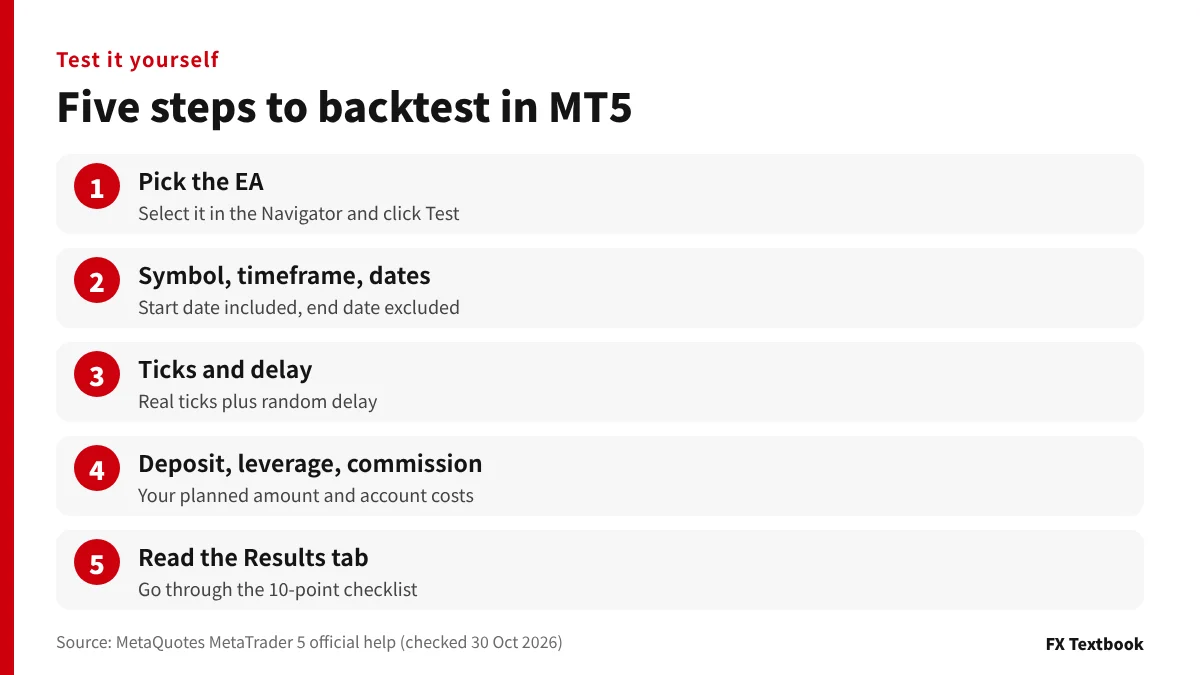
- 01Pick the EA
Select the EA in the Navigator and click Test. For multi-symbol EAs, show the symbols in Market Watch first.
- 02Set symbol, timeframe and dates
Choose the symbol and timeframe you plan to trade and enter the dates. The start date is included and the end date is not.
- 03Choose ticks and delay
Pick Every tick based on real ticks, and Random delay or the ping to your broker.
- 04Enter deposit, leverage and commission
Use the amount and leverage you plan to trade with, and add commission in the advanced settings if your account charges it.
- 05Read the Results report
Go through the checklist in this article. Set the forward period to 1/3 or similar to see the later results too.
A weekly timeframe test loads two extra years of history before the chosen period. The first run downloads data from the broker's server, so it takes time.
No real money moves on a demo account, so fills and spreads will not fully match a live account. Finish with a small live account to check costs and fills.
Our conclusion: use backtests differently by situation
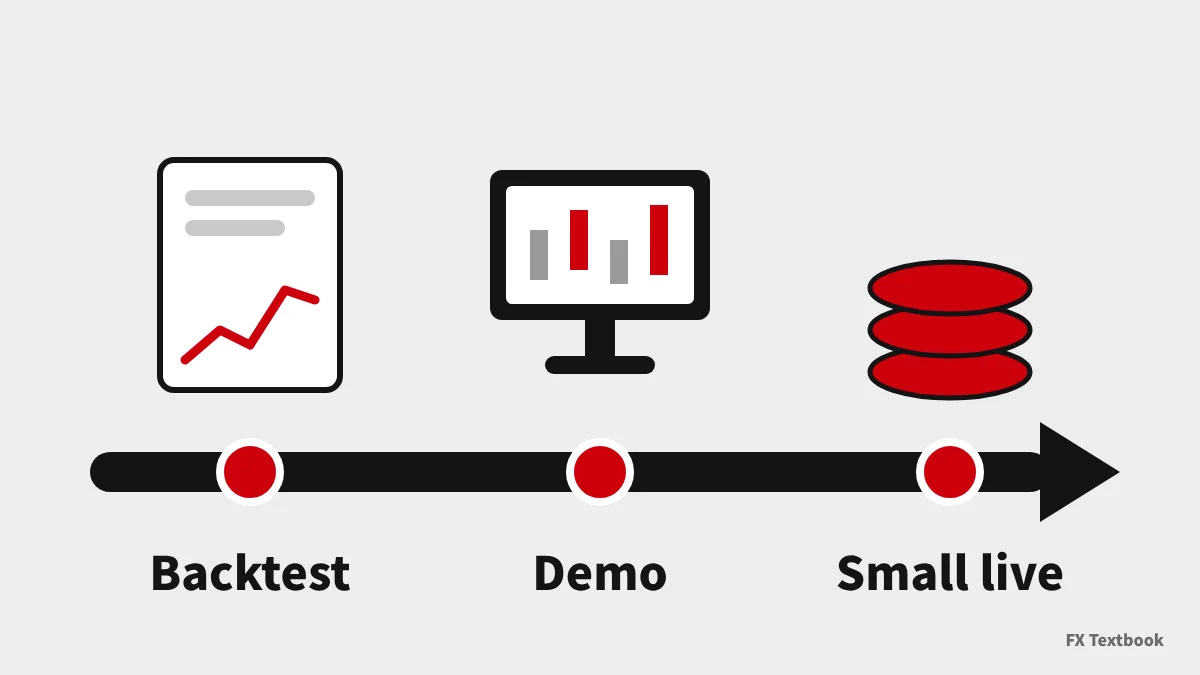
Whatever your situation, do not judge an EA by results that leave out the settings or Equity Drawdown Maximal. Beyond that, the first step depends on where you stand.
| Your situation | Do this first |
|---|---|
| Before buying or receiving an EA | Check settings and drawdown, then run the demo on your MT5 |
| You can run tests | Rerun with real ticks, delay and commission |
| Already running | Set a stop rule at the tested maximum drawdown |
Before sizing an EA account, decide how much of your capital you can afford to lose in a drawdown.
Frequently asked questions
Q. What should I look at first in an EA backtest?
A. Read the settings first: period, tick mode, spread and delay. Then check Equity Drawdown Maximal and the trade count, and only then the profit factor and recovery factor. Starting from profit hides differences in settings.
Q. What profit factor is good?
A. The official help only defines 1 as gross profit equal to gross loss. Above 1, the test made money over that period. A high value means little if there are few trades or it drops in the forward test.
Q. Should I use balance or equity drawdown?
A. Use Equity Drawdown Maximal to size your account. Equity includes open losses, so it shows a deeper fall than balance. In the official sample, balance drawdown was 93.29 and equity drawdown 96.58.
Q. Why does low history or modelling quality matter?
A. Gaps or errors in the price data mean the test may have traded on prices that never existed. In MT5, red marks stretches at or below 50%. In MT4, testing on Open prices only shows Modelling quality as n/a.
Q. What is the difference between a backtest and a forward test?
A. A backtest runs on past prices. A forward test checks the chosen settings on a newer period not used in optimisation. A big gap between the two points to overfitting.
Q. Do MT4 and MT5 reports show the same fields?
A. No. The report fields in the MT4 official help do not include Recovery Factor or Sharpe Ratio. Data quality is called Modelling quality in MT4 and History Quality in MT5.
Q. Can I trust backtest images on a sales page?
A. An image does not show the settings. Ask for the original report, or run the free MQL5 Market demo under the same settings. If neither is possible, do not treat it as performance.
Sources and conditions
- MetaQuotes: MetaTrader 5 Help, Strategy Tester (checked 30 October 2026) →
- MetaQuotes: MetaTrader 5 Help, Test Report (checked 30 October 2026) →
- MetaQuotes: MetaTrader 5 Help, Real and Generated Ticks (checked 30 October 2026) →
- MetaQuotes: MetaTrader 5 Help, Strategy Optimization (checked 30 October 2026) →
- MetaQuotes: MetaTrader 5 Help, Testing Features (checked 30 October 2026) →
- MetaQuotes: MetaTrader 4 Help, Strategy Testing Results (checked 30 October 2026) →
- MQL5 official article: What the Numbers in the Expert Testing Report Mean (MetaQuotes) →
- Advertising, affiliate relationships and risk disclosure →
FX Textbook is an independent information site, not a broker or provider of personal investment advice. Forex and CFDs involve risk. You may lose some or all of your invested capital. No trading result is guaranteed.
NEXT STEP
Tested the EA? Compare MT4 and MT5 brokers next.
Compare account types, platforms and costs across our listed brokers, with official sources and check dates.