












How many account types does XS have, and which one should you open? The names you see in searches, such as micro or vip, may also be out of date.
On XS's official Japanese pages (checked 2 November 2026), the retail accounts are Standard and Cent, and the professional accounts are Pro, Elite and VIP. Micro is missing from the Japanese list and appears only in the official help centre.
Three questions narrow the field: do you need MT4, how do you price commission, and do you want a bonus?
Short answer: the XS account types and which to check
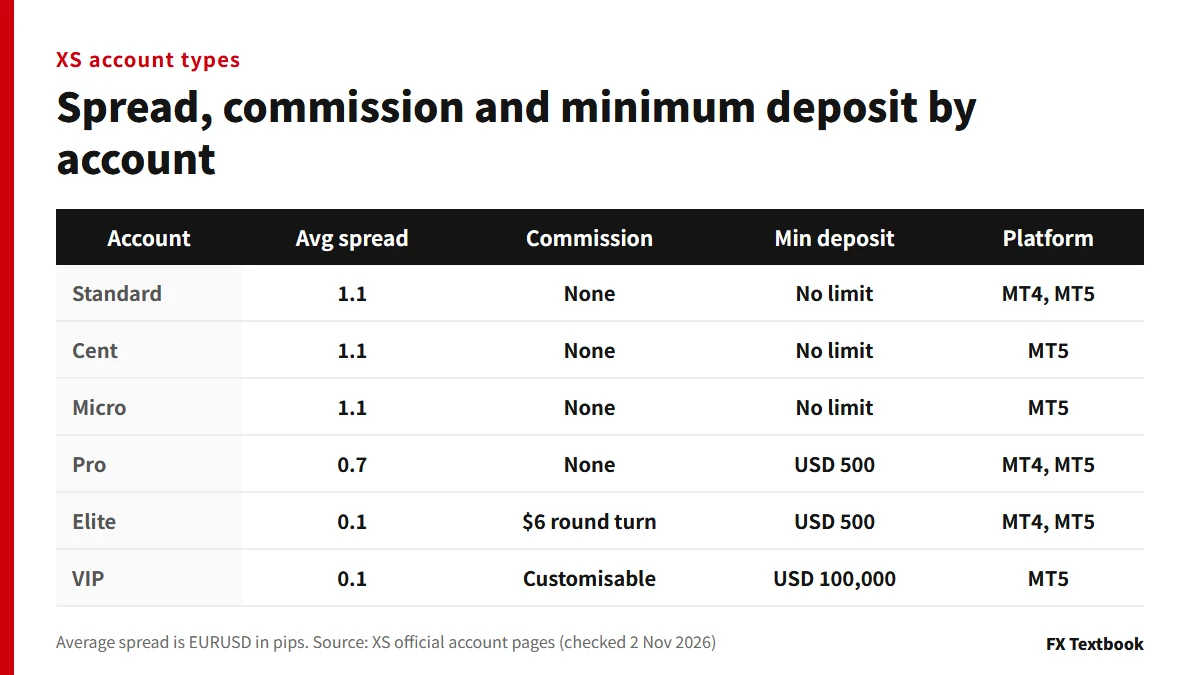
- Retail: Standard and Cent. No minimum deposit, and both appear in the Japanese list
- Professional: Pro and Elite (USD 500 minimum) and VIP (USD 100,000)
- Partner: Classic and Extra. Ask your partner about extra terms
- Micro: in the help centre and on its own page, but not in the Japanese list
- The account type cannot be changed after opening; you open a new account instead
| Your situation | Account to check first |
|---|---|
| You also want MT4, or this is your first offshore account | Standard |
| You want a smaller order size (MT5) | Cent or Micro |
| You want a tighter spread with no commission | Pro (USD 500 minimum) |
| You want to price costs including commission | Elite (USD 500 minimum) |
| You will trade with USD 100,000 or more | VIP (MT5 only) |
| You want a bonus | A dedicated account (Welcome 5000 and so on) |
FX and CFDs can lose some or all of the money you deposit. Changing the account type does not remove that risk.
XS account types compared: spread, commission and minimum deposit
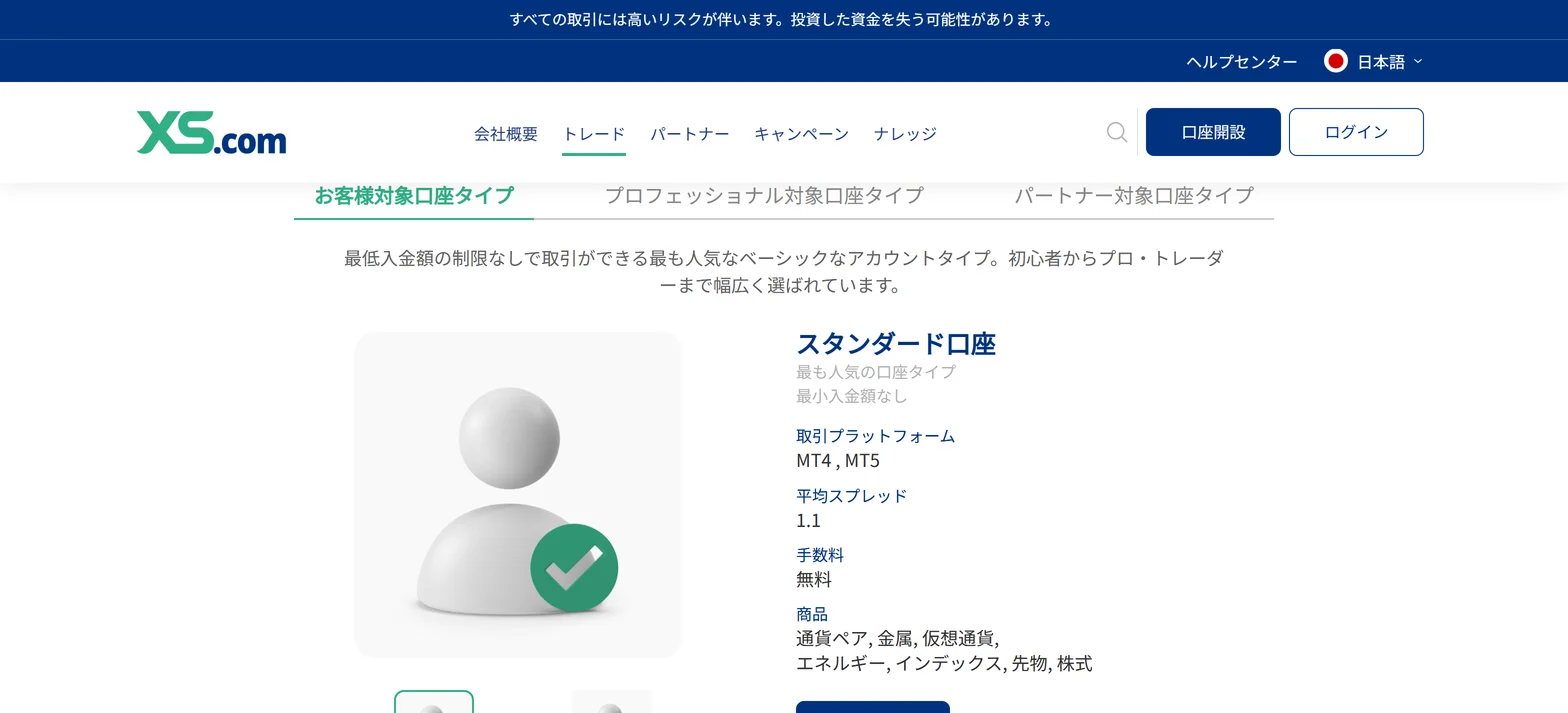
XS's account types page has three tabs (retail, professional and partner), and the tables below use values checked on each account's own page.
| Account | Average spread (EURUSD) | Commission | Minimum deposit |
|---|---|---|---|
| Standard | 1.1 pips | None | No limit |
| Cent | 1.1 pips | None | No limit |
| Micro | 1.1 pips | None | No limit |
| Pro | 0.7 pips | None | USD 500 |
| Elite | 0.1 pips | USD 6 round turn | USD 500 |
| VIP | 0.1 pips | Customisable | USD 100,000 |
※ Average spreads are XS's published figures and move with the market and time of day. Where an account has MT4 and MT5 columns, both show the same figure (Standard: 1.1 and 1.1). Elite's round-turn commission is charged in full when the position is opened (official note).
Platform, stop-out and demo accounts
| Account | Platform | Stop-out | Demo account |
|---|---|---|---|
| Standard | MT4, MT5 | 20% | Yes |
| Cent | MT5 | 10% | No |
| Micro | MT5 | 10% | No |
| Pro | MT4, MT5 | 20% | Yes |
| Elite | MT4, MT5 | 20% | Yes |
| VIP | MT5 | Not in the table | No |
※ The minimum lot is 0.1 on Micro only and 0.01 on the others. The base currency is USC (cents) on Cent and USD or JPY on the others.
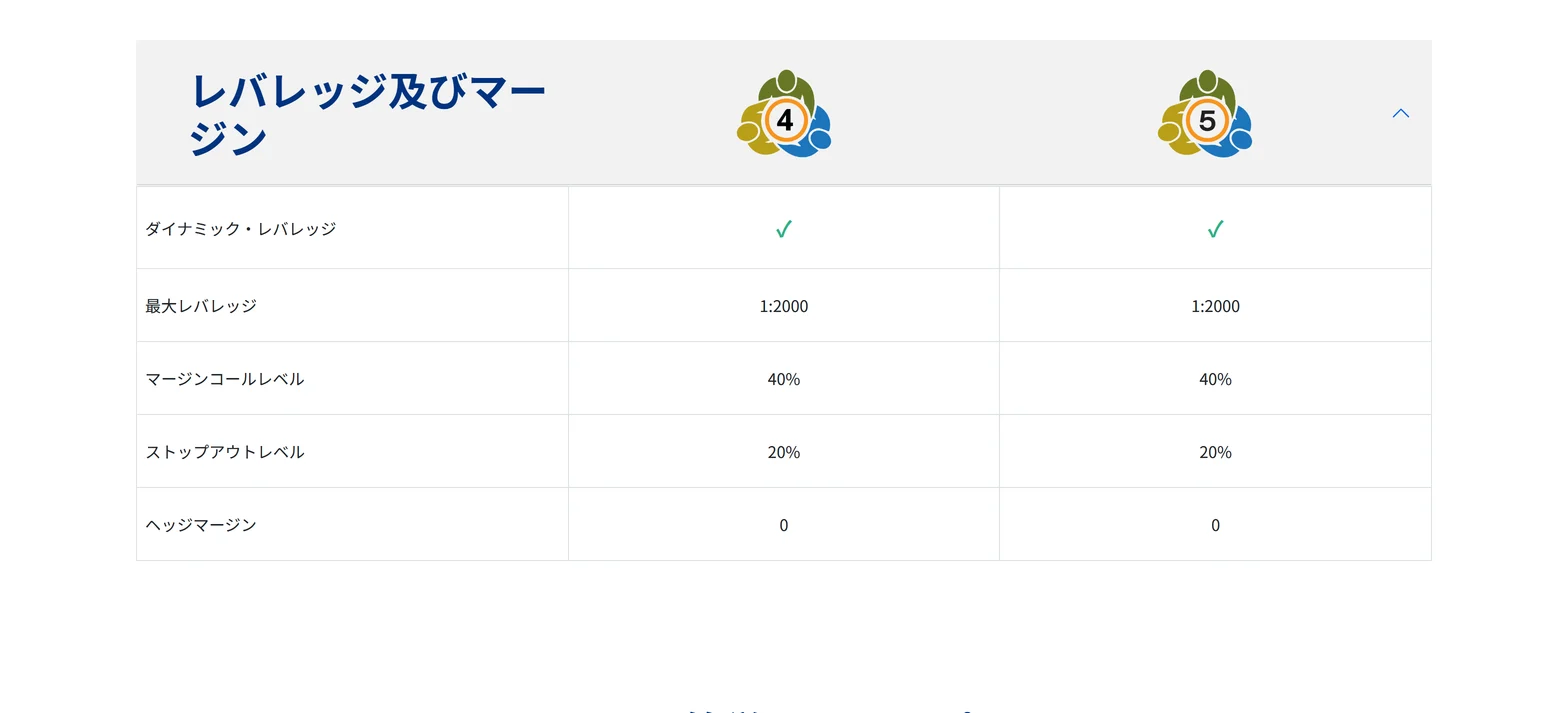
The margin call level is 40% on every account that lists it. Maximum leverage is also 1:2000, with dynamic leverage applied. The VIP page has no rows for these two items.
Our broker page (checked 2 August 2026) shows leverage for Cent, Pro, Elite and VIP as to be confirmed on the official page, and stop-out as to be confirmed per account. The values in this article come from XS's own account pages (checked 2 November 2026).
XS dynamic leverage and stop-out: tier table and the 40% margin call
Are there micro and vip accounts? Checking searched names
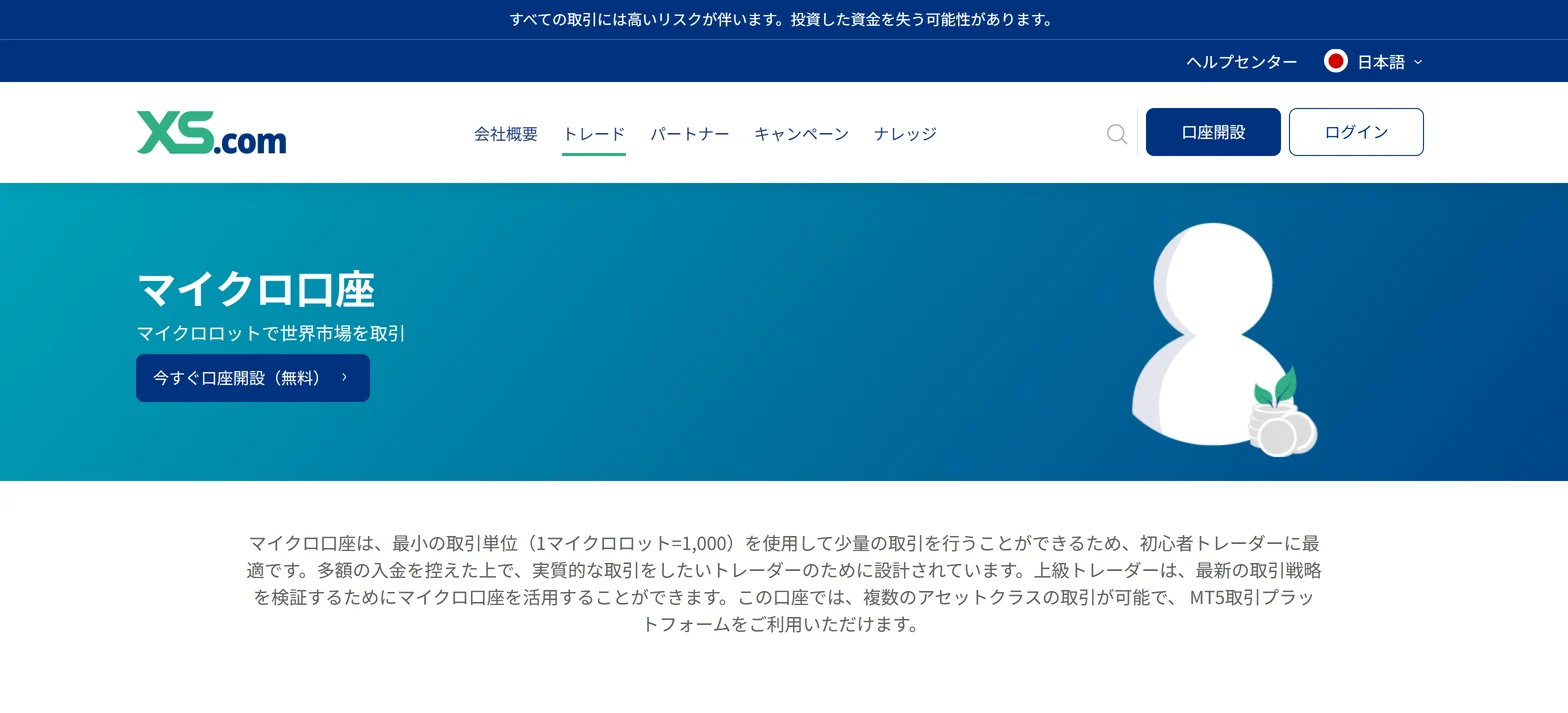
The Micro account exists. One micro lot is 1,000, the minimum lot is 0.1, it is MT5 only, and there is no demo account.
It is not in the Japanese account list, though. We could not confirm from the official pages whether residents of Japan can pick it when opening an account.
| Searched name | Official pages (2 November 2026) |
|---|---|
| standard, cent | In the Japanese list. Cent is MT5 only |
| micro | On its own page and in the help centre. Not in the Japanese list |
| pro, elite, vip | In the professional list |
| classic, extra | In the partner list |
| plus | English list and help only. The Japanese URL redirects to the English page |
| copy standard, copy pro | Cards in the list (MT5). Their own pages did not open in Japanese |
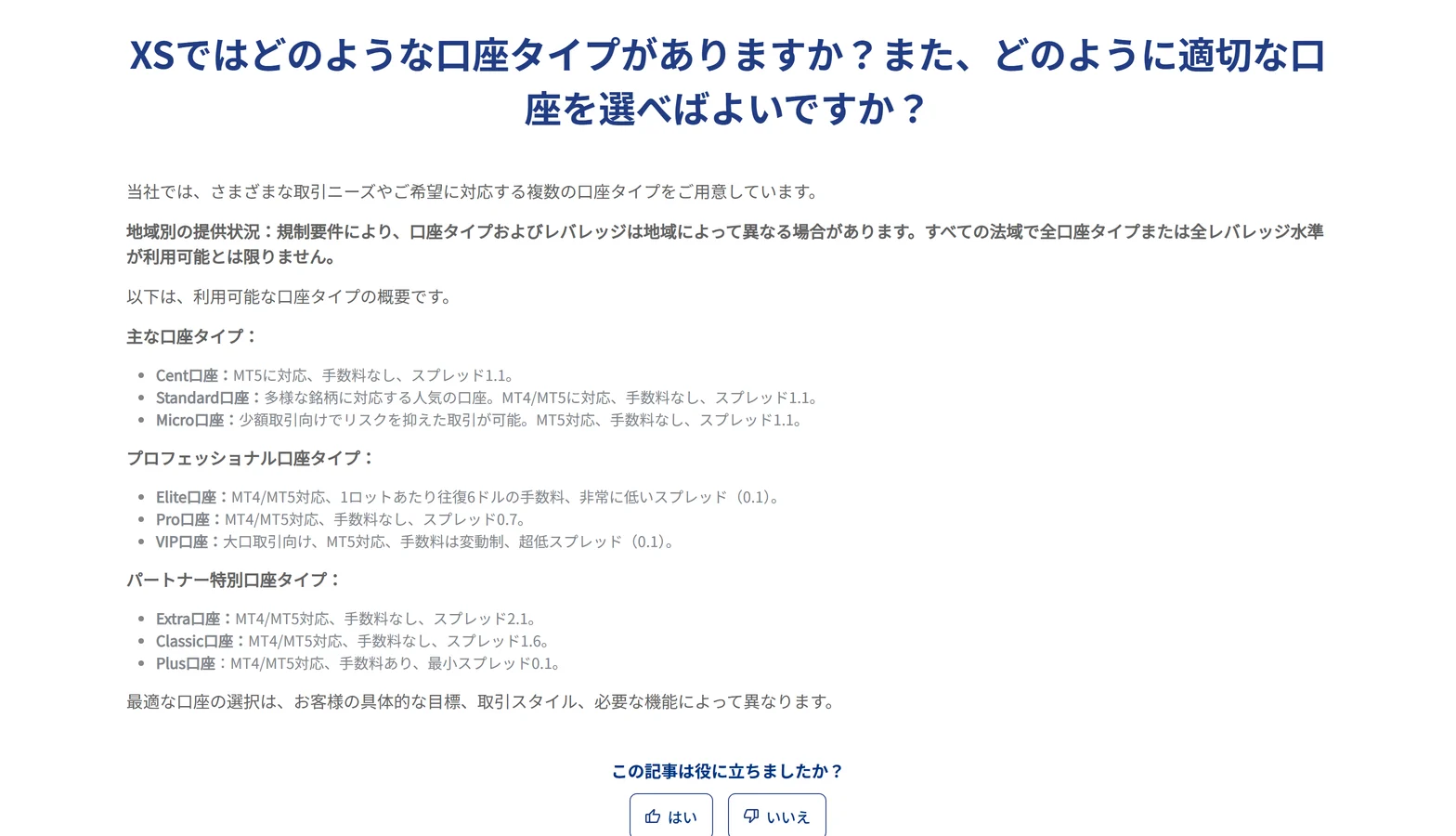
XS's help page states that account types and leverage can differ by region. Not every type is available in every jurisdiction.
Standard, Cent and Micro: order size and platform
All three have an average spread of 1.1 pips and no commission. They differ in order size, platform, instruments and stop-out.
| Item | Standard | Cent | Micro |
|---|---|---|---|
| Platform | MT4, MT5 | MT5 | MT5 |
| Base currency | USD, JPY | USC (cents) | USD, JPY |
| Lot size | 100,000 | 100,000 USC | 1,000 |
| Minimum lot | 0.01 | 0.01 | 0.1 |
| Instruments | FX, metals, crypto, energies, indices (MT5 also futures and shares) | FX, metals | FX, metals, energies, indices |
| Stop-out | 20% | 10% | 10% |
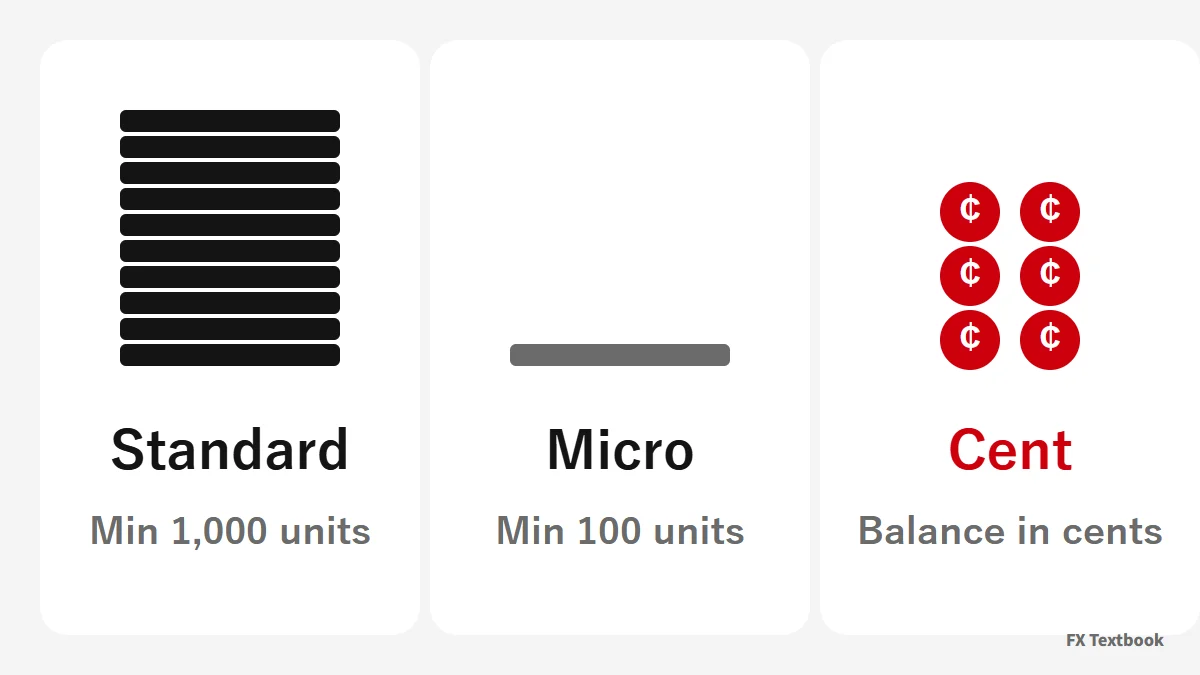
The smallest order is 1,000 units on Standard (100,000 x 0.01) and 100 units on Micro (1,000 x 0.1). This calculation is ours.
XS presents Cent as an account for small-size trading; its lot size is 100,000 USC and its base currency is the cent (USC).
Neither account has a demo. To get used to MT5, you can practise on a Standard MT5 demo.
- Need MT4: Standard is the only one of the three
- Want an even smaller order: MT5 Micro (note it is not in the Japanese list)
- Want to try a cent-denominated account: MT5 Cent
- Want a demo account: Standard (Cent and Micro have none)
Pro, Elite and VIP: costs including commission
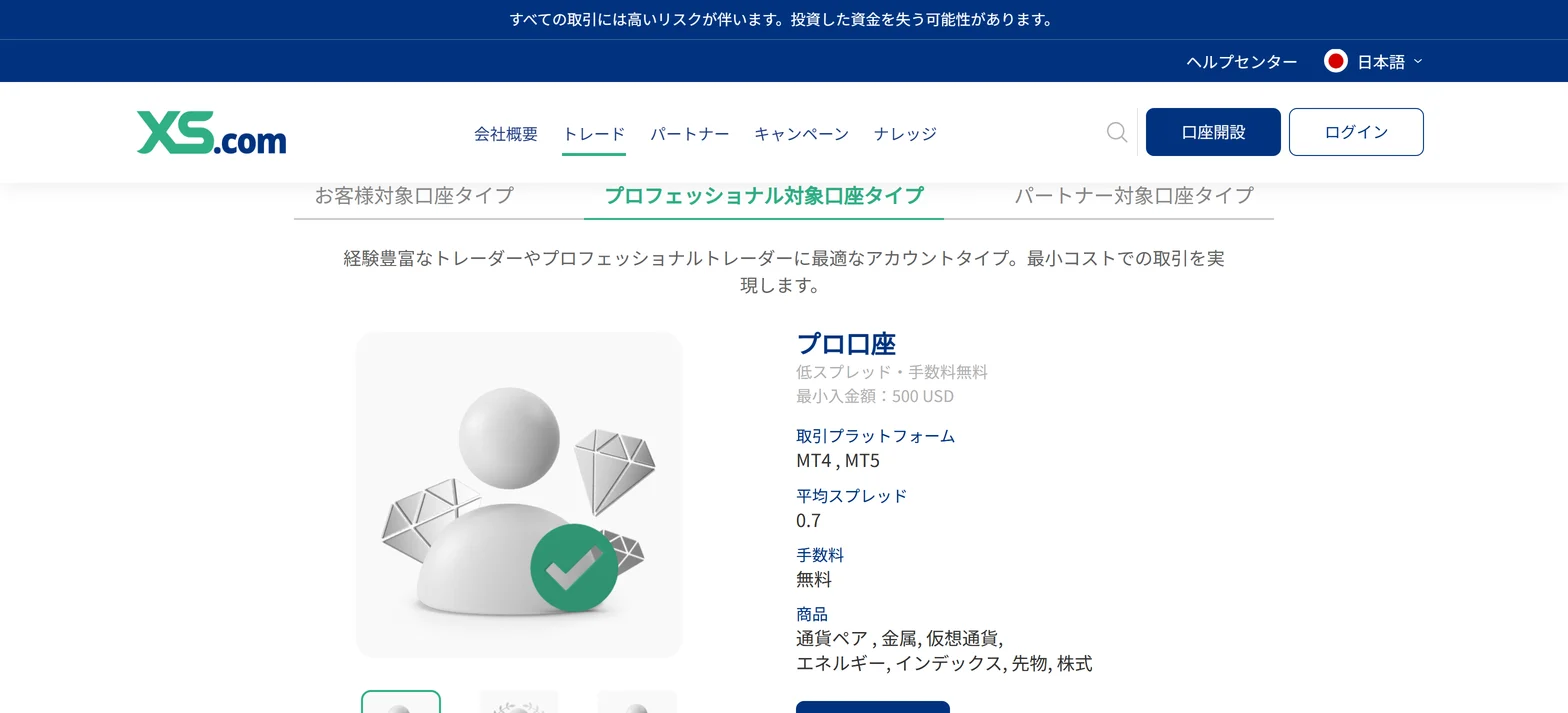
Pro has no commission and averages 0.7 pips. Elite averages 0.1 pips plus a USD 6 round-turn commission. For 1 lot of EURUSD, both average USD 7.
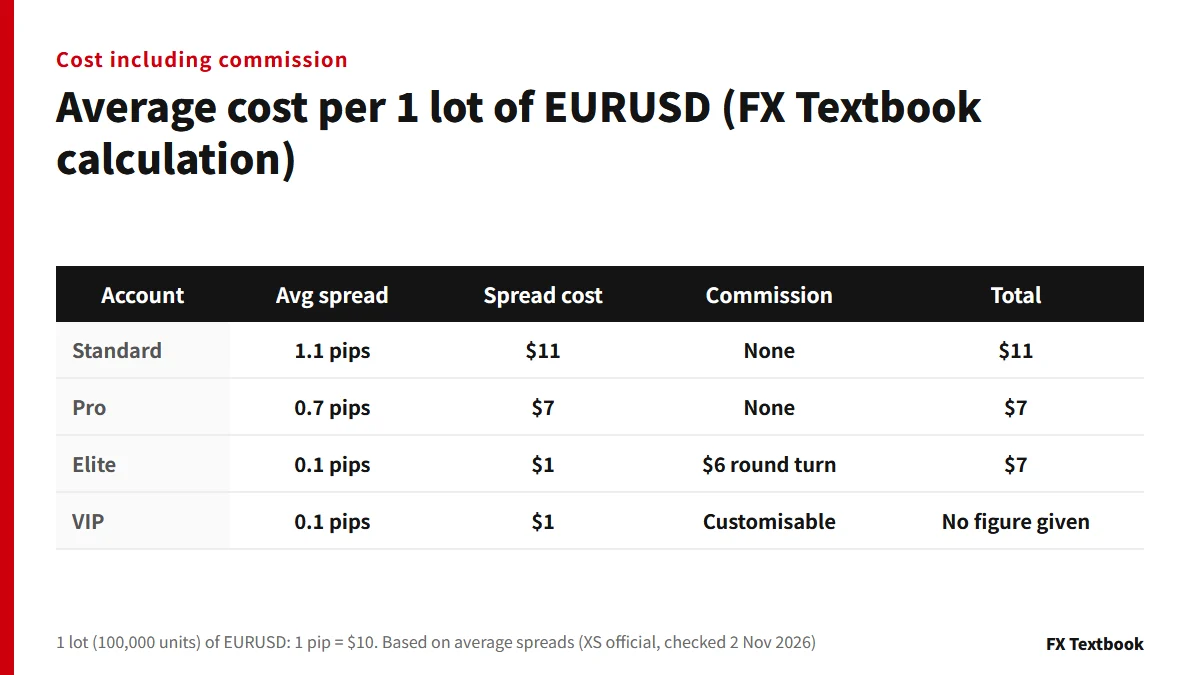
For 1 lot (100,000 units) of EURUSD, 1 pip is USD 10. Pro is 0.7 x 10 = USD 7 and Elite is 0.1 x 10 + 6 = USD 7. This uses average spreads and is not an actual execution cost.
Choosing between Pro and Elite
- To skip the commission sum: Pro, which has none
- To see a small spread figure on screen: Elite at 0.1 average (commission is charged separately)
- Both need USD 500. Different types are separate accounts, so you can open both and compare
VIP account terms
VIP needs USD 100,000, is MT5 only and has no demo account. Commission is described only as customisable. Spread and commission combine differently on each instrument, so check the total for yours in the official contract specifications.
If you want a bonus: dedicated accounts (Welcome 5000 and First Deposit Bonus)
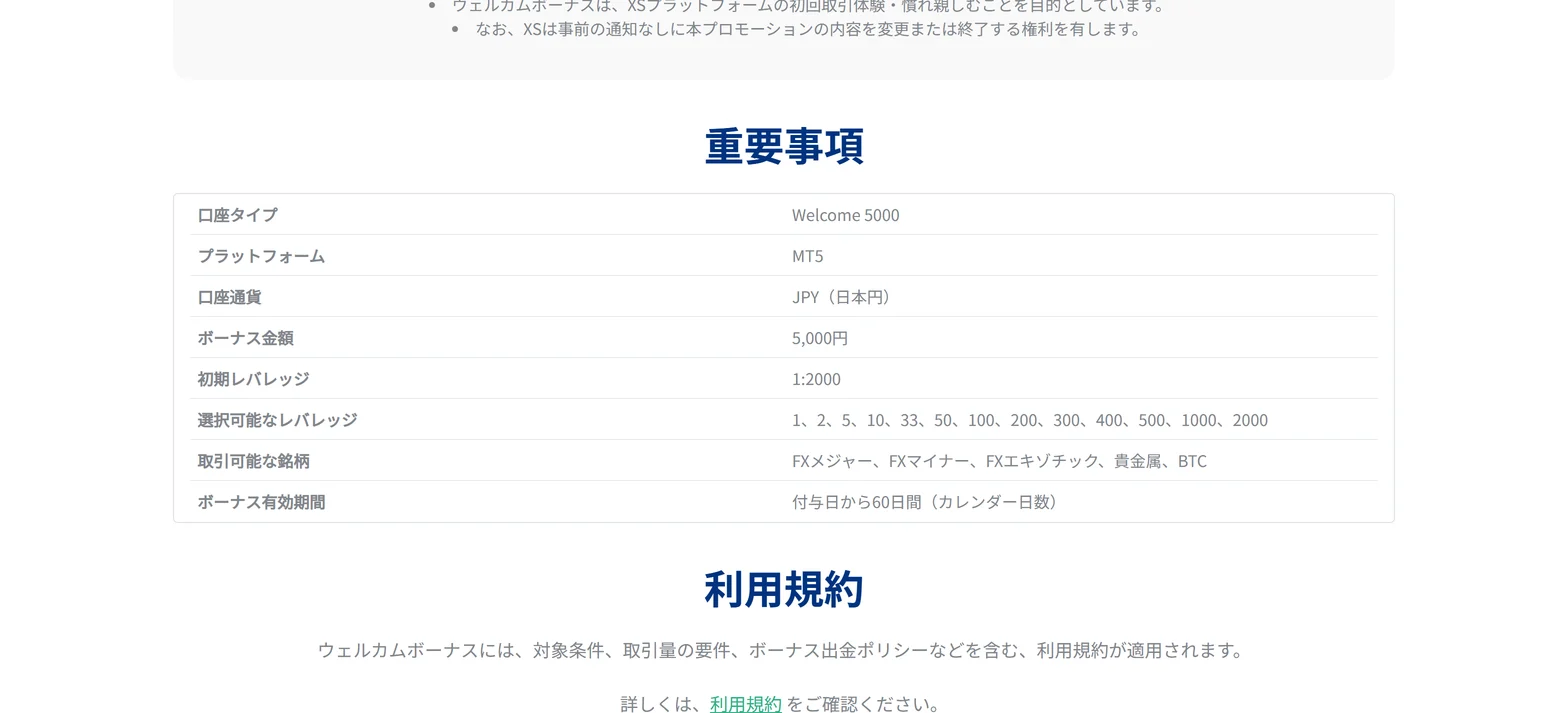
XS bonuses go to dedicated accounts named Welcome 5000 and First Deposit Bonus 10,000 yen, not to a regular Standard or Pro account.
| Item | KYC Welcome Bonus | First Deposit Bonus |
|---|---|---|
| Bonus amount | JPY 5,000 credit | JPY 10,000 credit |
| Account | Welcome 5000 | First Deposit Bonus 10,000 yen (Standard) |
| Platform and currency | MT5, JPY | MT5, JPY |
| Condition | Complete KYC | KYC plus a first deposit of JPY 20,000 or more |
| Converted to withdrawable balance | 5 lots or more (held 2+ minutes) | 5 lots in total within 60 days |
| Validity | 60 days from grant | 60 days from issue |
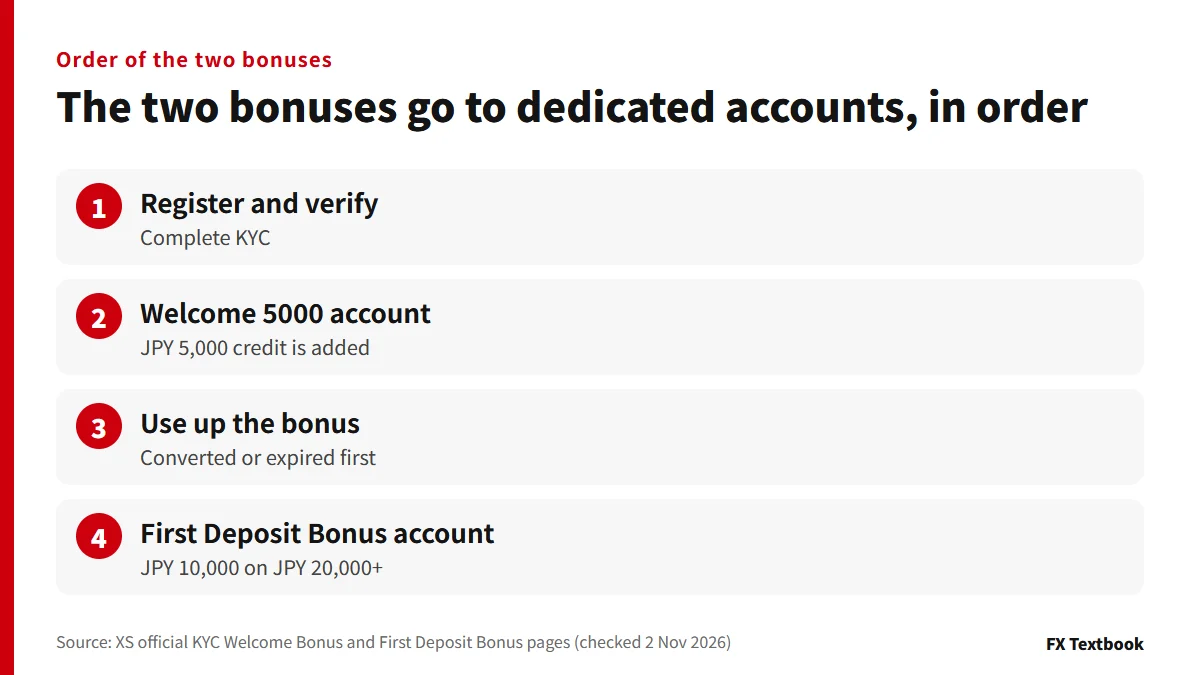
You can open the First Deposit Bonus account after the Welcome 5000 bonus has been converted or has expired. XS states both are for residents of Japan who hold Japanese nationality.
Points where people trip up (from XS's conditions)
- Positions closed within 2 minutes do not count toward the 5 lots
- Withdrawing or transferring funds before the conversion condition is met forfeits the whole bonus
- Only the balance can leave the Welcome 5000 account, and moving it removes the credit
- You cannot open the First Deposit Bonus account while Welcome 5000 bonus remains
How to claim XS bonuses: JPY 5,000 sign-up and JPY 10,000 first deposit
Changing, adding, demo accounts and swap-free
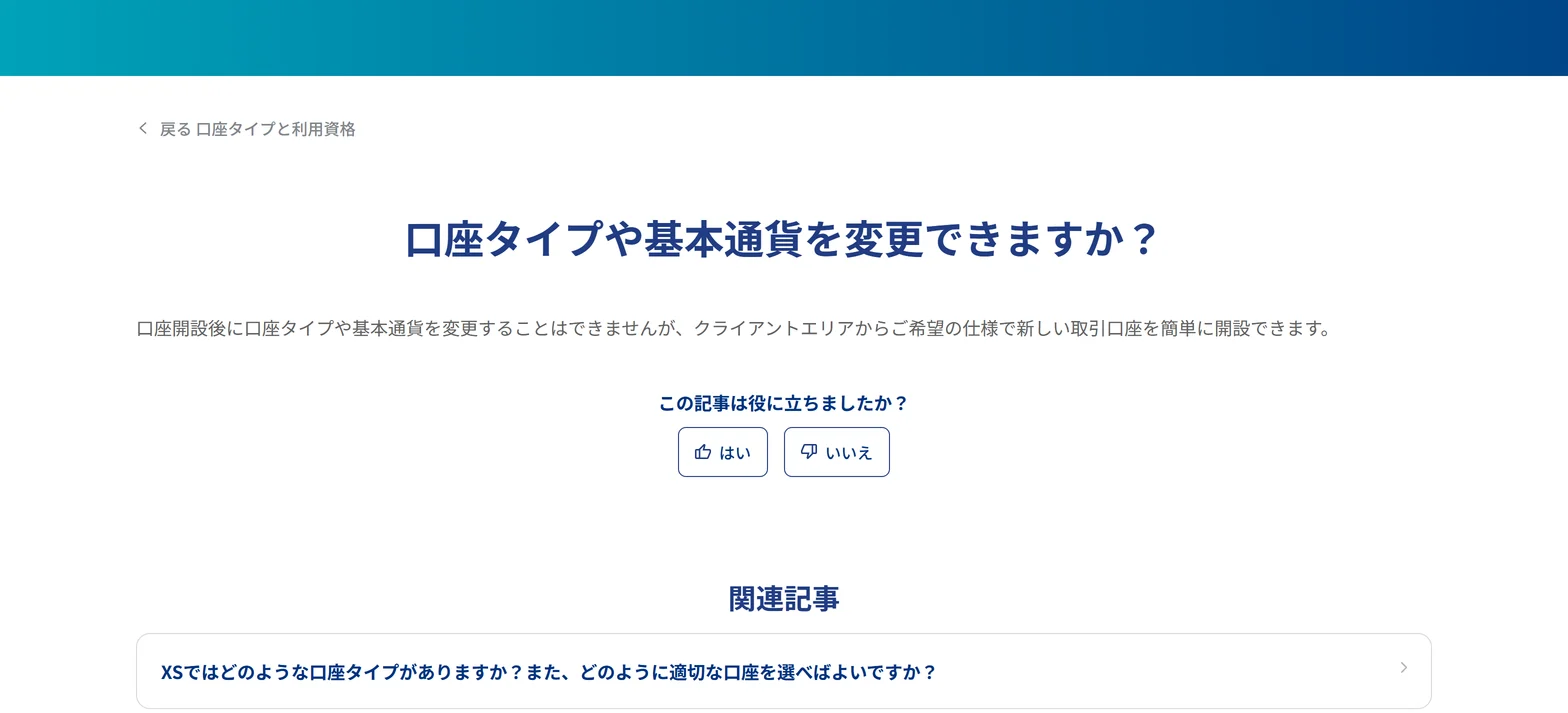
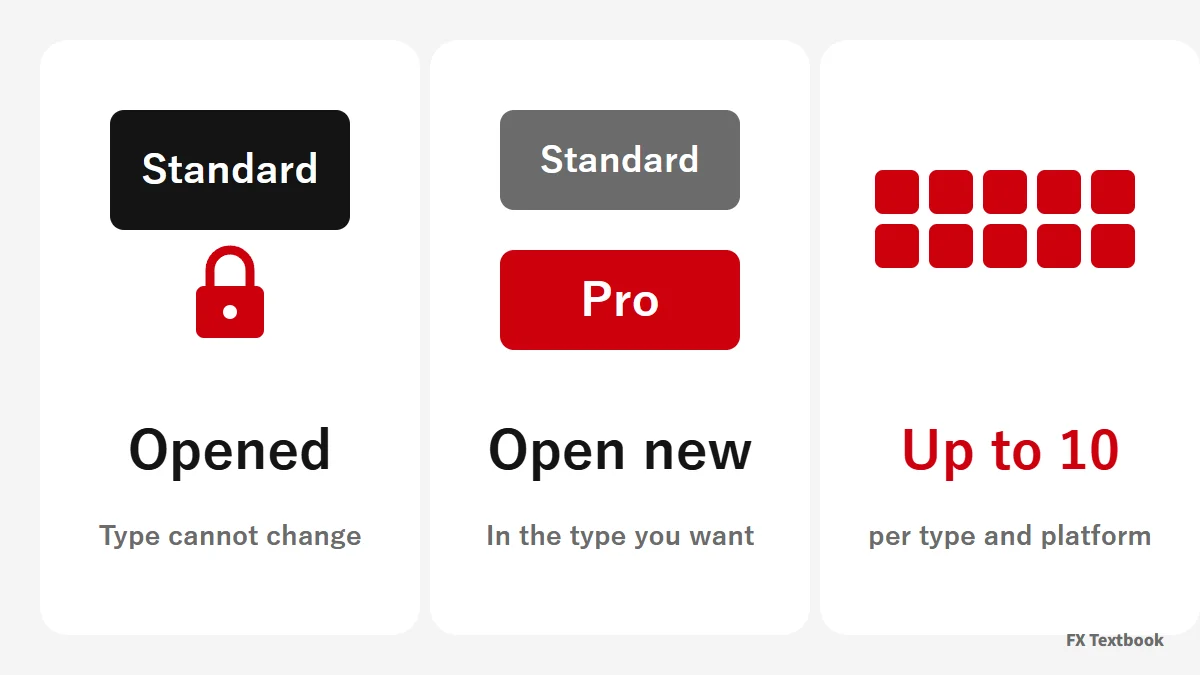
You cannot change an account's type or base currency after opening. If it does not suit you, you open a new trading account with the specification you want.
| Item | What the help centre says |
|---|---|
| Changing type | Not possible. Open a new account in the client area |
| Adding accounts | Up to 10 per platform and account type; more are reviewed |
| Demo accounts | Standard, Pro, Elite, Classic, Extra have them. Cent, Micro, VIP do not |
| Demo vs live | Demo is ready after a survey. Live needs ID and address verification |
| Swap-free | Available on all MT4 and MT5 account types with conditions; contact support |
Applying for swap-free
The help centre describes swap-free as designed for clients who cannot deal in interest for religious reasons. It adds that some other clients in certain countries may get it on conditions.
To switch, you start by contacting your account manager or customer support. Each asset class has its own grace period.
XS swap-free account: instruments, grace periods and conditions
Demo accounts for offshore FX: how to open one and what to check before going live
Instruments and order caps: what changes between MT4 and MT5
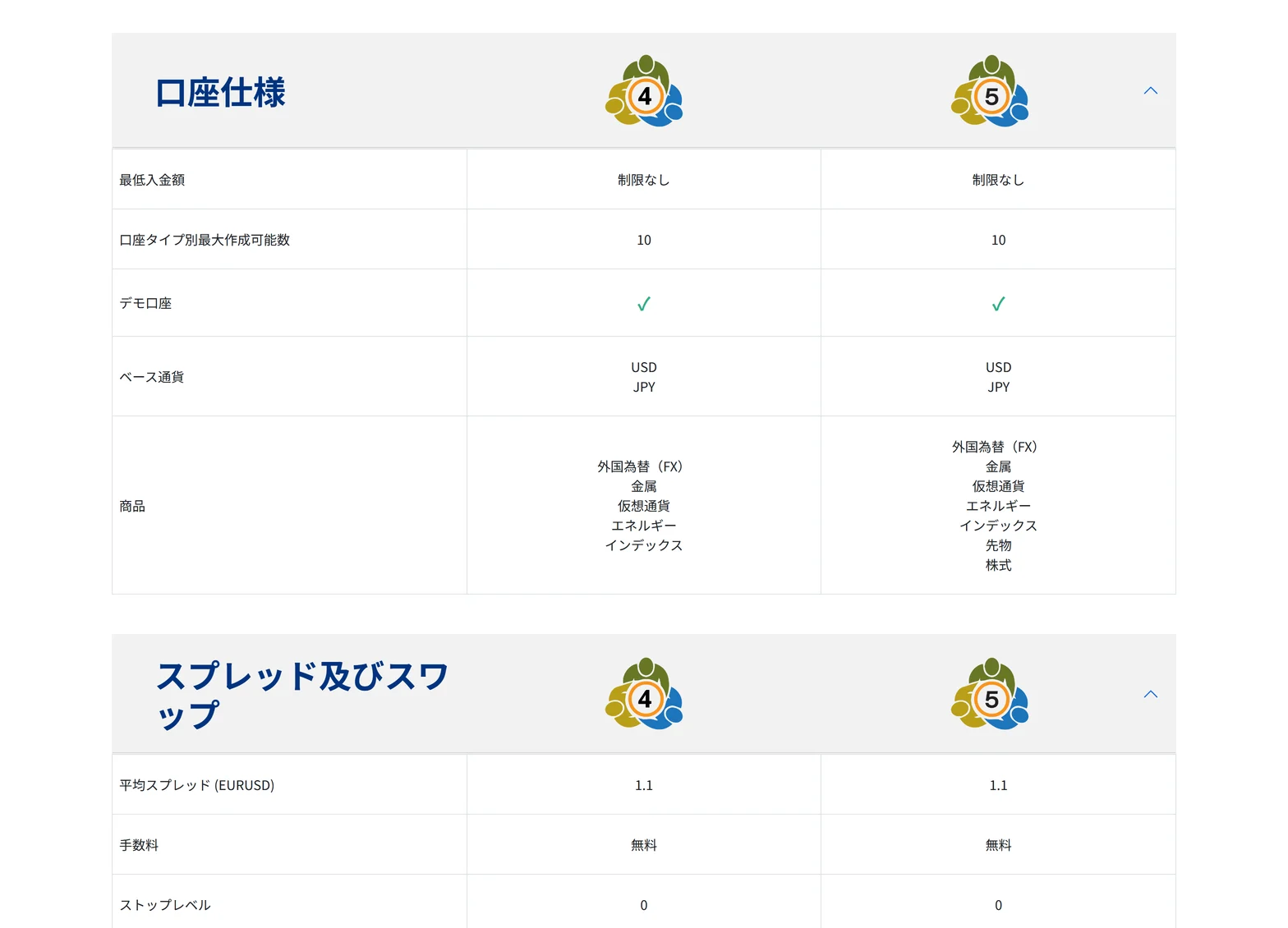
Instruments depend on the account type and on MT4 or MT5. On the same account, only MT5 may add futures and shares.
| Account | Instruments on MT4 | Instruments on MT5 |
|---|---|---|
| Standard, Pro | FX, metals, crypto, energies, indices | MT4 list plus futures and shares |
| Elite | FX, metals, crypto, energies, indices | MT4 list plus futures (no shares) |
| Cent | MT5 only | FX, metals |
| Micro | MT5 only | FX, metals, energies, indices |
| VIP | MT5 only | FX, metals, crypto, energies, indices, futures, shares |
Order caps
| Account and platform | Pending / open orders | Total |
|---|---|---|
| Standard, Pro, Elite (MT4) | 500 each | 1,000 |
| Standard, Pro, Elite (MT5) | No limit | No limit |
| Cent, Micro (MT5) | 500 each | 1,000 |
| VIP (MT5) | No limit | No limit |
※ The stop level is 0 on every account we checked.
If your EA places many orders, MT5 may suit you because of these caps. Our broker page lists EA use and scalping as available (conditions apply).
Partner accounts: Classic, Extra and Plus
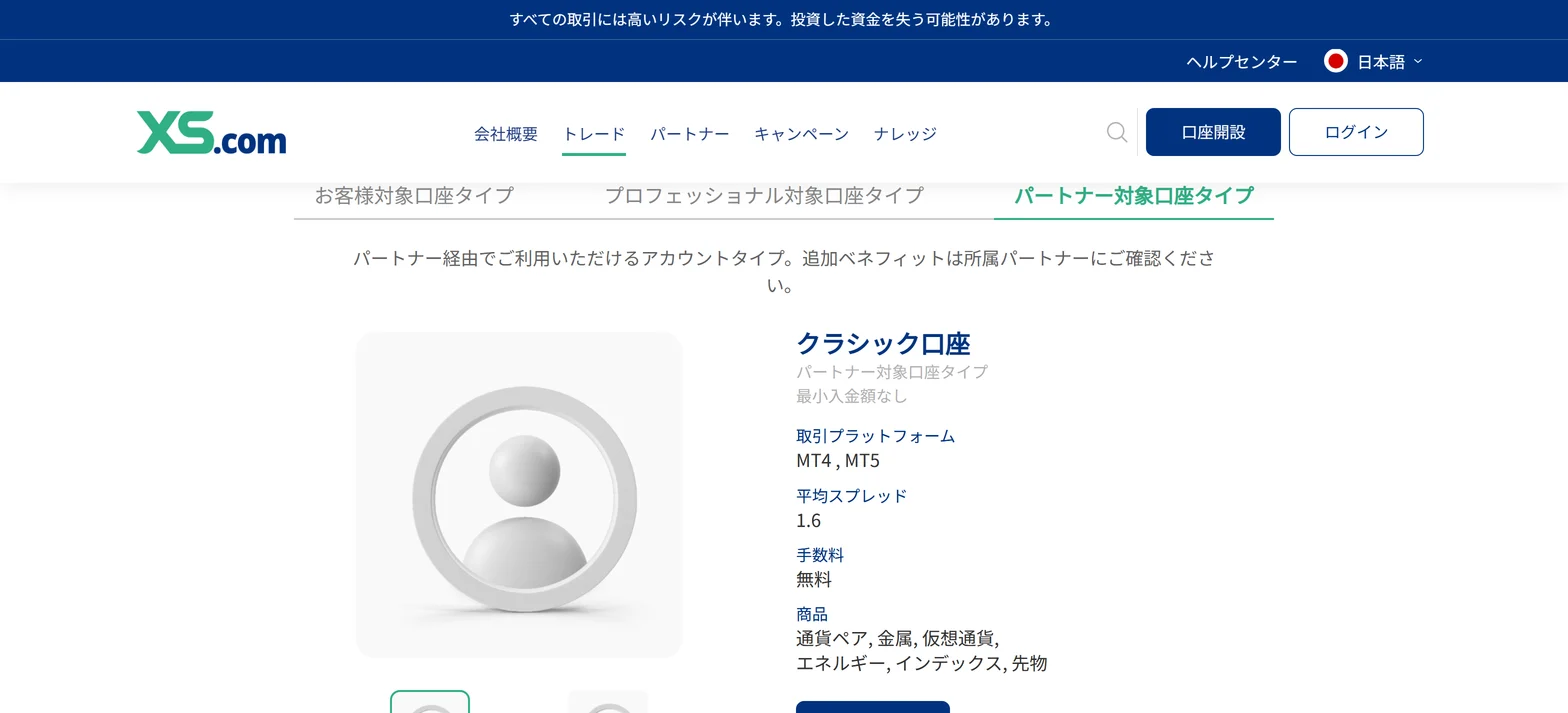
XS describes partner accounts as account types available through a partner. It tells you to ask your partner about any extra benefits.
| Account | Average spread | Commission | Minimum deposit |
|---|---|---|---|
| Classic | 1.6 pips | None | No limit |
| Extra | 2.1 pips | None | No limit |
| Plus (English pages only) | 0.1 pips | USD 10, 15 or 20 round turn | No limit |
※ Classic and Extra support MT4 and MT5, with 20% stop-out and 40% margin call. On Extra, the maximum lot per order is 100 from 16:00 to 5:59 Japan time and 50 from 6:00 to 15:59.
We left Classic, Extra and Plus out of the comparison tables. We could not confirm from the official pages which accounts you can pick at sign-up.
How to check it on the official screen: reading the spec table
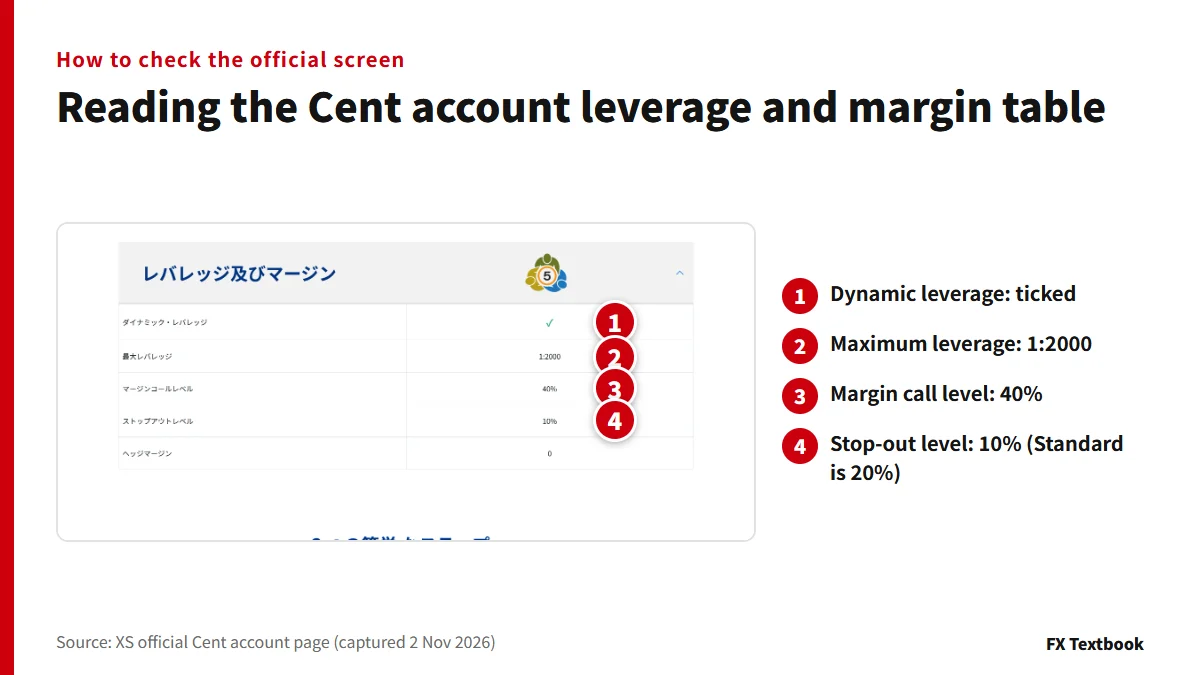
The numbers live in each account's own page. The cards in the list show only spread and commission.
- 01Pick a tab in the account types list
Open retail, professional or partner.
- 02Open the details page
The account specification table lists minimum deposit, base currency and minimum lot.
- 03Read the leverage and margin table
Check maximum leverage, margin call and stop-out.
- 04Read two-column tables column by column
On some accounts only MT5 adds futures, shares and no order cap.
Cent's stop-out is 10% and Standard's is 20%. Even with the same 1:2000, the margin level at which forced closing starts differs by account.
How to open an XS account: from sign-up and ID checks to the first deposit
Our view: which account to check, and a pre-application checklist
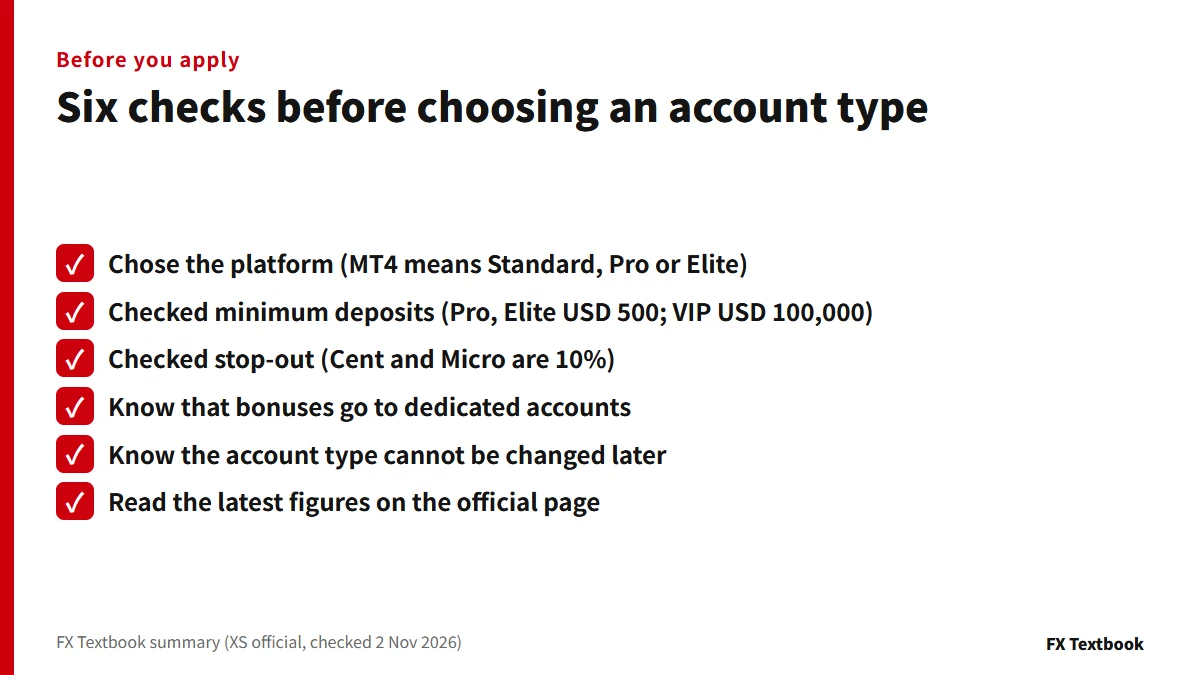
If you need MT4, check Standard, Pro and Elite. If MT5 alone is fine and you want to start small, check Cent and Micro. For a tighter spread with no commission, check Pro; if you can price commission in, Elite; at USD 100,000 or more, VIP.
| Situation | Account to check |
|---|---|
| EAs and automated trading | Standard, Pro or Elite, which run on MT4 and MT5. MT5 has no order cap |
| Scalping | Stop level is 0 on every account. Price Pro or Elite in full |
| Crypto, shares and futures | MT5 Standard or Pro. VIP also has shares; Elite stops at futures |
| Gold and silver | Metals are available on every account, Cent included |
| Starting small | MT5 Cent or Micro. Neither has a demo account |
Micro is not in the Japanese list, so check first whether you can pick it at sign-up. Once you have chosen, the order is registration, ID checks and account creation, then logging in to MT4 or MT5, then your first deposit.
XS MT4 and MT5 login: ID, server and password checks
XS deposits and withdrawals: fees, minimums and processing times
Frequently asked questions
Q. How many account types does XS have?
A. On the Japanese official list, retail accounts are Standard and Cent, professional are Pro, Elite and VIP, and partner accounts are Classic and Extra. The help centre also lists Micro and Plus (checked 2 November 2026). Copy Standard and Copy Pro cards exist for copy trading.
Q. Does XS have a micro account?
A. Yes. XS's Micro account page says one micro lot is 1,000, the minimum lot is 0.1, it is MT5 only and has no minimum deposit. It is not in the Japanese account list, and we could not confirm whether you can select it when opening an account in Japan.
Q. What is the difference between XS Pro and Elite?
A. Pro has no commission and averages 0.7 pips. Elite averages 0.1 pips plus a USD 6 round-turn commission. On average figures, both cost USD 7 per 1 lot of EURUSD. Both need USD 500 and offer MT4 and MT5.
Q. What is the minimum deposit for each XS account type?
A. Standard, Cent and Micro have no limit, Pro and Elite need USD 500, and VIP needs USD 100,000. Each deposit method also has its own minimum, which is covered on the deposit methods page.
Q. Can I change my XS account type later?
A. No. The help centre says the account type and base currency cannot be changed after opening. You open a new account of the type you want from the client area, with up to 10 accounts per type.
Q. Which XS account should a beginner check?
A. If you also want MT4, check Standard. If MT5 alone is fine and you want a smaller order size, check Cent. Both have no minimum deposit and no commission. Cent has no demo account; Standard does.
Q. Which XS account receives the bonus?
A. A dedicated account. The JPY 5,000 sign-up bonus goes to Welcome 5000 and the JPY 10,000 first-deposit bonus goes to the First Deposit Bonus 10,000 yen account. Both are MT5 and JPY, and XS states they are for residents of Japan with Japanese nationality.
Q. What are the terms of the XS VIP account?
A. The minimum deposit is USD 100,000, the platform is MT5 only and there is no demo account. The average spread is 0.1 and commission is described as customisable. The page table has no rows for leverage or margin.
Q. Which XS accounts can trade shares and crypto?
A. Crypto is available on Standard, Pro, Elite and VIP. Shares are on MT5 Standard, Pro and VIP. Elite's MT5 stops at futures, with no shares. Cent and Micro centre on FX and metals (checked 2 November 2026).
Q. What are XS Classic and Extra accounts?
A. They are accounts available through a partner. Classic averages 1.6 pips and Extra 2.1, with no commission and no minimum deposit. XS tells you to ask your partner about any extra benefits.
Q. Which costs less, XS Standard or Pro?
A. On average figures for 1 lot of EURUSD, Standard costs USD 11 and Pro costs USD 7. Neither charges commission. Pro needs USD 500 to open, while Standard has no minimum. Actual costs move with the market.
Sources and conditions
- XS official: account types, retail (checked 2 November 2026) →
- XS official: account types, professional (checked 2 November 2026) →
- XS official: account types, partner (checked 2 November 2026) →
- XS official: Standard account →
- XS official: Cent account →
- XS official: Micro account →
- XS official: Pro account →
- XS official: Elite account →
- XS official: VIP account →
- XS official help: what account types are available →
- XS official help: how much money do I need to open an account →
- XS official help: can I change my account type or base currency →
- XS official help: additional trading accounts under the same profile →
- XS official help: live and demo accounts →
- XS official help: swap-free (Islamic) accounts →
- XS official: KYC Welcome Bonus →
- XS official: First Deposit Bonus →
- XS official: dynamic leverage →
- XS account types and conditions (this site) →
- Advertising disclosure and risk notice →
FX Textbook is an independent information site, not a broker or provider of personal investment advice. Forex and CFDs involve risk. You may lose some or all of your invested capital. No trading result is guaranteed.
NEXT STEP
Once you have picked a type, see XS's conditions.
Account types, platforms and current offers in one place. Check the latest figures on XS's own account pages before you apply.
Brokers covered in this column
Account types, trading conditions and current offers are on each broker page.