
You want to buy UNI, the token of Uniswap, but it does not show up in any Japanese exchange app. We checked primary sources to find out where and in what order to buy it.
UNI is the governance token of Uniswap, a decentralized exchange. As of 8 November 2026 it is not on the Japanese exchange lists, and spot trading is available at MEXC, BingX and Bitunix, whose official APIs we checked.
This article walks through buying UNI without falling for fakes, converting back to yen and how Japanese tax applies.
Answer: UNI is not on Japanese lists but trades at three overseas exchanges
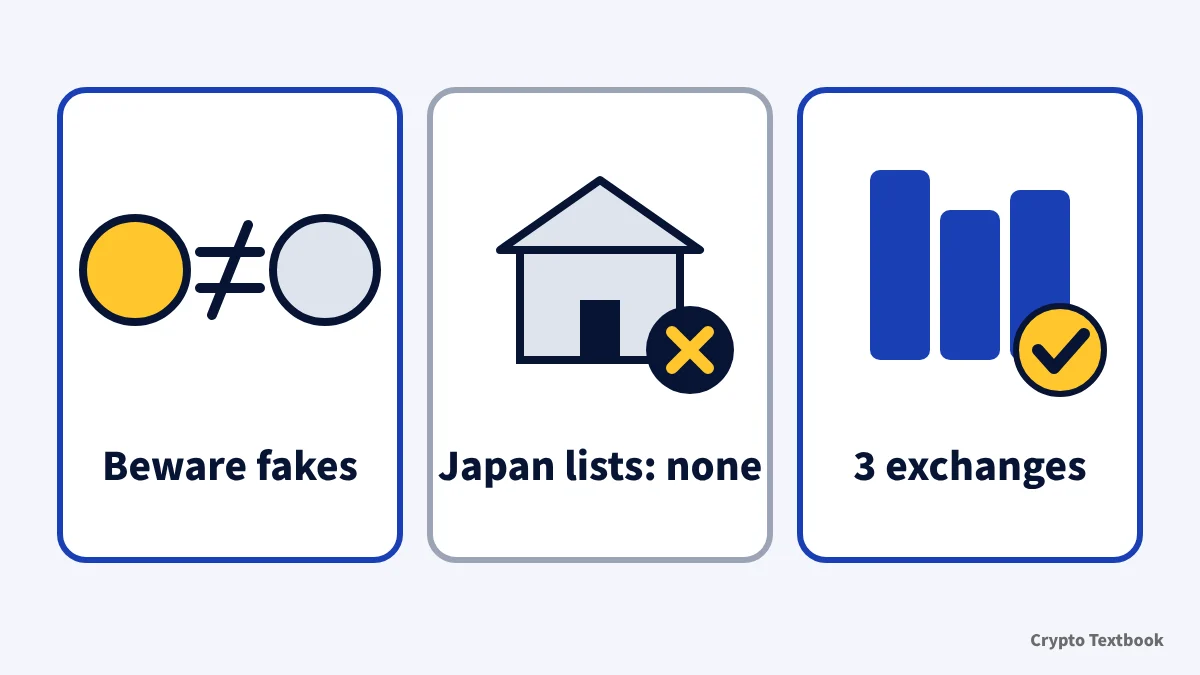
- UNI is the governance token of Uniswap, a decentralized exchange
- UNI is not on the public APIs of five Japanese exchanges, the SBI VC Trade list or the JVCEA list (113 assets)
- MEXC offers four UNI pairs including UNI/USDT, BingX offers UNI/USDT and UNI/USDC, and Bitunix offers UNI/USDT
- The overseas exchanges listed here are not FSA-registered providers. Japanese investor protection does not apply, and UNI has not passed a JVCEA review
- Fake sites and fake airdrops use the Uniswap name. Match the contract address with the official value
- Swapping USDT for UNI is itself a taxable event in Japan
We do not give price outlooks or timing advice. We also do not recommend swapping or providing liquidity on Uniswap itself, or joining governance votes. UNI moves sharply. Only use money you can afford to lose.
What is Uniswap (UNI)? The governance token of a DEX
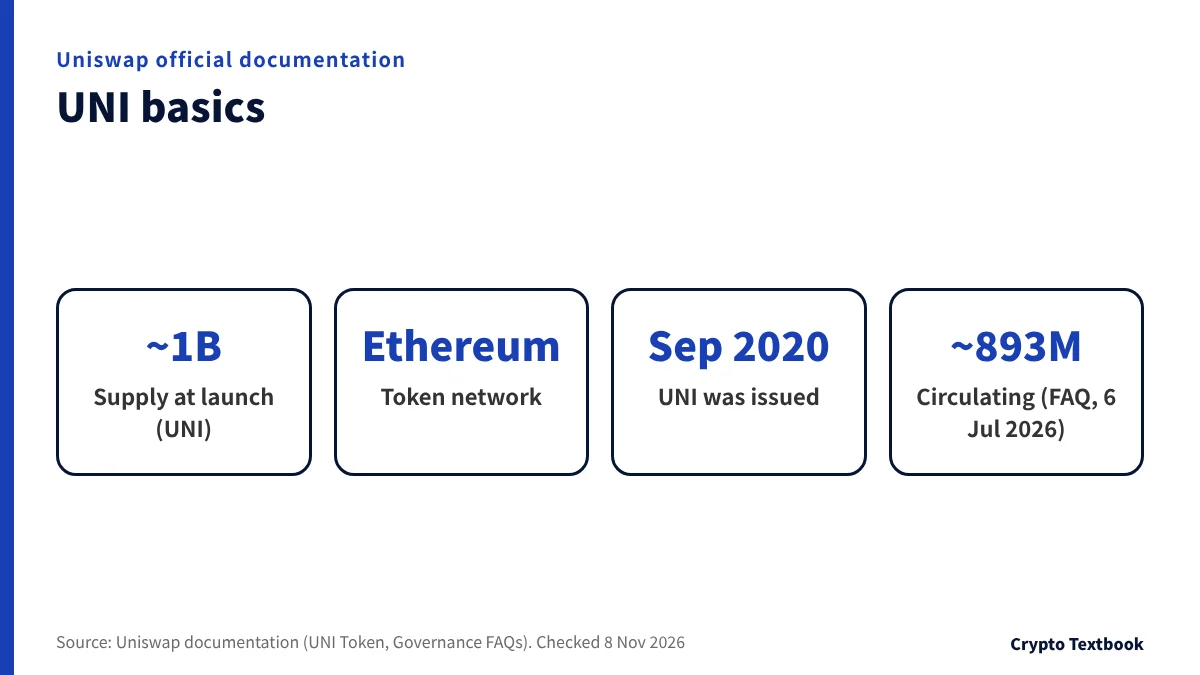
Uniswap is a decentralized exchange (DEX) protocol that runs on Ethereum. According to its documentation, it uses an automated market maker (AMM) instead of an order book.
UNI is Uniswap's governance token. Holders decide protocol fees and how the treasury is spent by voting.
| Item | Official description |
|---|---|
| Ticker | UNI |
| Type | Governance token of the Uniswap protocol (ERC-20) |
| Network | Ethereum (bridged versions exist on other networks) |
| Uses | Delegate your voting power, then vote on proposals |
| Fee sharing | No direct distributions of any kind to holders (official FAQ) |
| New issuance | None at present. Governance has authority to mint up to 2% of total supply a year but has not |
※ The contract address is in the section on sending UNI to and from a wallet, later in this article.
UNI holders' governance runs through DUNI, a Wyoming association (a DUNA). The Uniswap Foundation proposed it in August 2025.
According to the documentation, you become a member by holding UNI and taking part in governance, for example by delegating, posting a proposal or voting. There is no minimum holding; more than 0 UNI is enough.
- Spend treasury funds
- Set and activate the protocol fee
- Mint additional UNI (up to 2% of total supply a year)
Can you buy UNI in Japan? What the registered exchange lists show
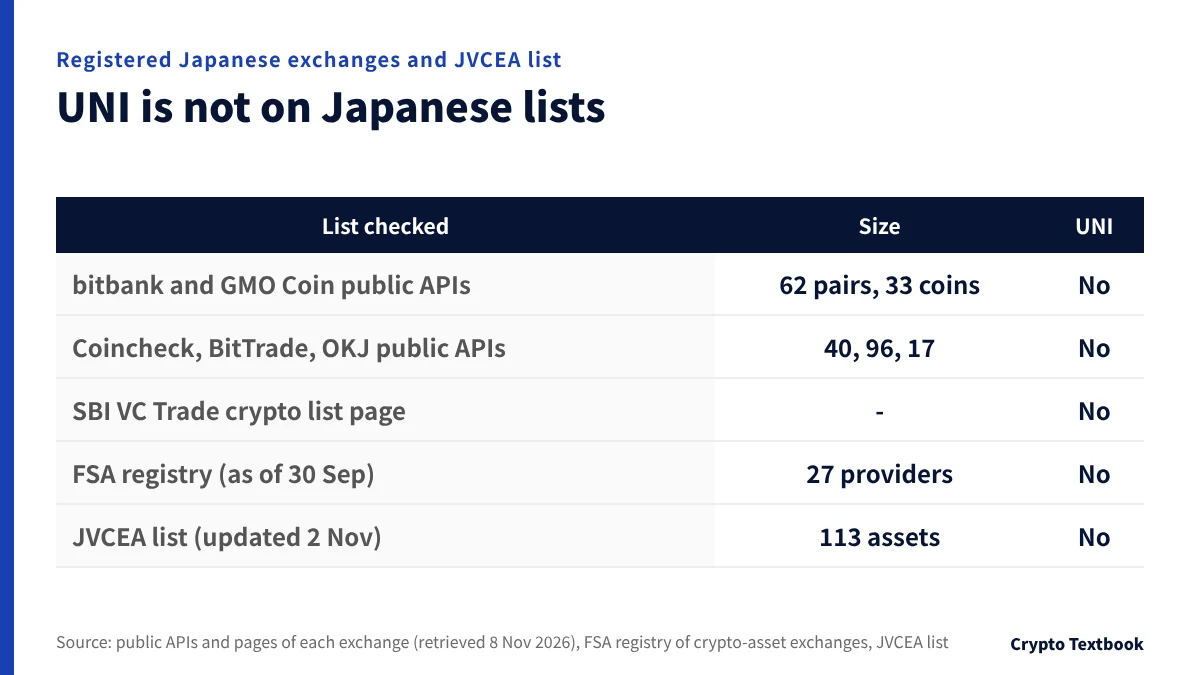
On 8 November 2026 we searched for UNI at registered Japanese exchanges and on the JVCEA list. We used public APIs for five exchanges and official lists for the rest. Within what we checked, UNI does not appear anywhere.
| List checked | Size | UNI |
|---|---|---|
| bitbank (public API) | 62 pairs | No |
| GMO Coin (public API) | 33 symbols | No |
| Coincheck (public API) | 40 coins incl. broker | No |
| BitTrade (public API) | 96 pairs | No |
| OKJ (public API) | 17 pairs | No |
| SBI VC Trade (crypto list page) | - | No |
| FSA registry (as of 30 September 2026, list of providers) | 27 providers | No |
| JVCEA list (updated 2 November) | 113 assets | No |
※ The FSA registry reflects 30 September. If a provider has started handling UNI since then, the JVCEA new listing notices will show it. We have not checked the current pages of Binance Japan, Rakuten Wallet, Zaif or BITPOINT.
Not being listed in Japan means three things.
- You would buy on an overseas exchange that is not registered with Japan's FSA
- Japanese protections such as segregated management and trusts under the Payment Services Act do not apply
- UNI has not passed the JVCEA review that registered Japanese exchanges go through
Running a crypto exchange business in Japan requires registration under the Payment Services Act. Japanese exchanges also need a JVCEA review before listing a new coin.
The penalties in the Payment Services Act target those who run a crypto exchange business without registration. We found no provision penalizing users in the parts we read. You still are not protected by the Japanese system if something goes wrong.
Can Japanese residents use BingX? Registration and restricted regions →
Where to buy UNI: MEXC, BingX and Bitunix compared
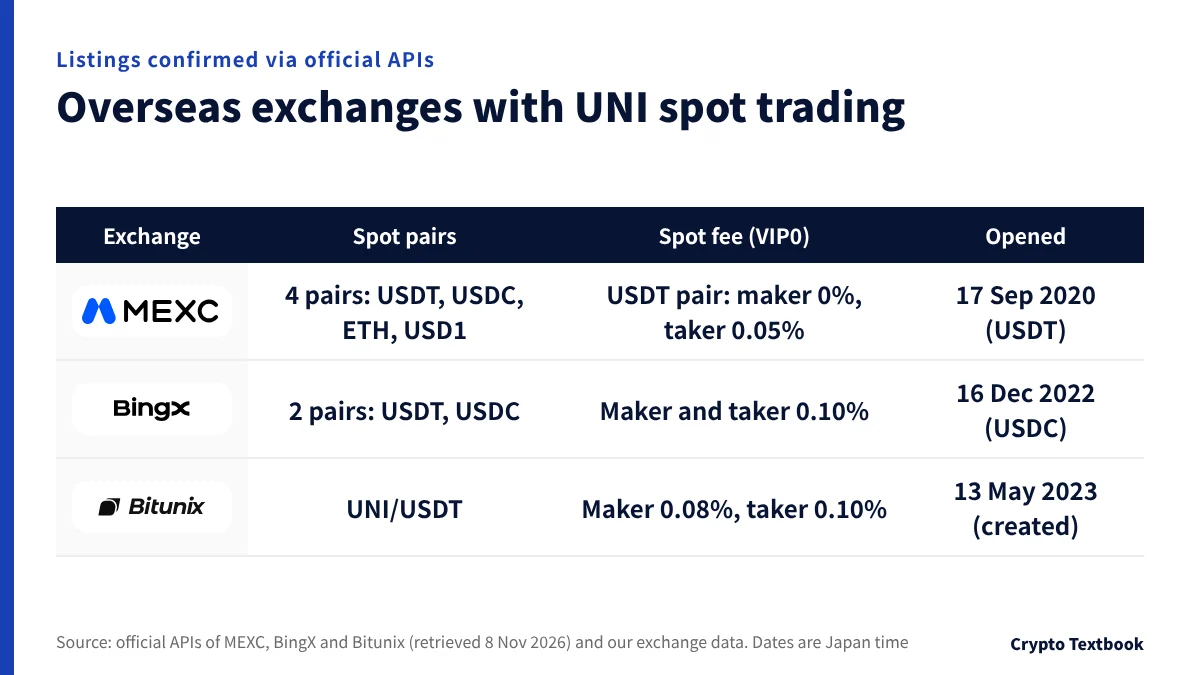
Among the overseas exchanges we cover, three show UNI spot trading in their official APIs. BYDFi has no public API and we could not load its pages, so it is not covered here.
| Exchange | UNI spot pairs | Spot fee (VIP0) | API record |
|---|---|---|---|
| MEXC | UNI/USDT, UNI/USDC, UNI/ETH, UNI/USD1 | USDT pair: maker 0%, taker 0.05% | UNI/USDT opened 17 September 2020, UNI/USDC 7 June 2022, UNI/USD1 16 April 2026 |
| BingX | UNI/USDT, UNI/USDC | Maker and taker 0.10% | UNI/USDC opened 16 December 2022 |
| Bitunix | UNI/USDT | Maker 0.08%, taker 0.10% | Created 13 May 2023 |
※ The MEXC API shows a 0 fee for both maker and taker on UNI/USDC, and 0.01% for both on UNI/USD1. UNI/USDC accepts limit orders only, with no market orders. Dates are Japan time; for Bitunix it is the API creation time (ctime). The BingX API has no opening date for UNI/USDT.
On fees alone, MEXC's USDT pair has a 0% maker fee. MEXC has four pairs, BingX two and Bitunix one. Withdrawal limits depend on your identity verification (KYC) level.
| Exchange | KYC levels | Withdrawal limit |
|---|---|---|
| MEXC | Primary KYC, Advanced KYC | 80 BTC or 200 BTC per day (our 26 September check) |
| BingX | Unverified, Advanced | 20,000 or 5,000,000 USDT per 24 hours (unverified: deposits and trading unavailable per the official table, checked 8 Nov 2026) |
| Bitunix | KYC1, KYC2 | 500,000 or 5,000,000 USDT per 24 hours (checked 4 November) |
- MEXC: four pairs (USDT, USDC, ETH and USD1). The USDT, USDC and ETH pairs have a 0% maker fee
- BingX: two pairs, UNI/USDT and UNI/USDC. Unverified: deposits and trading unavailable per the official table (checked 8 Nov 2026)
- Bitunix: one pair, UNI/USDT. No deposit fee; deposits usually arrive in 3 to 30 minutes
Open the MEXC sign-up page (our referral link) →
Open the BingX sign-up page (our invite link) →
Open the Bitunix sign-up page (our referral link) →
Check fees on each exchange's fee page for your own VIP level. On the BingX screen, spot VIP 0 shows 0.1000% for both taker and maker.
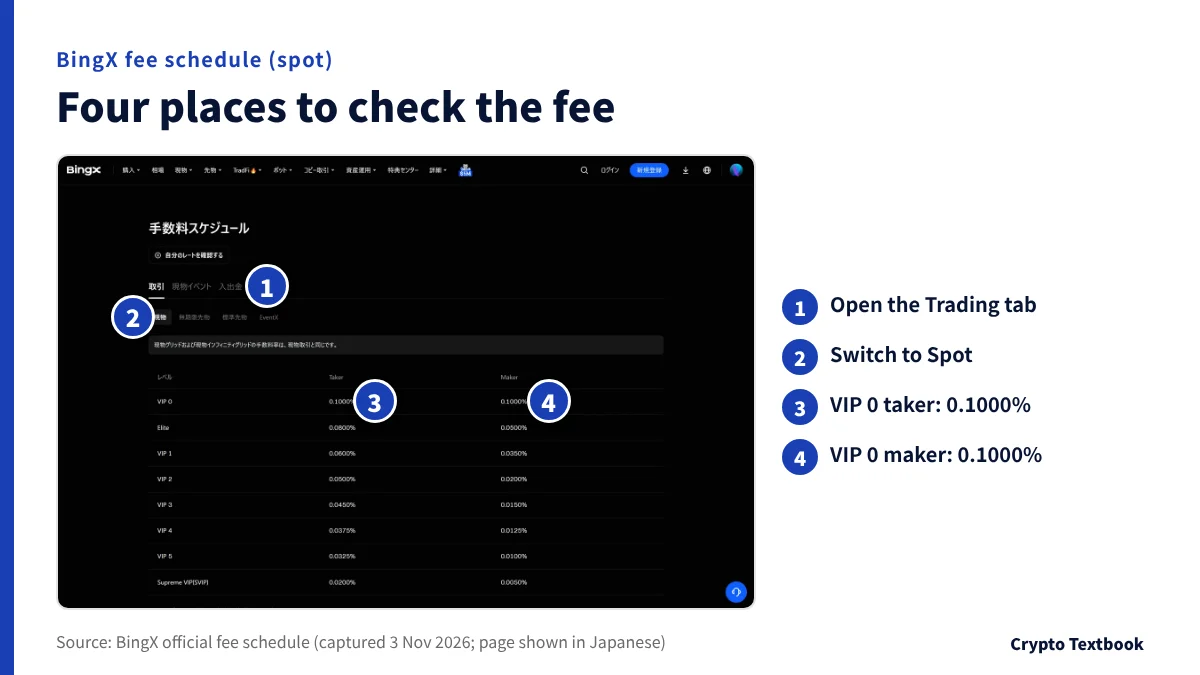
How to buy UNI: four steps from sign-up to a spot order
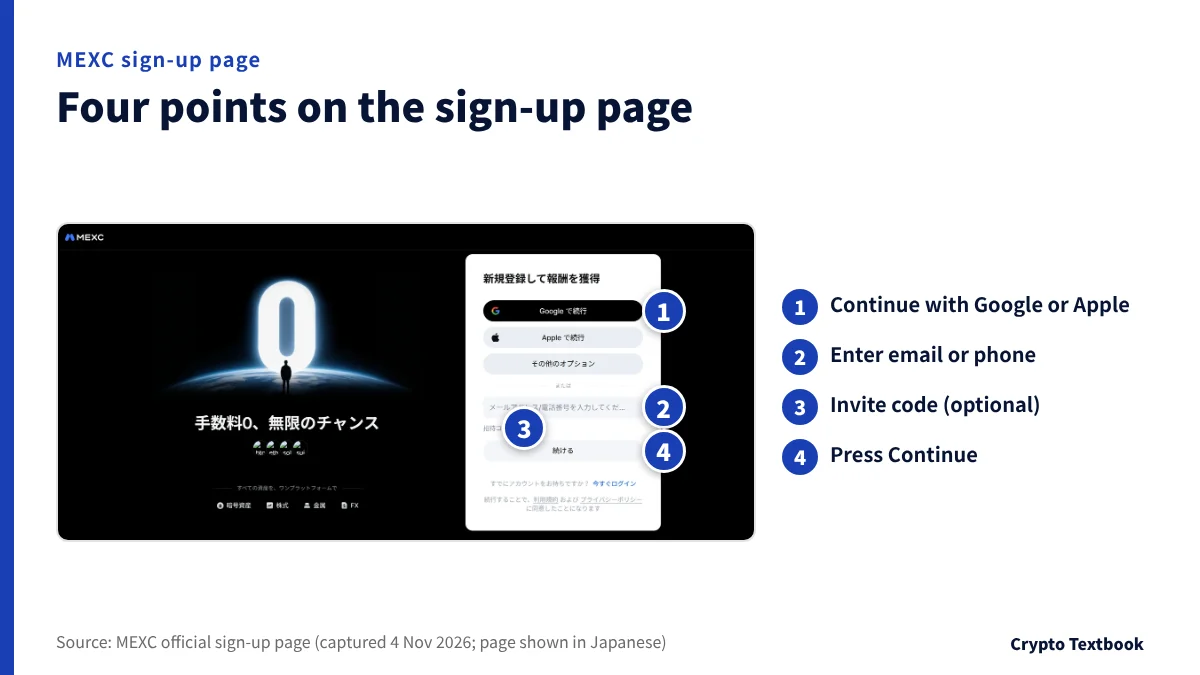
The flow is the same four steps at all three exchanges. We only use screen names we confirmed in each exchange's official pages.
- 01Sign up with an email address or phone number
The MEXC sign-up page offers Continue with Google or Apple and a field for an email address or phone number. The invite code field is optional, and you also agree to the terms and privacy policy.
- 02Complete identity verification (KYC)
BingX's official table lists deposits and trading as unavailable for unverified users (checked 8 November 2026); check your account screen for the current treatment. Choose your country of residence as shown on your ID.
- 03Deposit crypto such as USDT
On the deposit screen, choose the coin and network and send to the deposit address shown. BingX charges no deposit fee.
- 04Place a UNI/USDT spot order
BingX's how-to-buy page has you move funds to the spot account and buy on the UNI/USDT spot market, with market or limit orders.
- BingX's official page recommends setting up Google 2FA (two-factor authentication)
- The same page also recommends a passkey and an anti-phishing code
- Never share the verification codes sent to your email
BingX's official page also describes buying USDT by card, Apple Pay or P2P and then swapping it for UNI. Check which payment methods work from Japan on the app's purchase screen.
BingX identity verification (KYC): documents and withdrawal limits →
Sending crypto from a Japanese exchange and the screens to check
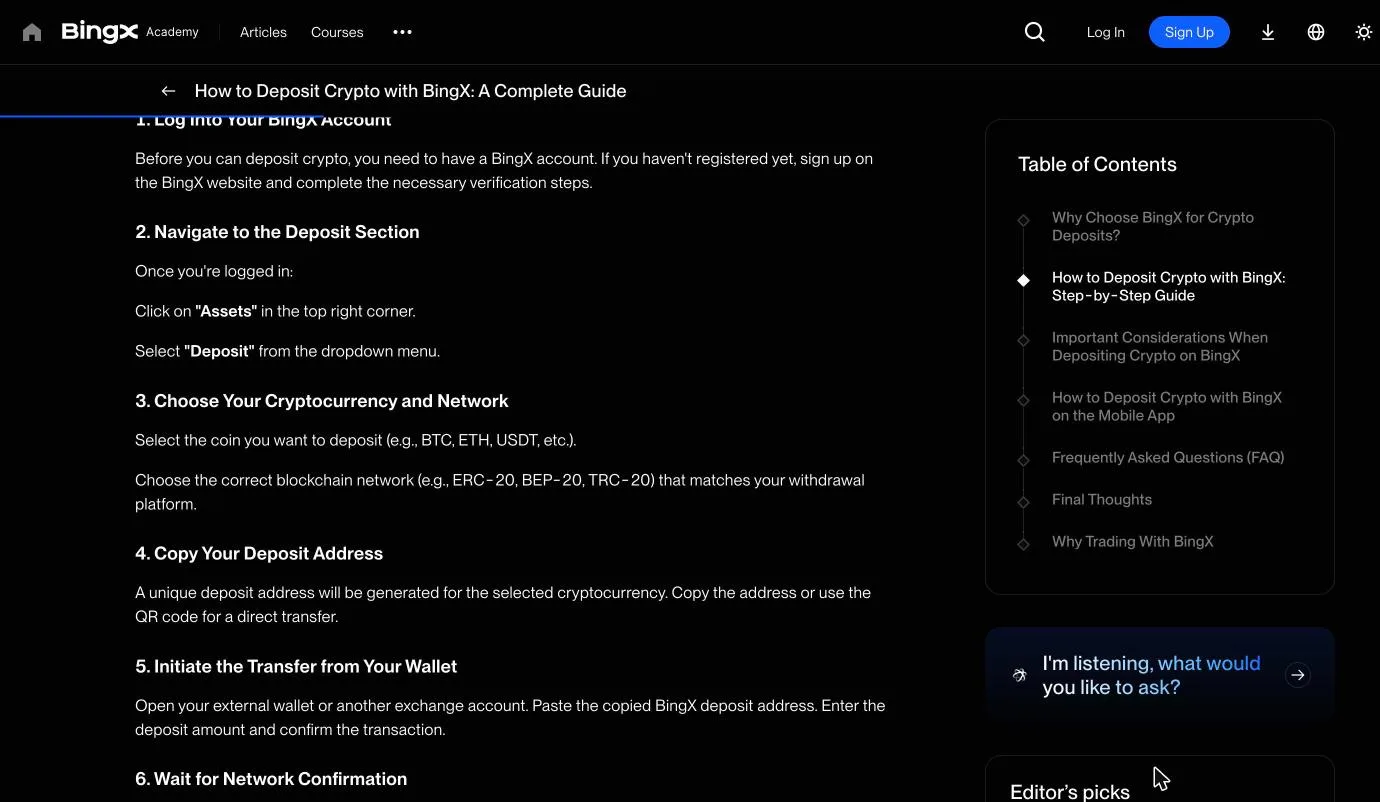
UNI is not on Japanese lists, so you send crypto bought at a Japanese exchange to an overseas exchange. There you swap it to USDT and use the USDT to buy UNI.
- Buy a coin to send with yen at a Japanese exchange
- On the overseas exchange deposit screen, choose the same coin and network
- Copy the deposit address and paste it into the Japanese exchange's send screen
- Send a small amount first and the rest after it arrives
The BingX fee schedule warns that deposits below the minimum are not credited. BingX Academy tells you to choose the same network as the sender.
| What goes wrong | How to avoid it |
|---|---|
| Wrong network | Choose the same network name at both ends |
| Wrong address pasted | Compare the first and last few characters after pasting |
| Below the minimum deposit | Check the minimum on the deposit screen; smaller amounts may not be credited |
| Slow arrival | Look up the TxID (transaction ID) on a block explorer |
Japanese exchanges ask for details of the receiving exchange and the recipient when you send overseas. Some destinations may not be supported.
The Travel Rule when sending from Japan to overseas exchanges →
Sending UNI to or from a wallet: match Ethereum and check the contract
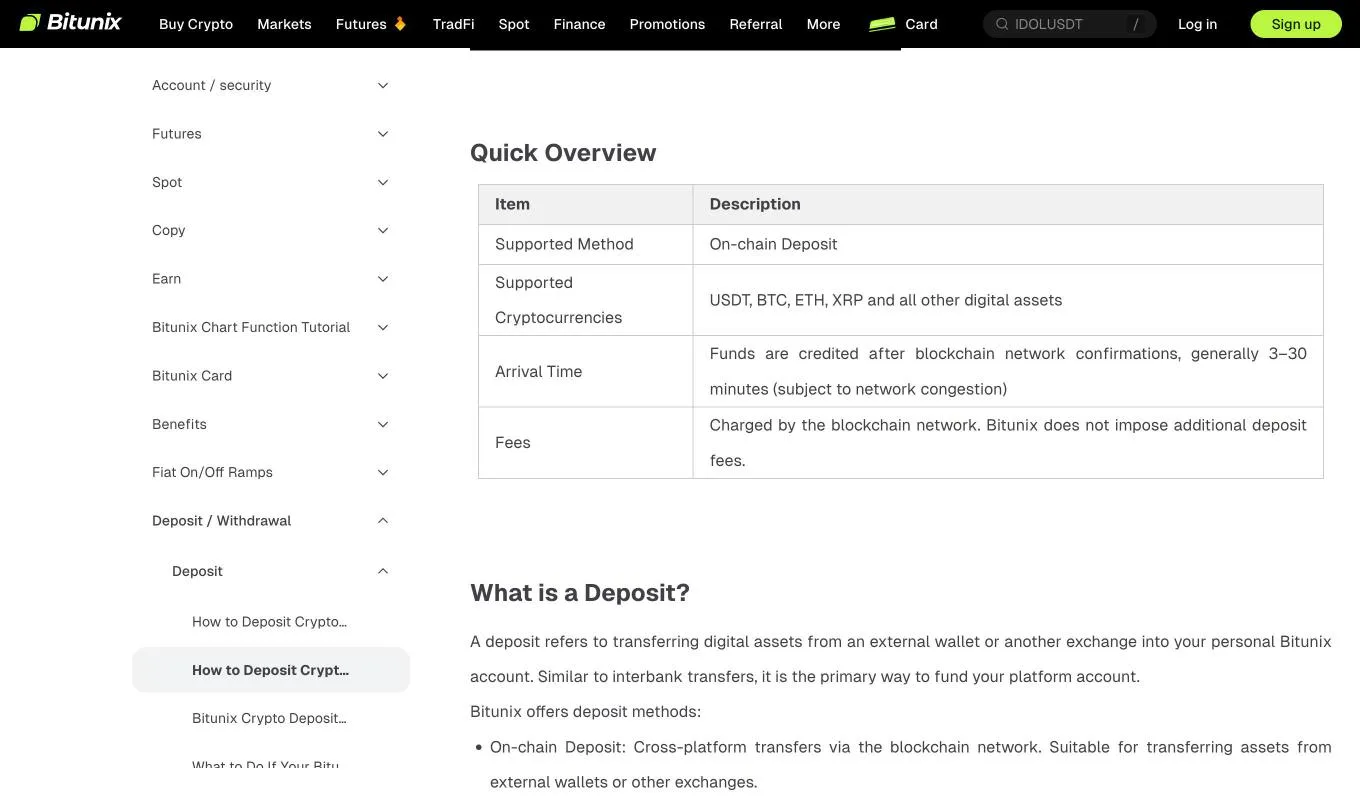
UNI is a token on Ethereum (ERC-20). Whether you withdraw to your own wallet or send back to an exchange, match the network.
Bridged versions of UNI exist on other networks. Each has its own address, listed in a table in the official documentation.
The UNI contract address on Ethereum shown in Uniswap's official documentation and the MEXC official API is "0x1f9840a85d5aF5bf1D1762F925BDADdC4201F984". Compare its first and last characters with what your exchange screen or wallet shows.
| Cause | What the help page says |
|---|---|
| Sent to a contract address | Not the same as a deposit address. Assets sent to a smart contract cannot be recovered |
| Below the minimum deposit | Minimums vary by coin and network. Smaller amounts are neither credited nor refunded |
| Wrong network or memo | Blockchain transfers cannot be reversed, and assets may be lost |
| Held for review | After you prove ownership through KYC, a refund to the original sender is offered |
The contract address above is for checking that a token is genuine. The address you send to is the deposit address shown on the exchange's deposit screen.
How buying on Uniswap itself differs
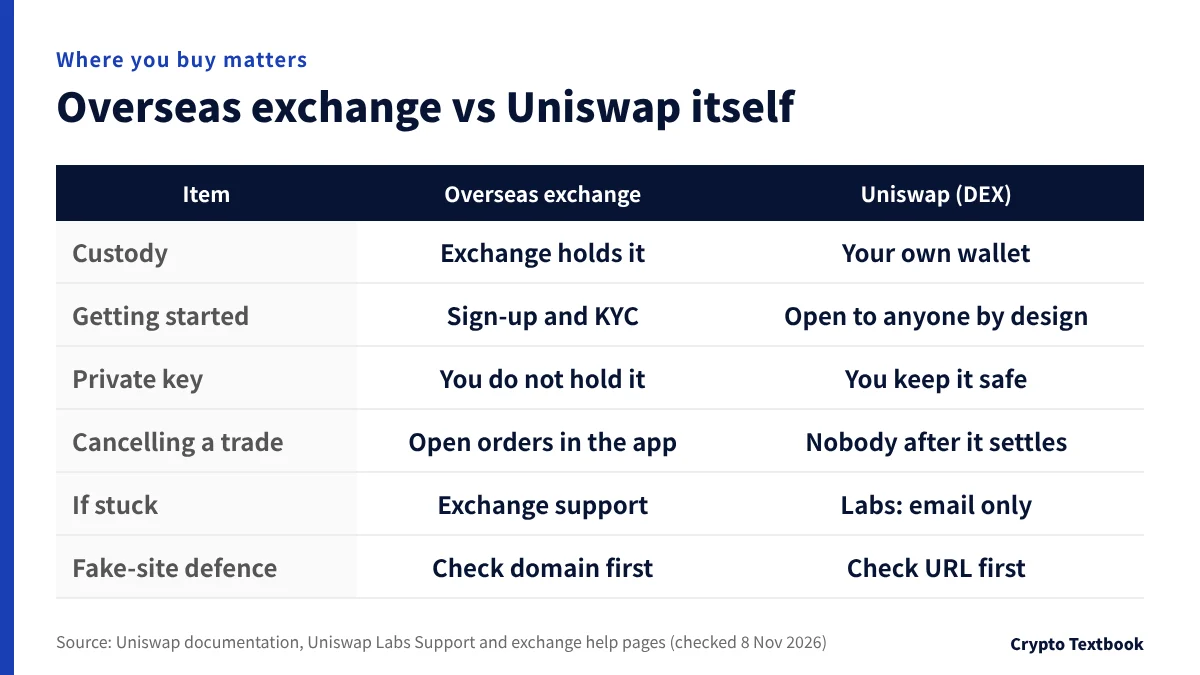
You can also swap UNI on Uniswap itself. It works differently from buying at an overseas exchange, and you keep the assets in your own wallet.
The documentation says anyone can swap, provide liquidity or create new markets. We do not recommend that first-time buyers swap or provide liquidity on Uniswap itself.
| Item | Overseas exchange (CEX) | Uniswap (DEX) |
|---|---|---|
| Custody | The exchange holds your assets | You manage them in your own wallet |
| Getting started | Sign up with email or phone, then KYC | The documentation describes the protocol as open to anyone |
| Private key and recovery phrase | You do not hold them | You keep them safe and show no one |
| Cancelling a trade | Open orders are handled in the exchange app | Nobody can reverse a trade once it settles |
| If something goes wrong | Contact the exchange's support | Uniswap Labs support is by email only (support@uniswap.org) |
| Defence against fake sites | Check the domain before you sign up | Check the URL before connecting |
The documentation says the price follows the ratio of the two tokens in a pool, and larger trades relative to pool size move the price more. When you provide liquidity, a position stops earning fees if the price leaves the range you chose.
How to spot fake sites, fake support and fake airdrops
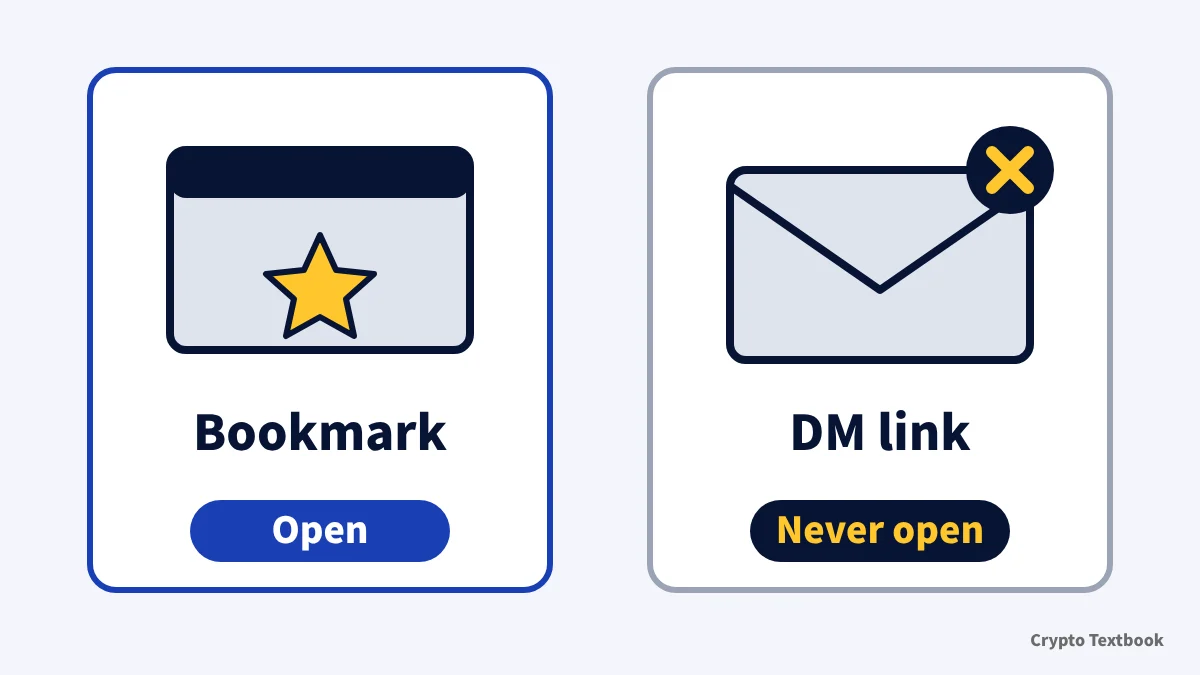
The Uniswap Labs support pages list several tricks that imitate Uniswap. If you only buy at an exchange, you never need to connect a wallet or apply for a distribution.
- Fake sites with a look-alike URL that trick you into approving a contract and lose your tokens and NFTs
- Fake giveaways that say they will double what you send
- Fake support staff on WhatsApp or Telegram
- Tokens or NFTs you did not ask for, with a URL in the name (example: uniswap-airdrop.claim)
- Tokens you cannot sell once you buy them (honeypots)
| Situation | What the support pages say |
|---|---|
| Opening the site | Check that the URL matches the official site. Be careful with links from Discord and other social media |
| Someone claims to be support | Support is by email only (support@uniswap.org). There is no WhatsApp and no Telegram group |
| Asked for money or software | Uniswap Labs never asks you to send funds to another account or download software |
| Recovery phrase and private keys | Never show them to anyone |
| A token you did not ask for | Do not claim it, swap it or sell it |
| Signs you cannot sell | A Transaction is expected to fail message or a 100% sell fee warning |
※ The footer of the Uniswap Labs official blog lists app.uniswap.org, wallet.uniswap.org, docs.uniswap.org, support.uniswap.org and X (@Uniswap), among others.
According to the documentation, 15% of UNI was distributed to past users and others when it was issued in September 2020. We do not give steps for claiming any current distribution. If someone says you can claim, suspect a fake first.
Selling UNI and getting back to Japanese yen
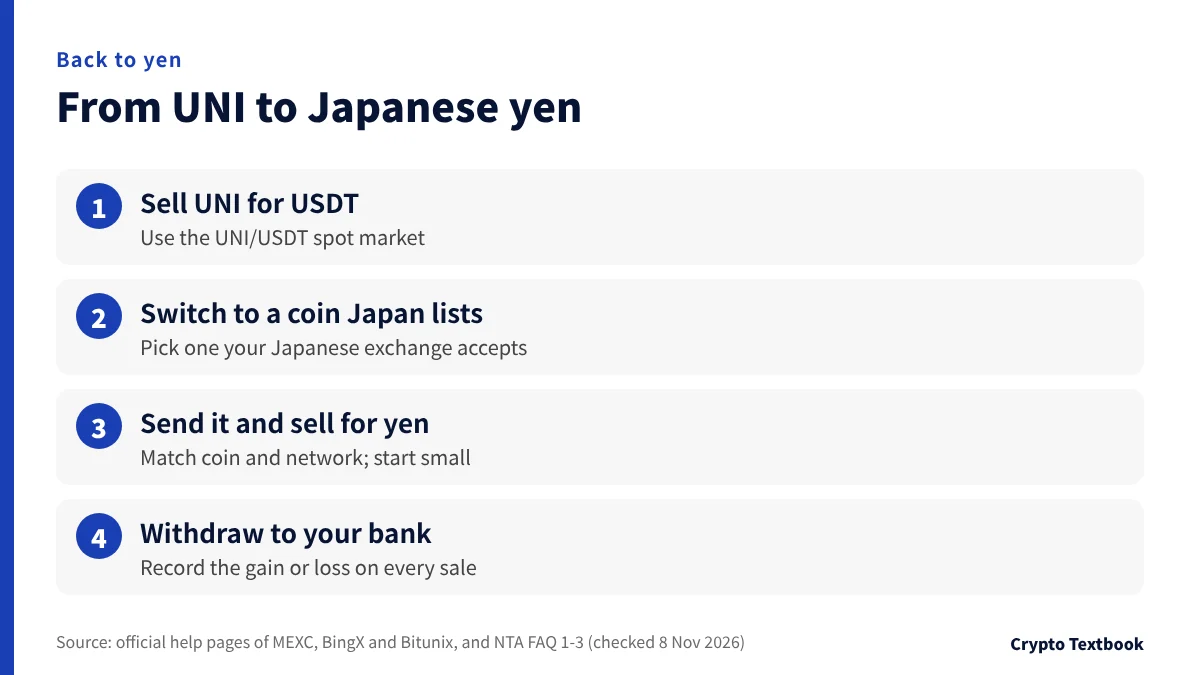
To get back to yen, reverse the buying steps. Sell UNI for USDT overseas, swap to a coin your Japanese exchange accepts and send it.
- 01Sell UNI on the UNI/USDT spot market
The proceeds arrive in your spot account as USDT.
- 02Swap to a coin Japan lists
Choose one your Japanese exchange handles on the same network.
- 03Send it to the Japanese exchange and sell for yen
Sell after it arrives. Test with a small amount first.
- 04Withdraw yen to your bank account
Check the withdrawal fee and timing on the Japanese exchange.
A gain or loss arises when you swap UNI to USDT and again when you swap USDT to another coin. Record the date, amount and yen value of every sale.
| Step | Cost |
|---|---|
| Sell UNI for USDT | Spot trading fee (taker: MEXC 0.05%, BingX 0.10%, Bitunix 0.10%) |
| Swap USDT to another coin | Spot trading fee again |
| Send to the Japanese exchange | Overseas withdrawal fee (fixed per coin and network) |
| Sell for yen and withdraw in Japan | Japanese exchange trading fee and bank withdrawal fee |
Bitunix deposits and withdrawals: fees, networks and limits →
UNI and tax: swaps with USDT count too
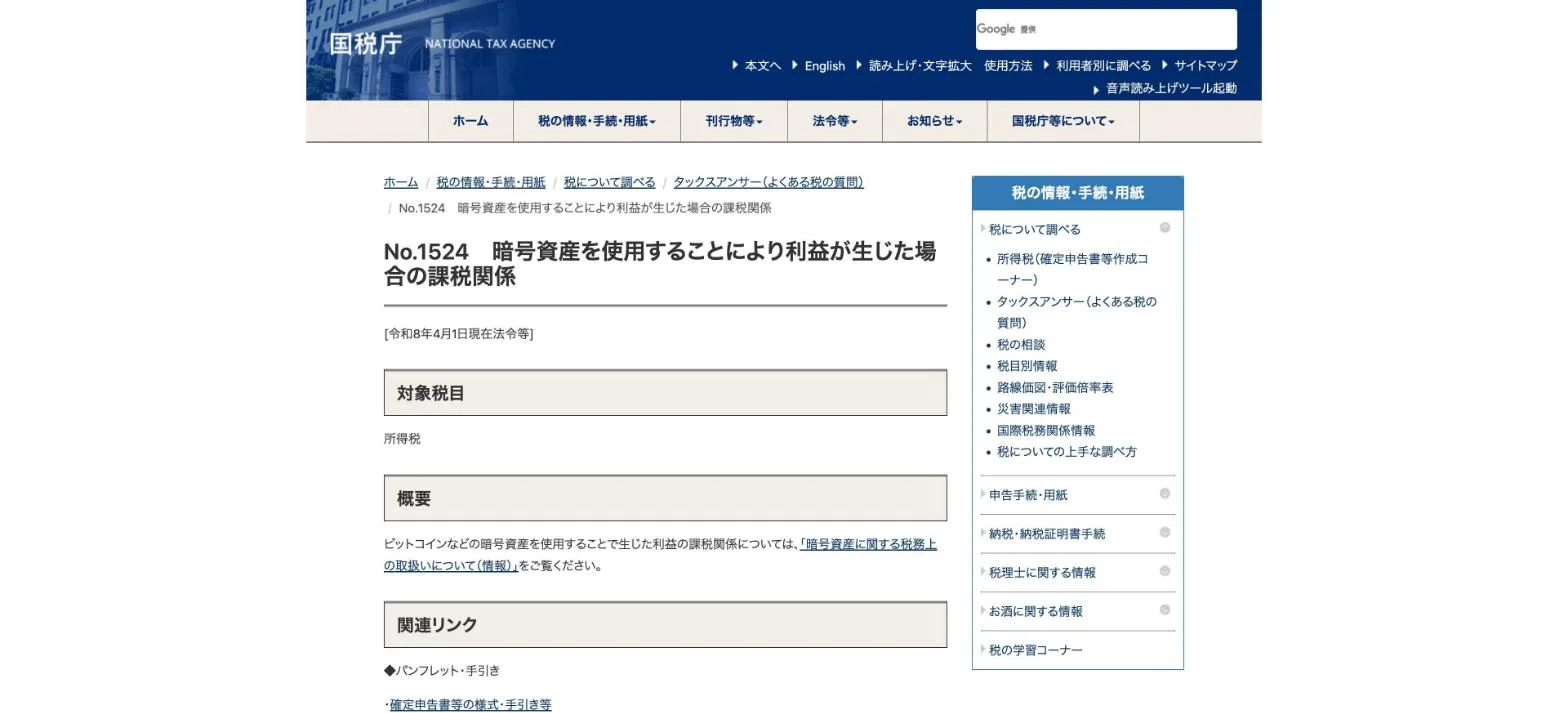
Profit from trading UNI on an overseas exchange is subject to Japanese income tax. The NTA FAQ treats crypto trading profit as miscellaneous income in principle.
| Situation | NTA FAQ treatment |
|---|---|
| Buy UNI with USDT | A swap between crypto-assets. Calculate the gain or loss on the USDT given up (FAQ 1-3) |
| Sell UNI for USDT | Calculate the gain or loss on the UNI given up |
| Income category | Miscellaneous income in principle; above 3 million yen in revenue, bookkeeping decides the category (FAQ 2-2) |
| Sell for yen in Japan | Calculate the gain or loss on the coin you sent and sold (FAQ 1-1) |
※ Use either the total average method or the moving average method; individuals who do not choose use the total average method (note to FAQ 1-3).
Download your overseas trade history yourself at least once a year. If the exchange becomes unavailable, you may not be able to retrieve it later.
- Date and time of each trade and the coins traded
- Quantity and the yen value at the time
- Trading fees and withdrawal fees paid
- Records of transfers between Japanese and overseas exchanges (TxID)
Crypto tax basics in Japan: miscellaneous income and filing →
UNI supply, voting, and how fees and burns work
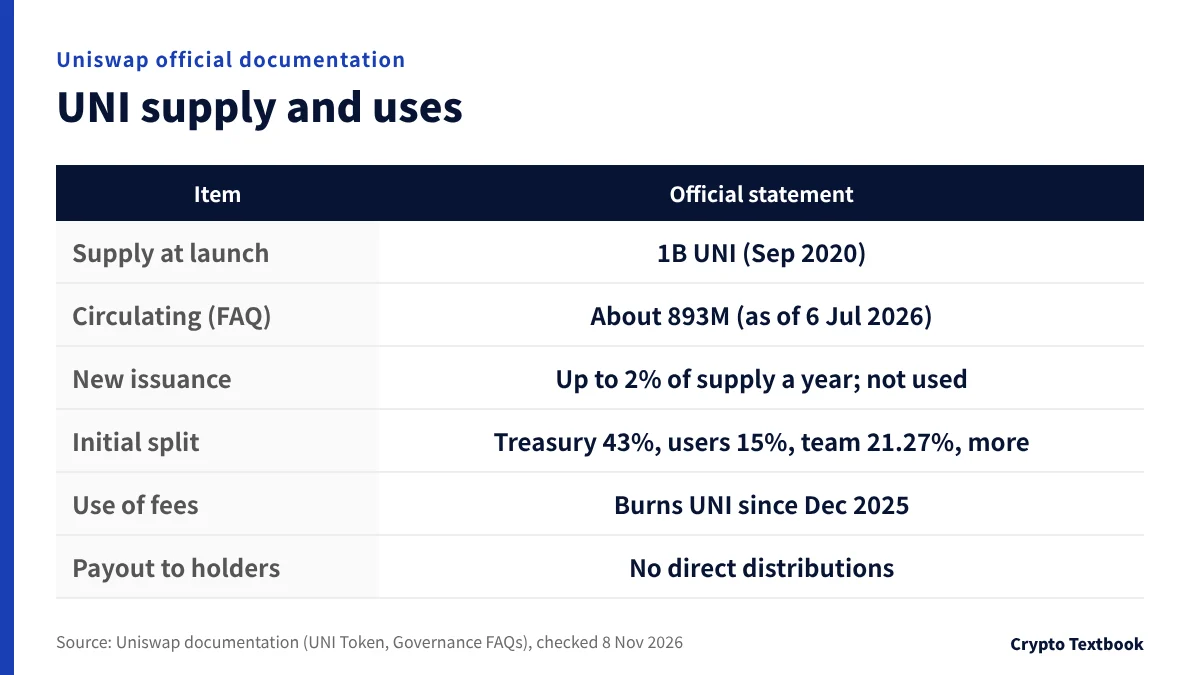
Uniswap's documentation describes UNI's supply and uses as follows. We only use figures stated in the documentation.
| Item | Official statement |
|---|---|
| Supply at launch | 1 billion UNI (September 2020) |
| Circulating supply | The FAQ states 892,876,000 UNI as of 6 July 2026 |
| Initial split | Community treasury 43%, airdrop to past users 15%, team 21.27%, investors 18.04%, advisors 0.69%, liquidity mining 2% |
| Vesting | Four years; completed in September 2025 |
| New issuance | Governance has authority to mint up to 2% of total supply a year and has not done so |
| Use of fees | Since December 2025, used to burn UNI |
| Payout to holders | No direct distributions of any kind. No individual or pro-rata claim on protocol revenue (official FAQ) |
※ The circulating supply figure is dated. For the latest number, use the dashboard the official FAQ points to.
| Stage | What the documentation says |
|---|---|
| 1. Request for comment (RFC) | At least 7 days of discussion on the governance forum |
| 2. Temperature check | 5 days on offchain Snapshot; at least 10M UNI in favor is needed |
| 3. Onchain vote | 2-day delay, 7-day vote, 2-day timelock. Submitting needs 1M UNI delegated; passing needs 40M UNI in favor |
The protocol fee sends part of each swap fee to the protocol instead of to liquidity providers. It began in December 2025, and the documentation says it is now active on v2 and v3 pools (some pages describe v3 as selected pools only).
| Version and fee tier | Liquidity provider share | Protocol share |
|---|---|---|
| v2 (all pools) | 0.25% | 0.05% |
| v3 0.01% | 0.0075% | 0.0025% |
| v3 0.05% | 0.0375% | 0.0125% |
| v3 0.30% | 0.25% | 0.05% |
| v3 1.00% | 0.8334% | 0.1666% |
- Collected fees pile up in a TokenJar contract on each network
- External participants pay UNI to take the assets in the TokenJar (a contract called Firepit)
- The UNI they pay is permanently burned
The fee and burn mechanism started from the UNIfication proposal posted on 10 November 2025. It included a retroactive burn of 100 million UNI from the treasury.
The proposal went onchain on 18 December. The Foundation's financial report gives the governance approval date as 26 December 2025.
The official FAQ says UNI holders have no individual or pro-rata claim on protocol revenue and that there are no direct distributions of any kind. According to the documentation, value accrues through the fee-funded burn. A supply that shrinks through burns is a separate matter from price outlooks.
Risks to know before buying: mix-ups, fakes, price and regulation
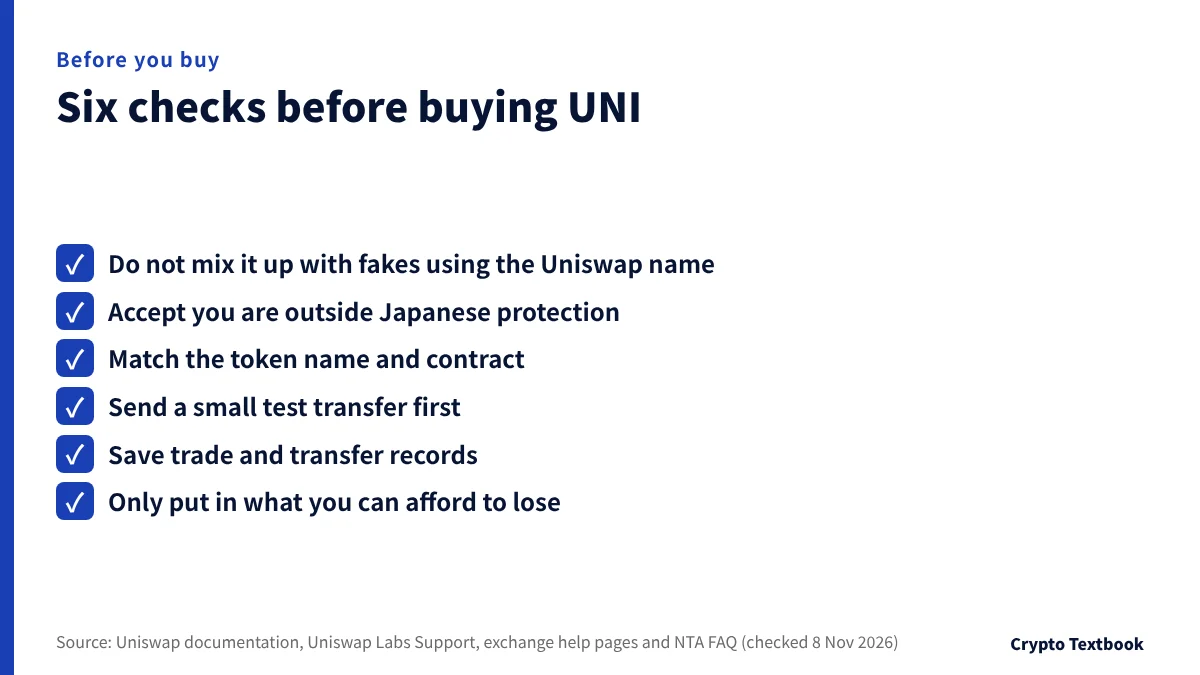
Start from the fact that prices move sharply and you are buying outside the Japanese system. Then use official sources to rule out name mix-ups and fakes.
| Risk | How to check |
|---|---|
| Price swings | Prices move sharply and can fall below what you paid. Only use money you can afford to lose |
| Outside Japanese protection and JVCEA review | If an overseas exchange fails, Japanese segregation and trust rules do not protect you |
| Mix-ups and fake tokens | Fake tokens and airdrops use the Uniswap name. Match the contract with the official value |
| Fake sites and fake support | Use only the official channels. Support is by email only, not WhatsApp or Telegram |
| Expecting fees and burns to help | No direct distributions of any kind and no claim on revenue for holders (official FAQ). Burns and price outlooks are separate matters |
| Delisting and regulatory change | Read exchange notices and terms. A formal notice is issued when trading is to stop |
- Check that the name is Uniswap and the ticker is UNI
- Match the first and last characters of the contract with the official value
- Set the withdrawal network to match the receiving wallet
Besides Ethereum, bridged versions of UNI exist on other networks, each at its own address. When you choose the network on an exchange's withdrawal screen, make it match the receiving side.
Our conclusion: how to decide whether to buy UNI
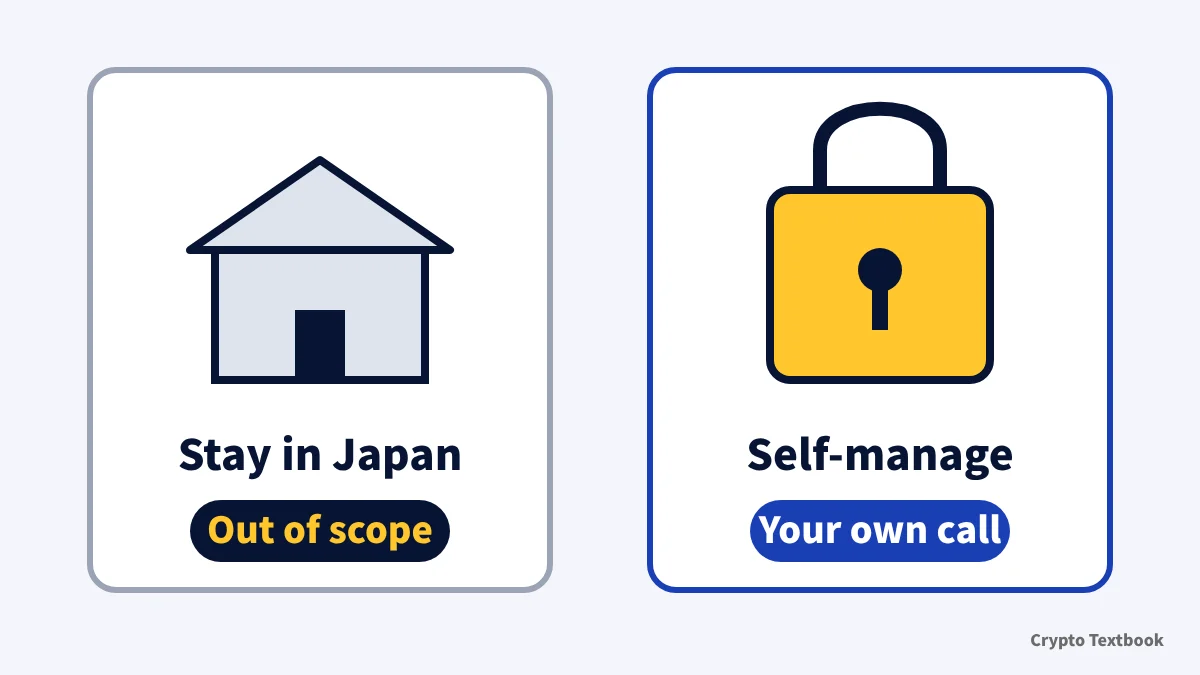
If you want to stay within registered Japanese exchanges and yen, this route is not open to you. If you can manage an overseas account, transfers and tax records yourself, it is your own decision. Even then, check the process with a small test transfer first.
- If your goal is swapping on Uniswap itself or voting in governance, this article is not for you
- Check the fee at your own VIP level on each exchange's fee page
- Whichever exchange you use, test one small deposit and one withdrawal first
A summary of facts checked against primary sources on 8 November 2026. It does not recommend buying UNI. Our advertising relationships are explained on the advertising and risk disclosure page.
Frequently asked questions
Q. Where can I buy UNI?
A. On the spot markets of MEXC, BingX and Bitunix. MEXC offers UNI/USDT, UNI/USDC, UNI/ETH and UNI/USD1; BingX offers UNI/USDT and UNI/USDC; Bitunix offers UNI/USDT. We checked their official APIs on 8 November 2026. You buy with crypto such as USDT, not yen.
Q. Can I buy UNI on a Japanese exchange?
A. Not on any list we checked as of 8 November 2026. UNI is not on the public APIs of five Japanese exchanges, the SBI VC Trade list or the JVCEA list (updated 2 November, 113 assets). We have not checked the current pages of every provider, such as Binance Japan. If a Japanese exchange starts handling it, the JVCEA new listing notices will show it.
Q. Are Uniswap and UNI the same thing?
A. No. Uniswap is a decentralized exchange protocol, and UNI is its governance token. You do not need UNI to swap on the protocol; UNI is mainly used for voting.
Q. What is the UNI contract address?
A. Uniswap's documentation gives 0x1f9840a85d5aF5bf1D1762F925BDADdC4201F984 on Ethereum (checked 8 November 2026), and the MEXC official API returns the same value. Use it to check a token is genuine, not as a destination.
Q. Do UNI holders earn a share of fees?
A. No. The official FAQ says UNI holders have no individual or pro-rata claim on protocol revenue and there are no direct distributions of any kind. Fees are used in a mechanism where participants pay UNI to collect them and that UNI is burned. Supply at launch was 1 billion UNI.
Q. Is a message saying I can claim a UNI airdrop genuine?
A. Suspect a fake first. Uniswap Labs Support advises against claiming tokens you did not ask for, especially ones with a URL in the name, and says its support is by email only. Some claim processes are used to drain your assets.
Q. How do I convert UNI to Japanese yen?
A. Swap UNI to USDT overseas, swap to a coin your Japanese exchange lists, send it, and sell it for yen in Japan. Check which coins and networks the Japanese exchange accepts before sending.
Q. Is profit on UNI taxed in Japan?
A. Yes. The NTA classifies crypto trading profit as miscellaneous income in principle. Swapping USDT for UNI is also a taxable event (FAQ 1-3).
Sources
- Uniswap official documentation | UNI Token (supply, distribution, contracts, checked 8 November 2026) →
- Uniswap official documentation | Governance FAQs (circulating supply, fees and burn, DUNI, checked 8 November 2026) →
- Uniswap official documentation | Governance Overview and Technical Reference (checked 8 November 2026) →
- Uniswap official documentation | Governance Process and Guide to Voting (updated April 2026, checked 8 November 2026) →
- Uniswap official documentation | Protocol Fees and Protocol Fee Configuration (checked 8 November 2026) →
- Uniswap official documentation | How Uniswap Works and Fees (checked 8 November 2026) →
- Uniswap governance forum | UNIfication Proposal (posted 10 November 2025, checked 8 November 2026) →
- Uniswap governance forum | Uniswap Foundation: Summary FY2025 Financials (approval date, posted 31 March 2026, checked 8 November 2026) →
- Uniswap Labs Support | Types of Scams (fake sites, fake support, fake airdrops, unsellable tokens, checked 8 November 2026) →
- Uniswap Labs official blog | Official channels listed in the page footer (app, wallet, docs, support, X; checked 8 November 2026) →
- MEXC official API | defaultSymbols and exchangeInfo (UNIUSDT, UNIUSDC, UNIETH and UNIUSD1, retrieved 8 November 2026) →
- BingX official API | Spot symbols (UNI-USDT and UNI-USDC, retrieved 8 November 2026) →
- Bitunix official API | Spot pair list (uniusdt, retrieved 8 November 2026) →
- BingX | How to buy Uniswap (UNI) (official page, checked 8 November 2026) →
- BingX | Fee schedule (spot, deposits and withdrawals, checked 3 November 2026) →
- BingX Academy | How to Deposit Crypto with BingX (deposit steps, checked 3 November 2026) →
- BingX | KYC Benefits and Advantages at Different Levels (help centre, published 7 June 2024, checked 7 November 2026) →
- MEXC | Sign-up page (official, checked 4 November 2026) →
- Bitunix | What to Do If Your Bitunix Deposit Is Not Credited (help centre, updated 17 September 2026, checked 4 November 2026) →
- Bitunix | How to Deposit Crypto on Bitunix (help centre, checked 4 November 2026) →
- Financial Services Agency of Japan | Registered crypto-asset exchange service providers (as of 30 September 2026, 27 providers, checked 7 November 2026) →
- e-Gov Law Search | Payment Services Act (Articles 63-2 and 63-11, checked 7 November 2026) →
- Japan Virtual and Crypto assets Exchange Association (JVCEA) | Crypto-assets handled by members and overview documents (updated 2 November 2026, 113 assets, checked 8 November 2026) →
- Public APIs of registered Japanese exchanges (bitbank, GMO Coin, Coincheck, BitTrade, OKJ) and SBI VC Trade crypto list (retrieved 8 November 2026) →
- National Tax Agency of Japan | Tax treatment of crypto-assets (FAQ) 1-1, 1-3 and 2-2 (26 December 2025, checked 7 November 2026) →
- National Tax Agency of Japan | Tax Answer No.1524 Taxation of profits from using crypto-assets (checked 7 November 2026) →
FX Textbook is an independent information site, not an exchange or a provider of personal investment advice. Crypto-asset trading involves risk: price volatility, liquidation of leveraged positions, transfer mistakes and the operational risk of exchanges and service providers can cause you to lose some or all of your invested capital. No result is guaranteed.
NEXT STEP
Check MEXC, BingX and Bitunix fees and transfers on our exchange pages.
We list the official information we have confirmed. Compare fees and operator details before you sign up.
Exchanges related to this column
Fees, leverage, funding options and current offers are on each exchange page.